1. Bubuka
This manual provides essential information for the safe and efficient operation of your Haier H65M95EUX 65-inch QD Mini LED 4K UHD Smart TV. Please read this manual thoroughly before using the product and retain it for future reference.
The Haier H65M95EUX is a 65-inch Smart TV featuring QD Mini LED technology for superior brightness and vibrant colors, 4K UHD resolution, and a 144 Hz refresh rate. It integrates Google TV for smart functionalities, Harman Kardon speakers for enhanced audio, and supports Dolby Atmos and Dolby Vision for an immersive viewpangalaman.
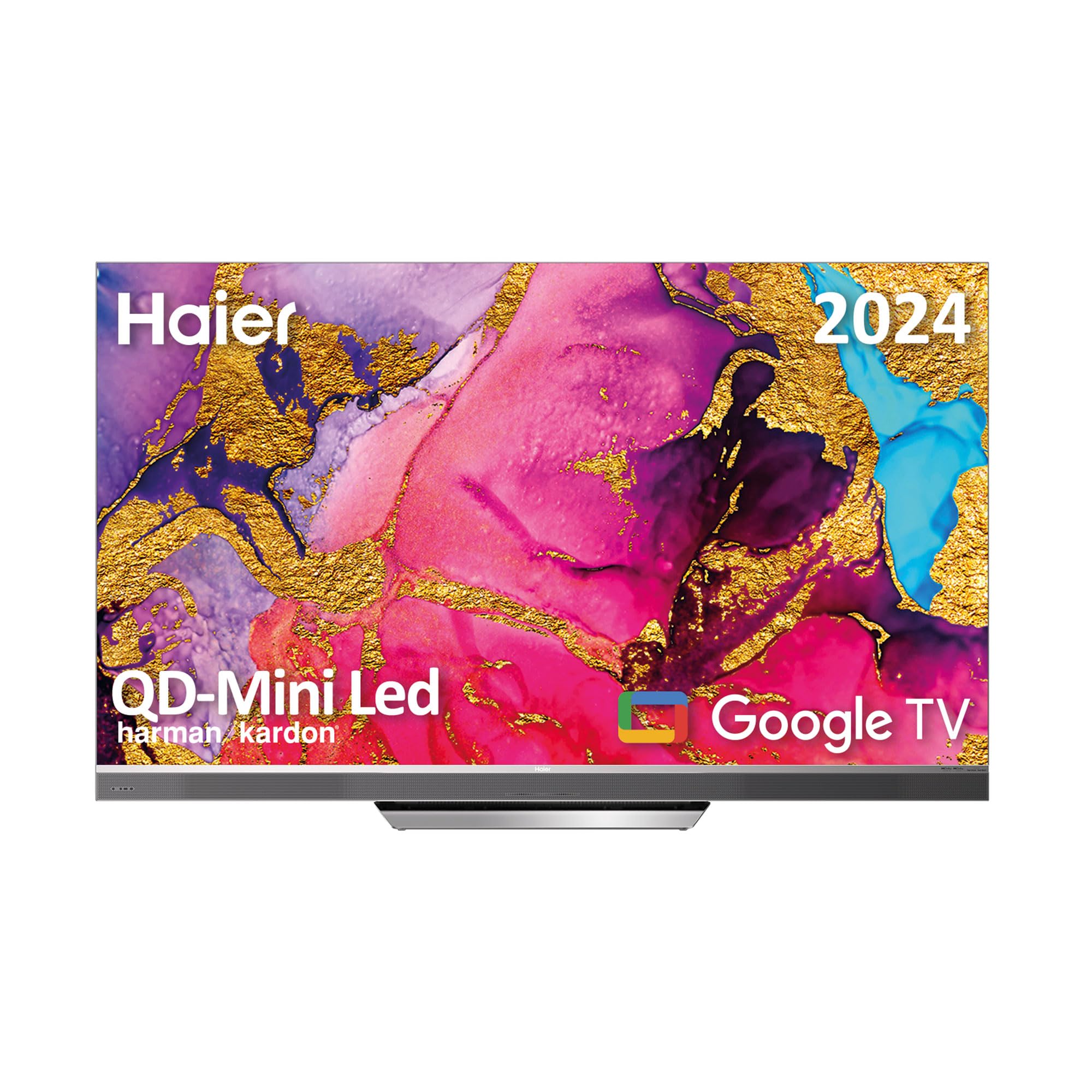
Image 1.1: Haier H65M95EUX 65-inch QD Mini LED 4K UHD Smart TV.
2. Émbaran Kasalametan
Salawasna turutan pancegahan kaamanan dasar nalika nganggo televisi ieu pikeun ngirangan résiko kahuruan, kejutan listrik, sareng tatu.
- Sumber Daya: Sambungkeun TV ngan ka sumber kakuatan AC sakumaha dituduhkeun dina labél.
- Ventilasi: Pastikeun ventilasi anu leres. Ulah meungpeuk bukaan ventilasi.
- Cai sareng Uap: Ulah ngalaan TV ka hujan atawa beueus. Ulah nempatkeun objék ngeusi cairan dina TV.
- beberesih: Cabut TV tina stop kontak témbok sateuacan beberesih. Paké lawon lemes, garing. Ulah make cleaners cair atawa cleaners aerosol.
- panempatan: Teundeun TV dina permukaan datar anu stabil. Hindarkeun nempatkeunna dina sinar panonpoé langsung atanapi caket sumber panas.
- Palayanan: Entong nyobian ngalayanan produk ieu nyalira. Rujuk sadayana ngalayanan ka tanaga jasa anu mumpuni.
- Barudak: Supervise children to ensure they do not play with the television.
3. Eusi Paket
Verify that all items are present in the packaging before proceeding with the setup.
- Haier H65M95EUX 65-inch QD Mini LED 4K UHD Smart TV
- Jauh Jauh Control
- Kabel Daya
- Stand TV (Dasar)
- Manual pangguna (dokumén ieu)
- Screws pikeun assembly nangtung
4. Setélan
4.1. Ngarakit Stand
Place the TV screen face down on a soft, clean surface to prevent damage. Align the stand with the mounting holes on the bottom of the TV. Secure the stand using the provided screws. Ensure the stand is firmly attached before placing the TV upright.
4.2. Pamasangan Tembok (Opsional)
If you choose to wall mount your TV, refer to the instructions provided with your wall mount kit. Ensure the wall mount is compatible with VESA standards for a 65-inch TV and can support the weight of the television.
4.3. Alat Sambungkeun
Your Haier H65M95EUX TV offers various connectivity options.
- HDMI: Connect external devices such as Blu-ray players, gaming consoles, or set-top boxes to the HDMI 2.1 ports (x4).
- USB: Connect USB storage devices for media playback or software updates to the USB ports (x2).
- Ethernet: Pikeun sambungan internét kabel anu stabil, sambungkeun kabel Ethernet ka port LAN.
- Wifi: For wireless internet, connect to your home network via the Wi-Fi settings in the TV menu.
- Bluetooth: Pair Bluetooth-enabled devices like headphones or soundbars.
4.4. Sambungan Daya
Connect the power cable to the TV's power input and then plug it into a wall outlet.
5. Ngoperasikeun TV
5.1. Setelan Awal sareng Google TV
Upon first power-on, the TV will guide you through the initial setup process. This includes language selection, network connection, and Google account sign-in. Google TV organizes your favorite content from various streaming services into one personalized interface.
- Google Play Store: Access over 10,000 applications, including popular streaming services like Disney+, YouTube, and Netflix.
- Chromecast Diwangun-di: Cast content directly from your mobile device to the TV using compatible applications.
- Asisten Google: Use the integrated microphone on the Smart Remote Control to interact with the TV, search for content, and control smart home devices.
5.2. Smart Remote Control
The Smart Remote Control allows for intuitive navigation and voice commands. Refer to the remote's diagram (if provided separately) for button functions.
5.3. Setélan Audio sareng Video
Your TV features advanced audio and video technologies for an enhanced viewpangalaman.
- QD Mini LED & 4K UHD: Enjoy sharp images with vibrant colors and brightness up to 2,000 nits.
- 144 Hz Laju Refresh: Provides ultra-smooth motion, ideal for fast-paced content and gaming.
- Harman Kardon Panyatur: Integrated 60W front speakers deliver clear and powerful sound.
- Dolby Atmos & Dolby Audio: Experience immersive, three-dimensional surround sound.
- Dolby Vision & HDR 10: Enhanced contrast and color accuracy for compatible content.
- DBX TV: Audio calibration technology for optimized sound performance.
6. Pangropéa
6.1. Ngabersihan Layar
Lembut usap layar nganggo lawon anu lemes sareng teu aya serat. Pikeun tanda nekad, rada dampen lawon ku cai atawa cleaner layar husus (pastikeun éta aman pikeun layar TV) jeung usap gently. Ulah nerapkeun tekanan.
6.2. Ngabersihan Kabinet
Ngusap kabinét TV ku kaén anu lembut sareng garing. Ulah make cleaners abrasive atawa pangleyur.
6.3. Apdet parangkat lunak
Your Google TV may receive automatic software updates. Ensure your TV is connected to the internet to receive these updates, which can improve performance and add new features. You can also manually check for updates in the TV settings.
7. Cara ngungkulan
Before contacting customer support, try the following solutions for common issues.
| Masalah | Mungkin Cukang lantaranana | Solusi |
|---|---|---|
| Taya kakuatan | Power cable disconnected; Power outlet not working | Check power cable connection; Try a different outlet; Press power button on TV or remote. |
| Henteu aya gambar, tapi aya sora | Sumber input salah; Masalah lampu latar | Press the "Input" button on the remote to select the correct source; Contact support if backlight is suspected. |
| Henteu aya sora, tapi aya gambar | Volume diheureuyan atawa handap teuing; Masalah alat audio éksternal | Unmute or increase volume; Check connections to external audio devices; Select correct audio output in settings. |
| Kadali jauh teu jalan | Batteries depleted; Obstruction between remote and TV | Replace batteries; Remove any obstructions; Re-pair remote if it's a Bluetooth remote. |
| Teu bisa nyambung ka Wi-Fi | Sandi salah; Masalah router; TV jauh teuing ti router | Verifikasi kecap akses Wi-Fi; Pareuman terus hurungkeun deui router; Deukeutkeun TV ka router atanapi anggo Ethernet. |
8. Spésifikasi
Detailed technical specifications for the Haier H65M95EUX Smart TV.
- Jumlah modél: 36200086
- Ukuran layar: 65 inci
- Téknologi tampilan: QD Mini LED, 4K UHD
- Resolusi: 3840 x 2160 (4K UHD)
- Laju Refresh: 144 Hz
- Caang: Nepi ka 2,000 nits
- Sistem operasi: Google TV
- Audio: Harman Kardon 60W Front Speakers, Dolby Atmos, Dolby Audio, DBX TV
- Video: Dolby Vision, HDR 10
- Konektipitas:
- HDMI 2.1 x 4
- USB x 2
- Wifi
- Bluetooth 5.1
- Ethernet (LAN)
- Fitur husus: Google Assistant (via Smart Remote), Chromecast Built-in, Frameless Design
- Ukuran produk (tanpa stand): 144.8 cm (W) x 87.4 cm (H) x 7.7 cm (D)
- Ukuran produk (kalayan stand): 144.8 cm (W) x 91.2 cm (H) x 25.8 cm (D)
- warna: pérak

Image 8.1: Haier H65M95EUX TV dimensions with and without stand.
9. Garansi jeung Rojongan
Kanggo inpormasi jaminan, mangga tingal kartu garansi anu kalebet dina produk anjeun atanapi kunjungan ka Haier resmi websitus.
If you encounter issues that cannot be resolved using the troubleshooting guide, please contact Haier customer support. Have your model number (H65M95EUX) and serial number ready when contacting support.
- Pabrikan: Haier
- model: H65M95EUX
- ASIN: B0D53W4KDL
- Dukungan Online: Visit Haier Official Websitus


