1. Bubuka
This manual provides detailed instructions for the MoKo Foldable Bluetooth Keyboard with integrated touchpad and numeric keypad. Please read this manual carefully before using the product to ensure proper operation and to maximize its lifespan.
Eusi pakét:
- 1 x MoKo Keyboard Lipat Nirkabel
- 1 x Stand for Mobile Phones or Tablets
- 1 x Kabel Ngecas USB Tipe-C
- 1 x Manual Pamaké

Image: The MoKo Foldable Bluetooth Keyboard shown unfolded, alongside a smartphone placed on the included stand.
2. Setélan
2.1 Ngecas kibor
The keyboard is equipped with a built-in 140mAh lithium battery. Before first use, or when the battery is low, charge the keyboard using the provided USB Type-C cable.
- Connect the USB Type-C cable to the charging port on the keyboard.
- Sambungkeun tungtung kabel anu sanés ka sumber daya USB (contona, komputer, adaptor témbok).
- A full charge typically takes 1.5 to 2 hours and provides up to 60 hours of operating time.

Image: Close-up of the keyboard showing the USB-C charging port and icons indicating charging time, working time, and standby time.
2.2 Nyapasangkeun Bluetooth
The keyboard supports Bluetooth 5.1 and can pair with up to three devices simultaneously.
- Daya Hurung: Buka kibor pikeun ngahurungkeunana sacara otomatis.
- Aktipkeun Mode Papasangan: Pencét jeung tahan tombol Fn konci sareng salah sahiji konci saluran Bluetooth (BT1, BT2, atawa BT3) for 3-5 seconds until the corresponding Bluetooth indicator light flashes, indicating it's in pairing mode.
- Aktipkeun Bluetooth dina Alat Anjeun: On your tablet, mobile phone, laptop, or PC, go to the Bluetooth settings.
- Pilih Kibor: Milarian pikeun "MoKo Keyboard" (or similar) in the list of available devices and select it to connect.
- Konfirmasi sambungan: Once connected, the Bluetooth indicator light on the keyboard will stop flashing and remain solid for a few seconds before turning off.
- Pair Additional Devices: Repeat steps 2-5 for BT2 and BT3 to pair up to two more devices.

Image: The foldable keyboard wirelessly connected to a tablet, laptop, and smartphone, illustrating its multi-device pairing capability.
3. Parentah Operasi
3.1 Ngaganti Antara Alat Anu Dipasangkeun
Pikeun pindah antara alat anu dipasangkeun, pencét waé Fn konci sareng konci saluran Bluetooth anu saluyu (BT1, BT2, atawa BT3) that your desired device is paired to.
3.2 Keyboard Layout and Typing
This keyboard features a German QWERTZ layout. It utilizes scissor-key mechanisms for a comfortable, quiet, and precise typing experience, similar to a laptop keyboard.
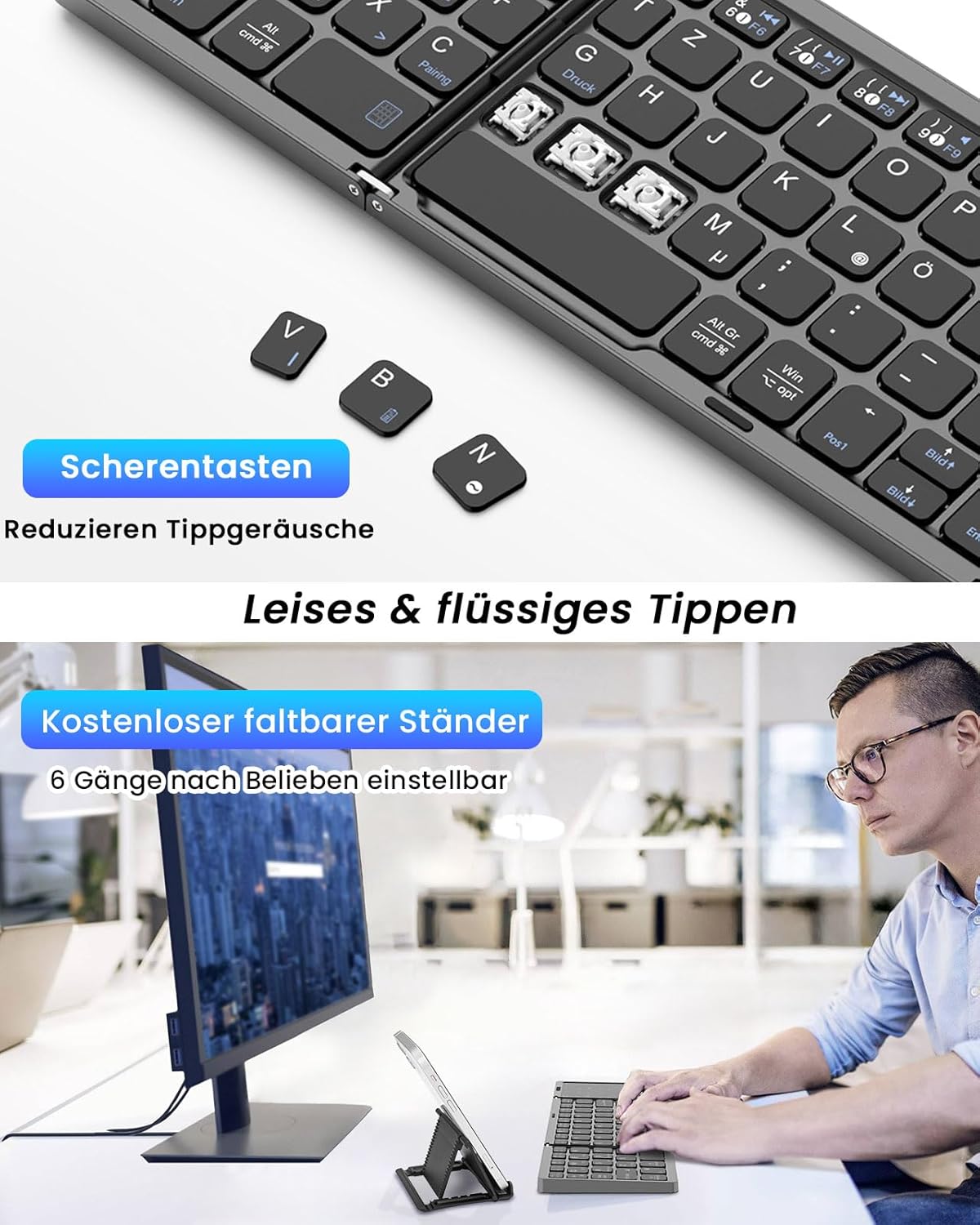
Gambar: A close-up view of the keyboard's scissor-key mechanism, highlighting the design for quiet and smooth typing. Below, a user is shown typing on the keyboard with a device on the included stand.
3.3 Touchpad and Numeric Keypad Modes
The right section of the keyboard functions as a versatile 2-in-1 touchpad and numeric keypad.
- Modeu Toél: In this mode, the surface acts as a mouse, supporting left and right clicks, as well as various multi-gesture commands for navigation.
- Modeu Keypad Numerik: The touchpad can be easily converted into a numeric keypad, providing a full-size keyboard experience for data entry.
- Ngalihkeun Modeu: Refer to the keyboard's specific function keys (often indicated by an icon) to toggle between touchpad and numeric keypad modes.

Image: A visual representation of the keyboard's right section, demonstrating how it functions as both a touchpad with gesture controls and a numeric keypad.
3.4 Kasaluyuan
The MoKo Foldable Bluetooth Keyboard is compatible with a wide range of operating systems, including Windows, macOS, iOS, HarmonyOS, and Android devices. It works seamlessly with iPads, mobile phones, tablets, and laptops.
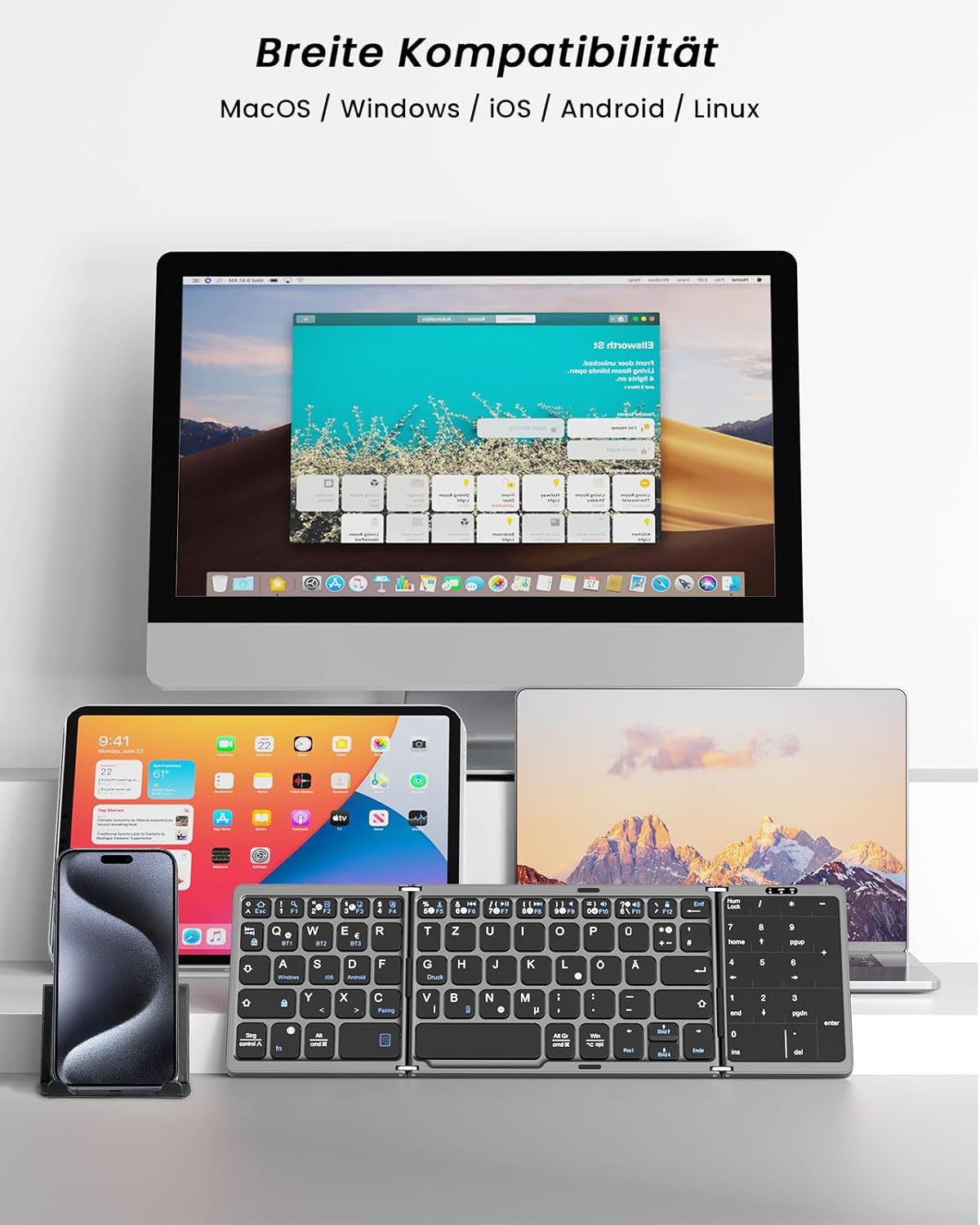
Image: The keyboard displayed with multiple devices (desktop, tablet, laptop, smartphone) running different operating systems, illustrating its broad compatibility.
4. Pangropéa
4.1 beberesih
Pikeun ngabersihan keyboard, gently ngusap beungeut jeung lemes, damp lawon. Ulah nganggo bahan kimia anu kasar atanapi bahan abrasif anu tiasa ngaruksak lapisan atanapi komponén internal.
4.2 Panyimpenan
When not in use, fold the keyboard to protect the keys and touchpad. Its compact, palm-sized design allows for easy storage in a briefcase or laptop bag. The keyboard features an automatic sleep function, entering sleep mode after 10 minutes of inactivity to conserve battery. Press any key to reactivate it.
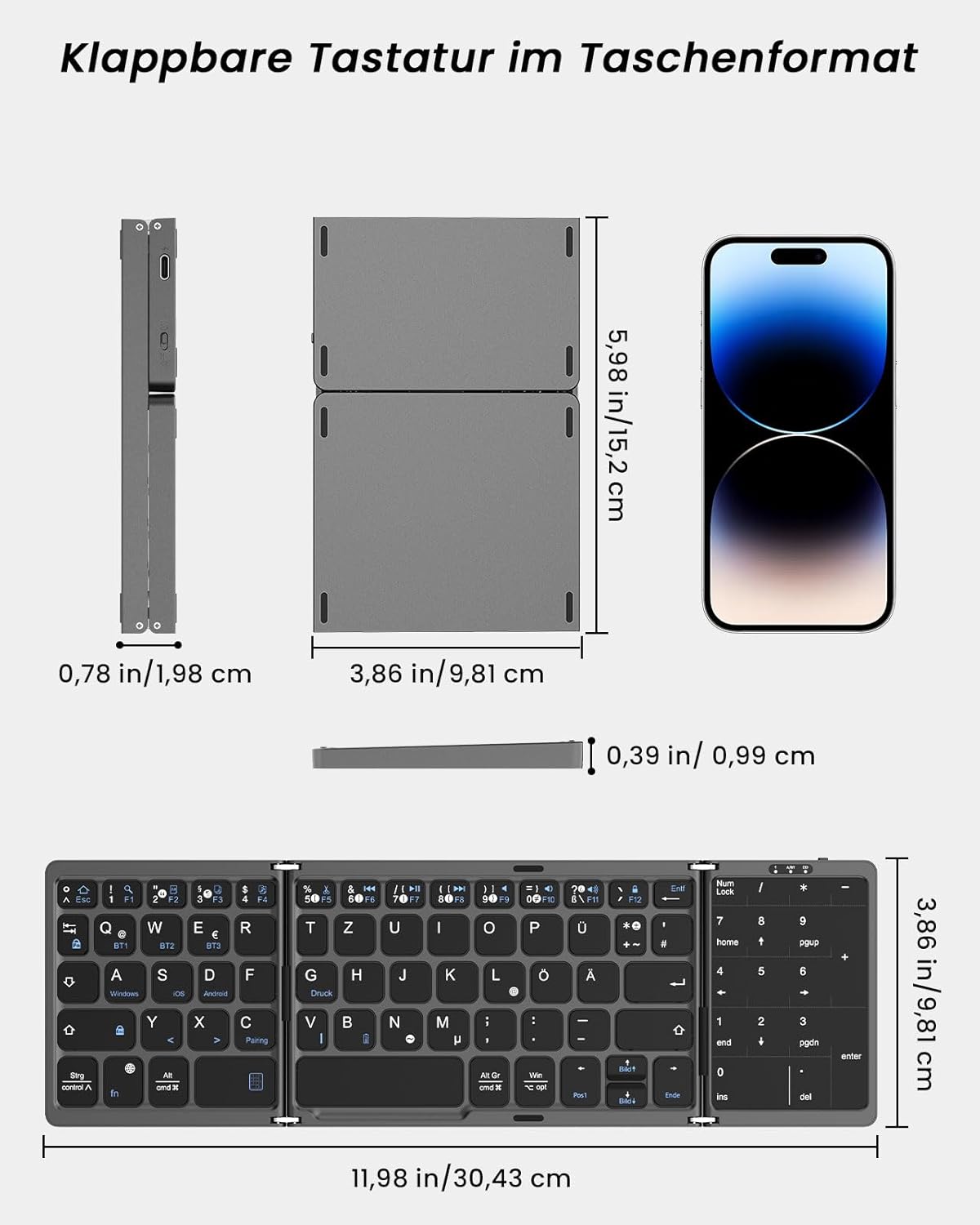
Image: A diagram showing the dimensions of the keyboard in both its folded and unfolded states, demonstrating its portability.
5. Cara ngungkulan
If you encounter issues with your MoKo Foldable Bluetooth Keyboard, please refer to the following common solutions:
- Keyboard teu nyambung:
- Pastikeun keyboard dieusi.
- Pastikeun Bluetooth diaktipkeun dina alat anjeun.
- Make sure the keyboard is in pairing mode (flashing indicator).
- Pohokeun alat dina setélan Bluetooth anjeun teras cobian pasangkeun deui.
- Try connecting to a different Bluetooth channel (BT1, BT2, BT3).
- Konci henteu ngaréspon atanapi salah ngetik:
- Pariksa tingkat batré jeung ngecas lamun perlu.
- Pastikeun kibor disambungkeun kalayan leres kana alat anjeun.
- Balikan deui kibor (ku cara dilipet sareng dibuka) sareng alat anjeun anu nyambung.
- Confirm the correct operating system mode is selected if applicable (though this keyboard generally adapts).
- Touchpad teu jalan:
- Ensure the touchpad is not in numeric keypad mode. Switch modes if necessary.
- Clean the touchpad surface for optimal responsiveness.
- Automatic sleep function:
The keyboard enters sleep mode after 10 minutes of inactivity. Simply press any key to wake it up.
Lamun masalah persist, mangga ngahubungan rojongan customer.
6. Spésifikasi
| merek | MoKo |
| Nomer modél | MK840401438411 |
| Téhnologi konektipitas | Bluetooth 5.1 |
| Tata perenah kibor | QWERTZ (Jerman) |
| Fitur husus | Integrated Touchpad & Numeric Keypad |
| Kapasitas batré | Batré Litium 140mAh |
| Waktu Ngecas | 1.5 - 2 jam |
| Waktos Operasi | Nepi ka 60 jam |
| Waktu sayaga | Nepi ka 280 dinten |
| Gawé Voltage | 3.7V |
| Jarak Gawé | 10-15 méter (33-50 suku) |
| Ukuran Buka (L x W x H) | 30.43 x 9.81 x 0.99 cm (11.98 x 3.86 x 0.39 inci) |
| Dilipat Ukuran (L x W x H) | 15.2 x 9.81 x 1.98 cm (6 x 3.86 x 0.78 inci) |
| Beurat | 208.09 g |
| Bahan | Acrylonitrile Butadiene Styrene (ABS) |
| Alat nu cocog | Laptop, PC, Tablet, Smartphone |
| OS cocog | Windows, macOS, iOS, HarmonyOS, Android |
7. Rojongan
For any issues, questions, or support needs regarding your MoKo Foldable Bluetooth Keyboard, please contact our customer service. We aim to respond within 24 hours and provide a satisfactory solution.
Please refer to the contact information provided with your product packaging or on the official MoKo websitus.

Image: The product packaging, displaying a MoKo warning label and manufacturer contact details, which may include support information.


