Bubuka
This manual provides comprehensive instructions for the Parsonver SR3 Smart Watch, designed to help you understand its features, set it up, operate it effectively, and maintain it for optimal performance. Please read this manual thoroughly before using your device.

Image: The Parsonver SR3 Smart Watch in Rose Gold, showcasintampilan buleud sareng tali silikonna.
1. Setup Guide
1.1 Eusi pakét
Pastikeun sadaya item aya dina bungkusan:
- Parsonver SR3 Smart Watch
- Kabel Ngecas
- Manual pangguna (dokumén ieu)
1.2 Ngecas Alat
Before first use, fully charge the smartwatch. Connect the magnetic charging cable to the charging points on the back of the watch and plug the USB end into a compatible USB power adapter (not included).
- Waktu Ngecas: Kurang leuwih 2 jam pikeun ngecas pinuh.
- Kahirupan batré: Up to 7 days of active use, up to 40 days standby.
1.3 Pamasangan Aplikasi sareng Papasangan
To unlock the full functionality of your Parsonver SR3 Smart Watch, you need to install the companion application on your smartphone.
- Unduh Aplikasi: Milarian pikeun "Inforwear" (or the specified app name in the product's documentation) in your smartphone's app store (Apple App Store for iOS, Google Play Store for Android).
- Kasaluyuan: Requires iOS 9.0+ or Android 6.0+.
- Aktipkeun Bluetooth: Pastikeun Bluetooth diaktipkeun dina smartphone Anjeun.
- papasangan: Open the app, create an account if prompted, and follow the on-screen instructions to search for and connect to your SR3 Smart Watch. The watch will display a pairing confirmation.
Note: The watch is not compatible with tablets or computers.
2. Parentah Operasi
2.1 Napigasi Dasar
The Parsonver SR3 features a 1.27-inch HD full-touch color screen for intuitive navigation.
- Gesek ka luhur/handap: Gulung ka ménu sareng béwara.
- Gesek Kénca/Katuhu: Access quick widgets or different function screens.
- Ketok: Pilih hiji item atawa mastikeun hiji aksi.
- Pencét Tombol Sisi: Return to the home screen or power on/off (long press).
- Angkat pikeun Wake: Lift your wrist to automatically turn on the screen.

Image: The smartwatch screen showing an incoming call and various app icons, illustrating smart call and notification features.
2.2 Smart Calls & Notifications
The SR3 Smart Watch allows you to manage calls and receive notifications directly from your wrist.
- Nelepon: Use the dialer on the watch or select from synced contacts to initiate calls.
- Ngajawab Telepon: Tap the green icon on the watch screen when an incoming call is displayed.
- Bewara: Receive alerts for SMS, calls, and app notifications (Facebook, WhatsApp, Instagram, TikTok, Twitter, etc.). Ensure app notifications are enabled in your phone's settings and the companion app.
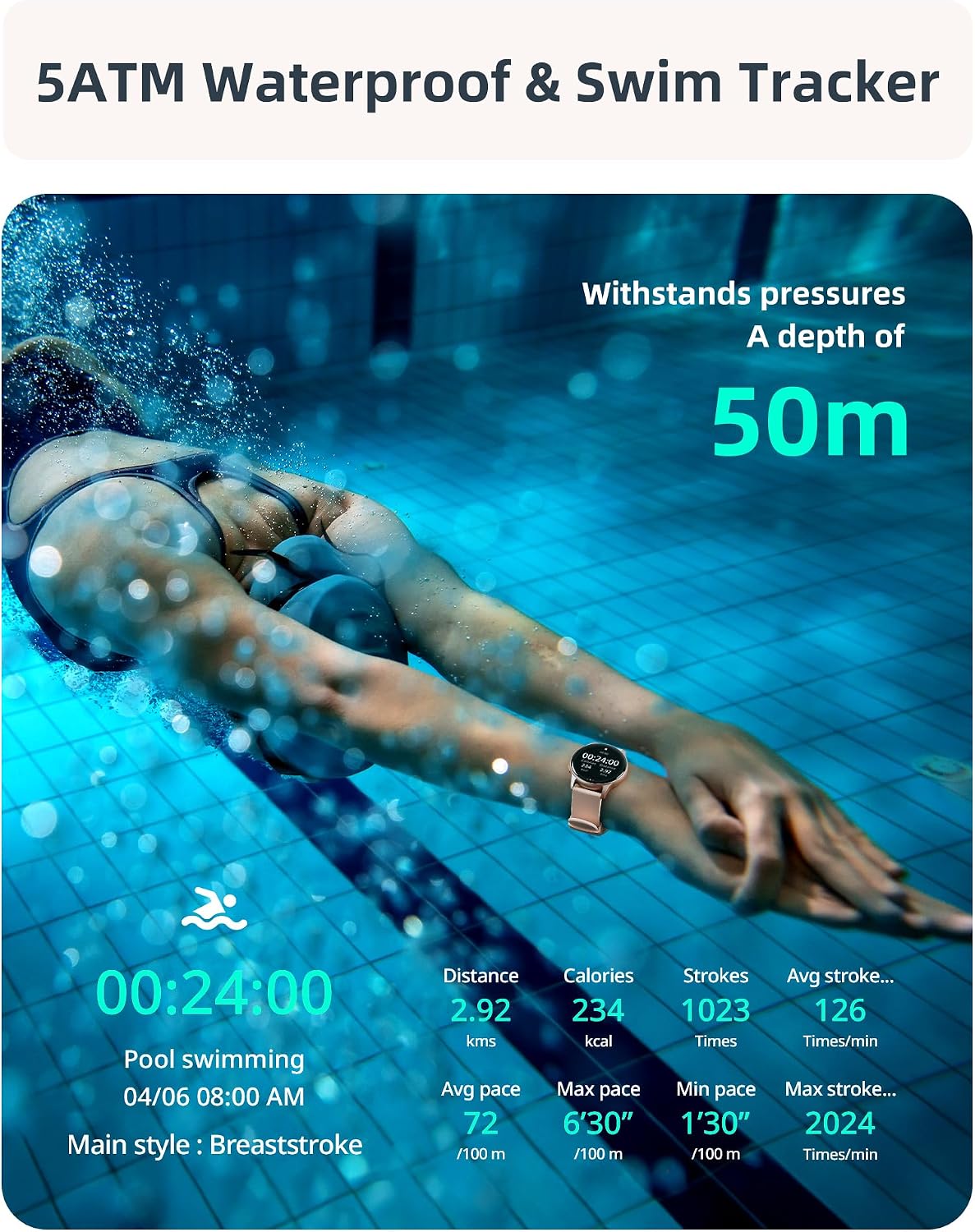
Image: A visual representation of the smartwatch's call management interface, including options for answering, dialing, viewing missed calls, and accessing contacts.
2.3 Pangimeutan Kaséhatan
The SR3 Smart Watch provides comprehensive 24/7 health tracking using high-precision sensors.
- Ngawaskeun Laju haté: Terus ngalacak denyut jantung anjeun. View data real-time dina jam tangan atanapi tren rinci dina aplikasi.
- Ngawaskeun Oksigén Darah (SpO2): Ukur tingkat jenuh oksigén getih anjeun.
- Pangimeutan Saré: Ngalacak pola bobo anjeun sacara otomatis, kalebet sare jero, sare hampang, sareng waktos hudang.
- Pangimeutan Stress: Nyadiakeun wawasan ngeunaan tingkat setrés anjeun.
- Latihan pernapasan: Dipandu latihan engapan pikeun rélaxasi.
- Hydration & Activity Reminders: Setel panginget pikeun nginum cai sareng gerak sapanjang dinten.
- Women's Health Tracker: Specific tracking features for women's health.

Image: A collage illustrating the various health monitoring features of the smartwatch, including heart rate, stress, sleep, and blood oxygen tracking.
2.4 Sport Modes & Activity Tracking
The SR3 Smart Watch features an advanced 6-axis sensor and over 100 sport modes to accurately track your workouts.
- Automatic Run Detection: The watch can automatically detect when you start running.
- 100+ Modeu Olahraga: Select from a wide range of activities like running, cycling, swimming, yoga, basketball, and more. You can choose up to 10 preferred modes in the app for quick access on the watch.
- Metrik anu Dilacak: Steps, calories burned, distance, average speed, pace, stroke count (for swimming), frequency, and SWOLF.
- GPS via Smartphone: For accurate outdoor activity tracking, ensure your phone's GPS is active and connected to the watch.

Image: A woman performing an exercise, with an overlay of the smartwatch displaying various sport modes and activity metrics like calories, steps, and distance.
2.5 5ATM Waterproof & Swim Tracking
The SR3 Smart Watch is rated 5ATM waterproof, making it suitable for swimming, diving, and other water activities.
- Tahan cai: Withstands pressures equivalent to a depth of 50 meters.
- Swim Stroke Detection: Automatically identifies butterfly, backstroke, breaststroke, and freestyle.
- Swim Metrics: Tracks stroke count, frequency, and SWOLF.
Note: While 5ATM is suitable for swimming, it is not recommended for hot showers, saunas, or deep-sea diving due to steam or high-pressure water jets.
Image: A swimmer underwater, with the smartwatch visible, emphasizing its 5ATM waterproof rating and ability to track swimming metrics.
2.6 Customization & Additional Features
- Nyanghareupan: Choose from over 200 customizable watch faces in the app or create your own using personal photos.
- Kontrol Musik: Kontrol playback musik dina smartphone anjeun langsung tina jam tangan.
- Kontrol kaméra: Paké arloji salaku jepret jauh pikeun kaméra telepon anjeun.
- Alarm & Timer: Set alarms, use the stopwatch, and countdown timer.
- Pembaruan Cuaca: Kéngingkeun inpormasi cuaca sacara real-time.
- Manggihan Telepon abdi: Pilari deui smartphone anjeun anu leungit.
- Timer Pomodoro: A productivity timer feature.
- Penyesuaian Caang: Saluyukeun kacaangan layar pikeun optimal viewing.
- Peringatan Nuju Teu Dianggo: Reminders to stand up and move after periods of inactivity.

Gambar: Layar smartwatch nunjukkeunasing a variety of customizable watch faces, including one with a family photo, demonstrating the personalization options.

Image: A collection of icons representing the diverse additional features of the smartwatch, such as weather updates, reminders, alarms, music control, and camera remote.
3. Pangropéa
- beberesih: Ngusap arloji sareng tali anu teratur kalayan lemes, damp lawon. Ulah make bahan kimia kasar atawa bahan abrasive.
- Pangeringan: After swimming or exposure to water, ensure the watch is completely dry before charging or prolonged storage.
- Perawatan Tali: The liquid silicone strap is skin-friendly. Clean it regularly to prevent irritation.
- Panyimpenan: Simpen arloji dina tempat anu tiis sareng garing jauh tina sinar panonpoé langsung sareng suhu anu ekstrim.
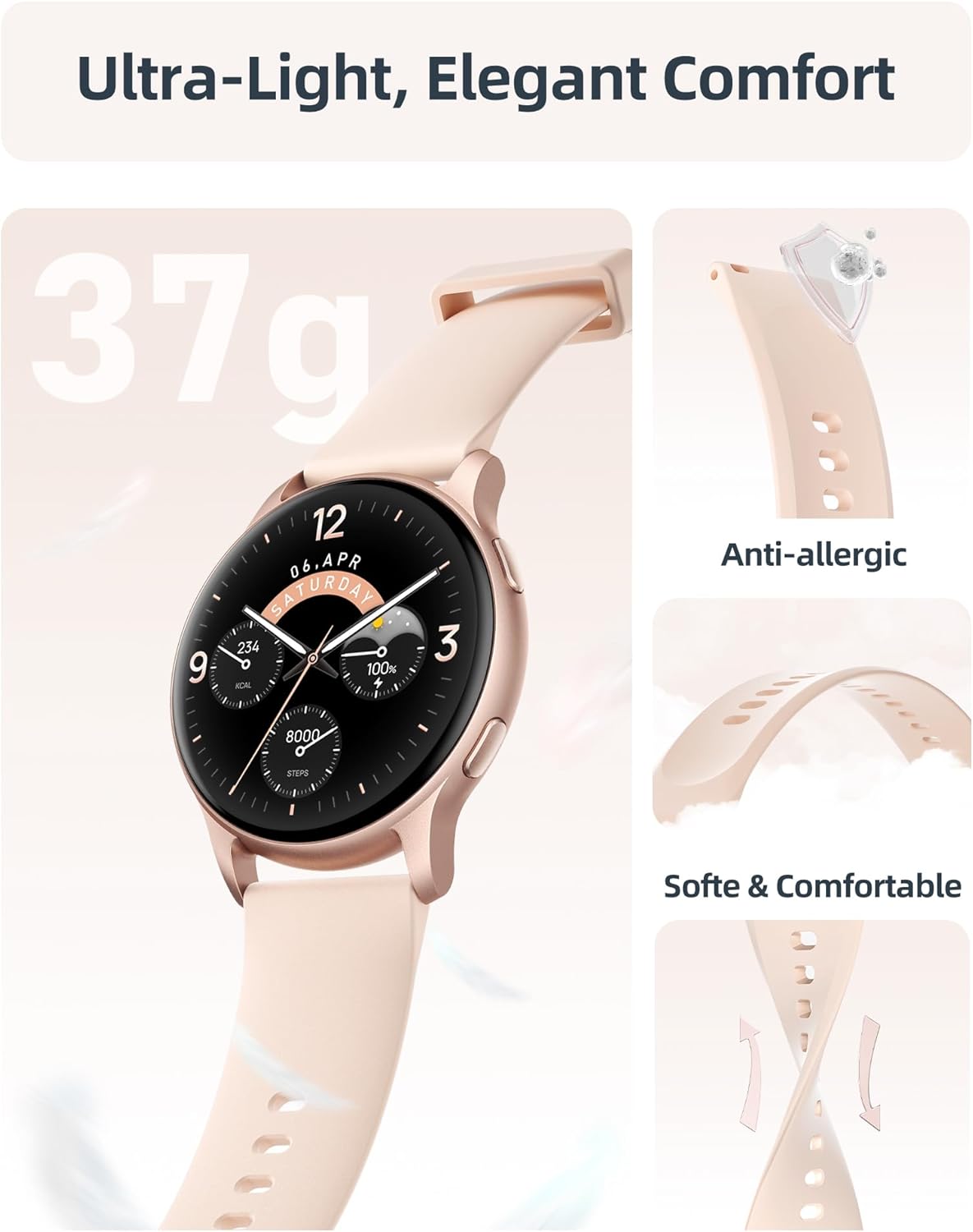
Gambar: A lengkep view of the smartwatch emphasizing its lightweight construction and the soft, anti-allergic liquid silicone strap, designed for comfort and durability.
4. Cara ngungkulan
| Masalah | Solusi anu mungkin |
|---|---|
| Watch not turning on. | Ensure the watch is fully charged. Connect to the charging cable and check if the charging indicator appears. |
| Teu tiasa dipasangkeun sareng smartphone. |
|
| Bewara teu némbongan. |
|
| Data kaséhatan anu teu akurat. |
|
| hirup batré pondok. |
|
5. Spésifikasi
| Fitur | Rincian |
|---|---|
| Ngaran modél | SR3 |
| tampilan | 1.27-inch HD Full Touch Color Screen (360x360 resolution) |
| Konektipitas | Bluetooth 5.3 |
| Tahan cai | 5ATM (nepi ka 50 méter) |
| Kapasitas batré | 230 mAh Litium Ion |
| Waktu Ngecas | Kira-kira. 2 jam |
| Daya Tahan Batré (Pamakéan Aktif) | 5-7 poé |
| Kahirupan Batré (Siaga) | Nepi ka 40 dinten |
| Kasaluyuan System Operasi | ios 9.0+ / Android 6.0+ |
| Sénsor | 6-axis sensor, Heart Rate, Blood Oxygen (SpO2) |
| Beurat | 35 gram |
| Bahan Tali | Silikon cair |
| Diménsi (D x W x H) | 10.24" x 1.73" x 0.35" (260mm x 44mm x 9mm) |
6. Garansi jeung Rojongan
Parsonver provides a standard warranty for the SR3 Smart Watch. For specific warranty terms and conditions, please refer to the documentation included with your purchase or visit the official Parsonver websitus.
Rojongan Palanggan
For any questions, technical assistance, or support, please contact Parsonver customer service. They offer 24/7 friendly support.
- Dukungan Online: Nganjang ka Parsonver Store on Amazon kanggo FAQ sareng inpormasi kontak.
- Rojongan Email: Tingali kana bungkusan produk anjeun atanapi resmi websitus pikeun alamat surélék dukungan.


