1. Bubuka
This manual provides detailed instructions for the proper use and maintenance of your ZEISS Terra ED 8x42 Binoculars and the accompanying cleaning kit. Please read these instructions carefully before using your new binoculars to ensure optimal performance and longevity.
Naon dina Box
- 1 ZEISS Terra ED 8x42 Binocular
- 1 Kasus lemes
- 1 Tali beuheung
- 1 Lens Cleaning Kit (includes Dust brush, Lens cleaning solution (30 ml), Microfiber cloth (18 x 18 cm), 10 moist cleaning wipes, Air blower)
- 1 Set of Objective Lens Caps
- 1 Set of Eyepiece Caps
- Manual Pitunjuk (dokumén ieu)
2. Produk Langkungview
The ZEISS Terra ED 8x42 binoculars are designed for robust performance and ease of use. They feature ED glass with a hydrophobic multi-coating for clear, high-contrast images, are waterproof, and nitrogen-filled to prevent internal fogging. This bundle also includes a comprehensive cleaning kit to maintain your optical equipment.
Binocular Components
Biasakeun diri anjeun sareng komponén utama teropong anjeun:
- Lensa Objektif: The large lenses at the front of the binoculars.
- Eyepieces: The lenses you look through.
- Cangkir panon: Adjustable cups around the eyepieces.
- Central Focus Wheel: Used for general focusing.
- Diopter adjustment ring: Located on one of the eyepieces (typically the right), used to compensate for differences in vision between your eyes.
- Tali Pangiket: Titik-titik kantétan pikeun tali beuheung.

Gambar: Hareupeun view of the ZEISS Terra ED 8x42 Binoculars, showcasing the objective lenses, central focus wheel, and the ZEISS logo.
3. Setélan
3.1 Ngagantelkeun Tali beuheung
Attach the provided neck strap to the strap lugs on the sides of the binoculars. Ensure both ends are securely fastened to prevent accidental drops during use.
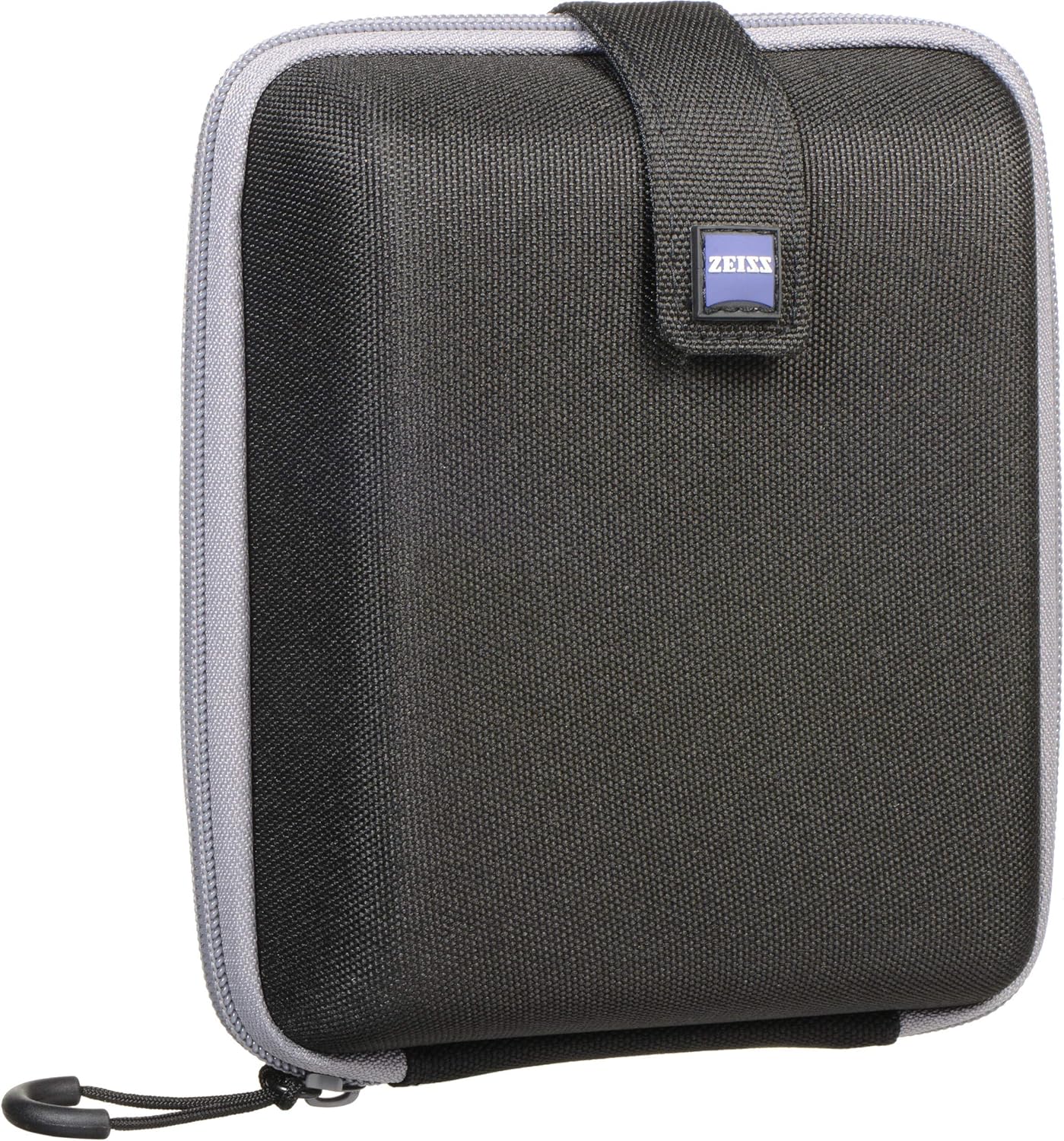
Image: The ZEISS branded neck strap, ready for attachment to the binoculars.
3.2 Nyaluyukeun Eyecup
The eyecups can be twisted up or down to adjust the distance between your eyes and the eyepiece lenses. This is crucial for achieving a full field of view tanpa vignét.
- Pikeun anu nganggo kacamata: Twist the eyecups down to their lowest position.
- Pikeun pangguna anu teu nganggo kacamata: Twist the eyecups up to the desired position until you see a full, unobstructed circular image.
4. Ngoperasikeun Binoculars
4.1 Nyaluyukeun Jarak Antarpupillary
Hold the binoculars up to your eyes and look through them. Adjust the hinge between the two barrels by moving them closer together or further apart until you see a single, perfectly circular field of view. This sets the interpupillary distance to match the distance between your eyes.
4.2 Pokus
Follow these steps to achieve sharp focus:
- Select an object approximately 100 yards (or meters) away.
- Close your right eye and rotate the central focus wheel until the object viewed through the left eyepiece is sharp and clear.
- Next, close your left eye and rotate the diopter adjustment ring (typically on the right eyepiece) until the same object is sharp and clear.
- With both eyes open, your binoculars are now adjusted for your individual vision. For general use, only the central focus wheel will be needed to focus on objects at varying distances.
5. Pangropéa
Proper care and cleaning will ensure the longevity and optimal performance of your ZEISS Terra ED binoculars.
5.1 beberesih umum
Regularly remove dust and loose dirt from the lenses and body using a soft brush or the air blower from the cleaning kit. Avoid wiping dry lenses, as this can scratch the delicate optical coatings.
5.2 Cleaning the Lenses with the Cleaning Kit
For smudges, fingerprints, or more stubborn marks, use the provided ZEISS cleaning kit:
- Remove particles: First, use the niup hawa to gently remove any loose dust or debris from the lens surface.
- Gentle wipe: For light smudges, gently wipe the lens surface with a clean, dry lawon microfiber in a circular motion.
- Stubborn marks: For more persistent marks, apply a small amount of lens cleaning solution to the microfiber cloth (do not apply directly to the lens). Gently wipe the lens surface in a circular motion.
- Convenient cleaning: Use the pre-moistened wipes beberesih for quick, single-use cleaning when a microfiber cloth and solution are not readily available.
- Sikat lebu: Ngagunakeun éta sikat lebu for removing particles from the binocular body and non-optical surfaces.

Image: The ZEISS Lens Cleaning Kit, including an air blower, lens cleaning solution, microfiber cloth, and dust brush.
6. Cara ngungkulan
Upami anjeun ngalaman masalah sareng teropong anjeun, tingali masalah sareng solusi umum ieu:
| Masalah | Mungkin Cukang lantaranana | Solusi |
|---|---|---|
| Gambar buram atawa teu fokus. | Incorrect focus or diopter setting; dirty lenses. | Re-adjust the central focus wheel and diopter. Clean the objective and eyepiece lenses. |
| Double image or two overlapping circles. | Jarak antar pupil teu disetel kalawan bener. | Adjust the hinge between the barrels until a single, circular field of view kahontal. |
| Image appears dark or vignetted. | Eyecups are not correctly adjusted. | Adjust the eyecups up or down until you see a full, unobstructed image. |
| Fogging internal tina lénsa. | Extreme temperature changes or seal compromise. | The binoculars are nitrogen-filled to prevent this. If internal fogging occurs, contact ZEISS customer support. External fogging can be wiped away. |
7. Spésifikasi
| Fitur | Rincian |
|---|---|
| merek | ZEISS |
| Modél | Terra ED |
| Magnification | 8x |
| Diaméter lénsa obyektif | 42 mm |
| Fitur husus | Durable Construction, Focus Knob, Long Eye Relief, Schott Glass, Waterproof, Nitrogen-filled, Hydrophobic Multi-coating |
| Item Beurat | 2 pon |
| Ukuran Paket | 10 x 8 x 6 inci |
| Tanggal Kahiji Sadia | 20 April 2024 |
8. Garansi jeung Rojongan
For detailed warranty information, product registration, or technical support, please refer to the official ZEISS website or contact their customer service directly. It is recommended to keep your proof of purchase for any warranty claims.
You can find more information and contact details on the official ZEISS websitus: ZEISS Service & Support


