Produk Leuwihview
The PPLEE Vibrating Alarm Clock is designed to provide multiple wake-up options, including a loud buzzer, a powerful bed shaker, or both, making it suitable for heavy sleepers, the hearing impaired, and individuals who prefer a gentle wake-up without disturbing others. It features a large LED display, adjustable brightness, a multi-color night light, and convenient USB/Type-C charging ports.

Figure 1: PPLEE Vibrating Alarm Clock and Bed Shaker.
Eusi pakét
- PPLEE Vibrating Alarm Clock
- Pengocok Ranjang Kabel
- Adaptor kakuatan
- Manual pangguna (dokumén ieu)

Gambar 2: Komponen anu kalebet dina pakét.
Disetél
1. Sambungan Daya
Connect the provided power adapter to the DC IN port on the back of the alarm clock and plug it into a standard 100-240V AC outlet. The clock display will illuminate.

Figure 3: Powering the alarm clock.
2. Battery Backup (Not Included)
Pikeun kakuatan anjeuntage protection, insert 2 AAA batteries (not included) into the battery compartment on the back of the clock. These batteries will maintain time and alarm settings during a power failure, though the display may dim.

Figure 4: Installing backup batteries.
3. Connecting the Bed Shaker
Plug the wired bed shaker into the "VIB" port on the back of the alarm clock. Place the bed shaker under your mattress or pillow for optimal vibration.
Video 1: Demonstrates connecting the bed shaker and its vibration function. This video is from a seller and is genuinely useful for setup.
Parentah Operasi
1. Netepkeun Waktos
- Pencét éta "SET TIME" button on the back of the clock. The hour digits will flash.
- Ngagunakeun éta "HOUR" jeung "MIN" buttons (located on top of the clock, often integrated with the night light buttons) to adjust the hour.
- Pencét "SET TIME" again to confirm the hour and move to minute adjustment. The minute digits will flash.
- Ngagunakeun éta "HOUR" jeung "MIN" tombol pikeun nyaluyukeun menit.
- Pencét "SET TIME" one more time to save the time, or wait 3-5 seconds for it to save automatically.
Video 2: Demonstrates how to set the time on the alarm clock. This video is from a seller and is genuinely useful for operation.
2. Nyetél Alarm
- Geser ka "ALARM" switch on the back to the "HURUP" posisi.
- Pencét éta "SET ALARM" kancing. Angka jam bakal hurung.
- Ngagunakeun éta "HOUR" jeung "MIN" tombol pikeun nyaluyukeun jam alarm.
- Pencét "SET ALARM" again to confirm the hour and move to minute adjustment. The minute digits will flash.
- Ngagunakeun éta "HOUR" jeung "MIN" tombol pikeun nyaluyukeun menit alarm.
- Pencét "SET ALARM" one more time to save the alarm time, or wait 3-5 seconds for it to save automatically.
Video 3: Demonstrates how to set the alarm on the clock. This video is from a seller and is genuinely useful for operation.
3. Alarm Modes (Buzzer/Vibration)
The alarm clock offers three wake-up modes:
- Ngan Buzzer: Geser ka "BUZZ/VIB" pindah ka "BUZZ".
- Getaran Hungkul: Geser ka "BUZZ/VIB" pindah ka "VIB".
- Both Buzzer and Vibration: Geser ka "BUZZ/VIB" switch to the middle position.
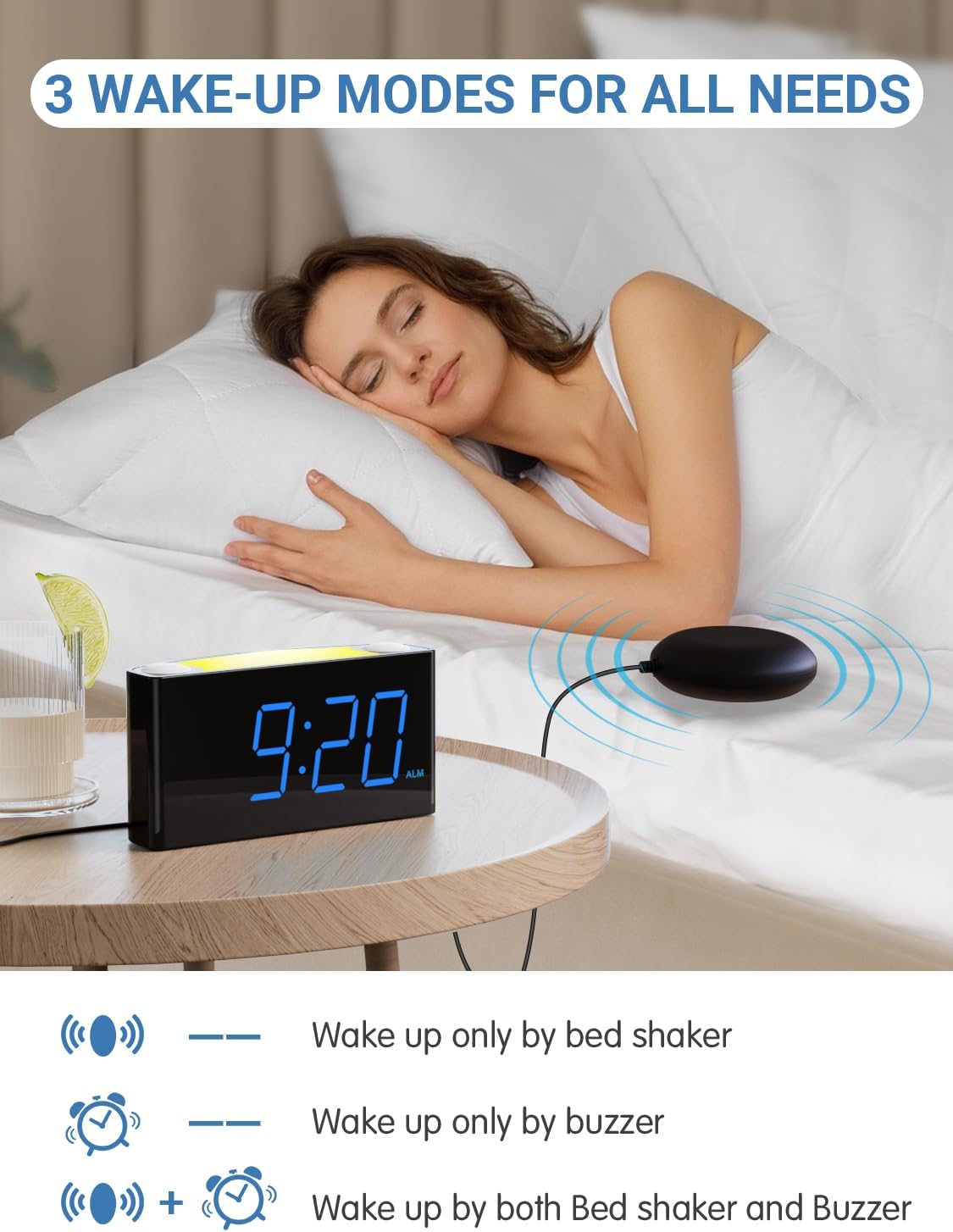
Figure 5: Three available wake-up modes.
Video 4: Demonstrates the three alarm modes (buzzer, vibration, or both). This video is from a seller and is genuinely useful for operation.
4. Nyaluyukeun Volume Alarm
Ngagunakeun éta "ALARM VOLUME" slider on the back of the clock to select between Low, Medium, or High alarm sound levels.

Figure 6: Adjusting the alarm volume.
5. Fungsi Snooze
Lamun alarm disada, pencét badag "SNOOZE" tombol di luhur jam pikeun ngajempékeun alarm samentawis salami 9 menit.

Figure 7: Using the snooze button.
6. Tampilan Caang
Ngagunakeun éta "DIMMER" slider on the back of the clock to adjust the LED display brightness from 0% (off) to 100% (brightest).

Figure 8: Adjusting screen brightness.
7. Lampu Peuting
The clock features a 7-color night light. Press the night light button (often integrated with the "HOUR" button) on top of the clock to cycle through the colors or turn it off.

Figure 9: Cycling through night light colors.
Video 5: Demonstrates the 7-color night light feature. This video is from a seller and is genuinely useful for operation.
8. 12/24-Hour Time Format & DST
To switch between 12-hour and 24-hour time formats, press and hold the "HOUR" button on top of the clock.
To activate or deactivate Daylight Saving Time (DST), press and hold the "SET TIME" kancing.

Figure 10: 12-hour and 24-hour time display options.
Video 6: Demonstrates how to switch between 12/24-hour format and activate/deactivate DST. This video is from a seller and is genuinely useful for operation.
9. USB and Type-C Charging Ports
The alarm clock includes dual USB and Type-C output ports on the back for charging your smart devices.

Figure 11: USB and Type-C charging ports.
Video 7: Demonstrates the USB charging ports. This video is from a seller and is genuinely useful for operation.
Pangropéa
- Tetep alat tetep garing sarta beresih.
- Use a soft, dry cloth to clean the display and exterior. Avoid abrasive cleaners.
- Ensure proper ventilation around the clock.
Pamérésan masalah
No Display / Clock Not Turning On
- Check if the power adapter is securely plugged into both the clock and the wall outlet.
- Pastikeun stop kontak dina témbok tiasa dianggo.
- If using battery backup, ensure batteries are correctly inserted and not depleted.
Alarm Not Sounding/Vibrating
- Ensure the alarm is set to "ON" using the ALARM switch.
- Check the "BUZZ/VIB" switch is set to your desired mode (BUZZ, VIB, or both).
- Adjust the "ALARM VOLUME" slider to a higher setting.
- Ensure the bed shaker is properly connected to the "VIB" port.
Layarna Teuing Remang/Caang
- Adjust the "DIMMER" slider on the back of the clock to your preferred brightness level.
Time Incorrect
- Re-set the time following the "Setting the Time" instructions.
- Check if DST is correctly enabled or disabled for your region.
- If using battery backup, ensure batteries are fresh to maintain time during power interruptions.
spésifikasi
| Fitur | Katerangan |
|---|---|
| merek | PPLEE |
| Nomer modél | PPLEE-1008I |
| Tipe tampilan | LED digital |
| Fitur husus | 3 Wake-up Modes (Buzzer, Vibration, Both), Loud Alarm, Large Display, Night Light (7 Colors), Snooze, Adjustable Volume, Adjustable Brightness (5-level), USB Charging Port, Type-C Charger |
| Dimensi produk | 6.46" W x 3.39" H |
| Sumber Daya | Corded Electric with Battery Backup Settings (2 AAA batteries, not included) |
| Téhnologi konektipitas | USB, Tipe-C |
| Bahan | palastik |
| Item Beurat | 15.5 ons |
Garansi sareng Rojongan
For product support, troubleshooting assistance, or warranty inquiries, please contact PPLEE customer service. Refer to the product packaging or the official PPLEE websitus pikeun inpo kontak panganyarna.
Mangga nahan resi pameseran Anjeun keur kaperluan jaminan.