1. Bubuka
This user manual provides detailed instructions for the operation and maintenance of your TOPTRO TR27 Mini Projector. Please read this manual thoroughly before using the product to ensure proper function and longevity.
The TOPTRO TR27 Mini Projector is designed to deliver a high-quality viewing experience with its native 1080P resolution, 4K decoding support, and versatile connectivity options. Its compact design and 270° adjustable stand make it suitable for various indoor and outdoor projection scenarios.
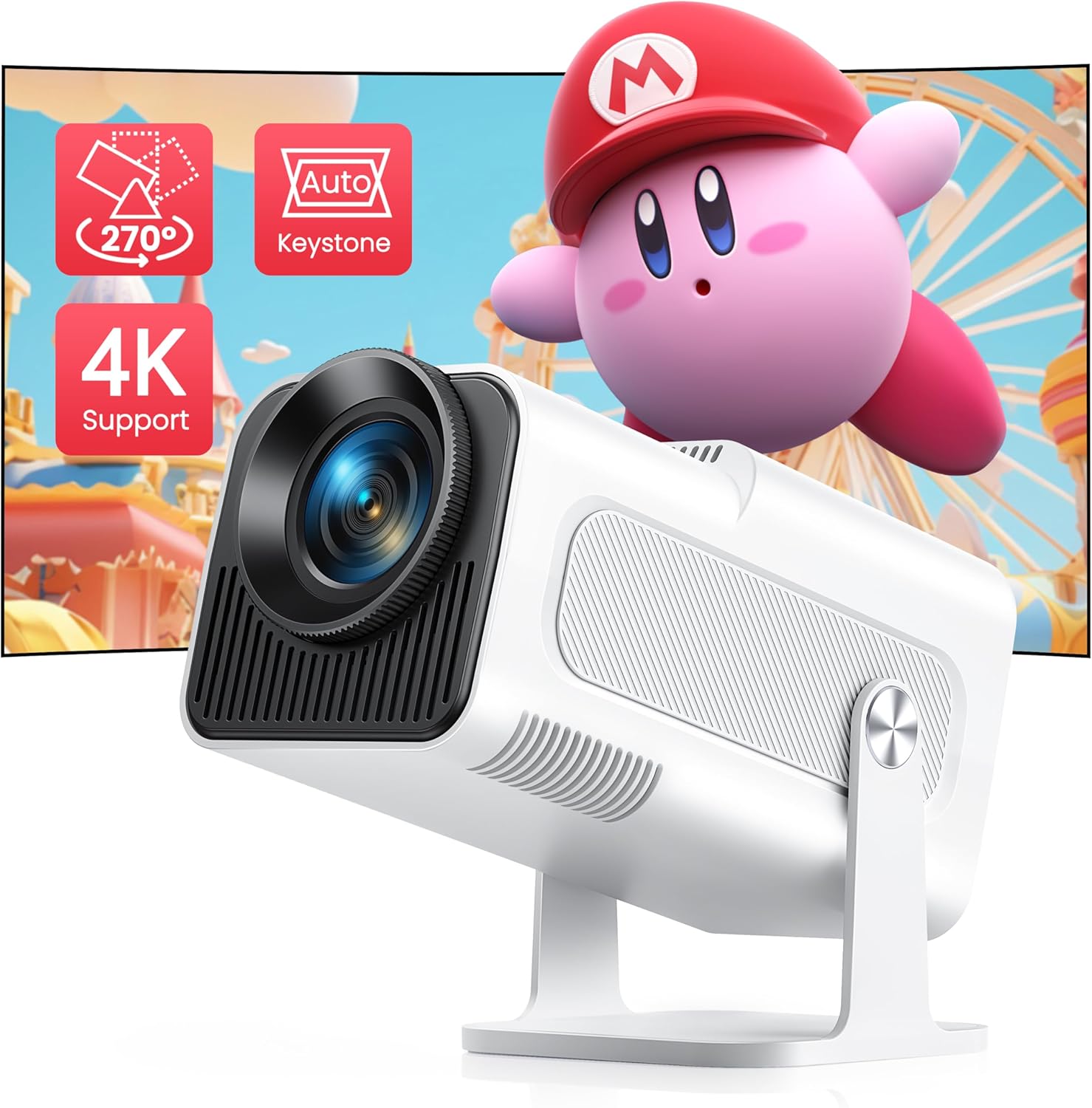
Image: TOPTRO TR27 Mini Projector, showcasindesain anu kompak sareng kamampuan proyéksi na.
2. Naon dina Box
Saatos muka bungkusan, mangga pariksa yén sadaya item di handap ieu kalebet:
- Projector
- Kabel HDMI
- Kabel listrik
- Kit beberesih
- Manual pamaké
3. Fitur Produk
3.1 Enhanced Display Quality
The TR27 Mini Projector features a 3.5-inch 1080P screen, providing a native resolution of 1920x1080. It also supports 4K decoding and playback, delivering significantly enhanced image quality compared to standard 720P projectors.
3.2 270° Adjustable Stand
Equipped with a built-in stand that allows for 270° rotation, this portable projector offers flexible projection angles, including ceiling projection. This feature enables versatile placement for home entertainment, camping, or backyard events.

Image: The projector demonstrating its 270° rotatable stand, allowing for flexible projection angles.
3.3 Automatic Keystone Correction & 4P Correction
The projector includes auto vertical keystone correction and 4P correction, ensuring perfectly aligned images and precise control over the viewing angle, even when the projector is not perfectly centered.

Image: Illustrates the automatic vertical keystone correction feature, showing a perfectly rectangular projection from an angled position.
3.4 Optimal Projection Ratio & Zoom Function
With a 1.13:1 projection ratio, the TR27 can project a 120-inch screen from a distance of 8.2 feet, which is more efficient than many other projectors. The 50% zoom function allows for screen size adjustment from 40 to 300 inches without moving the projector (optimal projection distance: 2.95-14.76 ft).

Image: Demonstrates the short throw ratio, showing different screen sizes achievable at various distances.
3.5 WiFi 6 and Bluetooth 5.2 Connectivity
The projector integrates the latest WiFi 6 technology for stable and smooth wireless screen mirroring from iOS, Android, and iPad devices, minimizing lag. Enhanced Bluetooth 5.2 allows for stable connection to headphones, speakers, and AirPods for immersive audio.

Image: Highlights the WiFi 6 technology, showing seamless wireless screen mirroring from various devices.

Image: Illustrates the Bluetooth 5.2 feature, showing connectivity to external audio devices like headphones and smart speakers.
3.6 Kompatibilitas Lega
Multiple interfaces (HDMI, USB) allow easy connection to various devices such as TV sticks, Chrome Books, DVD players, PS5, TV BOX, and PCs.

Image: Shows the various input ports (HDMI, USB, Audio) and compatible devices for the projector.
3.7 Durable LED Bulb & Eye Protection
The advanced LED light source bulb has a service life of up to 300,000 hours. It minimizes the impact of blue light and direct light, offering smart eye protection, especially beneficial for children.
4. Setélan
- Ngabongkar bungkusan: Carefully remove all components from the packaging. Refer to the "What's in the Box" section to ensure all items are present.
- panempatan: Position the projector on a stable, flat surface. Utilize the 270° adjustable stand to direct the projection onto your desired surface (wall, screen, ceiling). Ensure adequate ventilation around the projector.
- Sambungan Daya: Connect the power cord to the projector's power input and then to a suitable electrical outlet.
- Daya mimiti Hurung: Pencét tombol daya dina proyektor atawa kadali jauh pikeun ngahurungkeun.
- Penyesuaian fokus: Adjust the focus ring on the lens until the projected image is clear and sharp.
- Koreksi Keystone: The projector features auto vertical keystone correction. For further adjustments or 4P correction, navigate to the settings menu to manually fine-tune the image shape for a perfect rectangle.
5. Parentah Operasi
- Pilihan Sumber Input: Use the remote control or the projector's interface to select the desired input source (HDMI, USB, Screen Mirroring).
- Wireless Connectivity (WiFi 6):
- Go to the projector's network settings.
- Select your WiFi 6 network and enter the password.
- For screen mirroring (iOS/Android/iPad), select the corresponding option in the projector's menu and follow the on-screen instructions to connect your device.
- Konektipitas Bluetooth (Bluetooth 5.2):
- Buka setélan Bluetooth dina proyéktor.
- Aktipkeun Bluetooth sareng milarian alat anu sayogi.
- Select your Bluetooth headphones or speakers from the list to pair.
- Fungsi zum: To adjust the screen size without moving the projector, use the 50% zoom function available in the projector's display settings.
- Kaluaran Audio: The projector has built-in speakers. For enhanced audio, connect external speakers via Bluetooth or the audio output port.
5.1 Official Product Video: TR27 Unboxing
Watch this official unboxing video to see what's included with your TOPTRO TR27 Mini Projector and get a first look at its design and features.
Video: An unboxing video of the TOPTRO TR27 Mini Projector, demonstrating its contents and initial appearance.
6. Pangropéa
- Ngabersihan lensa: Use the provided cleaning kit or a soft, lint-free cloth to gently wipe the projector lens. Avoid abrasive materials that could scratch the lens.
- Ngaleungitkeun lebu: Bersihkeun ventilasi proyéktor sacara rutin pikeun nyegah ngumpulna lebu, anu tiasa mangaruhan kinerja sareng nyababkeun panas teuing. Anggo sikat lemes atanapi hawa anu dikomprés.
- Panyimpenan: Lamun teu dipake keur lila, nyimpen projector dina tiis, tempat garing, jauh tina sinar panonpoé langsung jeung hawa ekstrim.
- Pareuman leres: Pareuman heula proyektor nganggo tombol daya anu tos ditangtukeun teras antepkeun tiis sateuacan dicabut atanapi dipindahkeun.
7. Cara ngungkulan
| Masalah | Mungkin Cukang lantaranana | Solusi |
|---|---|---|
| Taya gambar projected | Power cable loose; incorrect input source; device not connected. | Check power connection; select correct input source (HDMI, USB); ensure source device is on and connected properly. |
| Gambar kabur | Out of focus; incorrect keystone correction. | Adjust the focus ring; use auto vertical keystone or manual 4P correction in settings. |
| Taya sora | Volume too low; external audio device not connected; source device audio settings. | Increase projector volume; ensure Bluetooth speaker/headphones are paired; check audio output settings on source device. |
| Masalah kaca spion nirkabel | Weak WiFi signal; incorrect mirroring steps; device compatibility. | Ensure strong WiFi 6 signal; re-follow screen mirroring instructions; update device software if necessary. |
| USB port not working (as reported in a review) | Faulty port; incompatible USB device. | Try a different USB device; ensure the USB device is formatted correctly; if issue persists, contact customer support. |
8. Spésifikasi
| Fitur | Rincian |
|---|---|
| Nomer modél | TR27 |
| Resolusi tampilan | Native 1920 x 1080P (Supports 4K Decoding) |
| Babandingan proyéksi | 1.13:1 (Lemparan Pendek) |
| Ukuran proyéksi | 40-300 inches (Optimal: 2.95-14.76 ft distance) |
| Fungsi Zum | 50% |
| Téhnologi konektipitas | WiFi 6, Bluetooth 5.2, USB, HDMI |
| Koréksi Keystone | Auto Vertical Keystone, 4P Correction |
| Kahirupan Sumber Cahaya | Nepi ka 300,000 jam |
| Dimensi produk | 4.17 x 4.21 x 8.69 inci |
| Item Beurat | 2.86 pon |
| Dianjurkeun Paké | Jero rohangan / Luar |
9. Garansi jeung Rojongan
TOPTRO provides a garansi 3 taun for this product. This warranty covers manufacturing defects and ensures the quality of your projector.
If you encounter any problems or require assistance, please contact TOPTRO customer service. Contact information can typically be found in the quick guide included with your product or on the official TOPTRO website. Please have your model number (TR27) and purchase details ready when contacting support for the fastest resolution.
Kanggo inpo nu leuwih lengkep, buka resmi TOPTRO Store on Amazon.


