1. Produk Langkungview
The Ring Outdoor Cam Plus, Battery is a versatile outdoor security camera designed to provide wide-angle 2K video surveillance. It features Ring Vision technology for enhanced image quality, Low-Light Sight for full-color night vision in low ambient light conditions, and flexible mounting options. This battery-powered camera offers convenient placement and two-way talk functionality.

Gambar: Hareupeun view of the Ring Outdoor Cam Plus, Battery, showing its cylindrical design and camera lens.
2. Eusi Paket
Pastikeun yén sadaya komponén aya dina bungkusan:
- Ring Outdoor Cam Plus (Battery)
- Leupaskeun Gancang Batre Pack
- Micro USB Ngecas Cable
- Installation Hardware (screws, mounting bracket)
- Guide Setup
- Warranty and Safety Document
- Stiker Kaamanan
3. Setup jeung Instalasi
The estimated installation time is approximately 10 minutes. A vertical or horizontal surface is required for mounting.
3.1 Ngecas Batré
Before installation, fully charge the Quick Release Battery Pack using the provided Micro USB Charging Cable. The battery indicator light will change when charging is complete.
3.2 Pamasangan Aplikasi sareng Pamasangan Alat
- Download the Ring app from your device's app store.
- Create an account or log in to your existing Ring account.
- Tap "Set Up a Device" and follow the in-app instructions.
- Scan the QR code located on your Ring Outdoor Cam Plus to initiate pairing.
- Connect the camera to your home's dual-band Wi-Fi network (2.4GHz or 5.0GHz).
3.3 Masang kaméra
The camera can be placed on a flat surface or mounted on a wall or ceiling using the included mounting bracket and hardware.
- Milih lokasi nu nyadiakeun widang dipikahoyong tina view and has a stable mounting surface.
- Secure the mounting bracket to the chosen surface using the provided screws.
- Slide and snap the camera onto the mounting bracket.
- Tighten the security screw to prevent unauthorized removal.
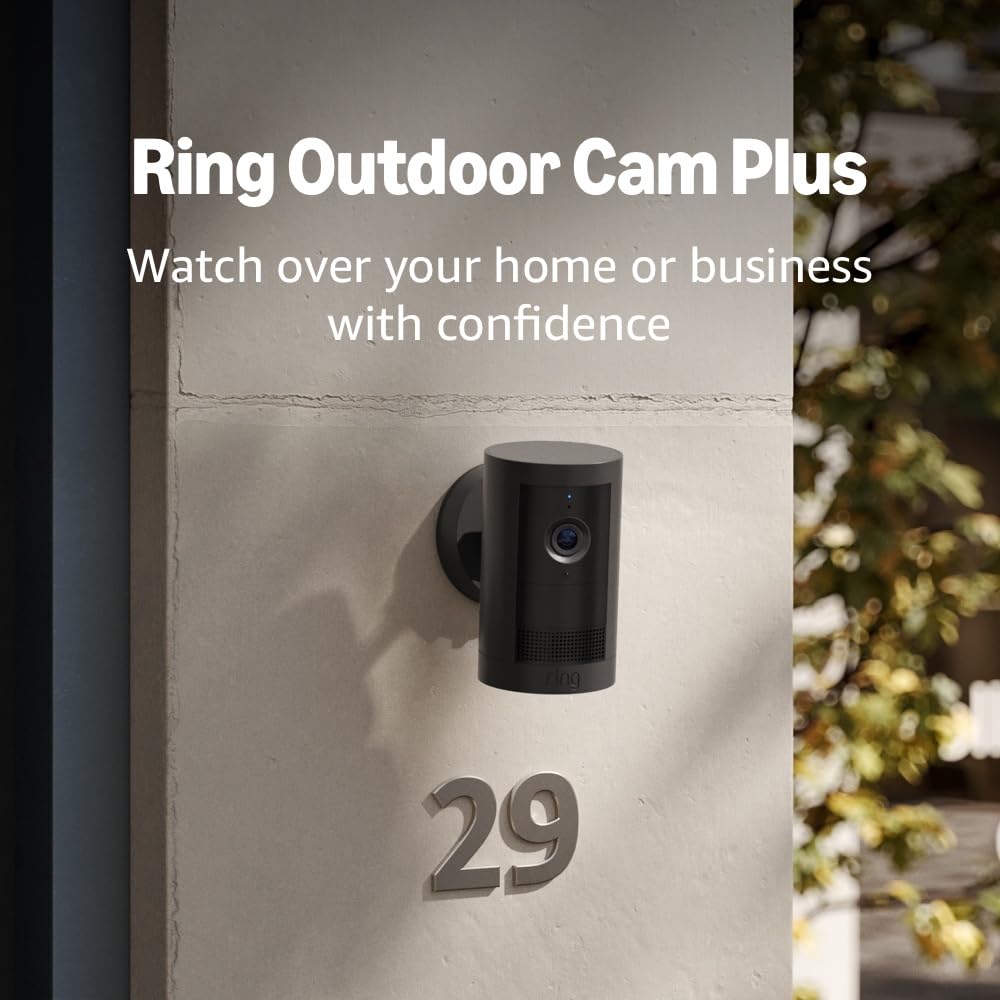
Image: Ring Outdoor Cam Plus, Battery mounted on an exterior wall next to a house number, demonstrating outdoor placement.

Image: A person's hand adjusting a white Ring Outdoor Cam Plus, Battery mounted on a wooden fence, illustrating the mounting process.
4. Parentah Operasi
4.1 Hirup View jeung Obrolan Dua Arah
Access the Ring app to view live video from your camera at any time. Use the two-way talk feature to communicate with individuals near the camera.
4.2 Motion Detection and Zones
The camera features advanced motion detection with customizable motion zones. Configure these zones within the Ring app to focus on specific areas and reduce unwanted alerts.
4.3 Low-Light Sight and Night Vision
The Low-Light Sight feature provides full-color detail in near-dark conditions, utilizing ambient light sources like street lighting. In complete darkness, the camera will switch to standard infrared night vision.

Image: A split image comparing the visual quality of Ring 2K with Low-Light Sight (left, showing a person in color) versus without Low-Light Sight (right, showing a person in black and white infrared), demonstrating enhanced night vision capabilities.
4.4 Siren Activation
A remote-activated security siren can be triggered through the Ring app.
4.5 Pamaduan Alexa
Connect your Ring Outdoor Cam Plus with Alexa-enabled devices. You can receive custom notifications from Echo Dot, launch video feeds on Echo Show, and utilize hands-free home monitoring.
5. Pangropéa
5.1 Manajemén batré
The Quick Release Battery Pack provides power to the camera. Battery life varies based on usage and environmental factors. Monitor battery status in the Ring app and recharge as needed using the Micro USB Charging Cable. For continuous power, consider optional solar panels or wired power accessories.
5.2 beberesih
Périodik ngabersihan lénsa kaméra jeung perumahan ku lemes, damp cloth to ensure clear video quality. Avoid abrasive cleaners or solvents.
6. Cara ngungkulan
- Kualitas pidéo goréng: Video quality may vary based on internet bandwidth and device temperature. Ensure a stable Wi-Fi connection with a recommended minimum upload speed of 3.5 Mbps.
- Camera Turns Off in Heat: The camera may temporarily turn off when exposed to direct sunlight in extreme heat conditions. Relocate the camera to a shaded area if this occurs frequently.
- Masalah Visi Peuting: For full-color night vision (Low-Light Sight), ambient light (e.g., street lighting) is required. In areas with zero ambient light, the camera will operate in standard black and white infrared night vision.
- Masalah konektipitas: Ensure your Wi-Fi network is operational and the camera is within range. Check router settings for dual-band (2.4GHz/5.0GHz) compatibility.
- Batré Teu Ngecas: Verify the Micro USB Charging Cable is securely connected to both the battery and a power source.
7. Spésifikasi
| Fitur | Rincian |
|---|---|
| Diménsi | 2.6 in x 2.6 in x 5.0 in (6.7 cm x 6.7 cm x 12.8 cm) including stand |
| Warna sadia | Bodas, Hideung |
| Resolusi Video | Video 2K |
| Deteksi gerak | Advanced Motion Detection with Customizable Motion Zones |
| widang View | 160° Diagonal, 140° Horizontal, 80° Vertical |
| Audio | Two-way talk with Noise Cancellation |
| Sirineu | sirineu kaamanan jauh-diaktipkeun |
| Kakuatan | Leupaskeun Gancang Batre Pack |
| Syarat Internét | Recommended minimum upload speed of 3.5 Mbps for optimal performance. Video resolution may vary depending on internet bandwidth. |
| Konektipitas | Dual-band Wi-Fi connection @ 2.4GHz, 5.0GHz, Wi-Fi 6 |
| Estimated Install Time | 10 menit |
| Kaayaan Operasi | -4°F to 122°F (-20°C to 50°C), Weather Resistant. Camera may temporarily turn off when exposed to direct sunlight in extreme heat conditions. |
| Sarat Setup | Vertical or horizontal surface for mounting |
8. Émbaran jaminan
The Ring Outdoor Cam Plus, Battery comes with a one-year limited warranty. For detailed terms and conditions, please refer to the Warranty and Safety Document included in your package or visit the official Ring support websitus.
9. Rojongan
For additional assistance, troubleshooting guides, or to contact customer support, please visit the Ring Store on Amazon or the official Ring support website. Information regarding software security updates can be found in the Ring Control Center.


