1. Bubuka
This manual provides essential information for the safe and efficient installation, operation, and maintenance of your Legrand Arteor 572008 Intermediate Switch. Please read this manual thoroughly before installation and keep it for future reference.
The Legrand Arteor 572008 is a 10 Amp, 1-unit intermediate switch designed for controlling lighting circuits and other electrical loads from multiple points. Its modern square design and durable magnesium finish ensure both aesthetic appeal and long-lasting performance.
2. Émbaran Kasalametan
PERHATOSAN: Résiko sengatan listrik. Pamasangan kedah dilakukeun ku tukang listrik anu mumpuni luyu sareng sadaya kode listrik lokal sareng nasional.
- Salawasna pegatkeun daya dina pemutus sirkuit atanapi kotak sekering sateuacan masang atanapi ngalayanan saklar.
- Pastikeun sadaya sambungan kabel aman sareng diisolasi kalayan leres.
- Entong ngaleuwihan rating listrik anu ditangtukeun (10 Amp).
- produk ieu dimaksudkeun pikeun pamakéan indoor wungkul.
- Jauhkeun tina jangkauan barudak.
3. Eusi Paket
Pariksa yén sadaya komponén aya sateuacan ngamimitian pamasangan:
- 1 x Legrand Arteor 572008 Intermediate Switch (10A, 1 Unit, White)
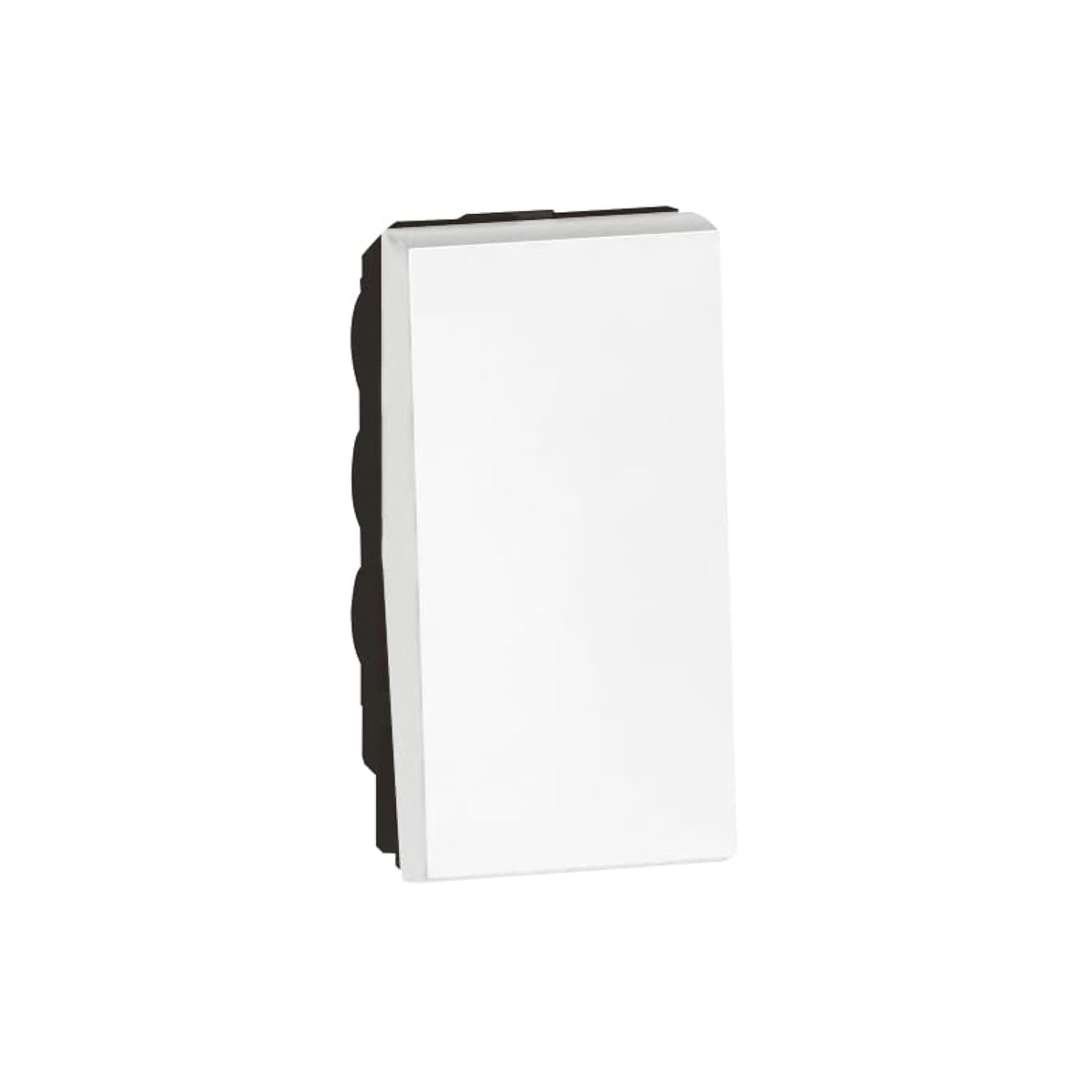
Image 1: Legrand Arteor 572008 Intermediate Switch. This image shows the front view of the white square switch unit.
4. Spésifikasi
| Nomer modél | 572008 |
| Tipe | Pindah panengah |
| Peunteun ayeuna | 10 Amp |
| Jumlah Unit | 1 Unit |
| Ukuran (L x W x H) | 4.22 x 2.25 x 4.5 cm |
| Beurat | 90 gram |
| Warna | Bodas |
| Batré Diperlukeun | No |
5. Setup jeung Instalasi
Before you begin, ensure the power supply to the circuit is OFF at the main breaker.
- Nyiapkeun kotak listrik: Ensure you have a standard single-unit electrical box installed in the wall.
- Identipikasi Kabel: An intermediate switch requires specific wiring. Typically, you will have a live wire (L), a neutral wire (N), and two switched live wires (L1, L2) for multi-point control. Consult a wiring diagram for intermediate switches if unsure.
- Sambungkeun kawat:
- Connect the incoming live wire to the common terminal (often marked 'L' or 'COM').
- Connect the two traveler wires (from the first two-way switch) to the 'L1' and 'L2' terminals.
- Connect the two outgoing traveler wires (to the second two-way switch) to the remaining 'L1' and 'L2' terminals.
- Pastikeun sadaya sambungan kedap tur aman.
- Pasang saklar: Dorong saklar kabelna kalayan ati-ati kana kotak listrik. Pasangkeun nganggo sekrup anu disayogikeun.
- Pasang Faceplate: Pasangkeun atanapi pasangkeun pelat hareup hiasan kana mékanisme saklar.
- Mulangkeun Daya: Turn the power supply back ON at the circuit breaker.
- Fungsi Uji: Test the switch from all control points to ensure proper operation.
If you are unfamiliar with electrical wiring, it is highly recommended to seek assistance from a certified electrician.
6. Parentah Operasi
The Legrand Arteor 572008 Intermediate Switch operates as part of a multi-point lighting control system, typically used with two 2-way switches.
- ON/OFF: Press the switch button to toggle the connected lighting circuit ON or OFF.
- Multi-Point Control: This intermediate switch allows you to control the same light(s) from three or more locations when combined with two 2-way switches. Each press of any connected switch will reverse the state of the light(s).
7. Pangropéa
The Legrand Arteor 572008 Intermediate Switch requires minimal maintenance.
- beberesih: To clean the switch, wipe it with a soft, dry cloth. Do not use abrasive cleaners, solvents, or excessive moisture, as these can damage the finish or internal components.
- Pamariksaan: Pariksa saklar sacara berkala pikeun ningali tanda-tanda karusakan, sambungan anu leupas, atanapi parobahan warna. Upami aya masalah anu katingali, pegatkeun daya sareng konsultasi ka tukang listrik anu mumpuni.
8. Cara ngungkulan
| Masalah | Mungkin Cukang lantaranana | Solusi |
|---|---|---|
| Light does not turn ON/OFF. | Henteu aya kakuatan pikeun sirkuit. Sambungan kabel leupas. Bohlam salah. Kabel salah. | Pariksa pemutus sirkuit. Disconnect power and check all wire connections. Ganti bohlam. Verify wiring against a standard intermediate switch diagram. Consult an electrician if needed. |
| Switch feels hot. | Kaleuwihan beban dina sirkuit. Sambungan leupas. | Immediately disconnect power. Reduce the load on the circuit. Disconnect power and check all wire connections. If the problem persists, consult an electrician. |
| Saklar teu responsif. | Kasalahan internal. | Disconnect power and replace the switch. |
For issues not listed here or if solutions do not resolve the problem, contact Legrand customer support or a qualified electrician.
9. Garansi jeung Rojongan
Legrand products are manufactured to high standards and are backed by a manufacturer's warranty. For specific warranty details, please refer to the warranty card included with your purchase or visit the official Legrand websitus.
For technical support, replacement parts, or further assistance, please contact Legrand customer service through their official channels. Keep your model number (572008) and purchase date ready when contacting support.
Resmi Legrand Websitus: www.legrand.com


