1. Bubuka
Thank you for choosing the pTron Zenbuds Pro 1 Open Ear Wireless Earbuds. These earbuds are designed to provide a comfortable and pressure-free listening experience with their innovative SafeBeats design, allowing you to stay aware of your surroundings. Featuring Quad Mic ENC for clear calls, immersive audio, and extended playtime, the Zenbuds Pro 1 are ideal for various activities including sports, commuting, and outdoor adventures.

Image: The pTron Zenbuds Pro 1 earbuds and their compact charging case, showcasing desain ceulina nu muka.
2. Émbaran Kasalametan
- Kontrol volume: For the best audio experience and to minimize sound leakage, it is recommended to use the earbuds at 60%-70% volume. Prolonged listening at high volumes may cause hearing damage.
- Tahan cai: The earbuds are IPX5 water-resistant, meaning they can withstand splashes and sweat. Do not submerge them in water.
- Ngecas: Use only the provided Type-C cable for charging. Ensure the charging pins on the earbuds are clean and dry before placing them in the case.
- pembuangan: Do not dispose of batteries in fire or hot ovens, or mechanically crush or cut batteries, as this may result in an explosion.
3. Naon dina Box
The pTron Zenbuds Pro 1 package includes the following items:
- pTron Zenbuds Pro 1 Open Ear Wireless Earbuds (Left and Right)
- Ngecas Case
- Kabel Ngecas Tipe-C
- Manual pangguna (dokumén ieu)
- Eartips
4. Produk Langkungview
The pTron Zenbuds Pro 1 earbuds feature an open-ear design with a snug-fit hook style, ensuring a secure and comfortable fit without blocking your ear canal. This design allows for "open-listening," keeping you aware of your surroundings, which is particularly beneficial during outdoor activities.

Image: Illustration of the SafeBeats Open-Ear design, highlighting no ear jamming, pressure-free wear, and comfort.

Image: A person wearing the earbuds, demonstrating the secure and snug fit provided by the hook style, ideal for active use.
Key features include 12mm dynamic drivers for immersive stereo sound, Bluetooth V5.3 for quick pairing and stable connectivity, and Quad Mic with TruTalk™ ENC technology for enhanced voice clarity during calls by reducing environmental noise.
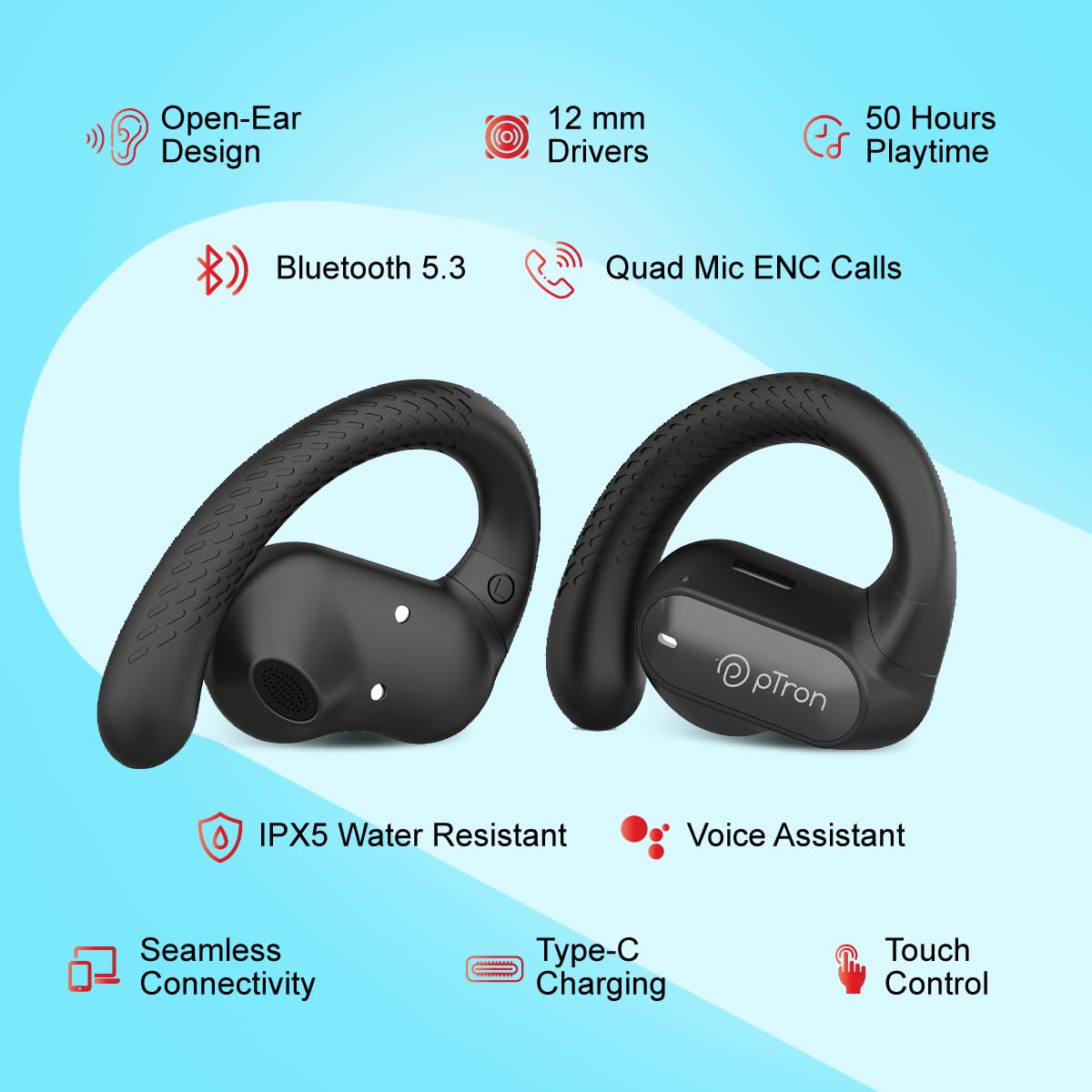
Image: A visual summary of the earbuds' features, including open-ear design, 12mm drivers, 50 hours playtime, Bluetooth 5.3, Quad Mic ENC, IPX5 water resistance, voice assistant support, Type-C charging, and touch control.
5. Setélan
5.1 Ngecas Awal
Before first use, fully charge the earbuds and the charging case. Place the earbuds into the charging case. Connect the Type-C charging cable to the case and a power source. The charging indicators will provide status feedback.
- Earbuds Charging Time: Approximately 1 hour
- Case Charging Time: Approximately 1.5 hours
- Combined Playback Time: Up to 50 hours with the charging case

Image: Diagram illustrating the charging times for the earbuds (1 hour) and the charging case (1.5 hours), contributing to a total of 50 hours of playback time.
5.2 Removing Insulation Tape
penting: Before using the earbuds for the first time, you must peel off the transparent light blue insulation tape from the backside of both earbuds. This tape covers the two charging pins and must be removed for proper charging and functionality.

Gambar: A close-up view of the earbuds' charging contacts, clearly showing the transparent light blue insulation tape that needs to be removed before use.
5.3 Nyapasangkeun sareng Alat Anjeun
- Ensure the earbuds are charged and the insulation tape has been removed.
- Buka wadah ngecas. Earbuds bakal otomatis asup kana mode papasangan, dituduhkeun ku lampu LED nu kedip-kedip dina earbuds.
- Dina smartphone Anjeun atawa alat Bluetooth-diaktipkeun, buka setélan Bluetooth.
- Milarian pikeun "pTron Zenbuds Pro 1" in the list of available devices.
- Select "pTron Zenbuds Pro 1" to connect. Once connected, a voice prompt will confirm successful pairing, and the LED light will stop flashing.
Earbuds bakal otomatis nyambung deui ka alat dipasangkeun panungtungan sawaktos nyandak kaluar tina wadahna, upami Bluetooth diaktipkeun dina alat.

Image: A visual representation of the two earbuds with a Bluetooth symbol, indicating quick pairing and stable wireless connectivity via Bluetooth V5.3.
6. Parentah Operasi
6.1 Maké Earbuds
Gently place the earbuds over your ears, ensuring the hook rests securely behind your ear and the speaker part is positioned near your ear canal. The open-ear design ensures comfort and allows ambient sounds to be heard, enhancing safety during outdoor activities.
6.2 Kontrol Toél
The pTron Zenbuds Pro 1 feature intuitive touch controls on each earbud for easy management of music, calls, and voice assistant.
| Fungsi | Aksi |
|---|---|
| Puter/Reureuh Musik | Ketok tunggal dina boh earbud |
| Lagu salajengna | Ketok dua kali dina earbud Katuhu |
| Lagu saméméhna | Ketok dua kali dina ceuli Kénca |
| Ngajawab / mungkas Telepon | Ketok tunggal dina boh earbud |
| Nolak Telepon | Pencét jeung tahan boh earbud salila 2 detik |
| Aktipkeun Asisten Sora | Ketok tilu kali dina boh earbud |
6.3 Manajemén Telepon
The Zenbuds Pro 1 are equipped with Quad Mic and TruTalk™ ENC (Environmental Noise Cancellation) technology. This system effectively reduces ambient noise, ensuring your voice is transmitted clearly during calls, even in noisy environments.

Image: A dynamic illustration depicting the Quad Mic and TruTalk™ ENC technology, emphasizing its ability to enhance voice clarity and reduce external noises during phone calls.
7. Pangropéa
- beberesih: Rutin ngabersihkeun earbuds sareng wadah ngecas ku lawon anu lemes, garing, teu aya lint. Ulah make bahan kimia kasar atawa bahan abrasive.
- Ngecas Kontak: Ensure the charging pins on both the earbuds and inside the case are clean and free of debris to maintain proper charging.
- Panyimpenan: Nalika henteu dianggo, simpen earbuds dina wadah ngecasna pikeun ngajagi sareng tetep dicas. Nyimpen dina tiis, tempat garing jauh ti suhu ekstrim.
- Paparan cai: While IPX5 water-resistant, avoid prolonged exposure to water or high humidity. If they get wet, wipe them dry thoroughly before placing them back in the charging case.
8. Cara ngungkulan
If you encounter any issues with your pTron Zenbuds Pro 1, please refer to the following common problems and solutions:
| Masalah | Solusi anu mungkin |
|---|---|
| Earbuds teu ngecas |
|
| Earbud teu tiasa dipasangkeun/nyambungkeun |
|
| Ngan hiji earbud jalan |
|
| Poor sound quality or low volume |
|
| Microphone not clear during calls |
|
9. Spésifikasi
| Fitur | Rincian |
|---|---|
| Ngaran modél | Zenbuds Pro 1 (Zenbuds) |
| Téhnologi konektipitas | Nirkabel (Bluetooth V5.3) |
| Rentang Bluetooth | 10 Méter |
| Ukuran Supir Audio | 12 Milimeter |
| Tipe Supir Audio | Supir dinamis |
| Latén Audio | 40 Milidetik |
| Daya Tahan Batré (Gabungan) | Nepi ka 50 Jam |
| Tipe Kontrol | Touch Control, Call Control |
| Mikropon | Quad Mic with TruTalk™ ENC |
| Tingkat Résistansi Cai | IPX5 Tahan Cai |
| Panempatan Ceuli | Buka Ceuli |
| Wangun Earpiece | Hook |
| Bahan | Acrylonitrile Butadiene Styrene (ABS) |
| Item Beurat | 46 gram |
| Dimensi produk | 6.8 x 5 x 4 cm |
| Sumber Daya | 3 batré Litium Polimér (kaasup) |
| Negara asal | Cina |
10. Garansi jeung Rojongan
The pTron Zenbuds Pro 1 comes with a 1-taun jaminan produsén ti tanggal pameseran, ngan ukur nutupan cacad produksi.
For any support, warranty claims, or inquiries, please contact pTron customer care:
- Surélék: rojongan@ptron.in
- Telepon: 040-67138888
Mangga nahan resi pameseran Anjeun pikeun validasi jaminan.


