Buku Panduan Pangguna Laptop CHUWI GemiBook Plus
Model: CHUWI GemiBook Plus (HEROBOOK)
15.6 inch Laptop Computer, 8GB LPDDR5 256GB SSD, Intel N100, Windows 11
1. Bubuka
This manual provides essential information for the proper setup, operation, maintenance, and troubleshooting of your CHUWI GemiBook Plus laptop. Please read this manual thoroughly before using your device to ensure optimal performance and longevity.

Gambar 1.1: Hareupeun view of the CHUWI GemiBook Plus laptop, showcasing its 15.6-inch display with system specifications like 8GB DDR5 RAM, 256GB SSD, Intel N100 processor, and Windows 11 Home operating system.
2. Naon dina Box
Pastikeun yén sadaya item aya dina bungkusan:
- CHUWI GemiBook Plus Laptop
- Charger set (Power Adapter and Cable)
- Manual multibasa
- Sertipikat tina conformity
3. Produk Langkungview
3.1 Fitur konci
- Prosesor: 12th Gen Intel Alder Lake N100 CPU (up to 3.4GHz)
- Mémori: 8GB LPDDR5 RAM (4800 MHz)
- Panyimpenan: 256GB SSD (expandable up to 1TB via M.2 2280 SSD slot)
- tampilan: 15.6-inch FHD IPS screen (1920 × 1080p, 16:9 aspect ratio)
- Grafik: Intel UHD Graphics pikeun Prosesor Intel Generasi ka-12
- Sistem operasi: Windows 11 Imah
- Konektipitas: Wi-Fi 6, Bluetooth 5.2, HDMI, USB 3.0, Type-C, RJ45 Ethernet
- Batré: 38Wh for 6 to 8 hours of usage
- Desain: Lightweight (1.74kg) and thin (19mm) with 180° opening hinge
- Kaamanan: Physical camera switch for privacy

Gambar 3.1: Ngaliwatanview of the CHUWI GemiBook Plus's key features, including its 15.6-inch IPS screen, 12th Gen Intel Alder Lake-N100 processor, 38Wh Li-ion battery, FHD resolution, 12th Gen Intel UHD Graphics, 8GB LPDDR5 RAM, 256GB M.2 SSD, and WiFi6+BT5.2 connectivity.
3.2 Palabuhan jeung Panyambungna
Familiarize yourself with the various ports and connectors on your laptop:

Image 3.2: Diagram illustrating the various ports on the CHUWI GemiBook Plus laptop. On one side, it shows the charging port, HDMI port, USB-A 3.0 port, Type-C port, and Audio Jack. On the other side, it displays another Type-C port, USB-A 2.0 port, USB-A 3.0 port, RJ45 LAN Port, and a lock slot.
- Port ngecas: Sambungkeun adaptor kakuatan di dieu.
- Port HDMI: Pikeun nyambungkeun ka tampilan éksternal.
- Port USB-A 3.0: Pikeun mindahkeun data-speed tinggi sareng alat nu cocog.
- Port USB-A 2.0: Pikeun alat USB standar.
- Port Tipe-C: Versatile ports for data, display, and power delivery (check specific functionality).
- Jack audio: Pikeun headphone atanapi speaker éksternal.
- Port LAN RJ45: Pikeun sambungan jaringan kabel.
- Slot konci: For security cable locks.
4. Ngamimitian (Setup)
4.1 Daya Awal Hurung
- Connect the charger to the laptop's charging port and a power outlet.
- Buka tutup léptop.
- Press the power button, usually located on the keyboard deck.
- Turutan pitunjuk dina layar pikeun ngalengkepan prosés setelan Windows 11, kalebet pilihan basa, sambungan jaringan, sareng nyieun akun pangguna.
4.2 Nyambungkeun ka Wi-Fi
- During Windows setup, you will be prompted to connect to a network. Select your Wi-Fi network from the list.
- Lebetkeun kecap akses Wi-Fi upami diperyogikeun.
- If setting up later, click the Wi-Fi icon in the taskbar, select your network, and connect.
5. Parentah Operasi
5.1 Kibor sareng Touchpad
The GemiBook Plus features a full-size keyboard and a large touchpad for comfortable interaction.

Gambar 5.1: A close-up view of the CHUWI GemiBook Plus laptop's full-size keyboard and large touchpad, highlighting its ergonomic design for comfortable typing.
- kibor: Use for typing and system commands. Function keys (Fn) combined with F1-F12 keys provide additional shortcuts (e.g., volume, brightness).
- Touchpad: Supports multi-touch gestures for navigation, scrolling, and zooming.
5.2 Pintonan
The 15.6-inch FHD IPS screen offers vibrant visuals. The laptop supports a 180° opening angle for flexible viewing.
5.3 Webcam and Privacy
The laptop includes a webcam for video calls and conferencing. A physical camera switch is provided to block the camera lens, ensuring privacy when not in use.
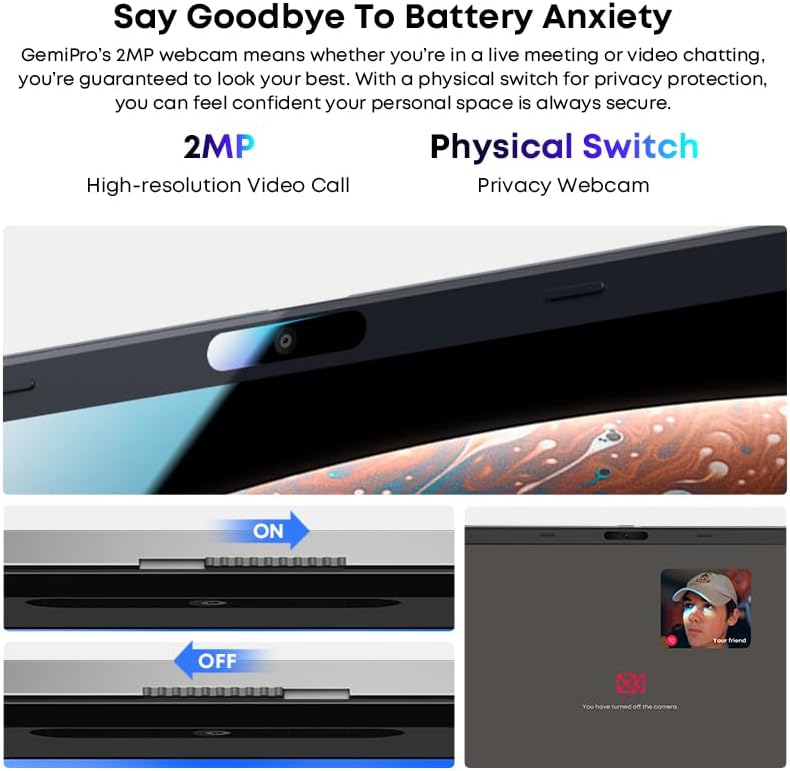
Image 5.2: Close-up of the CHUWI GemiBook Plus webcam with a physical privacy switch. The image shows the switch in both 'ON' (camera exposed) and 'OFF' (camera covered) positions, demonstrating how to physically block the camera lens for enhanced privacy.
5.4 Konéktipitas Wireless
The GemiBook Plus supports Wi-Fi 6 and Bluetooth 5.2 for fast and stable wireless connections.

Image 5.3: A visual representation of the CHUWI GemiBook Plus's seamless wireless experience, highlighting Wi-Fi 6, Bluetooth 5.2, Ethernet RJ45, and HD Camera features. A user is shown participating in a video call on the laptop.
- Wi-Fi 6: Provides faster internet speeds and improved network efficiency compared to previous Wi-Fi standards.
- Bluetooth 5.2: Pikeun nyambungkeun periferal nirkabel sapertos headphone, beurit, sareng kibor.
6. Manajemén batré
The laptop is equipped with a 38Wh battery, providing approximately 6 to 8 hours of usage on a full charge. A full recharge typically takes about 3 hours.
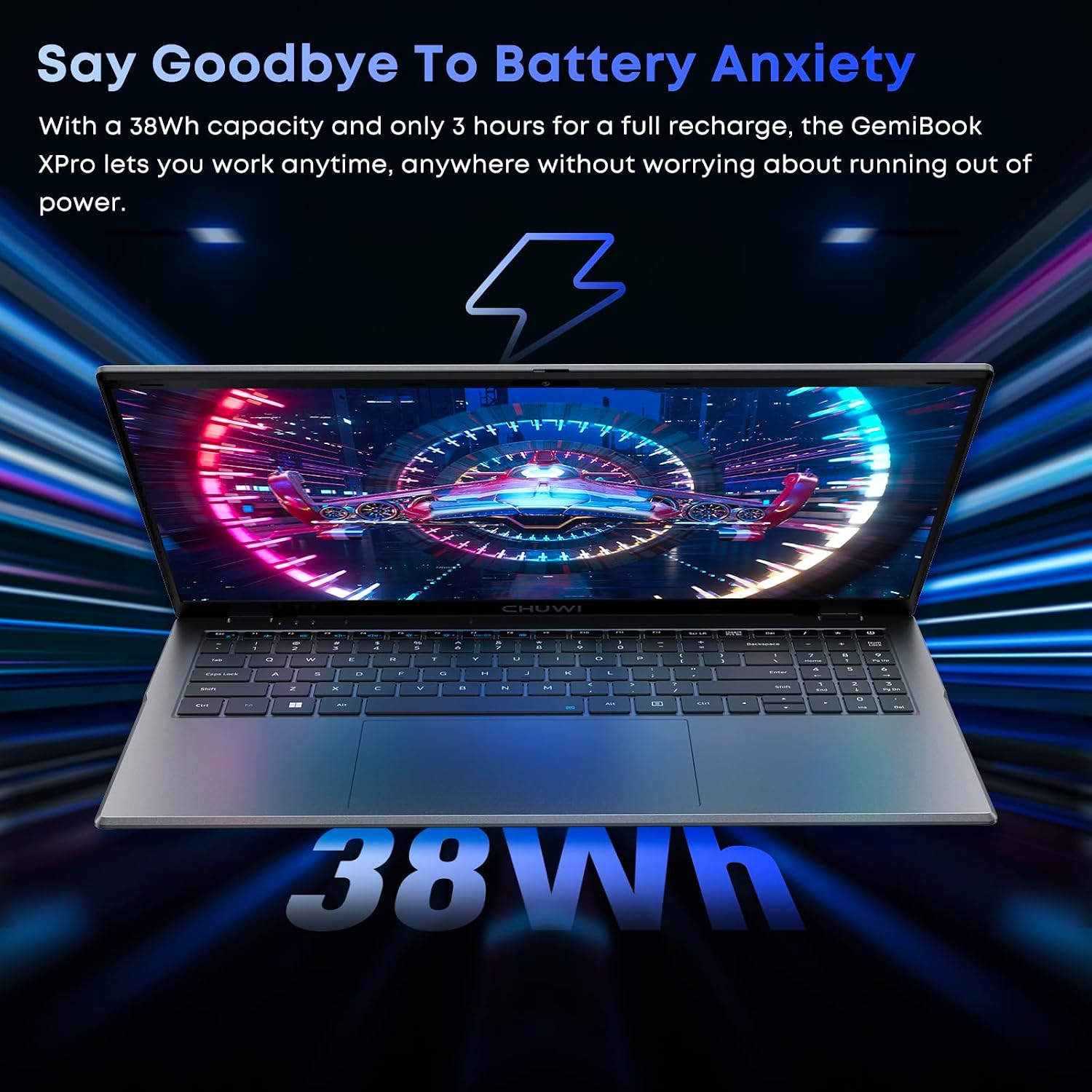
Image 6.1: The CHUWI GemiBook Plus laptop displayed with a visual representation of its 38Wh battery capacity, emphasizing its ability to provide extended usage without frequent recharging.
- Ngecas: Connect the provided charger to the laptop and a power outlet. The charging indicator light will typically show the charging status.
- Perawatan batré: To prolong battery life, avoid fully discharging the battery frequently. Store the laptop in a cool, dry place when not in use for extended periods.
7. Pangropéa sarta perawatan
- beberesih: Anggo lawon anu lemes sareng henteu ngaganggu pikeun ngabersihkeun layar sareng bagian luarna. Pikeun tanda anu bandel, rada dibersihkeunampen lawon jeung cai atawa cleaner layar. Hindarkeun bahan kimia anu kasar.
- Panyimpenan: When not in use, store the laptop in a protective sleeve or bag to prevent scratches and dust accumulation.
- Suhu: Operate the laptop within recommended temperature ranges. Avoid exposing it to extreme heat or cold.
- Ventilasi: Pastikeun bukaan ventilasi teu diblokir pikeun nyegah overheating.
8. Cara ngungkulan
8.1 Isu umum jeung Solusi
| Masalah | Solusi anu mungkin |
|---|---|
| Laptop teu tiasa dihurungkeun | Ensure the power adapter is securely connected and the outlet is working. Try a different power outlet. If the battery is completely drained, it may take a few minutes to respond after connecting the charger. |
| Taya sambungan Wi-Fi | Check if Wi-Fi is enabled in Windows settings. Restart your router and modem. Ensure you are entering the correct Wi-Fi password. |
| kinerja lalaunan | Close unnecessary applications. Check for background processes consuming resources. Ensure Windows is updated. Consider running a disk cleanup. |
| Screen is blank or flickering | Adjust screen brightness. Connect to an external monitor to check if the issue is with the laptop screen. Restart the laptop. |
| Webcam not working | Ensure the physical camera switch is in the 'ON' position. Check privacy settings in Windows to allow apps access to the camera. Update camera drivers. |
9. Spésifikasi Téknis
| Fitur | Spésifikasi |
|---|---|
| Ukuran tampilan layar nangtung | 15.6 inci |
| Resolusi layar | 1920 x 1080 piksel (FHD) |
| Prosesor | Intel Alder Lake N100 (up to 3.4 GHz) |
| Ram | 8 GB LPDDR5 |
| Hard Drive | 256 GB SSD (M.2 2280, expandable to 1TB) |
| Grafik Coprocessor | Intel UHD Grafika |
| Sistem operasi | Windows 11 |
| Tipe Wireless | Wi-Fi 6, Bluetooth 5.2 |
| Jumlah USB 3.0 palabuhan | 2 |
| Rata Kahirupan Batré | 6 Jam (38Wh) |
| Item Beurat | 3.7 pon (kira-kira 1.74 kg) |
| Dimensi produk | 14 x 0.78 x 9.5 inci (kira-kira 35.5 x 1.98 x 24.1 cm) |
| Warna | pérak |
10. Garansi jeung Rojongan
10.1 Periode jaminan
The CHUWI GemiBook Plus laptop comes with a garansi 1 taun, valid immediately after purchase.
10.2 Rojongan Palanggan
CHUWI offers lifetime factory professional support and 24-hour online support. For any issues or inquiries, please contact CHUWI customer service. They aim to provide professional and timely assistance.


