Bubuka
The 1Mii SafeFly Min+ is a versatile 2-in-1 Bluetooth Transmitter and Receiver designed to enhance your audio experience across various devices. Whether you want to stream audio from non-Bluetooth sources like airplane entertainment systems or TVs to your Bluetooth headphones, or connect your phone to wired speakers or car stereos, the SafeFly Min+ provides a seamless wireless solution. Featuring an OLED display, Bluetooth 5.3 with aptX Low Latency, and dual-device connectivity, it offers high-quality audio and ease of use.
Fitur konci
- OLED Display & Volume Control: Provides clear connection status and allows for direct volume adjustment.
- 2-in-1 Bluetooth Transmitter/Receiver: Functions as both a transmitter (TX) for non-Bluetooth devices and a receiver (RX) for wired audio systems.
- Bluetooth 5.3 with aptX Low Latency: Ensures stable, fast connections and high-quality audio with minimal delay. Supports aptX HD and aptX Adaptive codecs.
- Kamampuh Link Ganda: Connects to two Bluetooth headphones simultaneously for shared listening.
- Kasaluyuan lega: Works with 3.5mm AUX audio jacks on TVs, airplane/gym entertainment systems, car stereos, home stereos, wired headphones/speakers, MP3/MP4 players, and more.
- Hirup batré anu panjang: Up to 25 hours of playtime on a single 2-hour charge.
- Independent RESET Button: Helps resolve reconnection and compatibility issues efficiently.
Eusi pakét
- 1Mii SafeFly Min+ Bluetooth Transmitter and Receiver
- Kabel Ngecas USB Tipe-C
- Dual 3.5mm Airplane Adapter
- 3.5mm Female-to-Female Adapter
- Panutup Pelindung
Produk Leuwihview
Familiarize yourself with the components and controls of your SafeFly Min+ device.

Figure 1: SafeFly Min+ Product Features and Controls
- Layar OLED: Displays connection status, battery level, and paired devices.
- Volume Down (<) Button: Ngurangan volume.
- Volume Up (>) Button: Ngaronjatkeun volume.
- OK/Multi-function Button: Power ON/OFF, Play/Pause, Pairing Mode activation.
- TX/RX Switching: Slide switch to select Transmitter (TX) or Receiver (RX) mode.
- Tombol Reset: Independent button for quick reset.
- Port ngecas Tipe C: Pikeun ngecas alat.
- Sambungan Audio 3.5mm: Integrated audio jack for connecting to source/output devices.
Parentah Setup
1. Ngecas Alat
Before first use, fully charge your SafeFly Min+ using the provided USB Type-C cable. Connect the cable to the device's Type C charging port and a standard USB power adapter (not included).
2. Selecting Operating Mode (TX/RX)
The SafeFly Min+ can operate in two modes: Transmitter (TX) or Receiver (RX). Use the slide switch on the side of the device to select the desired mode.
- Modeu TX (pamancar): For sending audio from non-Bluetooth devices (e.g., TV, airplane entertainment) to Bluetooth headphones/speakers.
- RX Mode (Receiver): For receiving audio from Bluetooth devices (e.g., smartphone, tablet) and playing it through wired speakers, car stereos, etc.

Figure 2: TX and RX Mode Applications
3. Pairing in TX Mode (Transmitter)
- Geser saklar kana TX modus.
- Plug the 3.5mm audio jack of the SafeFly Min+ into the audio output port of your non-Bluetooth device (e.g., airplane seat, TV headphone jack). For airplane use, you may need to attach the dual 3.5mm airplane adapter.
- Turn on your Bluetooth headphones or speaker and set them to pairing mode.
- The SafeFly Min+ will automatically search for nearby Bluetooth devices. The OLED screen will display available devices.
- Use the < and > buttons to navigate the list and the OK button to select your desired device for pairing.
- Once connected, the OLED screen will show the paired device name and the audio codec in use (e.g., aptX).

Figure 3: Using SafeFly Min+ in TX Mode for Airplane Entertainment
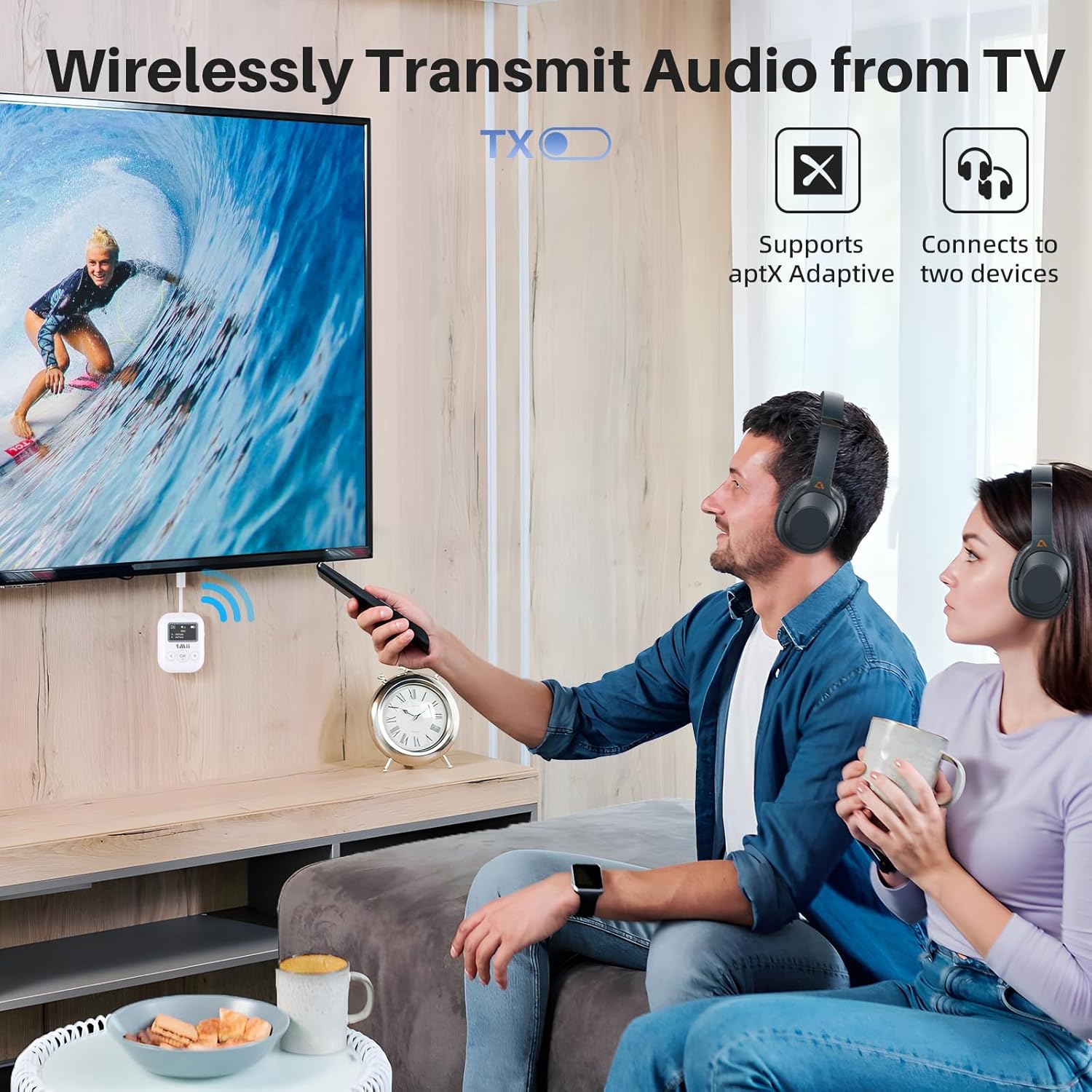
Figure 4: Using SafeFly Min+ in TX Mode for TV Audio
4. Pairing in RX Mode (Receiver)
- Geser saklar kana RX modus.
- Plug the 3.5mm audio jack of the SafeFly Min+ into the audio input port of your wired speaker, car stereo, or other audio system. You may use the 3.5mm female-to-female adapter if needed.
- Hurungkeun Bluetooth dina telepon pinter, tablet, atanapi sumber audio Bluetooth anjeun anu sanés.
- Milarian pikeun "1Mii SafeFly Min+" in your device's Bluetooth settings and select it to pair.
- Once connected, the OLED screen will display the paired device name.
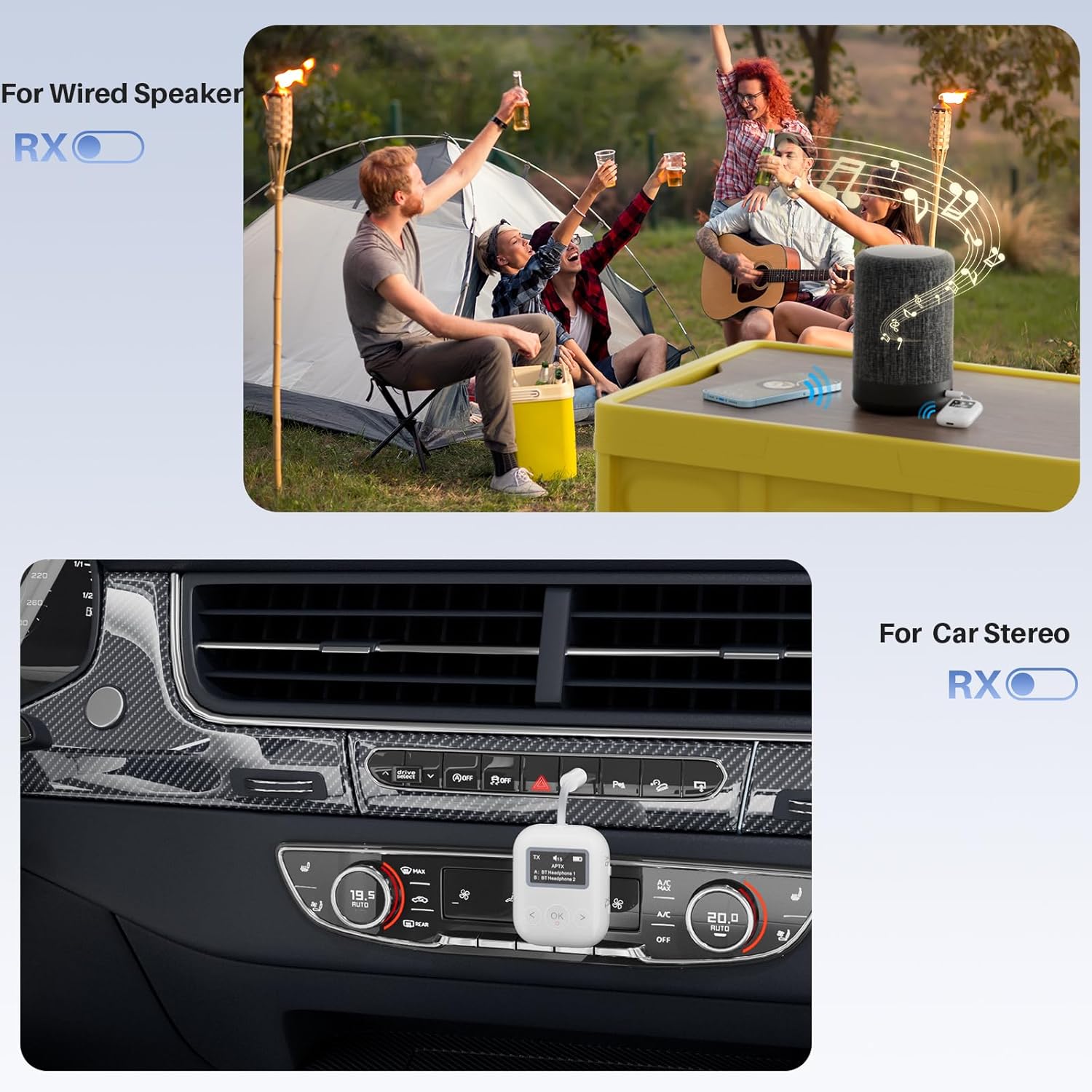
Figure 5: Using SafeFly Min+ in RX Mode for Wired Speakers and Car Stereos
Parentah Operasi
Daya Hurung/Pareuman
Pencét jeung tahan tombol OK button for approximately 3 seconds to power the device on or off.
Volume Control
Ngagunakeun éta < (Volume Down) and > (Volume Up) buttons to adjust the audio volume directly on the SafeFly Min+. The OLED screen will display the current volume level.
Dual Link Function (TX Mode)
In TX mode, the SafeFly Min+ can connect to two Bluetooth headphones simultaneously. After successfully pairing the first headphone, put the second headphone into pairing mode. The SafeFly Min+ will automatically search for and connect to the second device. Both paired devices will be displayed on the OLED screen.
Format Audio Dirojong
The SafeFly Min+ supports various audio codecs including SBC, aptX, aptX-LL (Low Latency), aptX-HD, and aptX-AD (Adaptive). For optimal audio quality and low latency, ensure your connected Bluetooth headphones or speakers also support the desired codec.
Batré sareng Ngecas
The SafeFly Min+ features a built-in rechargeable battery providing up to 25 hours of playtime. To charge, connect the included USB Type-C cable to the device and a USB power source. A full charge typically takes about 2 hours. The OLED display shows the battery level.
Catetan:
- The battery level indicator on the OLED screen may not always be precisely linear. It is recommended to charge the device when the indicator shows a low battery to avoid unexpected power off.
Pangropéa
- Tetep alat tetep garing. Hindarkeun paparan ka Uap atanapi cair.
- Bersihkeun alat ku kaen anu lemes sareng garing. Ulah make bahan kimia kasar atawa cleaners abrasive.
- Simpen alat dina tempat anu tiis sareng garing upami henteu dianggo.
- Hindarkeun suhu anu ekstrim.
Pamérésan masalah
- Device not pairing or connecting:
- Ensure the SafeFly Min+ is in the correct TX or RX mode.
- Make sure your target Bluetooth device (headphones/speaker/phone) is in pairing mode.
- Try pressing the independent RESET button on the SafeFly Min+. This can resolve many connection issues.
- Pindahkeun alat-alatna silih caketkeun pikeun mastikeun alat-alatna aya dina jangkauan.
- Clear previous pairings on both the SafeFly Min+ and your Bluetooth device, then try pairing again.
- Henteu aya audio atanapi kualitas audio anu goréng:
- Check that the 3.5mm audio jack is fully inserted into the correct port on both the SafeFly Min+ and the source/output device.
- Ensure the volume on both the SafeFly Min+ and the connected audio device is turned up.
- Verify that the correct audio source is selected on your TV or other entertainment system.
- If using aptX codecs, ensure both devices support the specific codec (aptX LL/HD/Adaptive).
- Kurangi gangguan ku cara ngajauhan alat nirkabel anu sanés atanapi medan éléktromagnétik anu kuat.
- Inaccurate battery level display:
- The battery indicator provides an estimate. It is best practice to fully charge the device when the indicator shows a low level to prevent unexpected power off.
- Volume buttons require multiple presses:
- The device may enter a semi-sleep mode to conserve battery. A first press wakes the device, subsequent presses adjust the volume. This is normal operation.
spésifikasi
| merek | 1Mii |
| Nomer modél | SafeFly Min+ |
| Tipe Wireless | Bluetooth 5.3 |
| Dirojong Audio Codecs | SBC, aptX, aptX-LL, aptX-HD, aptX-AD |
| Item Beurat | 0.705 ons (20g) |
| Dimensi produk | 2.17 x 1.5 x 0.59 inci |
| Kahirupan batré | Nepi ka 25 jam |
| Waktu Ngecas | Kira-kira. 2 jam |
| Sumber Daya | Batré Powered (1 batré Litium Polimér kaasup) |
| Warna | Bodas |
Video Produk Resmi
1Mii SafeFly Min+ Bluetooth Transmitter and Receiver for Jet
This video demonstrates the 1Mii SafeFly Min+ in action, specifically highlighting its use as a Bluetooth transmitter for airplane entertainment systems. It shows how to connect the device to an in-flight screen and pair it with wireless headphones, enabling a personal audio experience during flights.
1Mii Bluetooth Transmitter
This video showcases the versatility of the 1Mii Bluetooth Transmitter, demonstrating its use in various scenarios such as connecting a smartphone to a car stereo and enabling wireless audio for gym equipment. It highlights the ease of switching between transmitter and receiver modes for different applications.
Émbaran Kasalametan
May interfere with other wireless devices. Follow battery handling precautions.
Garansi sareng Rojongan
For warranty information and technical support, please refer to the official 1Mii websitus atanapi ngahubungan layanan palanggan maranéhanana langsung. Simpen resi pameseran anjeun pikeun klaim jaminan.


