
1. Émbaran Kasalametan
Read all instructions carefully before using the appliance. Keep this manual for future reference. Failure to follow these instructions may result in electric shock, fire, or damage to the appliance.
- Pastikeun alatna dibumikeun leres.
- Ulah ngantep barudak maén atawa ngoperasikeun mesin cuci.
- Entong ngumbah barang-barang anu parantos dibersihkeun, dikumbah, direndam, atanapi katémbong ku bahan anu kaduruk atanapi ngabeledug.
- Salawasna cabut alat sateuacan mersihan atanapi ngalakukeun pangropéa.
- Do not open the detergent dispenser during the wash cycle.
- Ulah noél colokan listrik ku leungeun baseuh.
2. Instalasi jeung Setup
2.1 Ngabongkar bungkusan
Carefully remove all packaging materials. Inspect the washing machine for any damage. Keep packaging materials out of reach of children.
2.2 Posisi
Tempatkeun mesin cuci dina permukaan anu teuas sareng rata. Pastikeun aya rohangan anu cekap di sakitar alat pikeun ventilasi sareng pangropéa. Hindarkeun sinar panonpoé langsung atanapi suhu anu ekstrim.
2.3 Leveling Alat
Adjust the leveling feet at the bottom of the washing machine to ensure it is stable and level. An unlevel machine can cause excessive vibration and noise during operation.
2.4 Sambungan cai
Connect the water inlet hose to a cold water tap. Ensure all connections are tight to prevent leaks. The appliance requires a water pressure between 0.1 MPa and 1 MPa.
2.5 Pamasangan Selang Pembuangan
Securely attach the drain hose to a standpipe or laundry tub. Ensure the drain hose is not kinked or blocked. The end of the drain hose should be positioned at a height between 60 cm and 100 cm from the floor.
2.6 Sambungan Listrik
Plug the power cord into a grounded electrical outlet. The power supply should match the voltage and frequency specified on the rating label of the appliance (240 Volt).
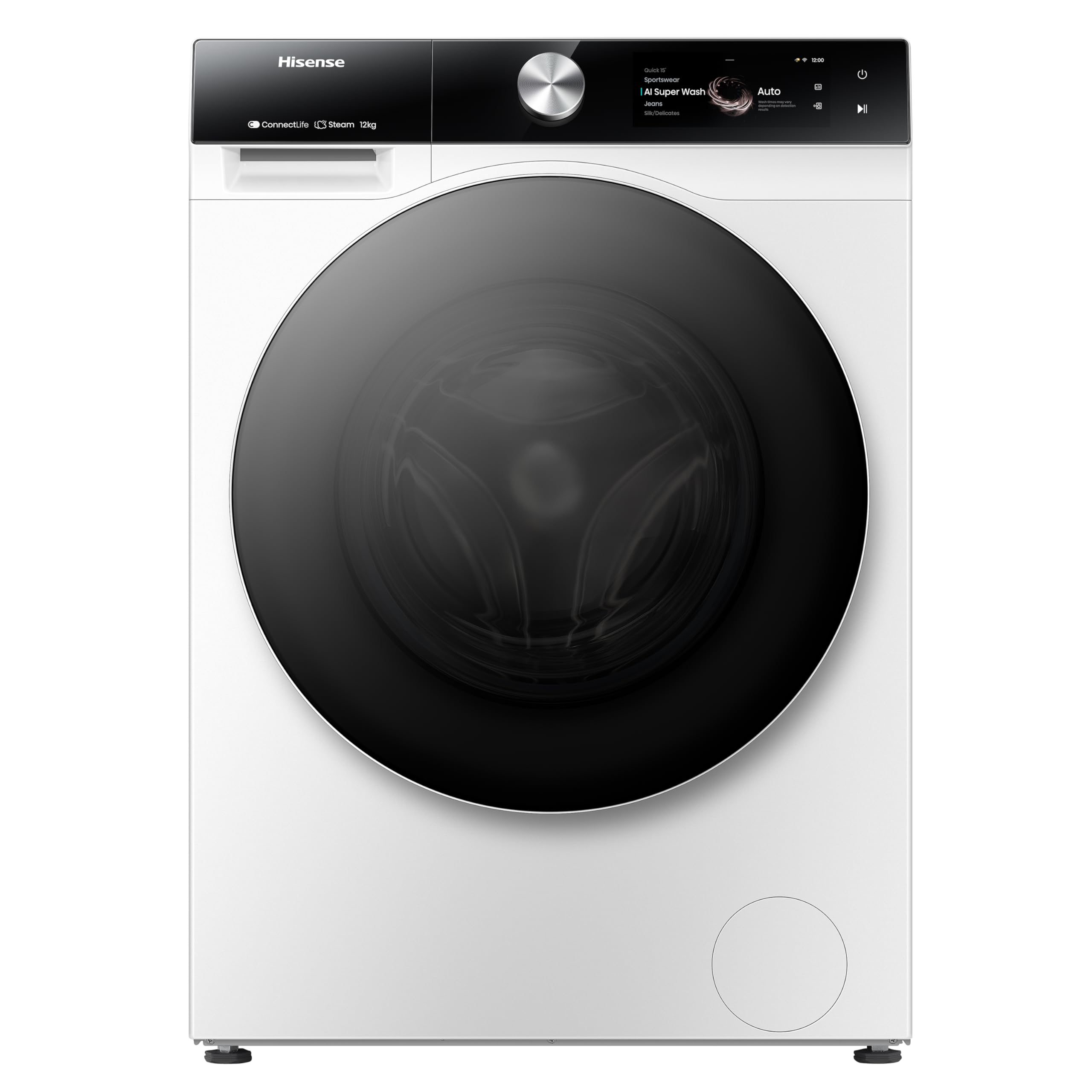
Gambar 1: Hareupeun view of the Hisense WF7S1247BW Washing Machine. This image shows the main unit with its door, control panel, and detergent drawer.
3. Parentah Operasi
3.1 Control Panel Leuwihview
The Hisense WF7S1247BW features a touchscreen control panel for easy program selection and setting adjustments.
3.2 Ngamuat laundry
Buka panto jeung eusian laundry kana kendang. Ulah overload mesin; mastikeun aya cukup rohangan pikeun baju ngagolér sacara bébas. Kapasitas maksimum nyaéta 12 kg.
3.3 Detergent Dispensing (Self-Dosing)
This washing machine features an automatic self-dosing system. Fill the detergent compartment with liquid detergent. The machine will accurately dispense the required amount for each wash cycle. One fill can last for approximately one month, depending on usage.
3.4 Pamilihan Program
Use the touchscreen to select the desired wash program. Available cycle options include Active Steam, Eco, and Quick Clean. Refer to the program guide in the full manual for detailed descriptions of each program.
3.5 Fitur husus
- Konektipitas Wi-Fi: Connect the washing machine to your home Wi-Fi network to use the Smart Connect Life app. This app allows for remote control and consumption monitoring.
- Consumption Monitoring: Through the Smart Connect Life app, monitor water and electricity usage and receive personalized recommendations for efficiency.
- Steam Function (99.9%): This function refreshes clothes, reduces wrinkles, and removes 99.9% of bacteria and allergens.
- Penjaga Kabersihan: An innovative rubber seal prevents mold and bacteria formation on the door, ensuring a clean washing environment.
- Smart Pair (with compatible dryer): If paired with a compatible Hisense dryer, the washing machine can communicate to automatically select the most suitable drying program.
3.6 Ngamimitian Siklus Nyeuseuh
After loading laundry, adding detergent (if not using auto-dosing), and selecting a program, press the Start button on the touchscreen. The machine will begin the cycle.
3.7 Delayed Finish
Utilize the delayed finish option to set the machine to complete a wash cycle at a later time, up to 24 hours in advance.
4. Pangropéa
Pangropéa rutin ngajamin kinerja optimal sareng manjangkeun umur mesin cuci anjeun.
4.1 Ngabersihan Exterior
Ngusap permukaan luar kalayan lemes, damp lawon. Ulah make cleaners abrasive atawa pangleyur.
4.2 Ngabersihan Dispenser Deterjen
Cabut périodik sareng bersihkeun laci dispenser detergent pikeun nyegah akumulasi résidu. Bilas dina cai ngocor tur garing tuntas saméméh reinserting.
4.3 Ngabersihan Drum
Run a drum cleaning cycle regularly (if available) or a hot wash cycle with no laundry and a washing machine cleaner to remove any odors or residue.
4.4 Ngabersihan saringan solokan
Locate the drain filter (usually at the bottom front of the machine). Open the cover, place a shallow tray underneath to catch water, and carefully unscrew the filter. Remove any lint or debris, then clean and reinsert the filter securely.
4.5 Hygiene Guard Maintenance
Regularly wipe the rubber seal around the door with a damp cloth to prevent mold and bacteria growth, complementing the Hygiene Guard feature.
5. Cara ngungkulan
Sateuacan ngahubungan palayanan palanggan, tingal tabel di handap ieu pikeun masalah sareng solusi umum.
| Masalah | Mungkin Cukang lantaranana | Solusi |
|---|---|---|
| Mesin teu ngamimitian | kabel kakuatan unplugged; Panto teu ditutup leres; Program teu dipilih. | Pariksa sambungan daya; Pastikeun panto geus dikunci pageuh; Pilih program nyeuseuh teras pencét Start. |
| Geter / noise anu kaleuleuwihi | Machine not level; Transit bolts not removed; Overloaded drum. | Adjust leveling feet; Remove all transit bolts (refer to installation guide); Reduce laundry load. |
| Leak cai | Hoses not properly connected; Drain filter loose or clogged. | Check and tighten all hose connections; Clean and securely fasten the drain filter. |
| Résidu detergent dina dispenser | Dispenser clogged; Too much detergent used (if not using auto-dosing). | Clean the detergent dispenser thoroughly; Use appropriate amount of detergent. |
| Masalah konektipitas Wi-Fi | Sandi Wi-Fi salah; Router jauh teuing; App teu diropéa. | Verify Wi-Fi password; Move router closer or use a repeater; Update Smart Connect Life app. |
6. Spésifikasi
| Fitur | Rincian |
|---|---|
| Nomer modél | WF7S1247BW |
| merek | Hisense |
| Kapasitas | 12 kg |
| Ukuran produk (D x W x H) | 64D x 59.5W x 84.5H séntiméter |
| Beurat | 71 kg |
| Tipe Kontrol | Layar cabak |
| Lokasi Aksés | Hareupeun Loader |
| Bahan Drum | Beusi sténless |
| Voltage | 240 volt |
| Tingkat Noise | 70 desibel |
| Tipe Pamasangan | Jalanan |
| Fitur husus | Touchscreen, Automatic Dosing, Wi-Fi Connectivity, Consumption Monitoring, Steam Function, Hygiene Guard |
| Pilihan siklus | Active Steam, Eco, Quick Clean |
7. Garansi jeung Rojongan
For warranty information and customer support, please refer to the warranty card included with your purchase or visit the official Hisense websitus. Simpen bukti pameseran anjeun pikeun klaim garansi.
Dukungan Online: www.hisense.com/support