Bubuka
Thank you for choosing the TOPTRO TR23 Mini Portable Projector. This manual provides essential information for setting up, operating, and maintaining your projector. The TR23 is designed to deliver a Full HD 1080P viewing experience with 18000 lumens brightness, featuring advanced 4P/4D keystone correction, electric focus, and versatile connectivity options including WiFi 6 and Bluetooth 5.2. Its sealed optical engine ensures dust protection and quiet operation, making it an ideal choice for home theater and various multimedia applications.
Émbaran Kasalametan
- Ulah nempo langsung kana lensa projector lamun lamp dihurungkeun. Cahya caang bisa ngabalukarkeun karuksakan panon.
- Pastikeun ventilasi anu cekap di sakitar proyéktor. Ulah ngahalangan liang ventilasi.
- Paké ngan adaptor kakuatan disadiakeun kalawan projector.
- Jauhkeun proyéktor tina cai atanapi cairan sanésna. Ulah dianggo dina lingkungan anu lembab.
- Hindarkeun nempatkeun proyektor dina permukaan anu teu stabil.
- Cabut colokan proyektor tina stop kontak nalika hujan badag atawa nalika teu dianggo dina waktu anu lila.
- Ulah nyobian ngabongkar atanapi ngalereskeun proyéktor nyalira. Serahkan sadaya perawatan ka tanaga anu mumpuni.
Naon dina Box
- TOPTRO TR23 Mini Beamer 1080P Full HD WiFi Bluetooth (x1)
- Remote Control (x1) (Batteries not included)
- Buku Panduan Pamaké (x1)
- Kabel Daya (x1)
- Kabel HDMI (x1)
- Kain beberesih (x1)
Produk Leuwihview

Hareupeun view of the TOPTRO TR23 Mini Portable Projector, showcasing desain sareng lensa anu kompak.
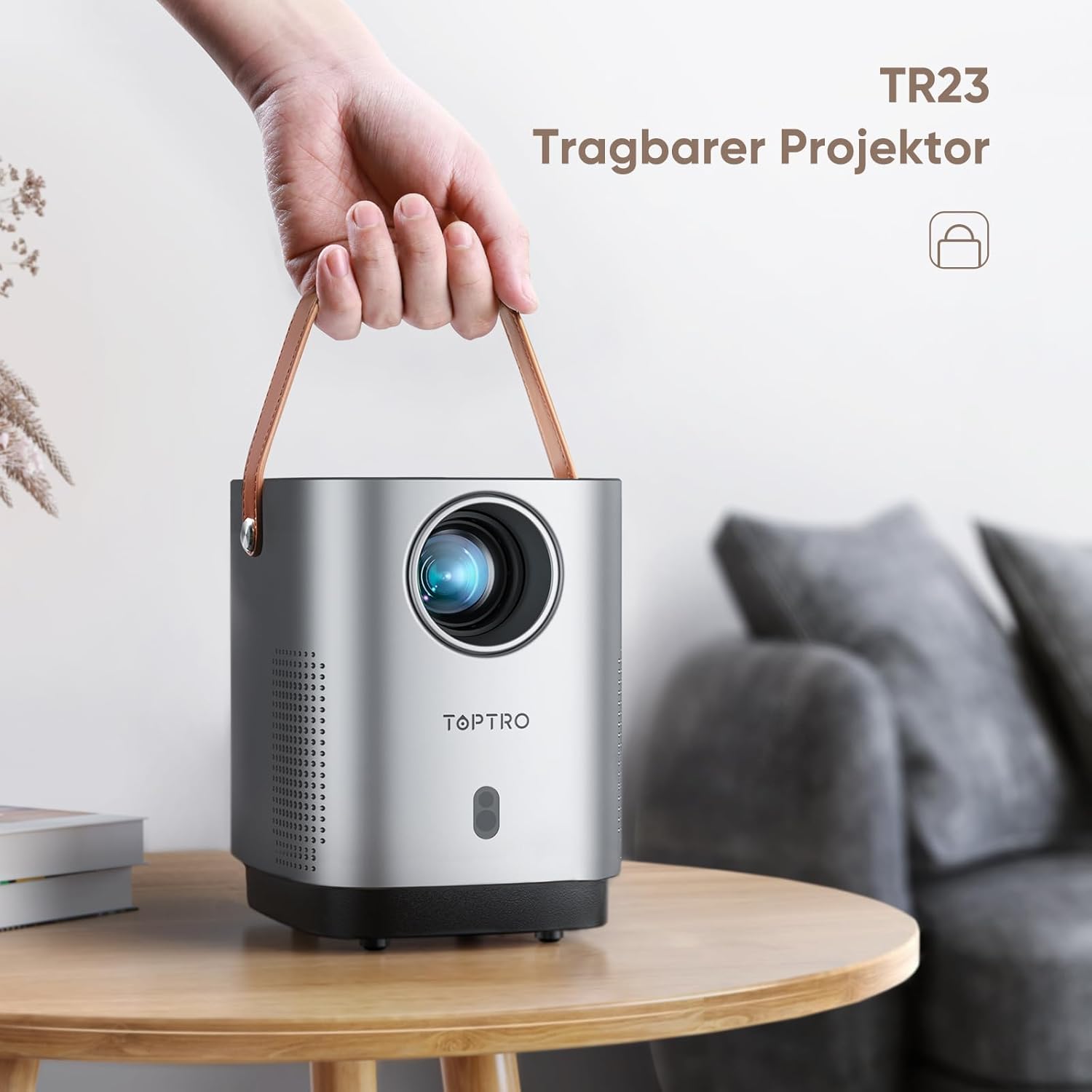
The TOPTRO TR23 Portable Projector with its integrated handle, highlighting its portability.
Fitur konci
- 4P/4D Keystone Correction: Allows for flexible adjustment of the projected image into a clear rectangle from various angles (front, side, ceiling).
- Fokus listrik: Easily adjust focus by clicking the 'F' button on the remote control for clear videos and images.
- WiFi 6 & Bluetooth 5.2: Faster and more stable wireless transmission for screen mirroring from Android and iPhone devices, and connecting Bluetooth headphones/speakers/AirPods.
- Fully Sealed Optical Engine: Unique craftsmanship designed to reduce dust ingress, screen yellowing, black spots, and noise, contributing to a longer lifespan.
- Extensive Interfaces: Equipped with HDMI, USB, and 3.5mm headphone jack for connecting TV devices, TV boxes, Chromecast, laptops, PCs, tablets, USB flash drives, PS5, and external speakers.
Disetél
1. Panempatan
For optimal projection quality, it is recommended to use the projector in a dark environment. Position the projector on a stable, flat surface. The projector features a metal thread on the bottom for tripod or ceiling/wall mounting.
2. Sambungan Daya
Connect the supplied power cable to the projector's power input and then to a wall outlet. The projector does not have a built-in battery and requires continuous power.
3. Fokus Awal sareng Koreksi Keystone

Comparison illustrating the ease of electric focus on the TR23 versus manual focus on older versions.

Diagram showing various keystone correction methods including 4-point, horizontal, and vertical adjustments.
- Fokus listrik: Use the 'F+' or 'F-' buttons on the remote control to achieve a sharp image.
- 4P/4D Keystone Correction: If the image appears distorted (trapezoidal), use the keystone correction settings in the projector menu to adjust the image corners or sides until it forms a perfect rectangle.
Parentah Operasi
1. Daya Hurung / Pareum
Press the power button on the top of the projector or on the remote control to turn the unit on or off.
2. Alat Sambungkeun
The TR23 offers multiple connectivity options:
- HDMI: Connect TV sticks, TV boxes, Chromecast, laptops, PCs, or gaming consoles (e.g., PS5) using an HDMI cable.
- USB: Insert USB flash drives for direct media playback. The USB port can also power devices like an Amazon TV Stick.
- 3.5mm Audio Jack: Sambungkeun speaker kabel éksternal atawa headphone.
- Wireless Screen Mirroring (WiFi 6):

Illustration of the TR23's WiFi 6 capability for faster and more stable wireless screen mirroring compared to WiFi 5.
- Navigate to the screen mirroring option in the projector's menu.
- For Android and iPhone devices, connect your smartphone to the same WiFi network as the projector.
- Select the projector from your device's screen mirroring/cast options.
- Catetan penting: Due to HDCP copyright issues, streaming services like Netflix, Amazon Prime, and Disney+ cannot be played via mirrored screens from smartphones. To watch content from these services, you must connect a TV stick (e.g., Amazon Fire TV Stick) to the projector's HDMI port.
- Bluetooth 5.2:

The projector's stereo sound capabilities, emphasizing clear highs and deep bass, and its ability to connect to external Bluetooth speakers.
- Pindah ka setélan Bluetooth dina ménu proyektor.
- Enable Bluetooth on your headphones or external speaker and put them in pairing mode.
- Pilih alat anjeun tina daptar dina layar proyéktor pikeun nyambungkeun.
- Catetan: The projector does not support Dolby audio.
3. Fungsi zum
The zoom function allows you to adjust the image size from 100% down to 50% using the remote control, without moving the projector. This is particularly useful when the projector is ceiling-mounted or in a fixed position.
Pangropéa
1. Ngabersihan Lensa
Use the provided cleaning cloth or a soft, lint-free cloth specifically designed for optical lenses to gently wipe the projector lens. Do not use abrasive cleaners or excessive force.
2. Protéksi Lebu

Internal view of the projector highlighting the fully sealed optical unit designed to prevent dust accumulation and improve heat dissipation.
The TR23 features a fully sealed optical engine designed to effectively reduce dust ingress, which helps prevent screen yellowing and black spots, and contributes to a longer product lifespan. While the design minimizes dust issues, regular cleaning of the exterior and ensuring a dust-free environment will further enhance performance.
Pamérésan masalah
| Masalah | Mungkin Cukang lantaranana / Solusi |
|---|---|
| Kadali jauh teu jalan. |
|
| Cannot play Netflix/Amazon Prime/Disney+ from smartphone screen mirroring. |
|
| Taya sora atawa kualitas sora goréng. |
|
| Image is not clear or out of focus. |
|
| Projector fan noise is noticeable. |
|
spésifikasi
| Fitur | Rincian |
|---|---|
| merek | TOPTRO |
| Modél / runtuyan | TR23 Mini Beamer |
| Dimensi produk | 30 x 14 x 30 cm |
| Item Beurat | 1.76 kg |
| Warna | Grey Silver |
| Faktor Bentuk | Portabel |
| Resolusi pribumi | 720P (Supports 1080P HD) |
| Caang | 18000 lm |
| Babandingan Kontras | 16000:1 |
| Téhnologi konektipitas | USB, Audio 3.5 mm, HDMI, Bluetooth 5.2, WIFI 6 |
| Fitur husus | 4D+4P Correction, Electric Focus, Fully Sealed Optical Machine Design |
| Tipe tampilan | LCD |
| Tipe Pamasangan | Lantai Gunung |
| Konsumsi Daya | 60 Watt |
Garansi sareng Rojongan
TOPTRO provides technical support for the TR23 Mini Portable Projector. If you encounter any issues or require assistance, please refer to the contact information provided in your product packaging or visit the official TOPTRO websitus pikeun sumber rojongan.
For common issues like a non-functional remote control, please contact customer service for a replacement.