1. Bubuka
Welcome to the user manual for your new SENTRY BT Pro Sq Headset with Active Noise Canceling. This manual provides essential information on setting up, operating, maintaining, and troubleshooting your headset to ensure optimal performance and longevity. Please read this manual thoroughly before using the product.
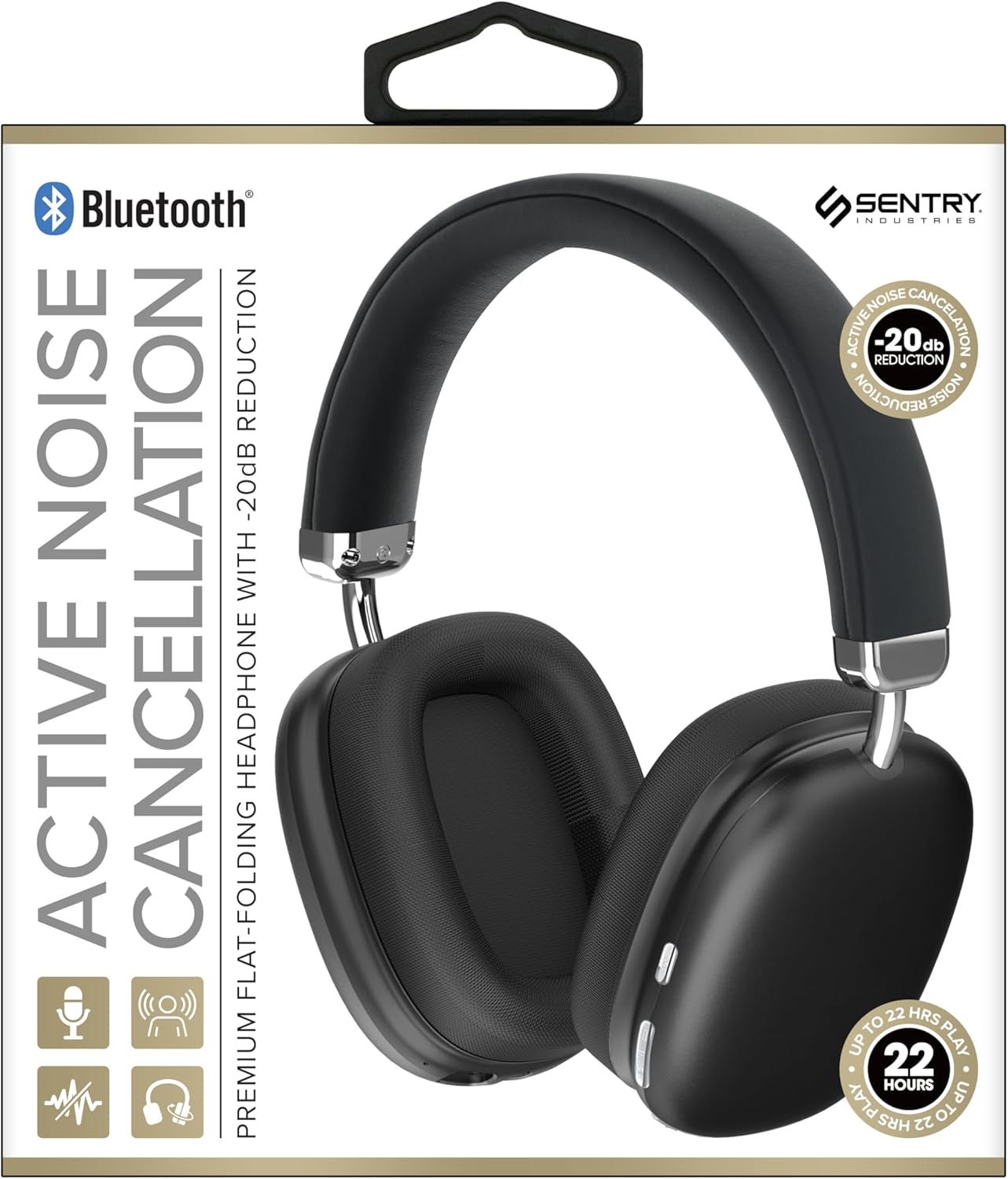
This image displays the SENTRY BT Pro Sq Headset in black, highlighting its over-ear design, adjustable headband, and the control buttons located on the earcups. The packaging indicates features such as Bluetooth connectivity, Active Noise Cancellation with -20dB reduction, and up to 22 hours of play time.
2. Émbaran Kasalametan penting
To ensure safe and proper operation, please observe the following guidelines:
- Ulah ngalaan headset kana suhu anu ekstrim, kalembaban, atanapi zat korosif.
- Ulah nepi ka headset murag atawa kakeunaan benturan anu kuat.
- Ulah ngabongkar atanapi nyobian ngalereskeun headset nyalira. Ieu bakal ngabatalkeun garansi.
- Bersihkeun headset ngan ukur nganggo lawon anu lemes sareng garing. Tong nganggo pembersih cair.
- Dengekeun anu berkepanjangan dina tingkat polumeu anu luhur tiasa nyababkeun karusakan dédéngéan. Saluyukeun polumeu ka tingkat anu aman.
- Do not use the headset in situations where inability to hear ambient sounds could be dangerous (e.g., driving, cycling, walking in traffic).
3. Eusi Paket
Mangga parios pakét kanggo barang-barang ieu:
- SENTRY BT Pro Sq Headset
- Kabel Ngecas USB
- Manual pamaké
4. Produk Langkungview
The SENTRY BT Pro Sq Headset features an over-ear design with soft ear pads for comfort and noise isolation. It includes an adjustable folding headband for portability. Key components include:
- Ceuli: House the audio drivers and provide passive noise isolation.
- ikat sirah: Adjustable for a comfortable fit, designed to fold for compact storage.
- Tombol kontrol: Located on the earcups for power, volume, track control, and Active Noise Cancellation (ANC).
- Mikropon: Diwangun-di pikeun telepon handsfree.
- Port ngecas: Pikeun nyambungkeun kabel ngecas USB.
Refer to the product image in the Introduction section for visual identification of these components.
5. Setélan
5.1 Ngecas Headsét
- Sambungkeun tungtung leutik kabel ngecas USB kana port ngecas dina headset.
- Sambungkeun tungtung nu leuwih gede tina kabel ngecas USB ka adaptor kakuatan USB (teu kaasup) atawa port USB komputer.
- The LED indicator on the headset will illuminate to show charging status. It will change color or turn off when fully charged.
- Ngeusi batre pinuh biasana butuh 2-3 jam.
5.2 Nyapasangkeun sareng Alat Bluetooth
Before using the headset wirelessly, you must pair it with your Bluetooth-enabled device (smartphone, laptop, tablet, smart speaker, gaming console).
- Pastikeun headset tos dicas pinuh.
- With the headset powered off, press and hold the Power button for approximately 5-7 seconds until the LED indicator flashes rapidly, indicating pairing mode.
- Dina alat Bluetooth anjeun, aktipkeun Bluetooth sareng milarian alat anyar.
- Select "SENTRY BT Pro Sq" (or similar name) from the list of available devices.
- Once paired, the LED indicator on the headset will stop flashing and may turn solid blue or off, depending on the model.
- Headset bakal otomatis nyobian nyambungkeun deui ka alat anu terakhir dipasangkeun nalika dihurungkeun.
6. Parentah Operasi
6.1 Daya Hurung/Pareuman
- Daya Hurung: Press and hold the Power button for 2-3 seconds. The LED indicator will light up.
- Pareum listrik: Press and hold the Power button for 3-4 seconds. The LED indicator will turn off.
6.2 Pembatalan Noise Aktip (ANC)
The headset features Active Noise Cancellation to reduce ambient noise.
- Aktipkeun ANC: Locate the ANC button (if separate) or press the designated control. The ANC indicator light will turn on.
- Nonaktipkeun ANC: Pencét deui tombol ANC. Lampu indikator ANC bakal pareum.
6.3 Media Control (Touch Control)
Control your audio playback directly from the headset:
- Puter / Reureuh: Single tap the multi-function button.
- Volume Up: Tap the Volume Up button.
- Volume Turun: Tap the Volume Down button.
- Lagu salajengna: Double tap the multi-function button.
- Lagu Sateuacanna: Triple tap the multi-function button.
6.4 Manajemén Telepon
Manage phone calls with the built-in microphone:
- Ngajawab Telepon: Single tap the multi-function button when a call comes in.
- Tungtung Telepon: Single tap the multi-function button during a call.
- Nolak Telepon: Pencét terus tahan tombol multi-fungsi salami 2 detik nalika aya telepon asup.
7. Pangropéa sarta perawatan
- beberesih: Lap headset ku lawon anu lemes, garing, sareng henteu ngaganggu. Ulah nganggo pembersih anu abrasif, alkohol, atanapi pangleyur kimia.
- Panyimpenan: When not in use, store the headset in a cool, dry place, away from direct sunlight and extreme temperatures. Utilize the folding headband feature for compact storage.
- Perawatan batré: To preserve battery life, charge the headset regularly, even if not used for extended periods. Avoid fully discharging the battery frequently.
- Hindarkeun cai: The headset is not waterproof. Keep it away from water and moisture.
8. Cara ngungkulan
Upami anjeun ngalaman masalah sareng headset anjeun, mangga tingal masalah sareng solusi umum ieu:
| Masalah | Solusi anu mungkin |
|---|---|
| Headset teu hurung. | Ensure the headset is fully charged. Connect to a power source and allow it to charge for at least 30 minutes before attempting to power on again. |
| Teu tiasa dipasangkeun sareng alat Bluetooth. | Ensure the headset is in pairing mode (LED flashing rapidly). Make sure Bluetooth is enabled on your device and it is within range (10 meters). Try restarting both the headset and your device. |
| Taya sora tina headset. | Check the volume level on both the headset and your connected device. Ensure the headset is properly paired and connected. Try playing audio from a different application or device. |
| Pangurangan Bising Aktif (ANC) teu efektif. | Ensure ANC is activated. Make sure the earcups are properly sealed around your ears. ANC is most effective against low-frequency, constant noise. |
| Mikropon teu jalan. | Ensure the headset is connected and selected as the input device on your computer or smartphone. Check privacy settings on your device that might restrict microphone access. |
9. Spésifikasi
| Fitur | Rincian |
|---|---|
| Ngaran modél | HPXBTA1000 |
| Téhnologi konektipitas | Nirkabel (Bluetooth) |
| Kontrol bising | Pembatalan Noise aktip |
| Panempatan Ceuli | Leuwih Ceuli |
| Faktor Bentuk | Leuwih Ceuli |
| Tipe Kontrol | Kontrol Média, Toél |
| Rentang Frékuénsi | 20 Hz nepi ka 20,000 Hz |
| Tipe Supir Audio | Supir dinamis |
| Alat nu cocog | Smartphones, Laptops, Tablets, Smart Speakers, Gaming Consoles |
| Warna | Hideung |
| Item Beurat | 1.2 pon |
| UPC | 080068501503 |
| Produsén | SENTRY |
10. Garansi jeung Rojongan
SENTRY products are designed and manufactured to the highest quality standards. For information regarding warranty coverage, technical support, or service inquiries, please refer to the warranty card included with your product or visit the official SENTRY websitus. Punten tahan bukti pameseran anjeun pikeun klaim garansi.


