1. Bubuka
This manual provides detailed instructions for the setup, operation, and maintenance of your CZEview ZY-D1 Babyphone. Please read this manual thoroughly before using the device to ensure proper functionality and safety. The CZEview ZY-D1 is designed to help you monitor your baby with advanced features such as 2K Ultra HD video, AI-powered detection, two-way audio, and environmental monitoring.
2. Eusi Paket
- CZEview ZY-D1 Babyphone Camera
- Adaptor Daya sareng Kabel
- Mounting Accessories (for wall mounting)
- Manual pangguna (dokumén ieu)
3. Produk Langkungview jeung Fitur
The CZEview ZY-D1 Babyphone offers a comprehensive monitoring solution with the following key features:
- Video 2K Ultra HD: Provides clear and detailed video surveillance.
- 360° AI Tracking: Intelligent AI technology tracks movements, ensuring no blind spots with 355° horizontal and 90° vertical rotation.
- Bewara instan: Receive immediate alerts for detected motion, noise, or crying.
- Audio Dua Arah: Communicate with your baby remotely using the built-in microphone and speaker.
- Stable Dual-Band Wi-Fi: Compatible with both 2.4 GHz and 5 GHz Wi-Fi networks for reliable connectivity.
- Infrabeureum Night Vision: Clear monitoring even in low-light or dark conditions.
- Comfort Night Light & Lullabies: Features a looping night light and 14 pre-installed lullabies to soothe your baby.
- Pangimeutan Suhu sareng Kelembapan: Keep track of the nursery environment.
- Analisis Saré: Monitor and analyze your baby's sleep patterns.
- Integrasi Alexa: Seamlessly integrates with Amazon Alexa for voice control and viewing.

Gambar 1: The CZEview ZY-D1 Babyphone camera, featuring a white body and colorful ears, designed for monitoring infants.
4. Setélan
4.1 Powering On
- Connect the provided power cable to the camera's power port.
- Colokkeun adaptor kakuatan kana stop kontak listrik standar.
- Kaméra bakal hurung, sareng lampu indikator bakal nunjukkeun statusna.
4.2 Pamasangan Aplikasi
- Scan the QR code provided on the product packaging or in the quick start guide to download the official CZEview aplikasi.
- Pasang aplikasi dina telepon pinter atanapi tablet anjeun.
- Ngadaptarkeun akun anyar atanapi log in upami anjeun parantos gaduh.
4.3 Sambungan Wi-Fi
- Buka CZEview app and follow the on-screen instructions to add a new device.
- Select your Wi-Fi network (supports both 2.4 GHz and 5 GHz).
- Lebetkeun kecap akses Wi-Fi anjeun.
- The app will guide you through pairing the camera with your network. This usually involves scanning a QR code displayed on your phone with the camera lens.
- Once connected, the camera's indicator light will change, and you will see the live feed in the app.

Gambar 2: Illustration of the CZEview Babyphone's compatibility with both 5GHz and 2.4GHz dual-band Wi-Fi for a stable connection.
4.4 Masang kaméra
The CZEview ZY-D1 Babyphone can be placed on a flat surface or mounted to a wall. If wall mounting, use the provided accessories and ensure the camera is securely fastened at a safe distance from the crib, out of reach of children.
5. Parentah Operasi
5.1 Hirup View sarta Pan / Dengdekkeun Control
- Buka CZEview app and select your camera to view eupan hirup.
- Anggo kontrol dina layar pikeun ngageser (355° horizontal) sareng miringkeun (90° vertikal) lénsa kaméra pikeun nyaluyukeun viewsudut ing.
- The automatic tracking feature will detect and follow moving objects within its field of view.
5.2 Audio Dua Arah

Gambar 3: A parent using the CZEview app on a smartphone to engage in two-way communication with a baby in a crib.
- Nalika hirup view, ketok ikon mikropon dina aplikasi.
- Nyarios kana mikropon telepon anjeun pikeun ngirimkeun sora anjeun ngalangkungan spiker kaméra.
- Release the microphone icon to listen to your baby.
5.3 Deteksi sareng Bewara AI

Gambar 4: The CZEview Babyphone camera positioned near a baby in a crib, highlighting its intelligent AI detection capabilities for motion, noise, and crying.
- Access the detection settings in the app.
- Enable Motion Detection, Noise Detection, and Cry Detection as needed.
- Saluyukeun tingkat sensitivitas pikeun ngaminimalkeun alarm palsu.
- You will receive instant push notifications on your smartphone when an event is detected.
5.4 Night Vision and Lullabies

Gambar 5: The CZEview Babyphone emitting a soft glow as a night light, with musical notes floating around a sleeping baby, illustrating its infrared night vision and lullaby features.
- Visi wengi diaktipkeun sacara otomatis dina kondisi cahaya remen.
- To play lullabies or activate the night light, navigate to the respective controls in the app.
- Select from the 14 available lullabies to soothe your baby.
5.5 Pemantauan Suhu sareng Kalembaban
The app displays real-time temperature and humidity readings from the camera's environment. You can set alerts for specific temperature or humidity ranges.
5.6 Analisis Saré

Gambar 6: A visual representation of a sleep analysis timeline on a smartphone screen, showing snapshots of a baby at different times during sleep.
The CZEview app provides a timeline view of your baby's activity, which can be used to analyze sleep patterns. Review recorded events and snapshots to understand sleep duration and disturbances.
5.7 Integrasi Amazon Alexa
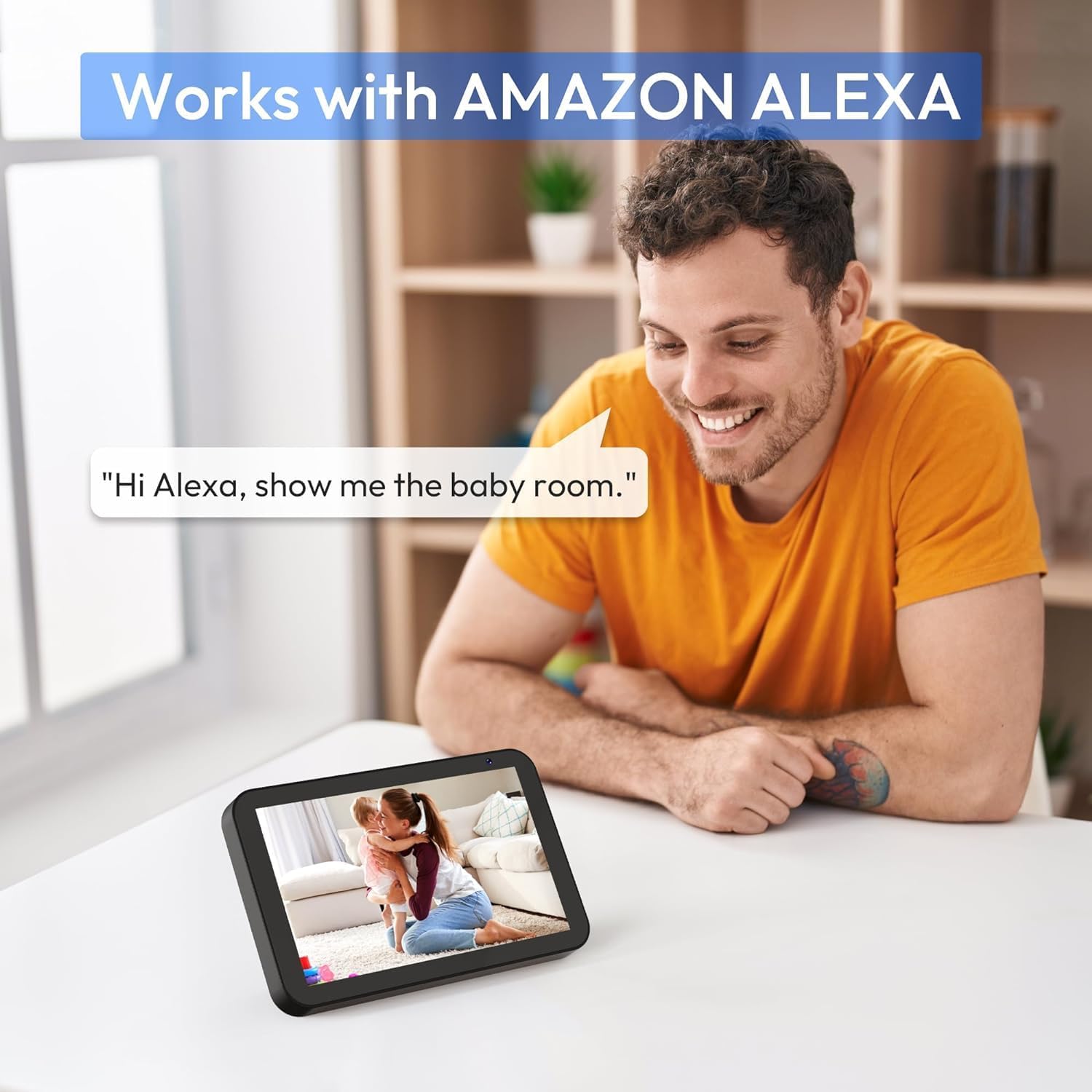
Gambar 7: A person interacting with an Amazon Echo Show device, displaying the live feed from the CZEview Babyphone, demonstrating Alexa integration.
- Enable the CZEview skill in your Amazon Alexa app.
- Link your CZEview account with Alexa.
- Use voice commands such as "Alexa, show me the baby room" to view the camera feed on compatible Alexa devices.
5.8 Multi-User Access and SD Card Recording
- Babagi kulawarga: You can invite family members to view the camera feed through the app. Invited users may have limited control functions compared to the primary account holder.
- Panyimpenan Lokal: Insert an SD card (not included) into the camera's designated slot for local video recording and to enable certain features like playing lullabies directly from the camera.
6. Pangropéa
- beberesih: Anggo kaén anu lembut sareng garing pikeun ngabersihan lensa sareng awak kaméra. Ulah make cleaners cair atawa aerosol.
- Pembaruan firmware: Rutin pariksa aplikasi pikeun apdet firmware sadia pikeun mastikeun kinerja optimal sarta kaamanan.
- panempatan: Ensure the camera is placed in a well-ventilated area and not exposed to extreme temperatures or direct sunlight.
7. Cara ngungkulan
- Henteu aya kakuatan: Ensure the power cable is securely connected to both the camera and the power outlet. Try a different outlet.
- Masalah Sambungan Wi-Fi: Verify your Wi-Fi password. Ensure the camera is within range of your router. Restart your router and the camera. Confirm your network is 2.4 GHz or 5 GHz compatible.
- Kualitas Gambar goréng: Check your internet connection speed. Ensure the camera lens is clean and free from obstructions. Adjust the video quality settings in the app if available.
- Kualitas Audio goréng: Ensure there are no obstructions near the camera's microphone or speaker. Check the volume settings in the app.
- Bewara Teu Ditampi: Check app notification settings on your phone and within the CZEview app. Ensure the camera is connected to Wi-Fi.
- Kaméra Teu Ngabales: Unplug the camera, wait 10 seconds, and plug it back in to restart.
8. Spésifikasi
| Fitur | Spésifikasi |
|---|---|
| Nomer modél | ZY-D1 |
| Téknologi Komunikasi Nirkabel | Wi-Fi (2.4 GHz & 5 GHz) |
| Viewdina Angle | 360 Degrees (355° horizontal, 90° vertical) |
| Bahan | palastik |
| Ukuran barang (L x W x H) | 12.7 x 7.62 x 7.62 cm |
| Protokol konektipitas | Wifi |
| Tipe Controller | Amazon Alexa |
| Tipe Pamasangan | Tembok Gunung |
| Warna | Bodas |
| Komponén Kaasup | kabel |
| Dianjurkeun Mangpaat | Babyphone, Baby Monitoring, Night Vision |
9. Émbaran Kasalametan
- Keep the camera and all accessories out of reach of children.
- Do not place the camera or its power cord within 1 meter (3 feet) of the crib or playpen to prevent strangulation hazards.
- Anggo ngan ukur adaptor daya anu disayogikeun. Nganggo adaptor anu teu sah tiasa ngaruksak alat sareng ngabatalkeun garansi.
- Ulah ngalaan alat ka cai, beueus, atawa suhu ekstrim.
- Ulah nyobian muka atanapi ngalereskeun alat nyalira. Hubungi dukungan palanggan pikeun kéngingkeun bantosan.
10. Garansi jeung Rojongan
For warranty information and customer support, please refer to the warranty card included in your product packaging or visit the official CZEview website. If you encounter any issues not covered in this manual, please contact CZEview layanan palanggan pikeun pitulung.


