1. Bubuka
This manual provides comprehensive instructions for the pTron PlayBuds 1 Pro TWS Earbuds. It covers product features, setup, operation, maintenance, and troubleshooting to ensure optimal performance and user experience. Please read this manual thoroughly before using the device.
Komponén Kaasup:
- pTron PlayBuds 1 Pro TWS Earbuds
- Ngecas Case
- Kabel Ngecas USB Tipe-C
- Eartips (rupa-rupa ukuran)
- Manual pamaké
2. Produk Langkungview
The pTron PlayBuds 1 Pro are in-ear True Wireless Stereo (TWS) earbuds designed for both gaming and music. They feature Bluetooth 5.3 connectivity, low latency for gaming, Hybrid Environmental Noise Cancellation (ENC) for calls, and a long battery life.

Image: pTron PlayBuds 1 Pro TWS Earbuds and their charging case. The earbuds are black with red accents, and the case is also black with a red LED strip.
Fitur konci:
- Bluetooth 5.3 for stable and efficient wireless connection.
- AptSense 35ms Ultra-Low Latency for gaming.
- Quad HD Microphones with TruTalk Hybrid ENC for clear voice calls.
- Dynamic 13mm Drivers for high-fidelity stereo sound and punchy bass.
- Nepi ka 50 jam total waktos maén sareng wadah ngecas.
- Dual EQ Modes: Game Mode and Music Mode.
- IPX5 Water-Resistant design.
- Precise Multi-function Touch Controls.
- Instant Access to Voice Assistant.
- Type-C Fast Charging.
3. Setélan
3.1 Ngecas Earbuds sareng Case
Sateuacan nganggo heula, pastikeun boh earbuds sareng wadah ngecas tos pinuh.
- Teundeun earbuds kana wadah ngecas. Pastikeun aranjeunna leres seated dina slot masing-masing.
- Connect the USB Type-C charging cable to the charging port on the case and the other end to a DC5V/1A power source.
- The LED indicator on the charging case will illuminate to show charging status.
- The earbuds typically take 1 hour to fully charge, while the charging case takes approximately 1.5 hours.

Image: The pTron PlayBuds 1 Pro earbuds are shown alongside their open charging case, illustrating the charging process and highlighting the 50 hours of total playtime.
3.2 Nyapasangkeun sareng Alat
The earbuds utilize Bluetooth 5.3 for a stable and quick connection.
- Buka wadah ngecas. Earbuds bakal otomatis hurung tur asup kana mode papasangan.
- Dina alat anjeun (smartphone, tablet, jsb.), aktipkeun Bluetooth sareng milarian alat anu sayogi.
- Select "pTron PlayBuds 1 Pro" from the list of found devices.
- Once connected, a voice prompt will confirm successful pairing. The earbuds will automatically reconnect to the last paired device when taken out of the case.

Gambar: A close-up view of the pTron PlayBuds 1 Pro earbuds, highlighting their design and in-ear fit.
4. Parentah Operasi
4.1 Kontrol Toél
The earbuds feature precise multi-function touch controls. Specific functions may vary slightly based on the device and application.
- Puter / Reureuh: Ketok tunggal dina boh earbud.
- Lagu salajengna: Ketok dua kali dina earbud katuhu.
- Lagu Sateuacanna: Ketok dua kali dina earbud kénca.
- Ngajawab / mungkas Telepon: Ketok tunggal dina boh earbud nalika aya telepon asup.
- Nolak Telepon: Pencet jeung tahan boh earbud salila 2 detik dina mangsa telepon asup.
- Aktipkeun Asisten Sora: Ketok tilu kali dina boh earbud.
- Switch Modes (Game/Music): Pencet jeung tahan earbud katuhu pikeun 2 detik.

Image: A visual summary of key features for the pTron PlayBuds 1 Pro, including 13mm drivers, 35ms low latency, Quad Mic Calling, Hybrid ENC, Game & Music mode, IPX5 rating, 50hrs battery, Bluetooth 5.3, and Touch control.
4.2 Dual EQ Modes (Game & Music)
The PlayBuds 1 Pro offer two distinct sound modes optimized for different uses:
- Modeu Kaulinan: Provides AptSense 35ms ultra-low latency for synchronized audio and video, crucial for gaming.
- Modeu Musik: Delivers high-fidelity stereo sound with enhanced bass for an immersive audio experience.
Switch between modes by pressing and holding the right earbud for 2 seconds.

Image: An illustration depicting a person playing a game (Game Mode with 35ms Ultra Low-latency) and another person enjoying music (Music Mode with HiFi sound quality), demonstrating the dual EQ modes of the earbuds.
4.3 Fungsi Telepon
The earbuds are equipped with Quad HD Microphones and TruTalk Hybrid Environmental Noise Cancellation (ENC) technology to ensure clear communication during calls, reducing ambient noise by up to 3 times.
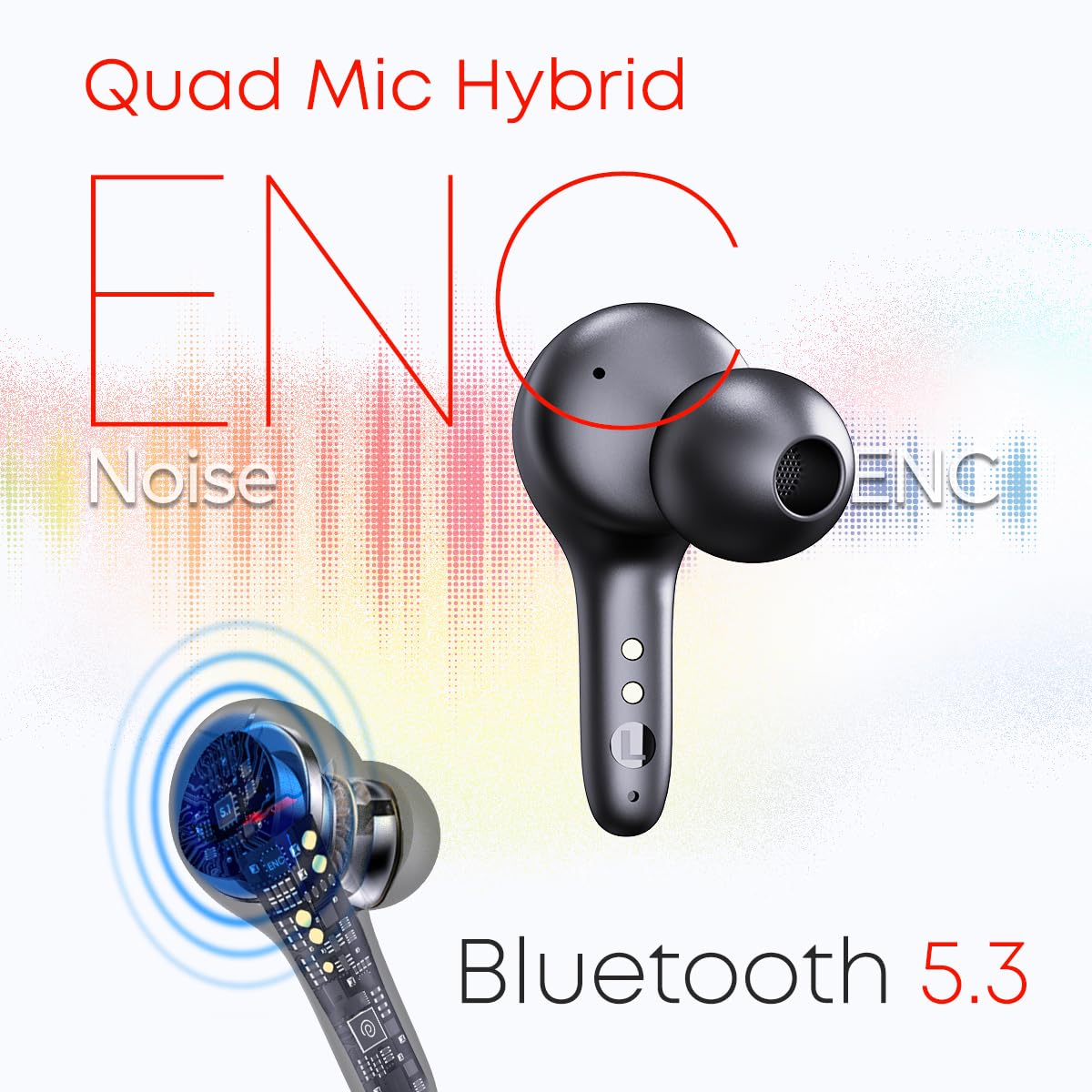
Image: A diagram illustrating the Quad Mic Hybrid ENC technology for noise reduction during calls and the Bluetooth 5.3 connectivity of the earbuds.
5. Pangropéa
5.1 beberesih
- Rutin ngabersihkeun earbuds sareng wadah ngecas ku lawon anu lemes, garing, teu aya lint.
- Ulah make cleaners abrasive, pangleyur, atawa sprays aerosol.
- Lembut bersihkeun kontak anu ngecas boh dina earbuds sareng wadahna pikeun mastikeun ngecas anu leres.
5.2 Tahan cai
The pTron PlayBuds 1 Pro are IPX5 water-resistant, meaning they can withstand splashes of water and sweat. They are not designed for submersion in water. Avoid exposing them to heavy rain or showering.
5.3 Panyimpenan
Lamun teu dipake, nyimpen earbuds dina wadah ngecas maranéhanana pikeun ngajaga eta tina lebu, karuksakan, jeung ngajaga eta dicas.
6. Cara ngungkulan
If you encounter any issues with your pTron PlayBuds 1 Pro, please refer to the following common solutions:
- Earbuds teu dipasangkeun: Ensure both earbuds are charged. Turn off and on your device's Bluetooth. Try resetting the earbuds by placing them in the case, closing it, and then reopening.
- Taya sora tina hiji earbud: Check if both earbuds are charged. Try re-pairing the earbuds with your device.
- Masalah ngecas: Ensure the charging cable is securely connected to both the case and the power source. Clean the charging contacts on the earbuds and inside the case.
- Volume handap: Adjust the volume on both your connected device and through the earbud controls.
- Connection instability: Ensure you are within the 10-meter Bluetooth range and there are no significant obstructions between the earbuds and your device.
Lamun masalah persists, mangga ngahubungan rojongan customer pikeun pitulung salajengna.
7. Spésifikasi
| Ngaran modél | PlayBuds |
| Nomer Modél Item | PlayBuds-cr |
| Téhnologi konektipitas | Nirkabel (Bluetooth 5.3) |
| Latén Audio | 35 Milidetik (Modeu Kaulinan) |
| Ukuran Supir Audio | 13 Millimetres Dynamic Driver |
| Tipe Mikropon | Quad HD Mic with TruTalk Hybrid ENC |
| Total Playtime | Nepi ka 50 Jam (kalayan wadah ngecas) |
| Port ngecas | USB Tipe-C |
| Tingkat Résistansi Cai | IPX5 Tahan Cai |
| Métode kontrol | Toél, Sora |
| Bahan | Acrylonitrile Butadiene Styrene (ABS) |
| Item Beurat | 52 gram |
| Dimensi produk | 6 x 5.5 x 2.5 cm |
| UPC | 786513776693 |
8. Garansi jeung Rojongan
8.1 Émbaran jaminan
This product is backed by a minimum six-month seller warranty. Please retain your proof of purchase for warranty claims. The warranty covers manufacturing defects and malfunctions under normal use conditions.
8.2 Rojongan Palanggan
For any further assistance, technical support, or warranty inquiries, please contact the seller or pTron customer service through their official channels. Refer to the packaging or official pTron websitus pikeun detil kontak.


