Bubuka
Hatur nuhun pikeun meuliasing the Edifier MG300 Computer Speakers PC SoundBar. This manual provides essential information for setting up, operating, and maintaining your new soundbar. Please read this manual thoroughly before use to ensure proper functionality and to maximize your listening experience.
Émbaran Kasalametan
To reduce the risk of electric shock, fire, or damage to your device, please observe the following safety precautions:
- Ulah ngalaan alat ka hujan atawa beueus.
- Ulah nempatkeun obyék anu dieusian ku cairan, sapertos vas, dina alat.
- Entong dipasang di deukeut sumber panas sapertos radiator, register panas, kompor, atanapi aparat sanésna (kalebet ampLiifiers) anu ngahasilkeun panas.
- Ngan anggo kantétan/aksésori anu ditunjuk ku produsén.
- Rujuk sadayana jasa ka tanaga jasa anu mumpuni.
Eusi pakét
Mangga cék kotak pikeun item di handap ieu:
- Edifier MG300 Soundbar
- USB-A ka USB-C Cable
- Manual pamaké
Produk Leuwihview
The Edifier MG300 Soundbar features dual 52mm full-range speakers and dual inverter tubes for balanced audio. It includes dynamic RGB lighting effects and a hidden microphone for clear voice communication. Control buttons are located on the top panel for easy access.
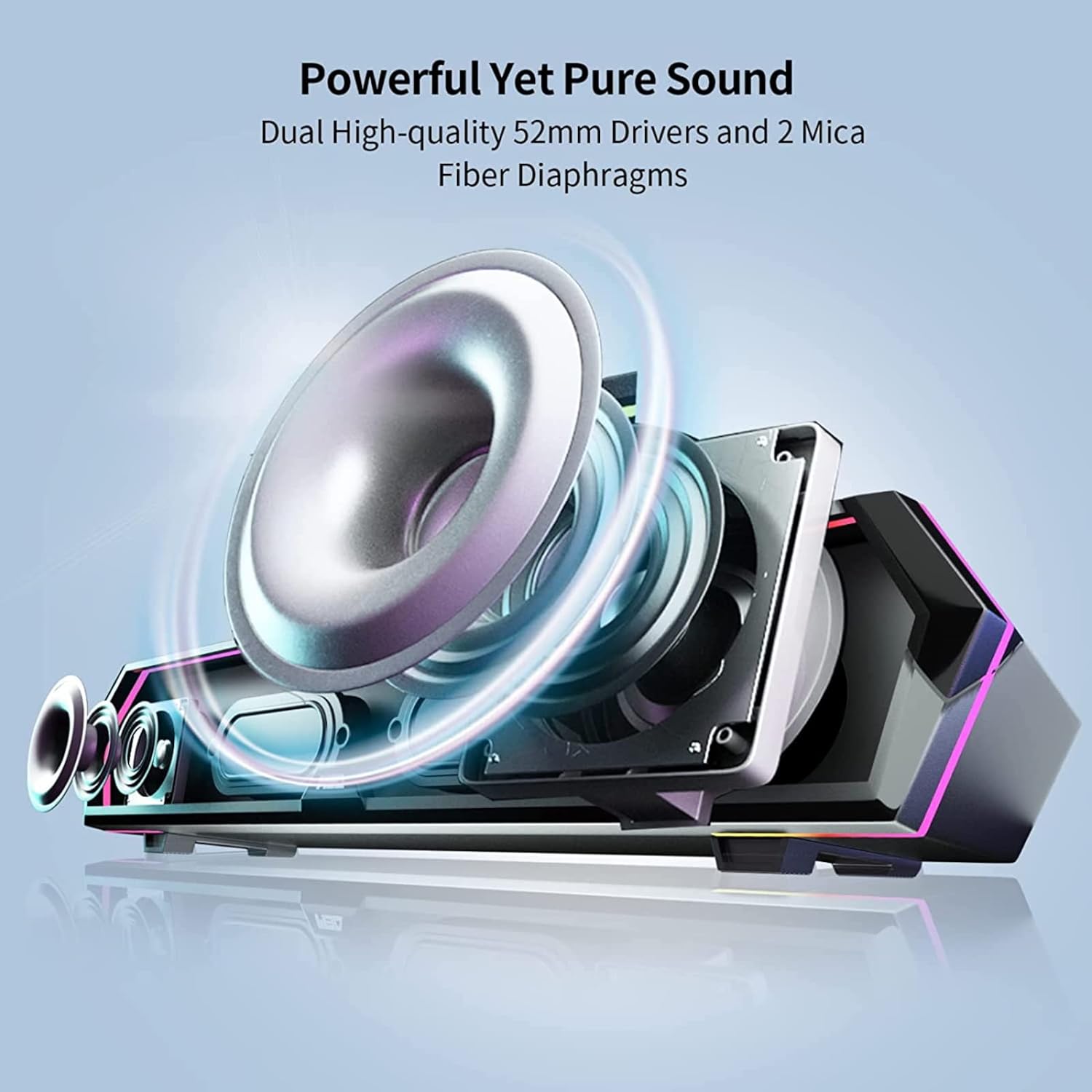
Image: Internal Speaker Components
This image illustrates the internal structure of the soundbar, showcasing the dual 52mm drivers and mica fiber diaphragms designed for powerful and pure sound reproduction.
Disetél
1. Panempatan
Position the Edifier MG300 soundbar on a stable, flat surface, ideally directly under your computer monitor. Its compact design (485mm x 70mm x 80mm) is optimized to save desktop space.

Image: Soundbar Placement
The soundbar is shown positioned beneath a computer monitor, demonstrating its space-saving design and ideal placement for desktop use.
2. Power and Connection Options
The MG300 offers two primary connection methods: USB-A and Bluetooth 5.3.
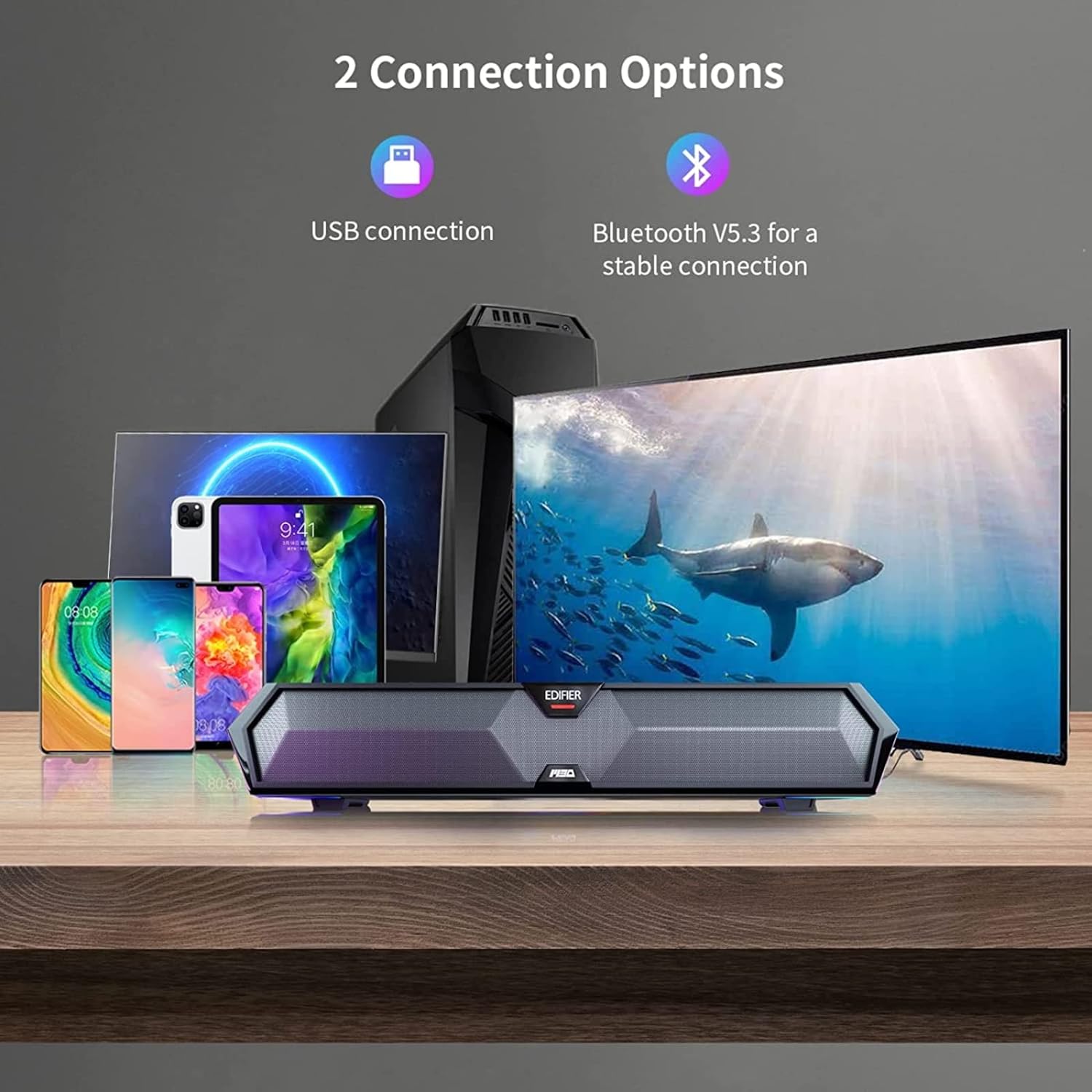
Image: Connection Options
This image illustrates the two main ways to connect the soundbar: via USB to a computer or wirelessly via Bluetooth to mobile devices.
USB Connection (for PC)
- Connect the provided USB-A to USB-C cable to the USB-C port on the back of the soundbar.
- Plug the USB-A end into an available USB port on your computer.
- The soundbar will power on automatically and be recognized as an audio output device by your computer.
Konéksi Bluetooth (pikeun Alat Sélulér)
- Press the Bluetooth button on the top panel of the soundbar to enter Bluetooth pairing mode. The RGB lights will flash to indicate pairing mode.
- Dina alat sélulér anjeun (smartphone, tablet), aktipkeun Bluetooth teras milarian alat anu sayogi.
- Select "Edifier MG300" from the list of devices to pair.
- Once connected, the RGB lights will stop flashing and remain solid.
Parentah Operasi
1. Daya Hurung / Pareum
Pencét jeung tahan tombol daya (U) on the top panel to turn the soundbar on or off.
2. Volume Control
Anggo volume luhur (+) sareng volume turun (-) buttons on the top panel to adjust the audio level.
3. RGB Lighting Control
The soundbar features dynamic RGB lighting effects. Press the light control button (O:) on the top panel to cycle through different lighting modes or to turn the lights off.
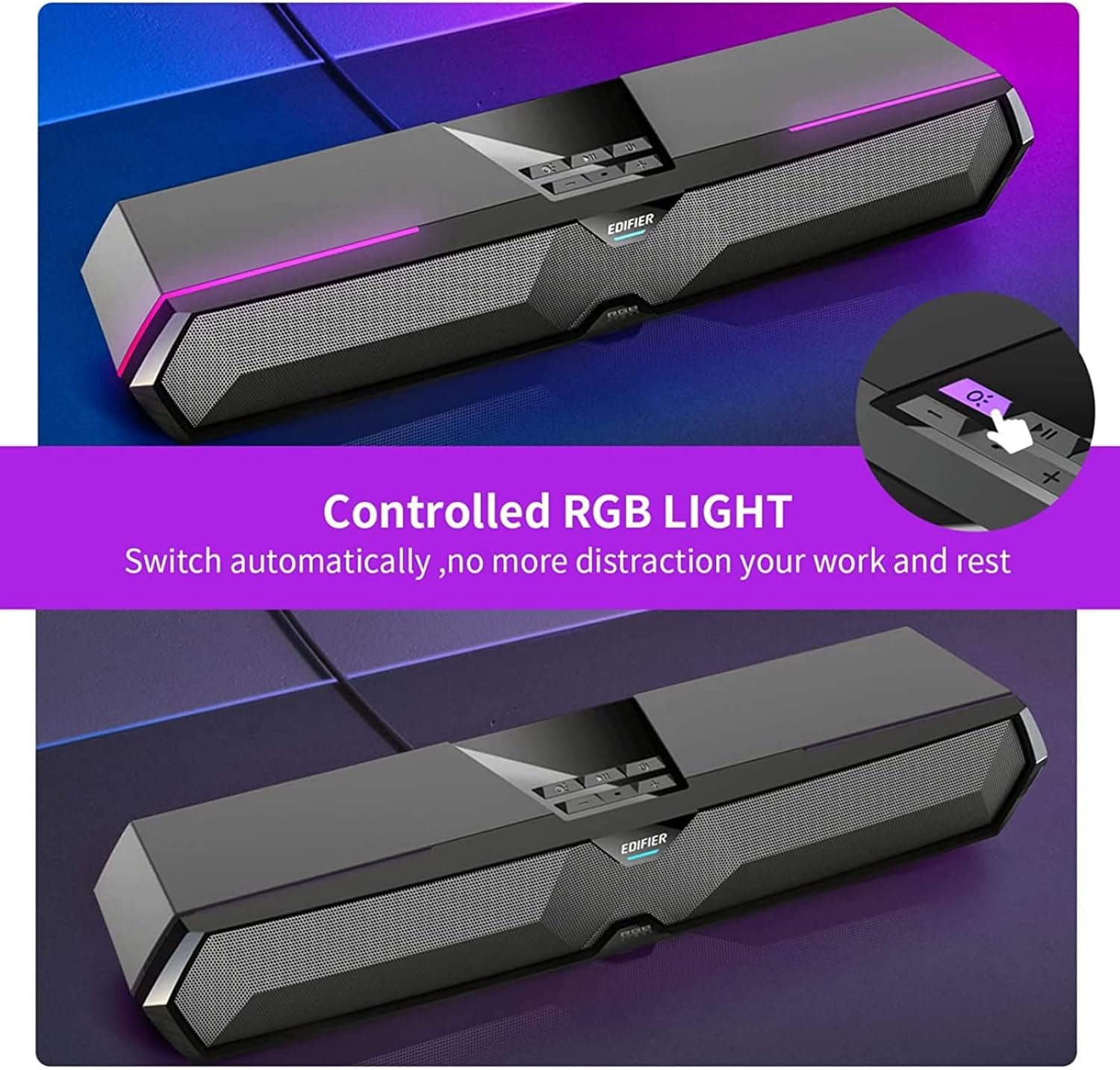
Image: RGB Light Control
This image shows the control panel on the soundbar, indicating the button used to manage the RGB lighting effects.
4. Music and Game Sound Modes
The MG300 offers optimized sound effects for both music and gaming. Press the mode button (often integrated with play/pause or a dedicated button) to switch between these modes. In music mode, vocals are amplified for a richer listening experience. In game mode, environmental details are enhanced for immersive realism.

Image: Game and Music Modes
This image demonstrates the soundbar's adaptability, showing it in use for both gaming and music listening, each with optimized sound profiles.
5. Using the Hidden Microphone
The soundbar features a hidden microphone, cleverly integrated under a silicone protective sleeve on the top panel. This design helps isolate external vibrations, ensuring crystal clear voice calls and communication during gaming or online meetings.

Image: Hidden Microphone in Use
This image depicts the soundbar's hidden microphone being utilized during a gaming session, emphasizing its clarity for in-game communication.
Pangropéa
To ensure the longevity and optimal performance of your Edifier MG300 soundbar, follow these maintenance guidelines:
- beberesih: Use a soft, dry cloth to wipe the surface of the soundbar. Do not use liquid cleaners or aerosol sprays, as they may damage the finish or internal components.
- Panyimpenan: Upami henteu dianggo salami lami, simpen soundbar di tempat anu tiis, garing, sareng jauh tina sinar panonpoé langsung sareng suhu anu ekstrim.
- Ngahindarkeun halangan: Ensure that the speaker grilles are not obstructed to maintain proper sound dispersion and prevent overheating.
Pamérésan masalah
If you encounter any issues with your Edifier MG300 soundbar, please refer to the following common problems and solutions:
- Henteu aya sora:
- Ensure the soundbar is powered on and connected correctly (USB or Bluetooth).
- Check the volume levels on both the soundbar and your connected device.
- If using USB, verify that the soundbar is selected as the default audio output device in your computer's sound settings.
- If using Bluetooth, ensure the device is paired and within range. - Kualitas Sora goréng:
- Ensure the soundbar is placed on a stable surface and not obstructed.
- Try adjusting the volume and switching between music/game modes.
- If connected via Bluetooth, try moving closer to the soundbar to improve signal strength. - Lampu RGB Teu Gawé:
- Press the light control button (O:) to cycle through modes or turn them on.
- Ensure the soundbar is powered on. - Mikropon Teu Gawé:
- Ensure the soundbar is connected via USB to your PC.
- Check your computer's sound settings to ensure the soundbar's microphone is selected as the input device.
spésifikasi
| Ngaran modél | MG300 |
| Tipe Speaker | Multi Room |
| Fitur husus | Portabel |
| Dianjurkeun Mangpaat | Pikeun Komputer |
| Alat nu cocog | Komputer, Laptop, Smartphone, Tablet |
| Konfigurasi Saluran Sakuliling Sora | 2.0 |
| Total Output Power (RMS) | 2.5W + 2.5W (5 Watts total) |
| Vérsi Bluetooth | V5.3 |
| Réspon Frékuénsi | 80Hz - 20kHz |
| Ukuran (W x H x D) | 485mm x 70mm x 80mm (15.67"D x 3.33"W x 2.89"H) |
| Beurat bersih | 0.9 kg (2.6 pon) |
| Input audio | Bluetooth, USB-A Soundcard |
| Métode kontrol | Toél |
| Ukuran Supir Audio | 52 milimeter |
Video Produk Resmi
Video: Edifier MG300 Overview
video ieu nyadiakeun leuwihview of the Edifier MG300 soundbar, showcasing its features and design. It highlights the multi-driver PC soundbar and subwoofer, Bluetooth 5.3 connectivity, seamless PC and mobile connection, game sound effects, dynamic RGB lighting, USB connection, hidden mic, and immersive sound capabilities.
Garansi sareng Rojongan
The Edifier MG300 SoundBar comes with a Limited Warranty. For detailed warranty information or technical support, please refer to the official Edifier website or contact their customer service. Protection plans are also available for extended coverage.


