
Bubuka
Thank you for choosing the eufy LR20 Robot Vacuum. This manual provides essential information for the safe operation, maintenance, and troubleshooting of your device. Please read it thoroughly before using the product and retain it for future reference.
Parentah Kasalametan penting
Before using this product, read all safety instructions. Failure to follow these instructions may result in electric shock, fire, or serious injury.
- Alat ieu tiasa dianggo ku murangkalih umur 8 taun ka luhur sareng jalma anu kakurangan kamampuan fisik, indrawi atanapi mental atanapi kurang pangalaman sareng pangaweruh upami aranjeunna dipasihan pangawasan atanapi petunjuk ngeunaan panggunaan alat dina cara anu aman sareng ngartos bahaya anu aya. .
- Barudak kedah diawaskeun pikeun mastikeun yén aranjeunna henteu maén sareng alatna.
- Beberesih sareng pangropéa pangguna henteu kedah dilakukeun ku murangkalih tanpa pangawasan.
- Ngan anggo adaptor daya asli anu disayogikeun ku produsén.
- Do not use the appliance in wet environments or on wet surfaces.
- Jauhkeun rambut, pakean longgar, ramo, sareng sadaya bagian awak tina bukaan sareng bagian anu obah.
- Ulah nyokot naon bae anu kaduruk atawa ngaroko, kayaning roko, korek api, atawa lebu panas.
- Ulah make tanpa bin lebu jeung/atawa saringan di tempat.
- Simpen alat di jero rohangan.
Eusi pakét
Pastikeun yén sadaya komponén aya dina bungkusan:
- eufy LR20 Robot Vacuum
- Base ngecas
- Adaptor kakuatan
- Sisi Sisi (x2)
- Alat beberesih
- Manual pamaké
Produk Leuwihview
Familiarize yourself with the components of your eufy LR20 Robot Vacuum.
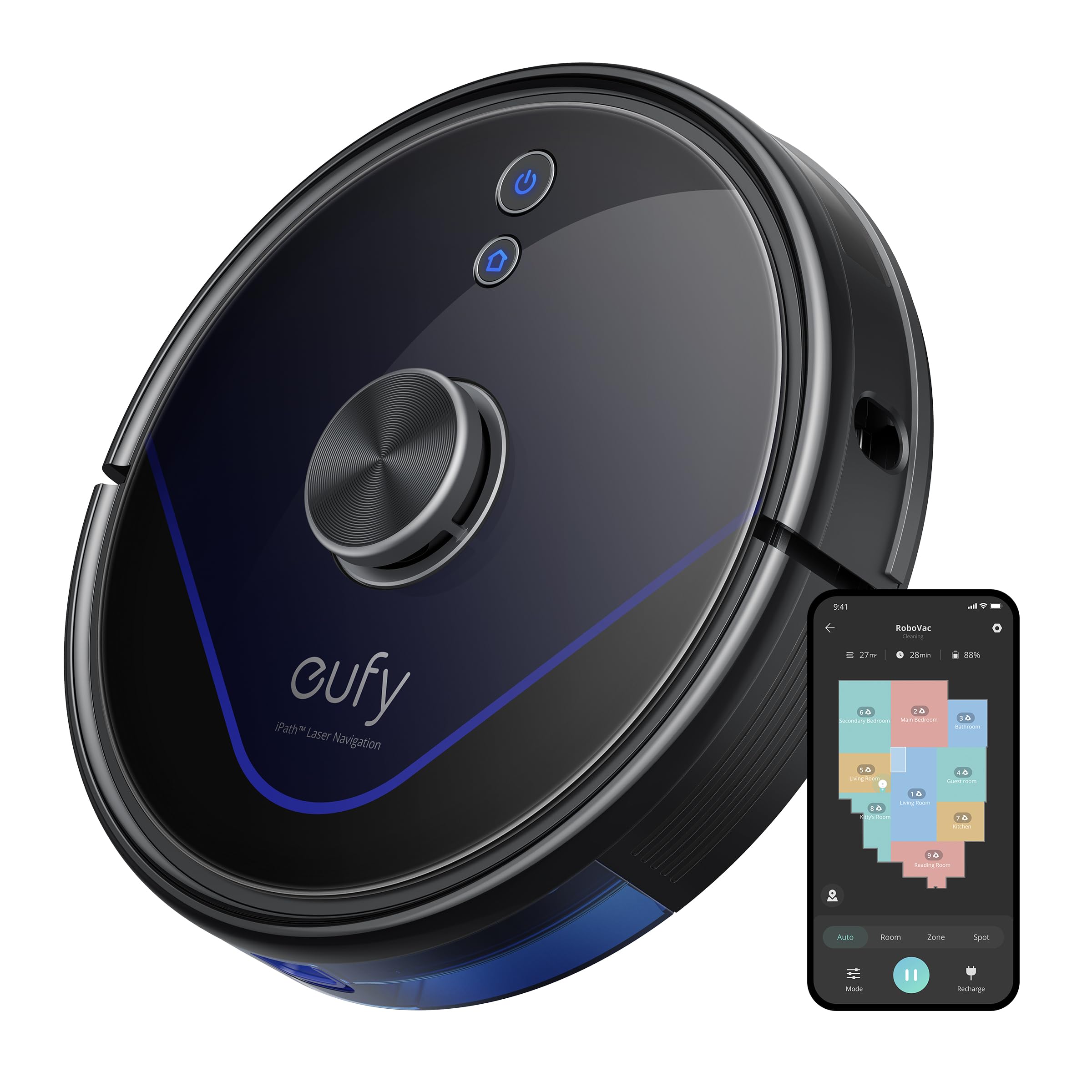
Image: The eufy LR20 Robot Vacuum shown with its charging base. The robot is black, circular, and features a laser navigation dome on top. The charging base is compact and designed for the robot to dock automatically.
Robot Vacuum Components:
- luhur: Laser Navigation Sensor (LiDAR), Power/Clean Button, Wi-Fi Indicator.
- Hareup: Bumper Sensor.
- handap: Side Brushes, Main Brush, Driving Wheels, Universal Wheel, Drop Sensors, Charging Contacts.
- Tong lebu: Located under the top cover, includes a filter.
Charging Base Components:
- Ngecas Pin
- Indikator kakuatan
- Palabuhan Daya
Disetél
1. Prepare the Cleaning Area
- Remove power cords, small objects, and anything that could entangle the robot.
- Fold tasseled edges of area rugs underneath to prevent tangling.
- Avoid placing the robot on very dark-colored carpets or surfaces, as this may interfere with drop sensors.
2. Masang Sisi Sisi
- Pencét sikat samping kana tihang di handapeun robot dugi ka ngaklik kana tempatna.
3. Place the Charging Base
- Teundeun dasar ngecas dina permukaan teuas, datar kana témbok.
- Pastikeun aya sahenteuna 3 ft (1 m) rohangan anu jelas di payun sareng 1 ft (0.3 m) di unggal sisi base ngecas.
- Sambungkeun adaptor daya kana dasar ngecas teras colokkeun tungtung anu hiji deui kana stop kontak témbok.
- Do not place the charging base near stairs or open doorways.
4. Ngecas Awal
- Place the robot onto the charging base, ensuring its charging contacts align with the pins on the base.
- The robot will automatically turn on and begin charging. The LED indicator on the robot will breathe orange while charging and turn solid blue when fully charged.
- Cas robot sapinuhna sateuacan dianggo pikeun anu munggaran (sakitar 5-6 jam).
5. Download the EufyHome App
- Download the "EufyHome" app from the App Store (iOS devices) or Google Play (Android devices).
- Open the app and follow the on-screen instructions to create an account and add your LR20 robot vacuum.
- Ensure your Wi-Fi network is 2.4GHz, as the LR20 only supports 2.4GHz Wi-Fi.
Ngoperasikeun Robot Vakum
Ngamimitian siklus beberesih
- Via Robot: Press the Power/Clean button once to start cleaning in Auto mode. Press again to pause.
- Via Aplikasi: Open the EufyHome app, select your LR20, and tap "Start" or choose a specific cleaning mode.
Modeu beberesih
- Ngabersihan Otomatis: The robot cleans automatically using iPath Laser Navigation, following a Z-shaped path for efficient coverage.
- Bersihan titik: Cleans a specific area intensely. Place the robot in the center of the desired area and select Spot Clean in the app.
- Bersihan Zona: Define a specific area on the map in the EufyHome app for the robot to clean.
Téhnologi BoostIQ
The LR20 automatically increases suction power within 1.5 seconds when it detects extra vacuuming strength is needed, such as on carpets.
Multi-Floor Mapping and No-Go Zones
- The robot can recognize and store up to three different floor maps.
- Use the EufyHome app to set virtual boundaries or "No-Go Zones" on your map to prevent the robot from entering specific areas.
Ngajadwalkeun
Set cleaning schedules through the EufyHome app for automated cleaning at preferred times.
Pangropéa
Regular maintenance ensures optimal performance of your eufy LR20. Always turn off the robot and disconnect it from the charging base before performing any maintenance.
Emptying the Dust Bin (After each use)
- Pencét tombol sékrési tong lebu sareng tarik kaluar tong lebu.
- Buka panutup wadah lebu teras buang eusina kana tempat sampah.
Cleaning the Filter (Weekly)
- Cabut saringan tina tong lebu.
- Tap the filter to remove dust and debris. Do not wash the filter with water.
- Ganti saringan unggal 3-6 bulan, gumantung kana pamakean.
Cleaning the Main Brush (Weekly)
- Remove the brush guard by pressing the release tabs.
- Angkat sikat utama.
- Use the cleaning tool to remove hair and debris wrapped around the brush.
- Reinstall the main brush and brush guard.
Cleaning the Side Brushes (Monthly)
- Tarik sikat samping tina tulisanna.
- Cabut bulu atanapi kokotor naon waé.
- Ganti lamun ruksak atawa dipaké.
Cleaning Sensors and Charging Contacts (Monthly)
- Wipe the drop sensors, bumper sensor, and charging contacts on both the robot and the charging base with a dry cloth.
Pamérésan masalah
If the robot vacuum encounters an issue, refer to the following table for common problems and solutions.
| Masalah | Solusi |
|---|---|
| Robot teu hurung. | Ensure the robot is fully charged. Check if the power switch is ON. |
| Robot teu tiasa ngecas. | Verify the charging base is powered on. Clean the charging contacts on both the robot and the base. |
| Robot sering macét. | Clear obstacles from the cleaning path. Use No-Go Zones in the app for problematic areas. Clean driving wheels. |
| Daya nyeuseup lemah. | Empty the dust bin. Clean or replace the filter. Clean the main brush. |
| Robot teu tiasa nyambung ka Wi-Fi. | Ensure your Wi-Fi is 2.4GHz. Restart your router and the robot. Follow app instructions for re-pairing. |
| Robot ngaluarkeun sora anu teu biasa. | Check the main brush and side brushes for tangled hair or debris. Inspect the universal wheel for obstructions. |
spésifikasi
| Fitur | Spésifikasi |
|---|---|
| Modél | LR20 |
| Daya nyeuseup | 3200Pa (Ultra-strong) |
| System Napigasi | iPath Laser Navigation (LiDAR) |
| Kapasitas Tong Lebu | 600 mililiter |
| Jenis Batré | Litium Ion |
| Kahirupan batré | Nepi ka 145 menit |
| Tingkat Noise | 57.9 desibel |
| Rojongan Wi-Fi | 2.4GHz wungkul |
| Métode kontrol | App Control, Alexa, Google system |
| Fitur husus | BoostIQ Technology, Multi-Floor Mapping, HEPA Filtration |
Garansi sareng Rojongan
eufy nyadiakeun jaminan kawates pikeun produk ieu. Pikeun inpo jaminan lengkep, mangga tingal kartu jaminan kaasup dina pakét Anjeun atawa buka eufy resmi websitus.
For technical support, troubleshooting assistance, or to purchase replacement parts, please contact eufy customer service:
- Websitus: www.eufylife.com
- Surélék: Refer to your warranty card or websitus kanggo email kontak khusus.
- Telepon: Refer to your warranty card or websitus pikeun nomer kontak anu khusus.
Please have your model number (LR20) and purchase information ready when contacting support.