
Bubuka
The Fenix HM65R-T V2.0 is a high-performance running headlamp designed for trail running and outdoor activities. It features a powerful 1600-lumen white light and a warm white dual beam, offering versatile illumination for various conditions. Built with a lightweight magnesium alloy body, it is durable, USB-C rechargeable, and includes a comfortable, adjustable headband.

Image: The Fenix HM65R-T V2.0 Running Headlamp in Dark Purple, showcasindesainna anu ringkes sareng sumber cahaya ganda.
Disetél
Naon dina Box
- Fenix HM65R-T V2.0 Headlamp
- Ikat sirah
- Kabel Ngecas USB-C
- Nyéépkeun O-ring
Pamasangan batré
- Unscrew the tail cap of the headlamp.
- Insert the included Fenix ARB-L18-3400 battery with the anode (+) side facing the headlamp sirah.
- Screw tutup buntut deui aman.
Headlétamp is also compatible with two CR123A batteries for alternative power.
Ngecas
- Panggihan port ngecas USB-C dina headlamp body, usually protected by a rubber boot.
- Open the rubber boot and connect the USB-C charging cable to the port.
- Sambungkeun tungtung kabel anu sanés ka sumber kakuatan USB.
- The battery level indicators will illuminate to show charging status. Charging typically takes approximately 3 hours.
- Once fully charged, disconnect the cable and securely close the rubber boot to maintain water resistance.

Image: The Fenix HM65R-T V2.0 headlamp connected to a USB-C charging cable, illustrating the charging process.
Adjustment Headband
Headlétamp features a two-way SPORT fit system fastener for easy adjustment. Simply rotate the dial clockwise to tighten the headband or counter-clockwise to loosen it, ensuring a steady and comfortable fit during use.

Image: A person adjusting the headband of the Fenix HM65R-T V2.0, demonstrating the two-way SPORT fit system.
Parentah Operasi
The Fenix HM65R-T V2.0 features dual top switches for simple and accurate operation, with separate controls for the white light and warm white light.
Gambar: A lengkep view of the Fenix HM65R-T V2.0 headlamp, highlighting its dual top switches for independent control of light modes.
Daya Hurung/Pareuman
- Pikeun Ngahurungkeun: Press and hold either of the switches for 0.5 seconds.
- Pareuman: Press and hold either of the switches for 0.5 seconds.
Mode Switching (White Light)
With the white light on, single-click the white light switch to cycle through Low, Medium, and High modes.
Mode Switching (Warm White Light)
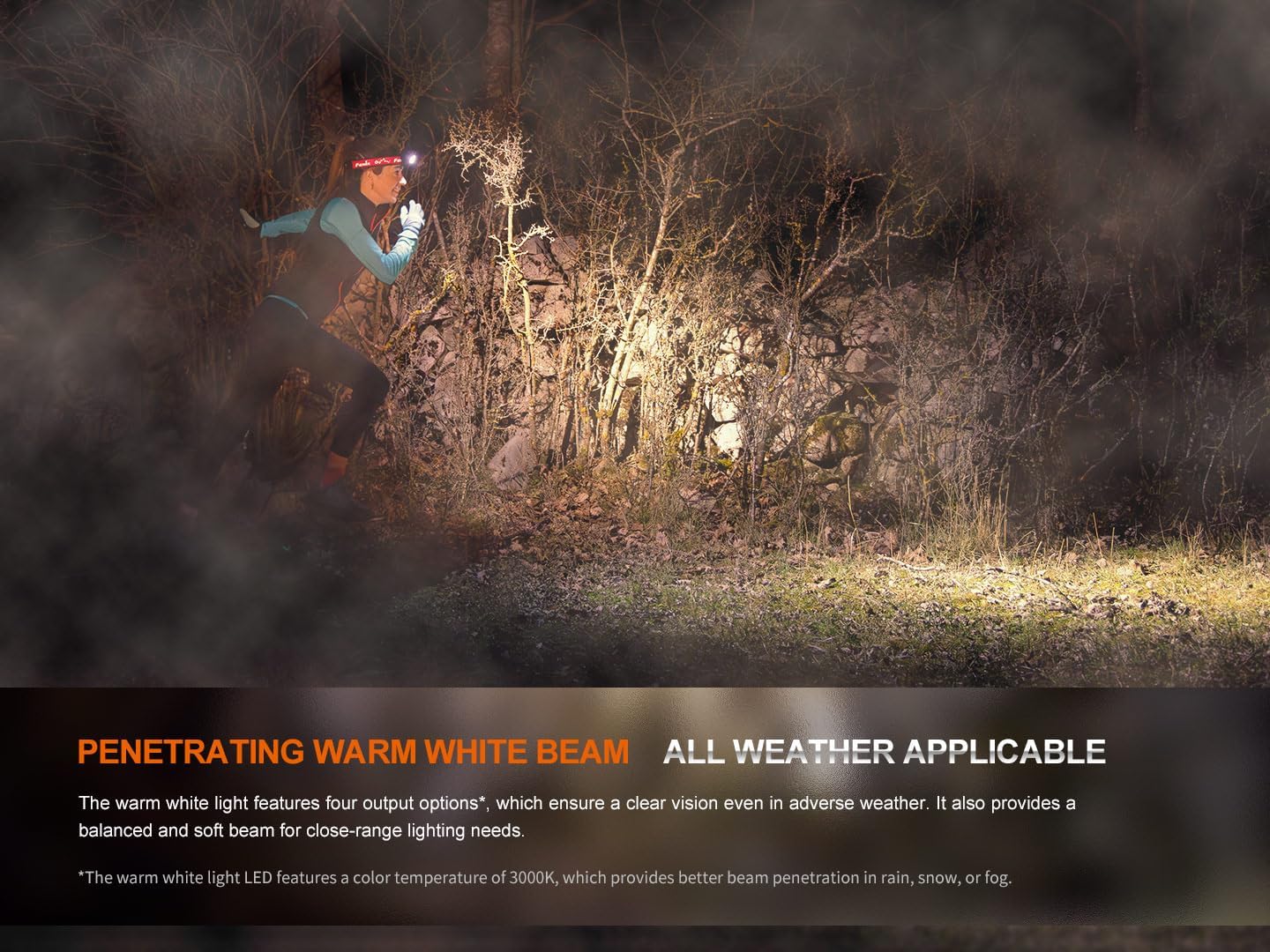
With the warm white light on, single-click the warm white light switch to cycle through Eco, Low, Medium, and High modes.
Modeu SOS
To activate SOS mode, press and hold the warm white light switch for 1.2 seconds. The headlamp will emit a flashing SOS signal at 5 lumens.
Electronic Lockout Function
- Pikeun ngonci: Kalawan headlamp off, press and hold both switches simultaneously for 3 seconds. The headlamp will flash 4 times in Eco mode to indicate it is locked.
- Pikeun muka konci: Press and hold both switches simultaneously for 3 seconds. The headlamp will flash 4 times in Eco mode and then turn on in Eco mode to indicate it is unlocked.
Indikasi Tingkat batré
Nalika headlamp is off, single-click either switch to activate the battery level indicators located in the middle of the switches. The indicators will show the remaining battery percentage:
- 4 lights on: 100% - 80%
- 3 lights on: 80% - 60%
- 2 lights on: 60% - 40%
- 1 light on: 40% - 20%
- 1 light flashes: 20% - 1%
Official Product Video: HM65R-T V2 Full Review
Video: A ulang komprehensifview of the Fenix HM65R-T V2.0 headlamp, detailing its features, operation, and comparison with previous models. This video provides visual demonstrations of setup, light modes, and adjustment mechanisms.
Pangropéa
beberesih
Rutin ngabersihan headlamp awak sareng lénsa kalayan lemes, damp cloth. Avoid using abrasive cleaners or solvents that could damage the finish or optical components.
Perawatan batré
To ensure optimal performance and longevity, store the battery in a cool, dry place. Recharge the battery regularly, even if not in frequent use, to prevent deep discharge. If using CR123A batteries, ensure they are of high quality and from a reputable brand.
O-ring ngagantian
Periodically inspect the O-ring for wear and tear. If damaged, replace it with the provided spare O-ring to maintain the headlamp's IP68 waterproof rating.
Pamérésan masalah
Headlamp Henteu Hurungkeun
- Check if the battery is correctly installed with the correct polarity.
- Ensure the battery is charged. Refer to the Battery Level Indication section.
- Pariksa yén sirahamp is not in Electronic Lockout mode. Follow the unlocking procedure.
- Clean the battery contacts and the contact points inside the headlamp ku lawon beresih.
Taram atawa Lampu Kedip-kedip
- Batré bisa jadi lemah. Ngecas atawa ngaganti batréna.
- Ensure the battery contacts are clean and free from debris.
- Check for any loose connections or damage to the headlamp.
Masalah Ngecas
- Pastikeun kabel USB-C disambungkeun leres ka duanana headlamp jeung sumber kakuatan.
- Coba kabel USB-C atanapi adaptor kakuatan anu sanés.
- Verify that the charging port is clean and free from obstructions.
spésifikasi
| Fitur | Nilai |
|---|---|
| Modél | HM65R-T V2.0 |
| merek | Fenix |
| Caang Bodas (Max) | 1600 Lumén |
| Warm White Brightness (Max) | 800 Lumén |
| Sumber Daya | Battery Powered (1 Lithium Ion battery included, compatible with 2 CR123A) |
| Bahan | Magnésium Alloy |
| Tingkat Résistansi Cai | Waterproof (IP68) |
| Résistansi Dampak | 2 méter |
| Item Beurat | 5 ons (0.31 pon) |
| Dimensi produk | 1.37 "D x 1.84" W x 3.15" H |
| Fitur husus | Adjustable Light Modes, Adjustable Strap, Durable, High Lumens, Rechargeable |
| Komponén Kaasup | Charging Cable, Head Band, Headlamp |
Garansi & Rojongan
Émbaran jaminan
The Fenix HM65R-T V2.0 comes with a Limited Warranty. For specific details regarding the warranty period and coverage, please refer to the warranty card included in your product packaging or visit the official Fenix websitus.
Rojongan Palanggan
For any questions, technical assistance, or warranty claims, please contact Fenix customer support through their official websitus atanapi inpormasi kontak anu disayogikeun dina dokuméntasi produk anjeun.