
NZXT CM-H72FB-01
NZXT H7 Flow 2024 Mid-Tower ATX Airflow PC Case Instruction Manual
merek: NZXT | model: CM-H72FB-01
Bubuka
The NZXT H7 Flow 2024 is a mid-tower ATX PC case designed for optimal airflow and efficient cooling. This manual provides essential information for assembling, operating, and maintaining your PC build within this chassis. It highlights key features, specifications, and important considerations for a smooth user experience.

Figure 1: NZXT H7 Flow 2024 Mid-Tower ATX Airflow PC Case (Black)
Fitur konci
- Dedicated GPU Cooling: Supports up to three 120mm fans at the bottom for direct airflow to the graphics card, enhancing cooling performance.

Figure 2: Dedicated GPU Cooling Fan Mounts
- Out-of-the-Box Performance: Includes three pre-installed 120mm fans in the front for immediate and effective cooling.

Figure 3: Pre-installed Front Fans
- Optimized for Airflow: Features high-performance mesh panels on the front and top to maximize air intake and exhaust, while also acting as dust filters.

Gambar 4: Desain Aliran Udara Dioptimalkeun
- Large Radiator Support: Accommodates radiators up to 420mm in the front and 360mm in the top, providing extensive liquid cooling options.

Figure 5: Radiator Mounting Locations
- Manajemén Kabel Gampang: An intuitive cable management system with wide channels, built-in hooks, and included straps simplifies cable routing and organization.

Gambar 6: Sistem Manajemen Kabel
- 10-Fan Capacity: Supports up to 10 fans in total: three at the top, three in the front, three at the bottom, and one in the rear for comprehensive cooling.

Figure 7: Fan Mounting Options
- Top I/O Ports: Conveniently located top panel with 2x USB-A and 1x USB-C ports for easy access to peripherals.

Figure 8: Top I/O Ports
- Tool-less Panel Access: Front, top, and side panels can be removed without tools, simplifying the building and upgrading process.
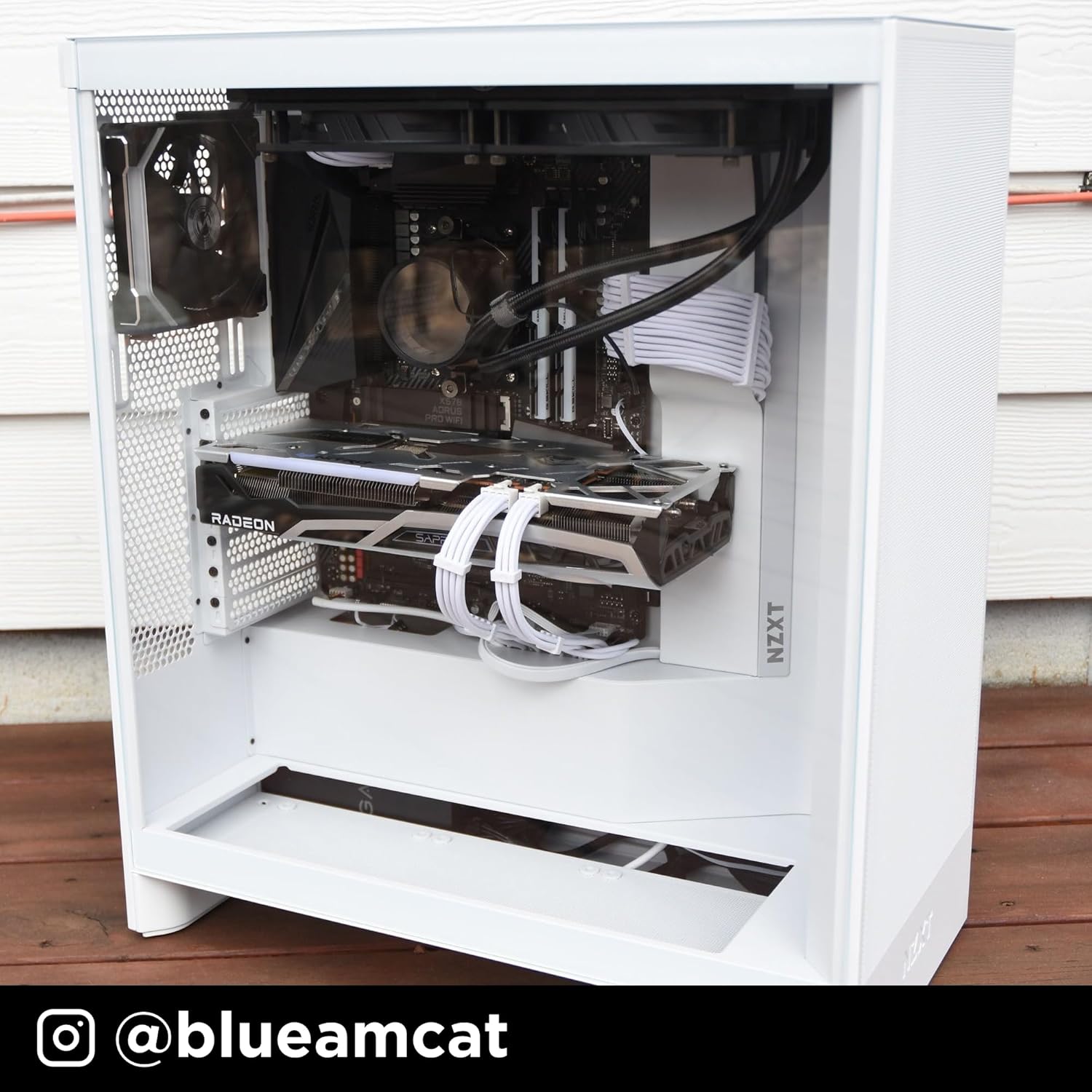
Figure 9: Tool-less Panel Removal
Parentah Setup
- Ngabongkar bungkusan: Carefully remove the case from its packaging. Remove any protective films from the tempered glass panels.
- Ngahapus Panel: Access the interior by gently pulling off the side panels, front panel, and top panel. These are designed for tool-less removal.
- Pamasangan motherboard: Install your ATX motherboard. Ensure standoffs are correctly aligned. The case supports ATX motherboards.
- Pamasangan catu daya: Mount your power supply unit (PSU) in the bottom compartment.
- Pamasangan Drive Panyimpen: Install 3.5-inch hard drives or 2.5-inch solid-state drives into the designated bays.
- Pamasangan Kartu Grafis (GPU): Install your graphics card into the appropriate PCIe slot. Consider installing up to three 120mm fans at the bottom of the case for direct GPU cooling.
- Pamasangan kipas sareng Radiator: Install additional fans or liquid cooling radiators as needed. The case supports up to 420mm radiators in the front and 360mm in the top.
- Manajemén Kabel: Utilize the integrated cable routing channels, hooks, and included straps behind the motherboard tray to organize and secure cables.
- Reassemble Panels: Once all components are installed and cables are managed, reattach the side, front, and top panels.
Ngoperasikeun Casing PC Anjeun
The NZXT H7 Flow 2024 is designed to provide optimal airflow for your PC components. Ensure that all fans are correctly oriented for intake and exhaust to maintain proper internal temperatures. The pre-installed front fans act as intake, drawing cool air into the system. The mesh panels facilitate unrestricted airflow, contributing to efficient cooling.
Video 1: NZXT H7 Flow 2024 Overview. This video demonstrates the key features and design of the NZXT H7 Flow 2024 PC case, including its airflow capabilities and internal layout.
Pangropéa
Pangropéa rutin ngabantosan mastikeun kinerja optimal sareng umur panjang komponén PC anjeun.
- beberesih lebu: Periodically remove the mesh panels (front and top) and clean them to prevent dust buildup. Use compressed air or a soft brush to clean fans and internal components.
- Pamasangan ulang panel: Ensure all panels are securely reattached after cleaning or maintenance to maintain structural integrity and airflow.
Video 2: Produk Leuwihview. video ieu nyadiakeun leuwih umumview of the product, which can be helpful for understanding its components and how to access them for maintenance.
Pamérésan masalah
- High Component Temperatures:
- Verify all case fans are spinning and correctly oriented for optimal airflow (intake at front/bottom, exhaust at rear/top).
- Clean any dust buildup on mesh panels, fans, and heatsinks.
- Pastikeun euweuh kabel anu ngahalangan jalur aliran hawa di jero wadahna.
- Bising kipas kaleuleuwihan:
- Check if fan screws are tightened properly.
- Ensure no cables are touching fan blades.
- Consider replacing noisy fans if they are old or damaged.
- Difficulty Removing Panels:
- Apply gentle, even pressure when pulling panels. They are designed for tool-less removal but may require a firm pull.
- Ensure no internal components or cables are snagging the panels.
spésifikasi
| Fitur | Rincian |
|---|---|
| merek | NZXT |
| Ngaran modél | CM-H72FB-01 |
| Jenis Kasus | Pertengahan Menara |
| Motherboard kasaluyuan | ATX |
| Warna | Hideung |
| Bahan | Logam, Plastik |
| Power Supply ningkatna Tipe | Gunung handap |
| Métode Cooling | Hawa |
| Ukuran Fan | 120 milimeter |
| Total Expansion Slots Quantity | 7 |
| Total USB 2.0 Ports | 2 |
| Total USB 3.0 Ports | 3 |
| Faktor Bentuk Hard Disk | 3.5 inci |
| Internal Bays Quantity | 1 |
| Number of Fans (Included) | 3 |
| Item Beurat | 11.35 kg |
| Ukuran barang (D x W x H) | 18.43 "D x 9.6" W x 21.42" H |
| Fitur husus | Triple front fan, large radiator backing plate, dedicated GPU cooling |
Garansi sareng Rojongan
The NZXT H7 Flow 2024 PC case comes with a 2-taun jaminan produsén. For technical support, product information, or warranty claims, please visit the official NZXT store or contact their customer service.
Official NZXT Store: NZXT Store on Amazon
Ask a question about this manual
Ask about setup, troubleshooting, compatibility, parts, safety, or missing instructions. Manuals+ will review the question and use this page’s manual context to help answer it.