1. Bubuka
This manual provides detailed instructions for the setup, operation, and maintenance of your LiveFine Bluetooth Automatic Pill Dispenser. Please read this manual thoroughly before using the device to ensure proper function and safety.
2. Produk Langkungview
The LiveFine Bluetooth Automatic Pill Dispenser is designed to help organize, monitor, and dispense medications, prescriptions, vitamins, and supplements. It features a 28-day capacity with audio and visual alerts, Bluetooth connectivity for app control, and a secure key lock.

Figure 2.1: LiveFine Bluetooth Automatic Pill Dispenser (Clear Lid Model)
3. Setélan
3.1 Pamasangan batré
The dispenser requires 4 AA batteries (included). To install:
- Locate the battery compartment on the underside of the dispenser.
- Use the included special key to unlock the battery compartment cover by twisting it counter-clockwise.
- Selapkeun 4 batré AA, mastikeun polaritasna bener.
- Replace the battery compartment cover and lock it by twisting the key clockwise.

Figure 3.1: Battery compartment and key lock on the underside of the dispenser.
3.2 Loading Medication
The dispenser features 28 high-capacity slots. To load pills:
- Unlock the main lid using the special key if it is locked.
- Press the yellow latch on the front to release the lid and lift it open.
- Select the appropriate dosage ring from the 9 interchangeable options provided. These rings indicate how many times per day medication should be dispensed (e.g., 1X, 2X, up to 9X).
- Place the selected dosage ring in the center of the tray, ensuring it sits securely.
- Carefully place your pills into the designated compartments according to your medication schedule. Avoid placing pills in the red compartment, as this is the dispensing slot.
- Close the lid firmly until it latches. Lock the lid with the key for added security.

Figure 3.2: Interchangeable dosage rings.
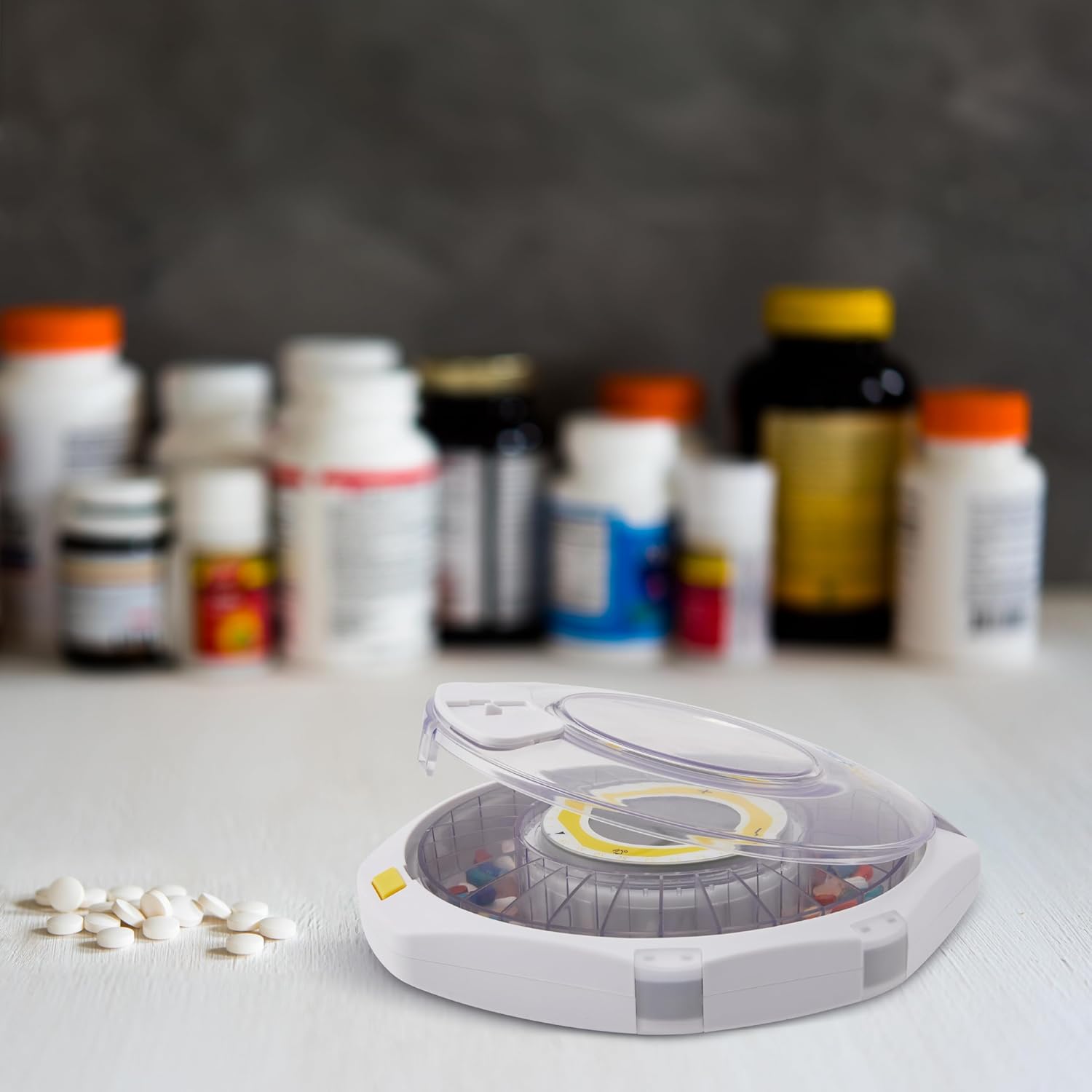
Figure 3.3: Dispenser with lid open, ready for pill loading.
3.3 App Download and Bluetooth Pairing
The LiveFine app allows for easy scheduling and monitoring of your medication. To connect:
- Download the free LiveFine app from your smartphone's app store.
- Buka aplikasi tur turutan parentah dina layar pikeun nyieun hiji akun atawa asup.
- On the dispenser, press and hold the '+' button for 3 seconds until the Bluetooth symbol blinks on the LCD display, indicating pairing mode.
- In the app, tap the 'Add Device' icon and select your LiveFine Bluetooth Pill Dispenser from the list of discovered devices.
- Follow any additional prompts in the app to complete the pairing process.
Video 3.1: Tutorial on setting up the LiveFine Bluetooth Pill Dispenser, including battery installation, dosage ring placement, and app pairing.
4. Parentah Operasi
4.1 Setting Medication Alarms (App)
Once paired, use the LiveFine app to set your medication schedule:
- In the app, navigate to the 'Settings' or 'Alarms' section.
- Select the number of doses per day (up to 9 times daily).
- For each dose, set the specific time for the alarm. You can also add notes for each alarm (e.g., medication name).
- Adjust alarm sound patterns (3 unique beeping patterns) and volume (Low, High, Silent) as desired.
- Save your settings. The dispenser will synchronize with the app.

Figure 4.1: Setting medication alarms via the LiveFine app.
4.2 Setting Medication Alarms (Manual)
You can also manually set alarms directly on the dispenser:
- Press the 'Alarm' button (bell icon) to enter alarm setting mode.
- Use the '+' and '-' buttons to select the desired alarm number (1-9).
- Press the 'Alarm' button again to confirm the alarm number.
- Use the '+' and '-' buttons to adjust the hour, then press 'Alarm' to confirm.
- Use the '+' and '-' buttons to adjust the minute, then press 'Alarm' to confirm.
- To save all settings, press and hold the 'Alarm' button for 2 seconds.

Figure 4.2: Manual alarm setting on the dispenser's LCD display.
4.3 Dispensing Medication
At the scheduled medication time, the dispenser will activate audio and visual alerts (interface and border lights illuminate, alarm tone sounds for 30 minutes). To dispense:
- When the alarm sounds, slide the retrieval window open by pushing the latch to the left.
- Invert the dispenser to allow the pills to fall into your hand or a container. The alarm will stop once pills are dispensed.

Figure 4.3: Dispensing pills with active alerts.
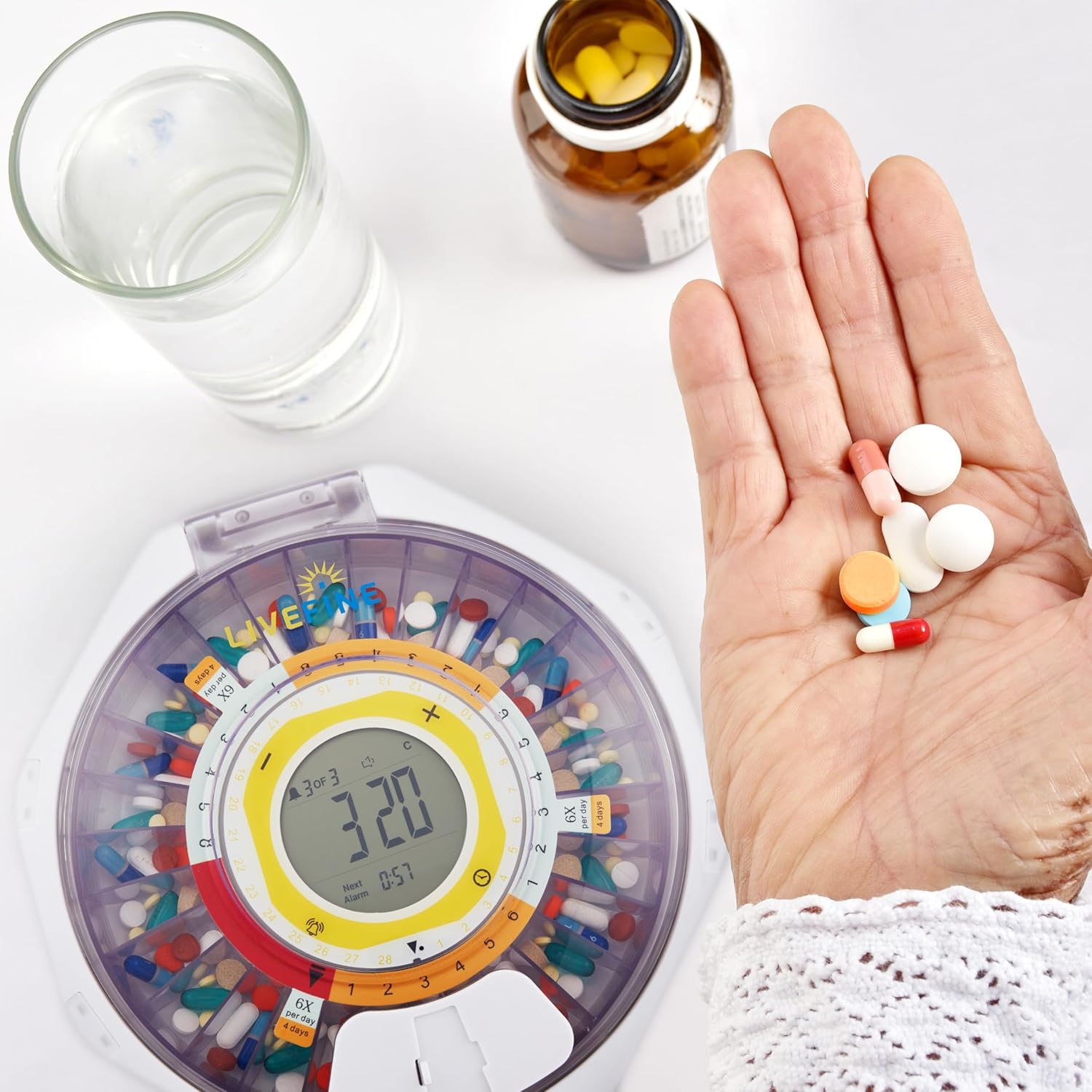
Figure 4.4: Pills dispensed into hand.
5. Pangropéa
5.1 beberesih
To ensure hygiene and proper function, regularly clean your pill dispenser:
- Ensure the dispenser is turned off and batteries are removed before cleaning.
- Ngusap luar ku hipu, damp lawon. Hindarkeun nganggo pembersih abrasive atanapi bahan kimia anu kasar.
- The removable pill tray can be gently wiped with a damp cloth. Ensure all parts are completely dry before reassembling and loading pills.
- Do not submerge the electronic components of the dispenser in water.
5.2 Ngagantian batré
When the battery icon appears on the LCD display, it is time to replace the batteries. Follow the steps in Section 3.1 Battery Installation to replace the 4 AA batteries.
6. Cara ngungkulan
If you encounter issues with your LiveFine Bluetooth Automatic Pill Dispenser, refer to the following common problems and solutions:
- Témbongkeun waktos teu akurat: If the dispenser's internal clock does not keep accurate time, ensure the batteries are fresh and properly installed. If the issue persists, try re-pairing with the LiveFine app to synchronize time.
- Pegatkeun sambungan Bluetooth: If the dispenser frequently disconnects from the app, ensure your smartphone is within Bluetooth range and there are no significant obstructions. Check for app updates and ensure the dispenser's batteries are not low.
- Pills Not Dispensing Correctly: Ensure that pills are not overfilling compartments and that the correct dosage ring is properly seated. Small or half tablets may sometimes slip; ensure they are placed securely.
- Tutupna Teu Bisa Dibuka/Ditutup: Verify that the key lock is in the unlocked position. If the lid mechanism feels stiff, ensure no debris is obstructing the latch.
- Solokan batré gancang: If batteries deplete quickly, ensure you are using high-quality AA batteries. While the device is battery-operated, continuous heavy use or frequent alarms may affect battery life.
7. Spésifikasi
| Dimensi produk | 9.2 x 2.5 x 8.6 inci |
| Beurat | 2.5 pon |
| Nomer Modél Item | LVFPDBLTC |
| Batré | 4 batré AA (kaasup) |
| merek | Hirup Rupa |
| Bahan | palastik |
| Fitur husus | Automatic, Portable |
8. Garansi jeung Rojongan
For warranty information, please refer to the documentation included with your product packaging or visit the official LiveFine website. For additional support or inquiries, please contact LiveFine Customer Support:
- Telepon: 1-888-390-7622
- Surélék: SUPPORTLFC@CAMARKETING.COM
Video 8.1: LiveFine Bluetooth Pill Dispenser overview and contact information for support.


