1. Produk Langkungview
The MoKo Keyboard Case is a versatile 2-in-1 accessory designed to enhance your iPad experience. It combines a protective case with a detachable wireless Bluetooth keyboard, offering both tablet protection and laptop-like functionality.

Figure 1.1: MoKo Keyboard Case with iPad and detachable keyboard.
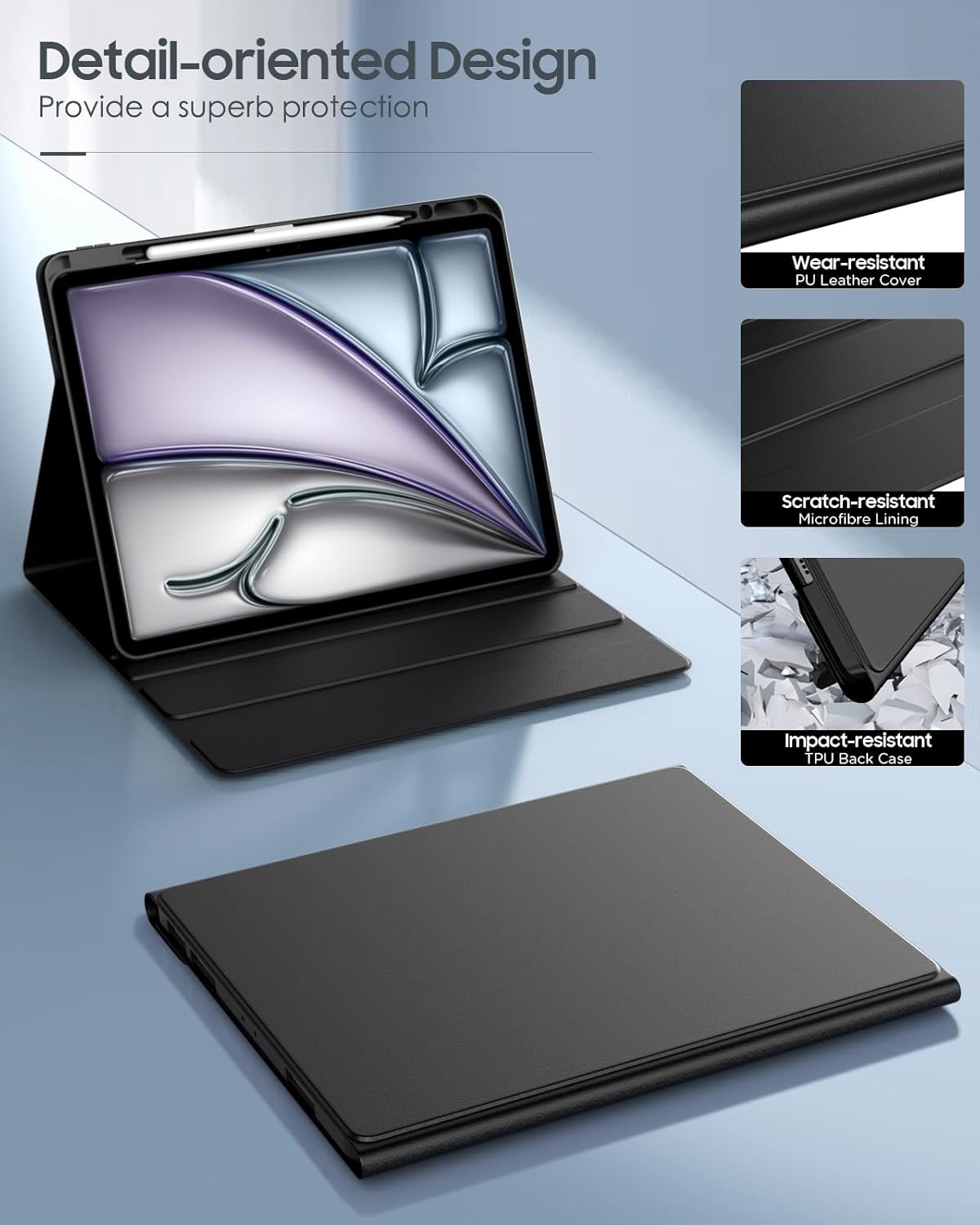
Figure 1.2: Case construction details, highlighting wear-resistant PU leather, scratch-resistant microfibre lining, and impact-resistant TPU back case.
Fitur konci:
- Kasaluyuan: Designed for New iPad Air 13 Inch M3 2025 (Models: A3268, A3269, A3271), M2 2024 (Models: A2898, A2899, A2900), and iPad Pro 12.9 Inch 2022/2021/2020/2018.
- Protéksi Pinuh: Constructed from soft PU leather with an anti-slip inner layer and shock-absorbing hard PC board for comprehensive device protection.
- Removable Keyboard: Magnetically detachable wireless Bluetooth keyboard for flexible use and easy conversion to a laptop setup.
- Multiple Standing Angles: Features 3 anti-slip grooves to provide various viewsudut dina sareng ngetik.
- Tempat Pensil Terpasang: Securely holds your Apple Pencil for convenient storage and access.
- Kibor Lampu tukang: Offers 7 colors of backlight with three adjustable brightness levels for typing in low-light conditions.
2. Eusi Paket
Punten parios yén sadaya barang aya dina pakét:
- 1x MoKo Keyboard Case (Black)
- 1x Removable Bluetooth Keyboard
- 1x Kabel Ngecas USB Tipe-C
- 1x Manual Pamaké (dokumén ieu)
Note: This product package does not include an Apple Pencil or iPad device.
3. Setup Guide
3.1. Installing Your iPad into the Case
- Gently align your iPad with the protective frame of the case.
- Press firmly around the edges of the iPad until it is securely seated within the case. Ensure all corners are properly protected.
- Verify that all ports, buttons, and camera cutouts are correctly aligned and accessible.
3.2. Ngecas kibor
Before first use, fully charge the Bluetooth keyboard.
- Locate the Type-C charging port on the keyboard.
- Connect the provided Type-C USB charging cable to the keyboard and a compatible USB power source (e.g., computer USB port, USB wall adapter).
- Lampu indikator ngecas dina kibor bakal hurung nalika ngecas sareng pareum nalika dicas pinuh.

Gambar 3.1: Nyambungkeun kabel ngecas Tipe-C kana kibor.
3.3. Ngapasangkeun Kibor Bluetooth
Turutan léngkah-léngkah ieu pikeun nyambungkeun kibor ka iPad anjeun via Bluetooth:
- Pastikeun keyboard dieusi.
- On the keyboard, slide the power switch to the "ON" position.
- Pencét "Nyambung" button on the keyboard. The Bluetooth indicator light will start blinking, indicating it's in pairing mode.
- Dina iPad anjeun, buka Setélan > Bluetooth and turn Bluetooth "On".
- Your iPad will search for available devices. Select "Bluetooth Keyboard" from the list of devices.
- Once connected, the Bluetooth indicator light on the keyboard will stop blinking and remain solid, or turn off, depending on the model.

Gambar 3.2: Pitunjuk masangkeun Bluetooth.
4. Parentah Operasi
4.1. Using the Detachable Keyboard
The keyboard is magnetically attached to the case and can be easily removed for flexible use.
- To attach: Align the keyboard with the magnetic strip inside the case. It will snap into place.
- To detach: Gently pull the keyboard away from the magnetic strip.
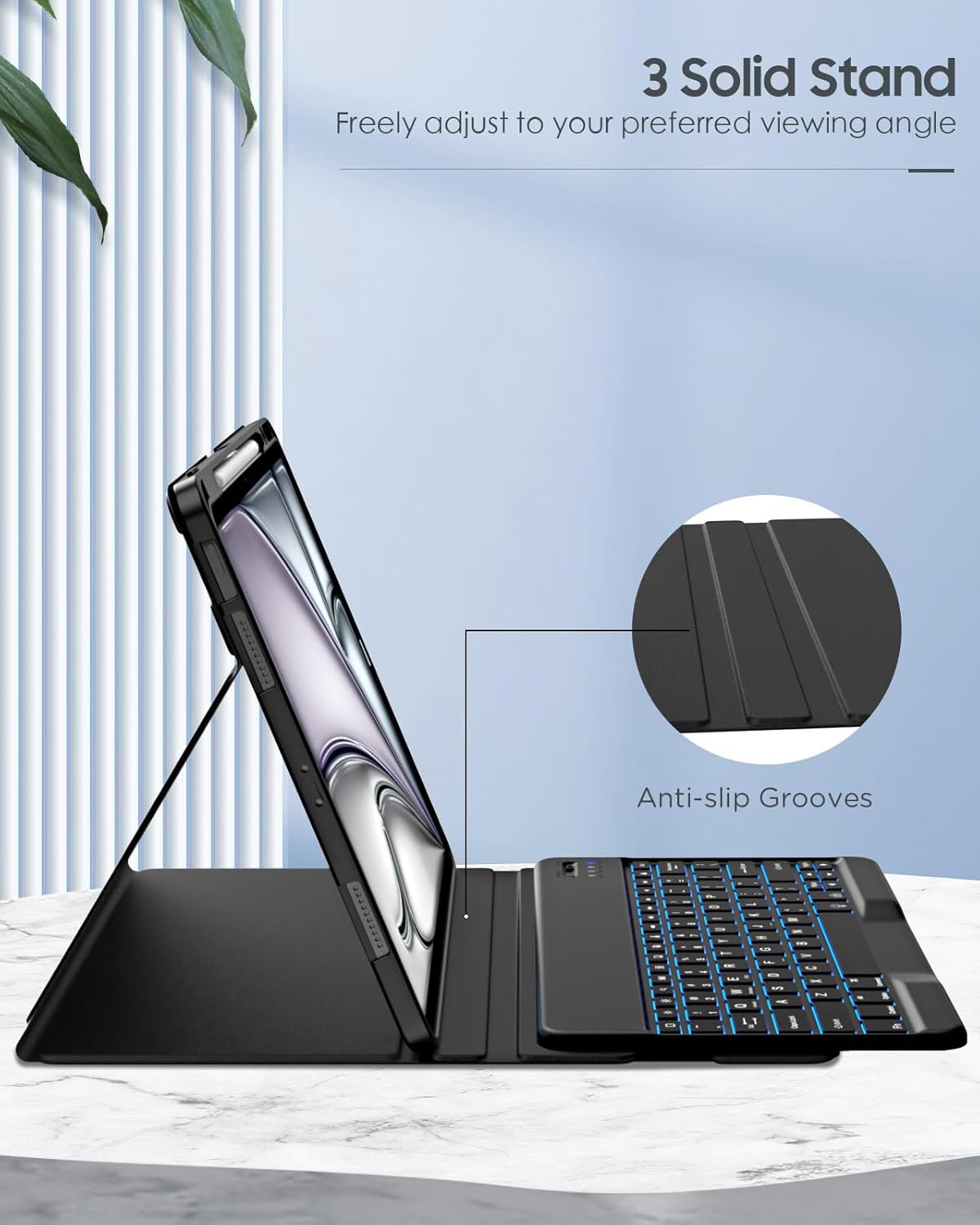
Figure 4.1: Detaching the magnetic keyboard.

Figure 4.2: Magnetic attachment points for the keyboard.
4.2. Nyaluyukeun Viewdina Angles
The case features three anti-slip grooves to provide stable viewsudut pikeun sagala rupa kagiatan.
- Place the iPad in the case.
- Fold the front cover back to form a triangular stand.
- Rest the bottom edge of your iPad into one of the three anti-slip grooves on the case to achieve your desired viewsudut ing.
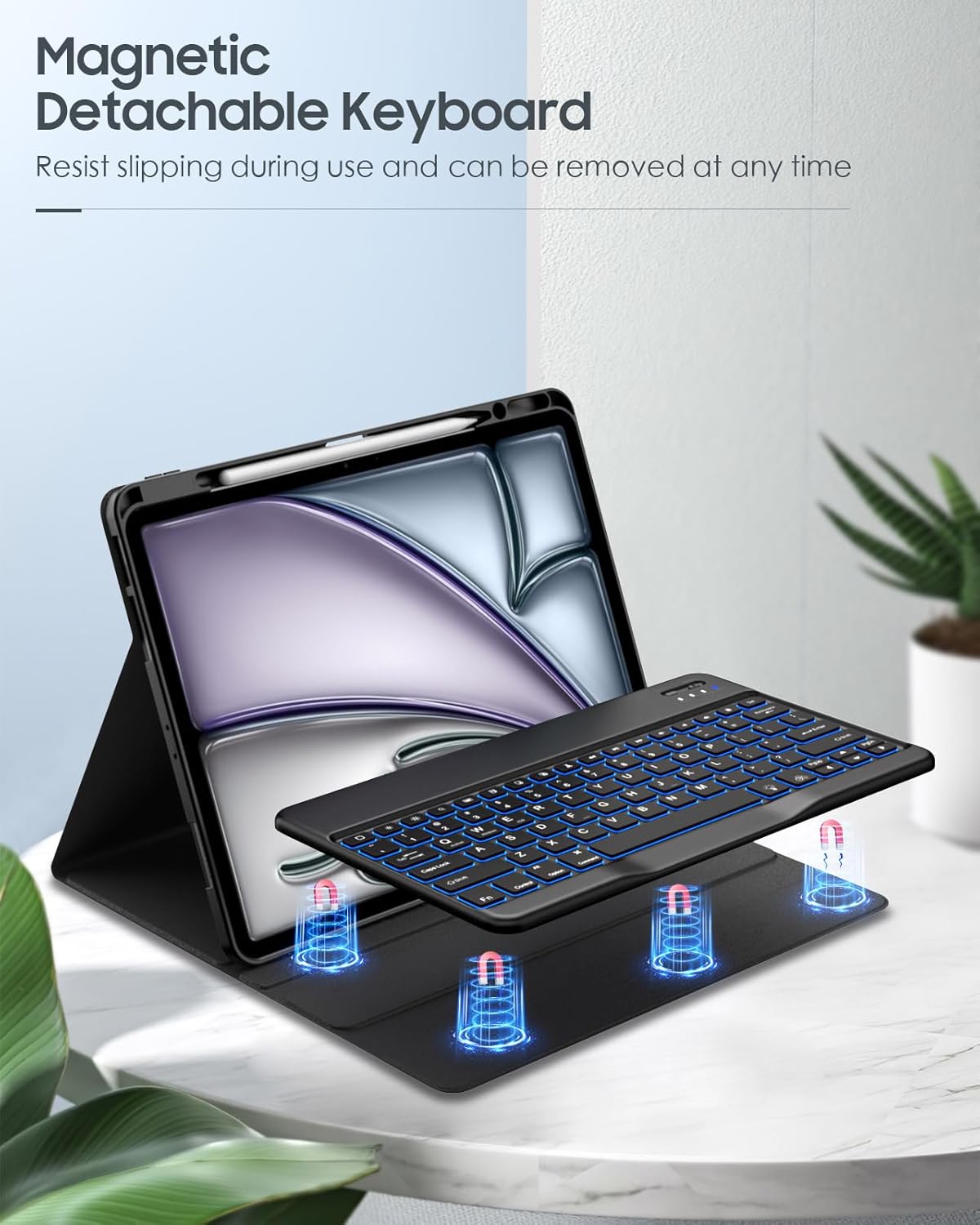
Figure 4.3: Adjusting the iPad to a preferred viewing angle using the anti-slip grooves.

Gambar 4.4: Kelamples of stable adjustable angles.
4.3. Kontrol Lampu Latar Kibor
The keyboard features 7-color backlighting with adjustable brightness.
- To change backlight color: Press the Fn + Bohlam key combination. Repeat to cycle through colors.
- To adjust brightness: Press the Fn + Panah luhur or Panah handap keys. There are three brightness levels.
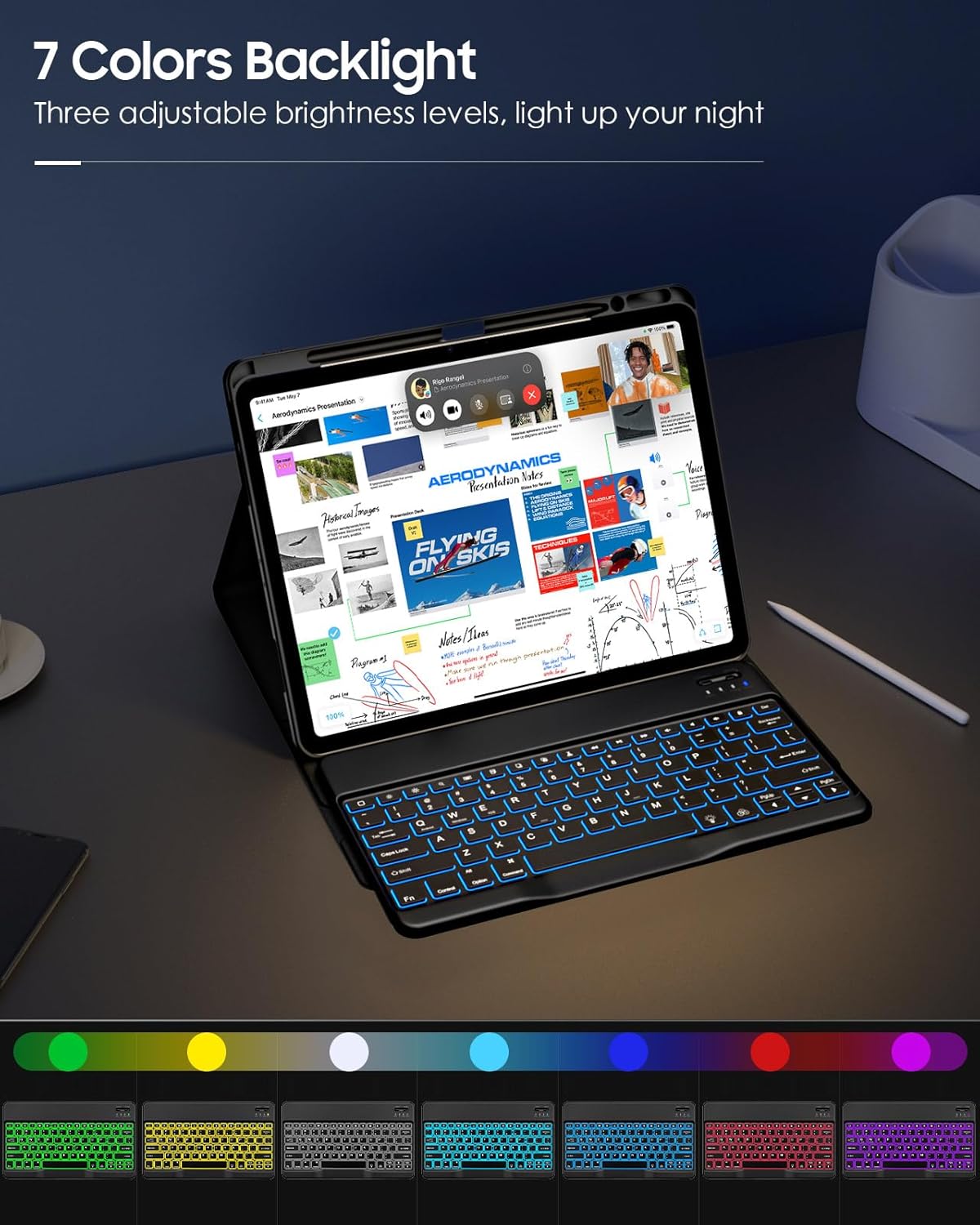
Figure 4.5: Keyboard backlight colors and controls.
4.4. Using the Built-in Pencil Holder
The case includes a dedicated slot for your Apple Pencil, ensuring it is secure and readily available.
- Insert your Apple Pencil into the designated slot on the case.
- The holder supports secure holding, magnetic attachment, and wireless charging for compatible Apple Pencils (e.g., Apple Pencil Pro & 2nd Gen, Apple Pencil USB-C).

Figure 4.6: Apple Pencil secured in the built-in holder.
5. Pangropéa sarta perawatan
To ensure the longevity and optimal performance of your MoKo Keyboard Case, please follow these maintenance guidelines:
- Ngabersihan Kasus: Wipe the exterior of the PU leather case with a soft, damp lawon. Hindarkeun ngagunakeun bahan kimia anu kasar atanapi pembersih abrasive.
- Ngabersihan kibor: Use a soft, dry cloth to clean the keyboard surface. For dust between keys, use compressed air. Do not immerse the keyboard in water or any liquids.
- Panyimpenan: Upami henteu dianggo salami lami, simpen wadah kibor di tempat anu tiis, garing, sareng jauh tina sinar panonpoé langsung sareng suhu anu ekstrim.
- Hindarkeun Cairan: Keep the keyboard and case away from water, coffee, and other liquids to prevent damage to electronic components.
- Nanganan kalayan ati-ati: While the case offers protection, avoid dropping or subjecting it to excessive force.
6. Cara ngungkulan
| Masalah | Mungkin Cukang lantaranana | Solusi |
|---|---|---|
| Kibor teu nyambung via Bluetooth. | Keyboard battery is low; Bluetooth is off on iPad; Keyboard not in pairing mode; Interference. | Charge the keyboard fully. Ensure Bluetooth is enabled on your iPad. Press the "Connect" button on the keyboard to enter pairing mode. Move closer to the iPad and away from other wireless devices. |
| Keys are unresponsive or typing incorrectly. | Low battery; Bluetooth connection issue; Software glitch. | Recharge the keyboard. Disconnect and re-pair the Bluetooth keyboard. Restart your iPad. |
| Lampu tukang teu jalan. | Backlight feature is off; Low battery. | Press Fn + Lightbulb key to turn on/cycle backlight. Ensure keyboard is charged. |
| iPad does not fit securely in the case. | Incorrect iPad model; Improper installation. | Verify your iPad model matches the compatible models listed in Section 1. Re-install the iPad, ensuring it snaps into all corners. |
7. Spésifikasi
| Fitur | Rincian |
|---|---|
| merek | MoKo |
| Nomer modél | P840401414934 |
| Alat nu cocog | iPad Air 13 Inch M3 2025 (A3268, A3269, A3271), M2 2024 (A2898, A2899, A2900); iPad Pro 12.9 Inch 2022/2021/2020/2018 |
| Konektipitas | Bluetooth |
| Tata perenah kibor | QWERTY |
| Bahan | Faux Leather (Case), PC (Back Case) |
| Fitur husus | Detachable Keyboard, Multi-Angle Stand, Backlit Keys, Built-in Pencil Holder, Rechargeable Keyboard |
| Dimensi produk | 28.7 x 23.7 x 2.49 cm |
| Beurat produk | 779.89 g |
8. Garansi jeung Rojongan
8.1. Émbaran jaminan
MoKo products are designed and manufactured to the highest quality standards. For specific warranty details and duration, please refer to the warranty card included with your purchase or visit the official MoKo websitus. Simpen resi pameseran anjeun salaku bukti pameseran pikeun klaim garansi.
8.2. Rojongan Palanggan
If you encounter any issues or have questions regarding your MoKo Keyboard Case, please contact our customer support team:
- Websitus: www.moko.com (Punten dicatet: Ieu mangrupikeun pananda tempat URL, replace with actual if available)
- Surélék: support@moko.com (Please note: This is a placeholder email, replace with actual if available)
- Telepon: Tingali kana bungkusan produk anjeun atanapi resmi websitus pikeun nomer kontak régional.
When contacting support, please provide your product model number (P840401414934) and a detailed description of the issue.


