Bubuka
Thank you for choosing the Green Lion 2nd Gen Earbuds Pro. These wireless earbuds are designed to provide a high-quality audio experience with Environmental Noise Cancellation (ENC) and convenient Type-C charging. This manual will guide you through the setup, operation, and maintenance of your new earbuds.
Eusi pakét
- Green Lion 2nd Gen Earbuds Pro (Left and Right)
- Ngecas Case
- Kabel Ngecas USB Tipe-C
- Manual pamaké
Produk Leuwihview
The Green Lion 2nd Gen Earbuds Pro are true wireless stereo (TWS) earbuds featuring Bluetooth connectivity for seamless audio streaming. They incorporate Environmental Noise Cancellation (ENC) technology to reduce ambient noise during calls, ensuring clearer communication. The earbuds are designed for comfort and ease of use, suitable for various activities including music listening, calls, and exercise.
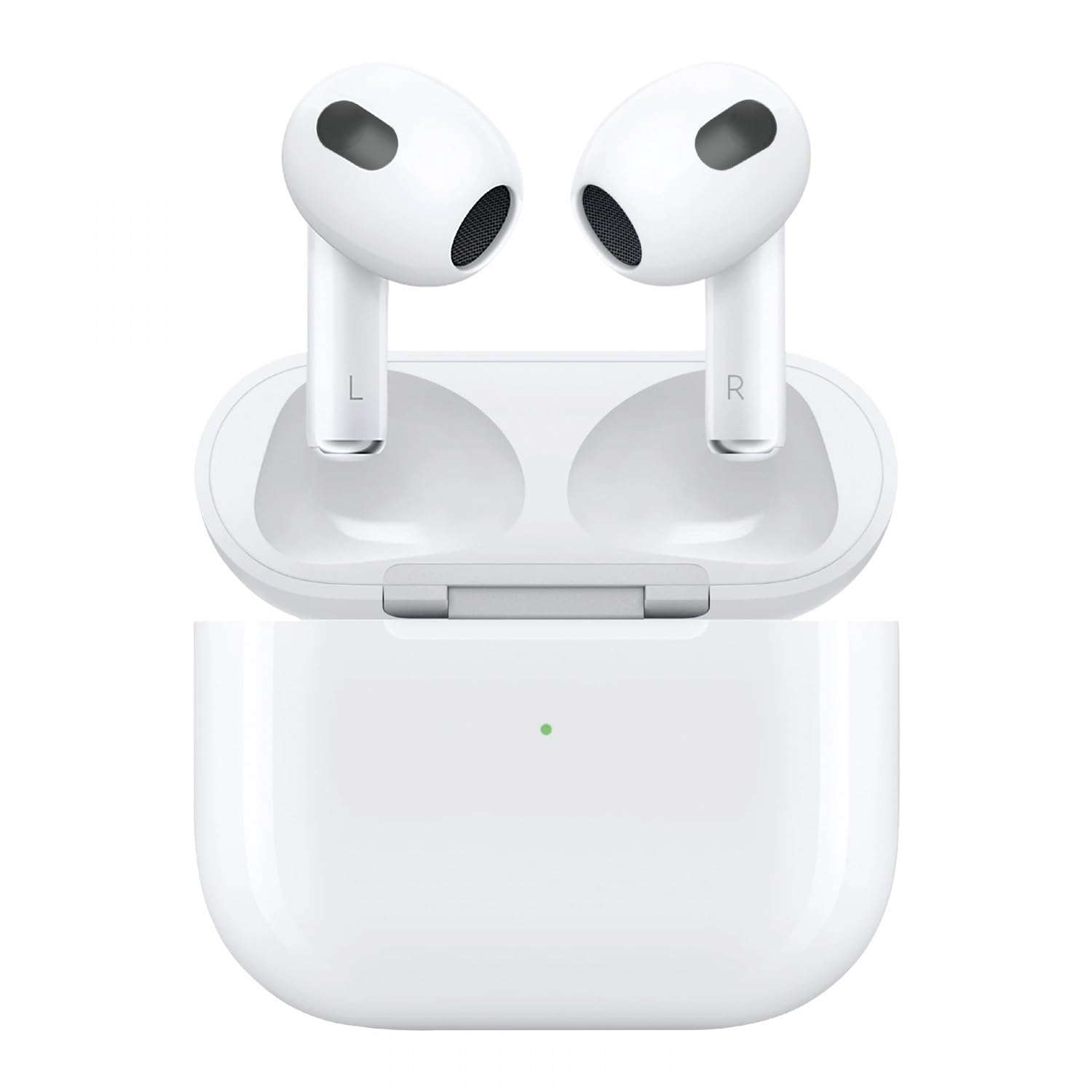
Image: Green Lion 2nd Gen Earbuds Pro. This image displays the two white Green Lion 2nd Gen Earbuds Pro, featuring their sleek design and indicating left (L) and right (R) earbud identification. A subtle sound wave graphic is in the background.
Disetél
1. Ngecas Earbuds jeung Case
- Muatan Awal: Before first use, place both earbuds into the charging case and connect the Type-C charging cable to the case and a power source. Ensure the case and earbuds are fully charged.
- Status Ngecas: Indicator lights on the charging case will show the charging status. Refer to the specific light patterns for full charge indication.
2. Nyapasangkeun sareng Alat
- Buka wadah ngecas. Earbuds bakal otomatis asup kana mode papasangan (lampu indikator bakal hurung).
- Dina alat anjeun (smartphone, tablet, laptop), aktipkeun Bluetooth.
- Milarian pikeun available Bluetooth devices and select "Green Lion Earbuds Pro" from the list.
- Sakali disambungkeun, earbud bakal nunjukkeun pasangan anu suksés (contona, aya paréntah sora atanapi lampu anu tetep).
- Earbuds bakal otomatis nyambung deui ka alat dipasangkeun panungtungan sawaktos nyandak kaluar tina wadahna, upami Bluetooth diaktipkeun dina alat.
Parentah Operasi
Daya Hurung/Pareuman
- Daya Hurung: Open the charging case, or long-press the touch control area on both earbuds for a few seconds.
- Pareum listrik: Place the earbuds back into the charging case and close the lid, or long-press the touch control area on both earbuds for several seconds until they power off.
Puterkeun Musik
- Puter / Reureuh: Ketok tunggal dina boh earbud.
- Lagu salajengna: Ketok dua kali dina earbud katuhu.
- Lagu Sateuacanna: Ketok dua kali dina earbud kénca.
Manajemén Telepon
- Ngajawab / mungkas Telepon: Ketok tunggal dina boh earbud.
- Nolak Telepon: Pencét lila dina salah sahiji earbud salami 2 detik.
Asisten sora
- Aktipkeun Asisten Sora: Ketok tilu kali dina boh earbud (contona, Siri, Asisten Google).
Pembatalan Noise Lingkungan (ENC)
The ENC feature is automatically active during calls to reduce background noise for clearer conversations. There is no manual control for activating/deactivating ENC for music listening, as its primary function is for call clarity.
Pangropéa
- beberesih: Anggo lawon anu lemes, garing, henteu lint pikeun ngabersihan earbuds sareng wadah ngecas. Ulah make bahan kimia kasar atawa bahan abrasive.
- Panyimpenan: Lamun teu dipake, nyimpen earbuds dina wadah ngecas maranéhanana pikeun ngajaga eta tina lebu jeung karuksakan.
- Perawatan batré: Pikeun manjangkeun umur batré, ulah sering-sering ngosongkeun batré earbud sareng wadah ngecas. Cas sacara rutin, sanaos henteu dianggo kanggo waktos anu lami.
- Tahan cai: Earbud ieu henteu tahan cai. Hindarkeun kakeunaan cai, késang, atanapi kalembaban anu luhur.
Pamérésan masalah
| Masalah | Solusi |
|---|---|
| Earbuds teu dipasangkeun |
|
| Teu aya sora ti hiji earbud |
|
| Kasus ngecas teu ngecas |
|
| Kualitas panggero goréng |
|
spésifikasi
| Fitur | Rincian |
|---|---|
| Ngaran modél | GNTWSPRO2GWH |
| Téhnologi konektipitas | Nirkabel (Bluetooth) |
| Téknologi Komunikasi Nirkabel | Bluetooth |
| Fitur husus | Environmental Noise Cancellation (ENC), Lightweight, User Friendly |
| Dianjurkeun Mangpaat | Calling, Cycling, Exercising, Gaming, Running, Music |
| Alat nu cocog | Laptops, Desktops, Tablets, Cellphones |
| Tipe Kontrol | Kontrol Média (Toél) |
| Fitur kabel | Tanpa Kabel |
| Item Beurat | 100 gram |
| Tingkat Résistansi Cai | Henteu Tahan Cai |
| Tipe Supir Audio | Supir dinamis |
| Panempatan Ceuli | Dina Ceuli |
| Faktor Bentuk | Dina Ceuli |
| Dimensi produk | 10 x 5 x 3 cm |
Garansi sareng Rojongan
For warranty information and customer support, please refer to the warranty card included with your product or visit the official Green Lion websitus. Simpen resi pameseran anjeun salaku bukti pameseran pikeun klaim garansi.
For further assistance, contact Green Lion customer service through their official channels.


