1. Produk Langkungview
The ATOMSTACK X12 Pro 2nd Generation Laser Engraver is a high-performance engraving and cutting machine designed for various materials. It features a 12000mW (12W) optical power laser, a robust one-piece aluminum alloy frame, and advanced motion control for precise and efficient operation.

Gambar 1.1: The ATOMSTACK X12 Pro Laser Engraver actively engraving a detailed tiger image onto a wooden surface. The red laser module is visible, positioned over the material.
2. Émbaran Kasalametan
WARNING: This product contains a Class 4 laser. Improper use can result in serious injury, including eye damage and skin burns. Always follow safety guidelines.
- Perlindungan panon: Always wear the provided eye protection shields or glasses when operating the laser engraver. Never look directly at the laser beam.
- Ventilasi: Ngoperasikeun mesin di wewengkon well-ventilated pikeun dissipate haseup jeung haseup dihasilkeun salila ukiran sarta motong.
- Kasalametan Bahan: Ensure the material being processed is safe for laser engraving/cutting and does not produce toxic fumes or flammable byproducts.
- Deteksi Dengdekkeun: The machine is equipped with a gyroscope detection system. If the tilt angle exceeds 15°, an alarm will be triggered to enhance operational safety.
- pangawasan: Entong pernah ninggalkeun mesin ukir laser tanpa diawasi nalika dioperasikeun.
- Stopan Darurat: Biasakeun diri anjeun sareng lokasi sareng operasi tombol eureun darurat.
3. Setélan
The ATOMSTACK X12 Pro features a one-piece frame design, minimizing assembly requirements. The machine is calibrated prior to shipping, allowing for immediate use after connecting necessary components.
- Ngabongkar bungkusan: Carefully remove the laser engraver and all accessories from the packaging.
- panempatan: Place the machine on a stable, level, and heat-resistant surface in a well-ventilated area.
- Sambungan kabel: Connect all necessary cables, including the power cable and USB cable to your computer.
- Pamasangan parangkat lunak: Download and install the recommended software (Lightburn, LaserGRBL, or the ATOMSTACK phone App) on your computer or mobile device. Follow the software-specific instructions for installation and initial setup.
- Perlindungan panon: Put on your safety glasses before powering on the device.
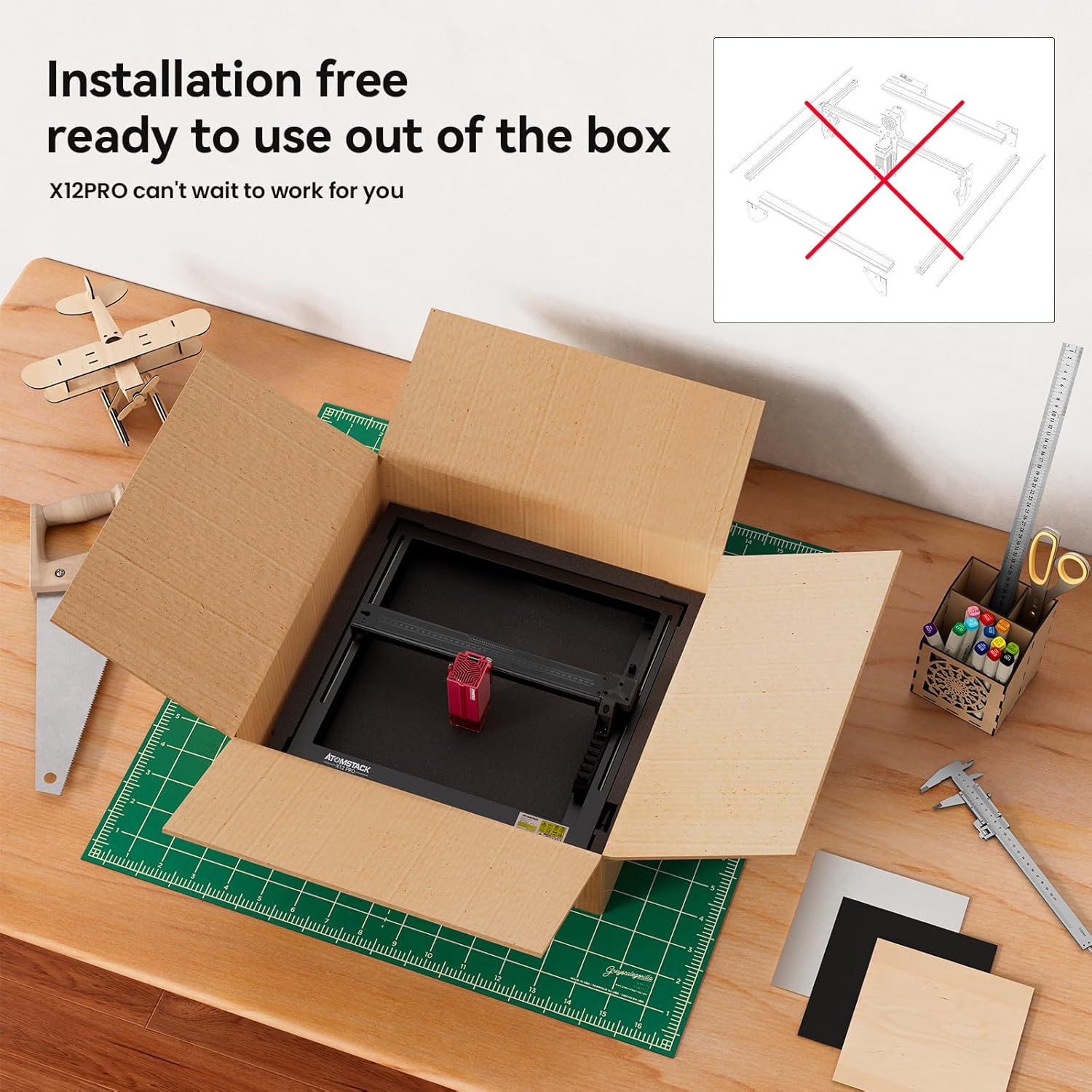
Gambar 3.1: The ATOMSTACK X12 Pro Laser Engraver shown being unboxed, highlighting its pre-assembled, installation-free design, ready for immediate use.
4. Parentah Operasi
4.1 Operasi Umum
- Daya Hurung: Connect the power adapter and turn on the machine.
- Sambungan parangkat lunak: Launch your chosen software (Lightburn, LaserGRBL, or ATOMSTACK App) and establish a connection with the engraver.
- Penempatan Bahan: Place your material within the 365x305mm engraving area. Utilize the precise X and Y axis scales for accurate positioning.
- Penyesuaian fokus: Adjust the laser focus according to the material thickness and desired effect.
- Cross Laser Positioning: Use the cross laser positioning feature for clear visibility of the laser's location and precise alignment of your project.
- Load Design: Impor atanapi jieun desain anjeun dina parangkat lunak.
- Setélan Parameter: Configure engraving or cutting parameters (speed, power, passes) based on the material type and desired outcome. Refer to material testing guides for optimal settings.
- Mimitian Operasi: Initiate the engraving or cutting process from the software. Monitor the operation closely.
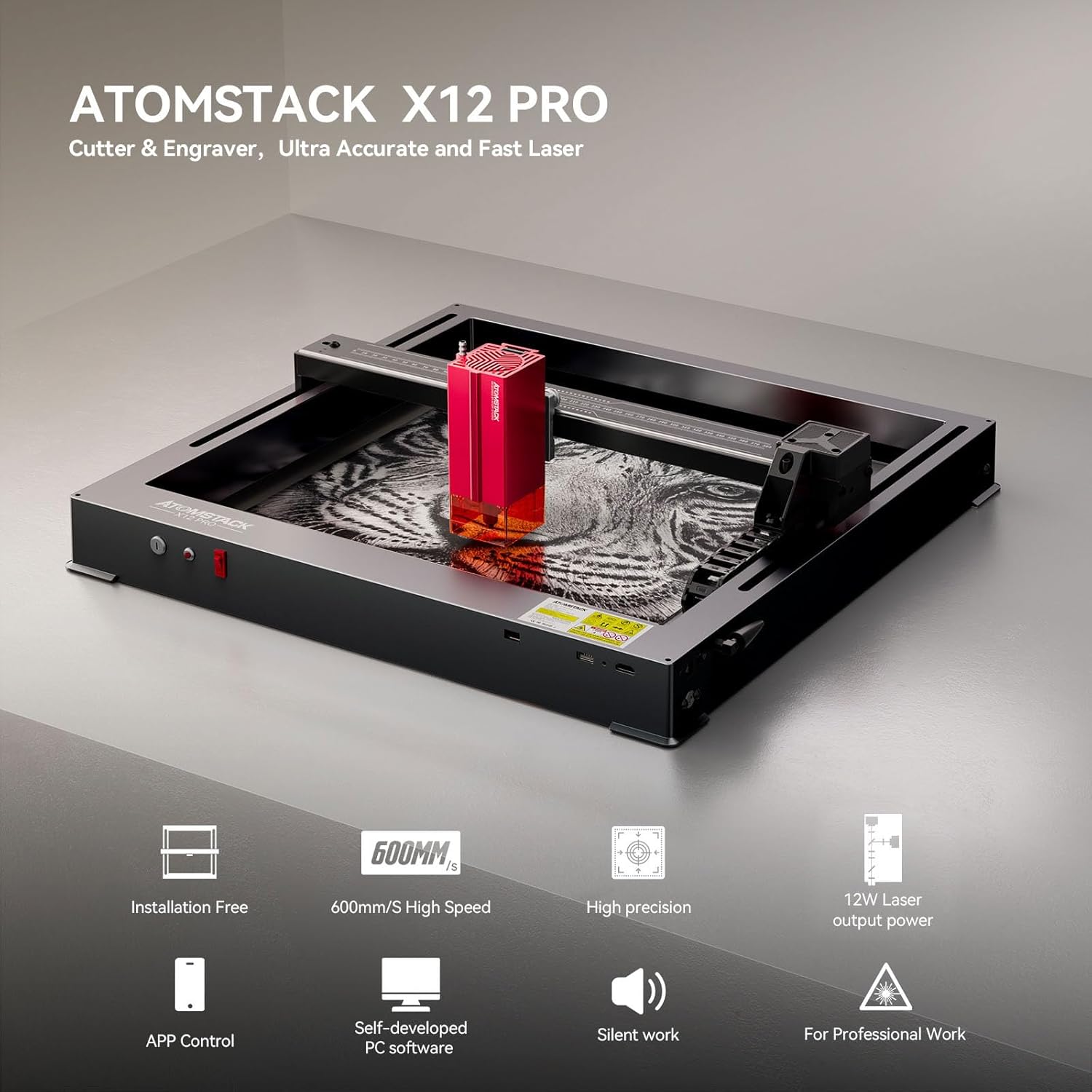
Gambar 4.1: Hiji leuwihview highlighting key features of the ATOMSTACK X12 Pro, including its installation-free setup, high-speed operation, precision, 12W laser output, and software control options.
4.2 Engraving and Cutting Capabilities
The X12 Pro is equipped with a 12W optical power laser, formed by combining two 6W lasers, resulting in an ultra-fine laser spot of 0.06x0.06mm. This allows for high-density laser processing.
- Laju ukiran: The maximum engraving speed can reach 600mm/s, providing efficient project completion.
- Ketebalan motong: Capable of cutting 3-12mm thick wooden boards or 5mm thick black acrylic in a single pass. With multiple passes, it can cut up to 15mm thick materials.
- Bahan anu Dirojong: The machine can engrave and cut a wide range of materials including paper, wood (basswood, pine, paulownia, MDF), leather, acrylic, metal (mirror stainless steel), ceramic, and glass.

Gambar 4.2: Visual examples demonstrating the maximum cutting thickness achievable with the ATOMSTACK X12 Pro's 2nd generation blue laser on materials such as black acrylic, balsa, paulownia, MDF, basswood plywood, pine wood, stainless steel sheet, and vinyl.

Gambar 4.3: An illustration of the diverse materials compatible with the ATOMSTACK X12 Pro, such as basswood, acrylic, pine wood, paulownia, bamboo, and leather, being used for various crafting projects.
4.3 Pamulihan Kagagalan Daya
The ATOMSTACK X12 Pro includes an automatic power failure recovery system. This feature records the engraving position, allowing the machine to quickly relocate and continue engraving from where it stopped after a power interruption. This function must be activated from the ATOMSTACK App or an optional display board.
5. Pangropéa
Regular maintenance ensures optimal performance and longevity of your laser engraver.
- Ngabersihan lensa: Periodically clean the laser lens with a specialized lens cleaning solution and cloth to maintain laser power and precision.
- Ngabersihan Mesin: Keep the engraving area and machine frame free from dust, debris, and material residue. Use a soft brush or compressed air.
- Lubrication: Inspect the linear guide and other moving parts. Lubricate as recommended in the detailed product manual (if available) to ensure smooth operation.
- Pamariksaan kabel: Regularly check all cables for wear or damage. Replace any damaged cables immediately.
For detailed maintenance procedures, refer to the comprehensive manual provided by ATOMSTACK or visit their official support websitus.
6. Cara ngungkulan
If you encounter issues with your ATOMSTACK X12 Pro, consider the following common troubleshooting steps:
- Mesin teu hurung: Ensure the power cable is securely connected to both the machine and a working power outlet. Check the power switch.
- Masalah Sambungan Parangkat Lunak: Verify that the USB cable is properly connected to both the engraver and your computer. Restart the software and the machine. Ensure correct drivers are installed.
- Laser Henteu Ngahuru/Kaluaran Lemah: Check the laser lens for cleanliness. Ensure laser power settings in the software are correct. Verify the laser module is securely attached.
- Inaccurate Engraving/Cutting: Check for loose belts or components. Ensure the material is securely fixed. Verify the focus is correctly set.
- Alarm Triggered: If the tilt alarm sounds, check the machine's stability and ensure it is on a level surface.
If problems persist after attempting these steps, contact ATOMSTACK customer support for further assistance.
7. Spésifikasi
| Fitur | Spésifikasi |
|---|---|
| Modél | X12 Pro Laser Engraver |
| merek | ATOMSTACK |
| Daya Kaluaran optik | 12000mW (12W) |
| Kelas laser | Kelas 4 |
| Ukuran Spot Laser | 0.06 x 0.06 mm |
| Laju ukiran | Nepi ka 600mm / s |
| Area Ukiran | 365 x 305 mm |
| Bahan Pigura | Anodized Full Aluminum Alloy |
| Precision mékanis | 0.02 mm |
| Konektipitas | USB, ATOMSTACK App |
| Software cocog | Lightburn, LaserGRBL, ATOMSTACK App |
| Produsén | ATOMSTACK, Co, Ltd. |
| Tanggal Kahiji Sadia | 26 Januari 2024 |
8. Garansi jeung Rojongan
For information regarding the product warranty, please refer to the warranty card included with your purchase or visit the official ATOMSTACK websitus. Sarat jeung kaayaan jaminan bisa rupa-rupa dumasar wewengkon sarta pangecér.
For technical support, product inquiries, or to access additional resources, please visit the official ATOMSTACK store or contact their customer service department:
- Toko Resmi ATOMSTACK: https://www.amazon.com/stores/ATOMSTACKOfficial/page/DFF40961-DDCE-46AF-ACCE-FE62E9000DDA
- Tingali inpormasi kontak anu disayogikeun dina kemasan produk anjeun pikeun saluran dukungan langsung.


