
Bubuka
This manual provides essential information for the installation, operation, maintenance, and troubleshooting of the Cisco Catalyst C9300L-24P-4X-E Network Essentials Switch. This device is designed for enterprise-grade access, offering 24 Gigabit PoE+ ports and four 10 Gbps SFP+ uplinks for robust network connectivity.
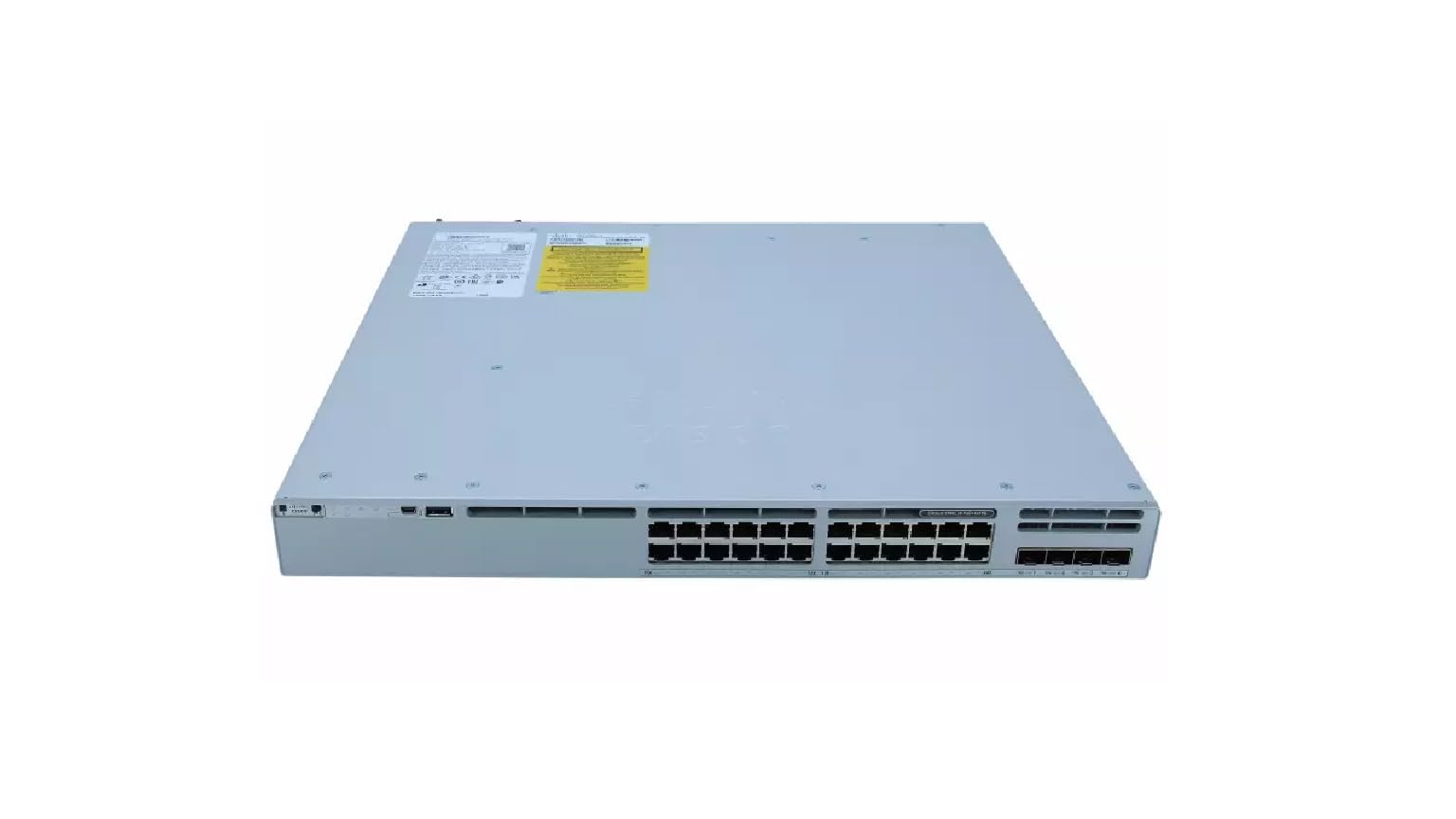
This image displays the rear panel of the Cisco Catalyst C9300L-24P-4X-E switch, highlighting the various ports, cooling fans, and the power supply unit.
Émbaran Kasalametan
Perhatikeun pancegahan kaamanan di handap ieu pikeun nyegah tatu sareng karusakan alat:
- Pastikeun grounding-na bener sateuacan nyambungkeun daya.
- Ulah ngoperasikeun saklar dina lingkungan anu baseuh atanapi lembab teuing.
- Paké ngan disatujuan kabel kakuatan jeung asesoris.
- Pastikeun ventilasi nyukupan pikeun nyegah overheating.
- Cabut daya sateuacan ngalaksanakeun prosedur pangropéa atanapi pamasangan naon waé.
Eusi pakét
Pariksa yén pakét anjeun ngandung barang-barang ieu:
- Cisco Catalyst C9300L-24P-4X-E Switch
- Kabel listrik
- Kit Rack-mount (upami aya)
- Kabel Konsol (RJ-45 ka DB-9)
- Dokuméntasi (Panduan Mimitian Gancang, Inpormasi Kasalametan)
Katerangan fisik
The Cisco Catalyst C9300L-24P-4X-E switch features a robust design for network deployments. The rear panel includes:
- 24 Gigabit Ethernet PoE+ Ports: For connecting network devices and providing power over Ethernet.
- 4x 10Gbps SFP+ Uplink Ports: For high-speed connections to the distribution or core layer.
- Port konsol: For command-line interface access.
- Port USB: Pikeun file management and system configuration.
- Modular Power Supply Bay: For installing power supply units.
- Kipas pendingin: For thermal management.
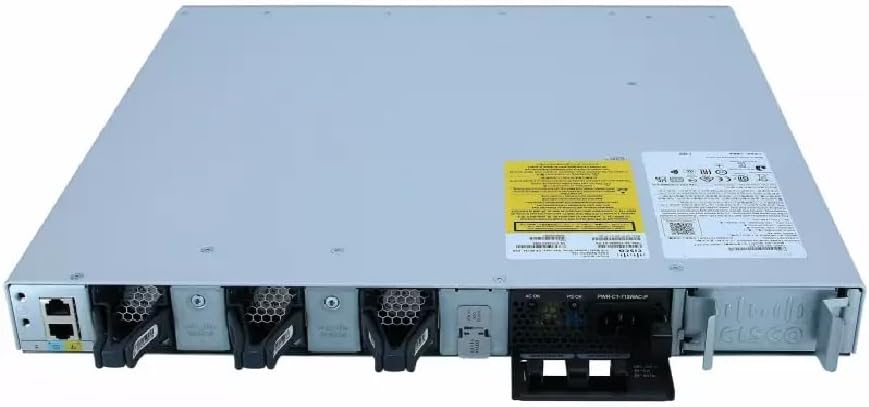
A lengkep view of the rear panel of the Cisco Catalyst C9300L-24P-4X-E switch, illustrating the 24 Gigabit PoE+ ports, four 10Gbps SFP+ uplink ports, and the modular power supply bay.
Disetél
1. Unpacking jeung Inspection
Carefully remove the switch from its packaging. Inspect the device for any signs of physical damage. If damage is found, contact your supplier immediately.
2. Pasang Pindah
The switch can be mounted in a standard 19-inch equipment rack or placed on a desktop.
- Pamasangan Rak-Dipasang: Pasang kurung rak-gunung anu disayogikeun ka sisi saklar nganggo sekrup. Ngamankeun switch kana rak ngagunakeun screws rak luyu.
- Pamasangan Desktop: Ensure the surface is flat, stable, and allows for adequate ventilation around the switch. Attach the rubber feet (if provided) to the bottom of the switch.
3. Nyambungkeun Power
Insert the power cord into the AC power connector on the rear of the switch. Connect the other end of the power cord to a grounded electrical outlet. Ensure the power supply is properly seated in its bay.
4. Sambungan jaringan
- Port PoE +: Connect Ethernet cables from your network devices (e.g., IP phones, access points, surveillance cameras) to the 24 Gigabit PoE+ ports. These ports will provide both data connectivity and power.
- Port Uplink SFP+: Insert compatible SFP+ transceivers into the four 10Gbps SFP+ uplink ports. Connect fiber optic cables from these transceivers to your distribution or core network devices.
- Port konsol: Pikeun konfigurasi awal atanapi ngungkulan masalah, sambungkeun kabel konsol ti workstation manajemen anjeun ka port konsol dina saklar.
Ngoperasikeun Switch
1. Daya Awal Hurung
After connecting power, the switch will automatically power on. Observe the system LED indicators for boot status. The system LED should turn green once the boot process is complete.
2. Konfigurasi Dasar
The Cisco Catalyst C9300L-24P-4X-E runs on Cisco IOS XE. Initial configuration can be performed via the console port using a command-line interface (CLI) or through a web-based graphical user interface (GUI) if enabled. Refer to Cisco's official documentation for detailed configuration guides.
3. Indikator LED
The switch features various LED indicators to provide status information:
- Sistim LED: Indicates overall system status (e.g., green for normal operation, amber for warning).
- LED PoE: Indicates Power over Ethernet status for the ports.
- LED Status Port: Sebutkeun status sareng aktivitas tautan pikeun unggal port jaringan.
Pangropéa
Pangropéa rutin ngajamin kinerja optimal sareng umur panjang saklar anjeun:
- beberesih: Periodically clean the exterior of the switch with a soft, dry cloth. Ensure ventilation openings are free from dust and debris. Do not use liquid cleaners directly on the device.
- Pembaruan firmware: Keep the switch firmware updated to the latest version provided by Cisco. This ensures access to new features, security patches, and performance improvements.
- Kontrol Lingkungan: Maintain the operating environment within specified temperature and humidity ranges to prevent hardware failure.
- Manajemén Kabel: Ensure all cables are neatly organized and properly secured to prevent accidental disconnections or damage.
Pamérésan masalah
If you encounter issues with your switch, consider the following troubleshooting steps:
- Henteu aya kakuatan: Verify the power cord is securely connected to both the switch and the power outlet. Check the power source and any circuit breakers. Ensure the power supply unit is correctly installed.
- Henteu aya konektipitas jaringan: Check the link status LEDs on the affected ports. Ensure Ethernet cables are properly connected and undamaged. Verify connected devices are powered on and functioning correctly.
- Alat PoE Henteu Diaktipkeun: Confirm the PoE+ port is enabled and the device is PoE compatible. Check the PoE budget and ensure it's not exceeded.
- Performance Lambat: Check for network congestion, duplex mismatches, or errors on ports. Ensure uplink bandwidth is sufficient.
- Accessing the Switch: If unable to access via network, try connecting directly to the console port for CLI access.
spésifikasi
| Fitur | Rincian |
|---|---|
| merek | Cisco |
| Nomer modél | C9300L-24P-4X-E |
| Jumlah Palabuhan | 24 Gigabit PoE+ ports, 4x 10Gbps SFP+ uplinks |
| Panganteur | PoE, SFP+ |
| Laju Mindahkeun Data | 1 Gigabits Per Second (Gigabit Ethernet), 10 Gigabits Per Second (Uplinks) |
| Voltage | 240 Volt (AC) |
| Pindah Tipe | Managed, Fixed, PoE+, Layer 2 |
| Case Material Type | palastik |
| Alat nu cocog | Desktop, Laptop, Printer (and other network devices) |
Émbaran jaminan
Produk ieu hadir kalawan a 90 poé jaminan kawates. Please refer to the warranty documentation provided with your purchase for specific terms and conditions. For warranty claims, contact your reseller or the manufacturer's support channels.
Bantosan Téknis
For further assistance, technical support, or advanced configuration guidance, please refer to the official Cisco documentation available on their website. You may also contact your authorized Cisco reseller or support provider for specialized assistance.
Dukungan Cisco Websitus: https://www.cisco.com/c/en/us/support/index.html