1. Bubuka
Thank you for choosing the NightBuddy Tactical LED Flashlight, Model 1. This manual provides essential information for the safe and effective operation, maintenance, and care of your new flashlight. Please read this manual thoroughly before use and retain it for future reference.
The NightBuddy Tactical LED Flashlight is designed for versatility and durability, featuring a powerful 5000-lumen LED, multiple light modes, adjustable focus, and a robust aluminum alloy body. It also includes a USB output for charging other devices and an emergency window breaker.
2. Eusi Paket
Saatos muka bungkusan, mangga pariksa yén sadaya item di handap ieu kalebet:
- 1 x NightBuddy Tactical LED Flashlight
- 1 x Rechargeable Lithium Ion Battery (pre-installed or separate)
- 1 x Kabel Ngecas USB
- 1 x Case Panyimpenan Pelindung
- 1 x Manual Pamaké (dokumén ieu)
3. Spésifikasi
| Fitur | Spésifikasi |
|---|---|
| merek | NightBuddy |
| Nomer modél | 1 |
| Diménsi | 22 x 12.52 x 6.5 cm |
| Beurat | 544 g |
| Bahan | Aluminium Alloy |
| Sumber Cahaya | LED (5000 Lumens) |
| Sumber Daya | 1 x Lithium Ion Battery (included) |
| Peunteun waterproof | IPX7 |
| Modeu Lampu | Luhur, Sedeng, Low, Strobe, SOS |
| Fitur husus | Adjustable Focus, USB Output (Power Bank), Emergency Window Breaker |
4. Setélan
4.1 Pamasangan batré
- Buka tutup buntut senter ku cara muterkeunana sabalikna jarum jam.
- Insert the provided rechargeable Lithium Ion battery with the positive (+) end facing towards the flashlight head.
- Screw cap buntut deui saarah jarum jam nepika aman tightened.
4.2 Ngecas Awal
Before first use, fully charge the flashlight battery. The integrated LED power display will show the battery percentage.
- Locate the USB charging port on the side of the flashlight, usually protected by a rubber cover.
- Open the rubber cover and insert the smaller end of the provided USB charging cable into the flashlight's port.
- Connect the larger end of the USB cable to a compatible USB power adapter (not included) or a computer USB port.
- The LED display will indicate the charging status. Once the display shows 100%, the flashlight is fully charged.
- Disconnect the charging cable and securely close the rubber cover to maintain the IPX7 waterproof rating.
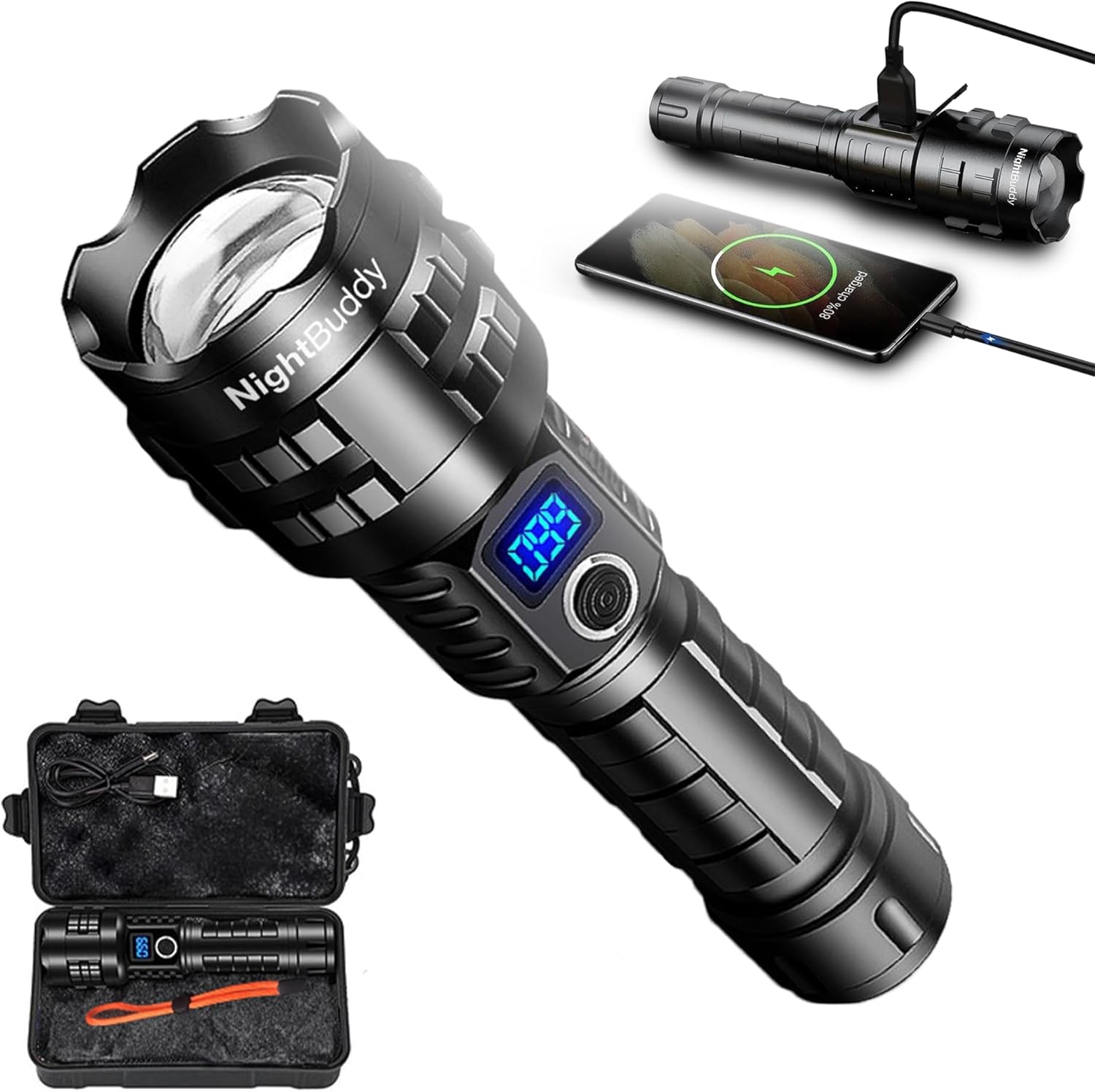
Image: The NightBuddy Tactical LED Flashlight shown with its protective case and a USB charging cable. The flashlight features an LED display and a side button.
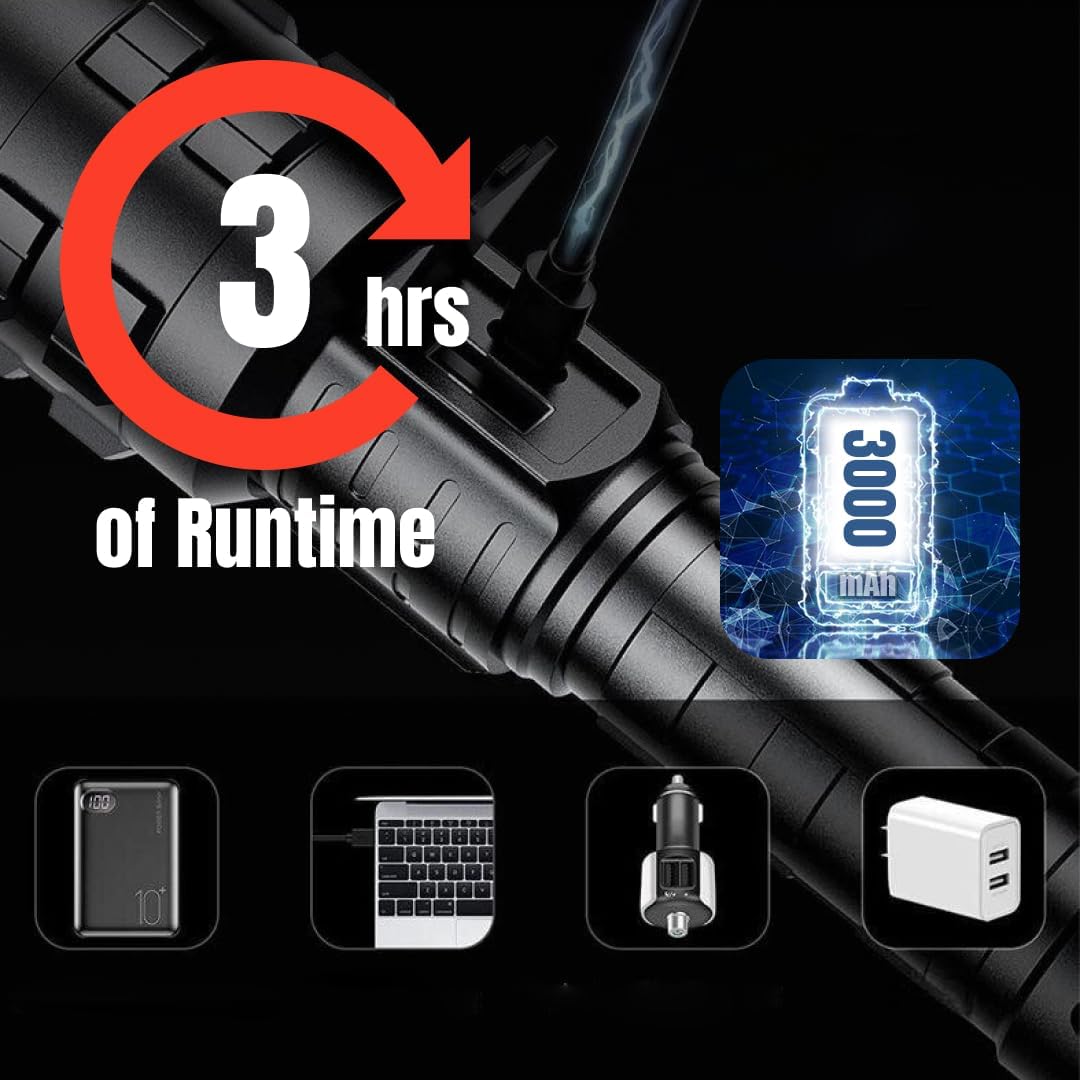
Image: A close-up of the NightBuddy flashlight being charged via its USB port, indicating a 3-hour runtime and a 3000mAh battery capacity. Various charging sources are depicted below.
5. Parentah Operasi
5.1 Daya Hurung / Pareum sareng Modeu Lampu
The flashlight features a single button for power control and mode selection.
- Pikeun Ngahurungkeun/Pareuman: Pencét terus tahan tombol daya salila kurang leuwih 1-2 detik.
- Pikeun Ngarobah Modeu: Once the flashlight is on, short press the power button to cycle through the five available light modes: High, Medium, Low, Strobe, and SOS.
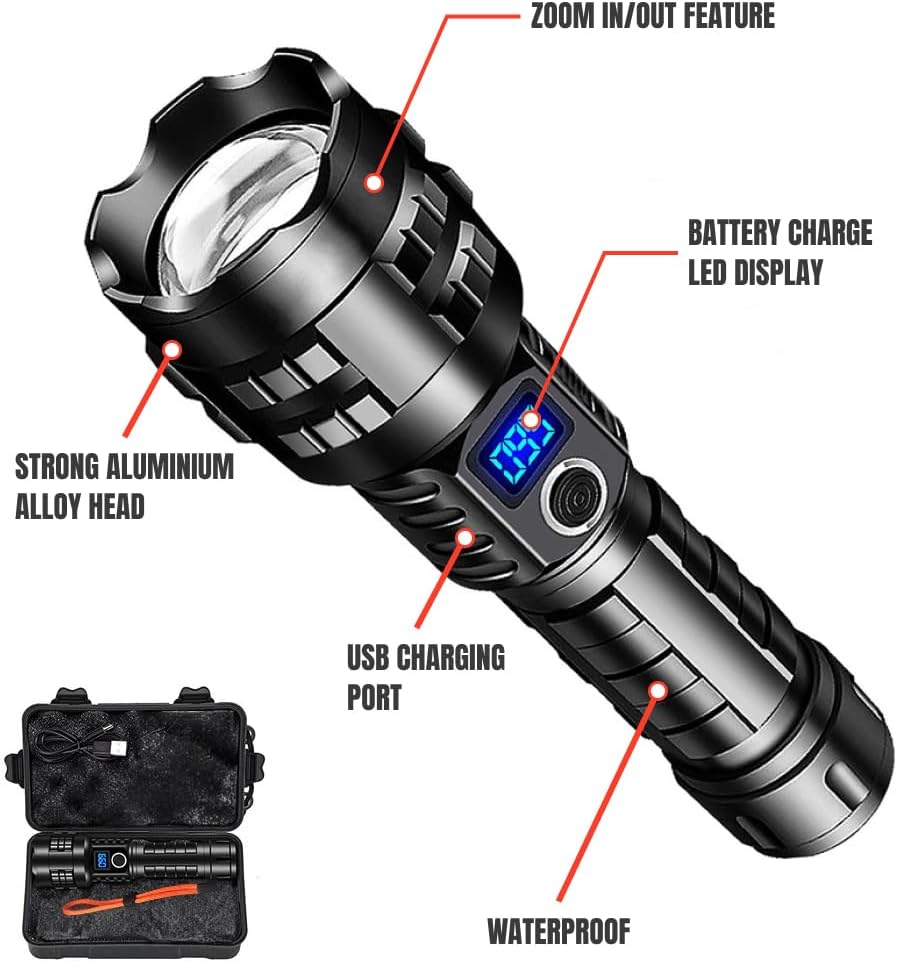
Image: An annotated diagram of the NightBuddy flashlight, pointing out its key features: zoom in/out, battery charge LED display, strong aluminum alloy head, USB charging port, and waterproof design.
5.2 Adjustable Focus (Zoom)
The flashlight head can be extended or retracted to adjust the beam from a wide floodlight to a focused spotlight.
- To Zoom In (Spotlight): Gently push the flashlight head forward to narrow the beam for long-distance illumination.
- To Zoom Out (Floodlight): Gently pull the flashlight head backward to widen the beam for broad area illumination.
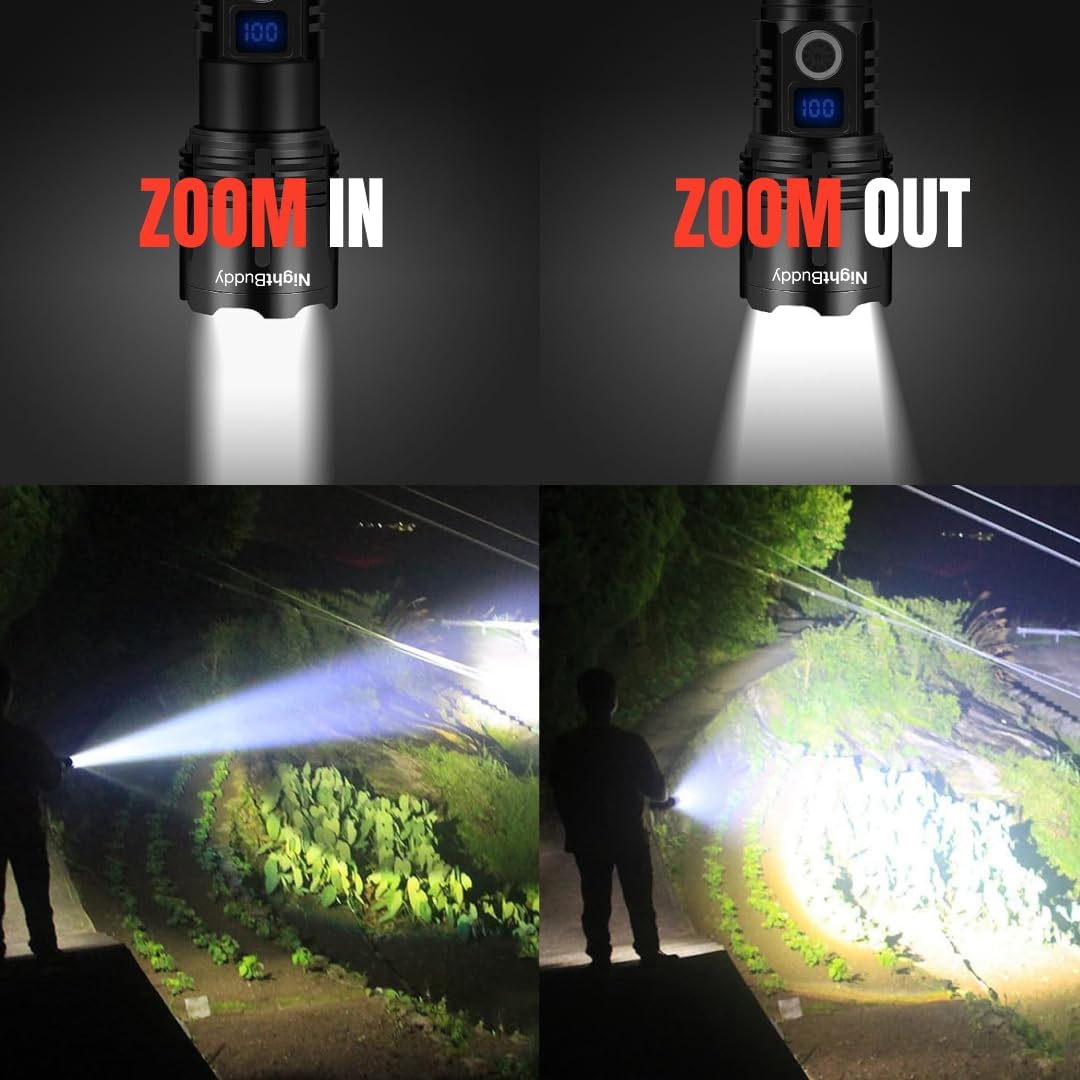
Image: A visual comparison demonstrating the NightBuddy flashlight's adjustable focus. The top shows the flashlight head in 'Zoom In' and 'Zoom Out' positions, while the bottom illustrates the resulting narrow spotlight and wide floodlight beams.
5.3 Power Bank Function (USB Output)
The NightBuddy flashlight can be used to charge other USB-powered devices.
- Pastikeun senter gaduh daya batré anu cekap.
- Open the rubber cover of the USB output port (separate from the charging input port, if applicable).
- Connect your device's charging cable to the flashlight's USB output port.
- Charging will begin automatically. Monitor your device's charging status.
- Once charging is complete, disconnect the cable and securely close the rubber cover.

Image: The NightBuddy flashlight is shown connected via a USB cable to a smartphone, demonstrating its power bank functionality to charge other digital devices.
5.4 Emergency Window Breaker
The tail end of the flashlight is equipped with a hardened point designed for emergency window breaking.
- In an emergency, firmly strike the corner of a vehicle window with the window breaker tip to shatter the glass.
- Use with caution and only in emergency situations.

Image: The NightBuddy flashlight is depicted alongside a shattered car window, illustrating the use of its integrated emergency window breaker feature.
6. Pangropéa
To ensure the longevity and optimal performance of your NightBuddy Tactical LED Flashlight, follow these maintenance guidelines:
- beberesih: Ngusap awak senter ku hipu, damp lawon. Ulah make cleaners abrasive atawa pangleyur.
- Segel waterproof: Regularly inspect the O-rings and seals for any damage or wear. Lubricate them periodically with silicone grease to maintain the IPX7 waterproof rating.
- Perawatan batré: Store the flashlight with a partially charged battery if not used for extended periods. Avoid fully discharging the battery frequently to prolong its lifespan.
- Panyimpenan: Store the flashlight in a cool, dry place, away from direct sunlight and extreme temperatures. Use the provided protective case for safe storage and transport.
7. Cara ngungkulan
If you encounter issues with your NightBuddy Tactical LED Flashlight, refer to the following common problems and solutions:
- Senter teu hurung:
- Pastikeun batréna dipasang kalayan leres kalayan tungtung positif (+) nyanghareup ka sirah.
- Pariksa lamun batréna geus dieusian. Ngecas deui lamun perlu.
- Pastikeun cap buntut sapinuhna pageuh.
- Cahayana redup atawa kedip-kedip:
- Batré bisa jadi lemah. Ngecas batré.
- Bersihkeun kontak batré sareng kontak senter nganggo lawon bersih.
- Ngecas teu jalan:
- Ensure the USB cable is securely connected to both the flashlight and the power source.
- Coba kabel USB atawa adaptor kakuatan béda.
- Pastikeun port ngecas beresih jeung bébas tina lebu.
Lamun masalah persists sanggeus nyobian solusi ieu, mangga ngahubungan rojongan customer.
8. Émbaran Kasalametan
Mangga perhatikeun pancegahan kaamanan di handap ieu:
- Ulah nyorotkeun senter langsung kana panon, sabab cahaya anu tarik pisan tiasa nyababkeun gangguan paningal samentawis atanapi karusakan permanén.
- Jauhkeun tina jangkauan barudak.
- Do not disassemble or modify the flashlight, as this may void the warranty and pose a safety risk.
- Use only the specified type of rechargeable battery.
- Avoid exposing the flashlight to extreme temperatures or open flames.
- Ensure the rubber cover for the charging port is securely closed when not charging to maintain water resistance.
9. Garansi jeung Rojongan
For warranty information or technical support, please refer to the contact details provided with your purchase or visit the official NightBuddy website. Please have your product model number (Model 1) and purchase date available when contacting support.


