
1. Bubuka
The Foscam FNA108HE is an 8-channel Network Video Recorder (NVR) designed for surveillance systems. It supports up to 8 PoE (Power over Ethernet) IP cameras, allowing for simplified installation with power and data transmission over a single Ethernet cable. This NVR records video at up to 8MP resolution per channel and utilizes H.264+ video compression for efficient storage. It offers continuous, motion-detection, and scheduled recording options, and supports a hard drive up to 16TB (not included) for extensive storage. View and manage your surveillance system locally via HDMI/VGA monitor or remotely through a web panganteur.
2. Eusi Paket
- Foscam FNA108HE 8-Channel PoE NVR
- Adaptor kakuatan
- Mouse USB
- Kabel Ethernet
- Gancang Mimitian Guide
- Mounting Screws for HDD (Hard Disk Drive not included)
3. Produk Langkungview
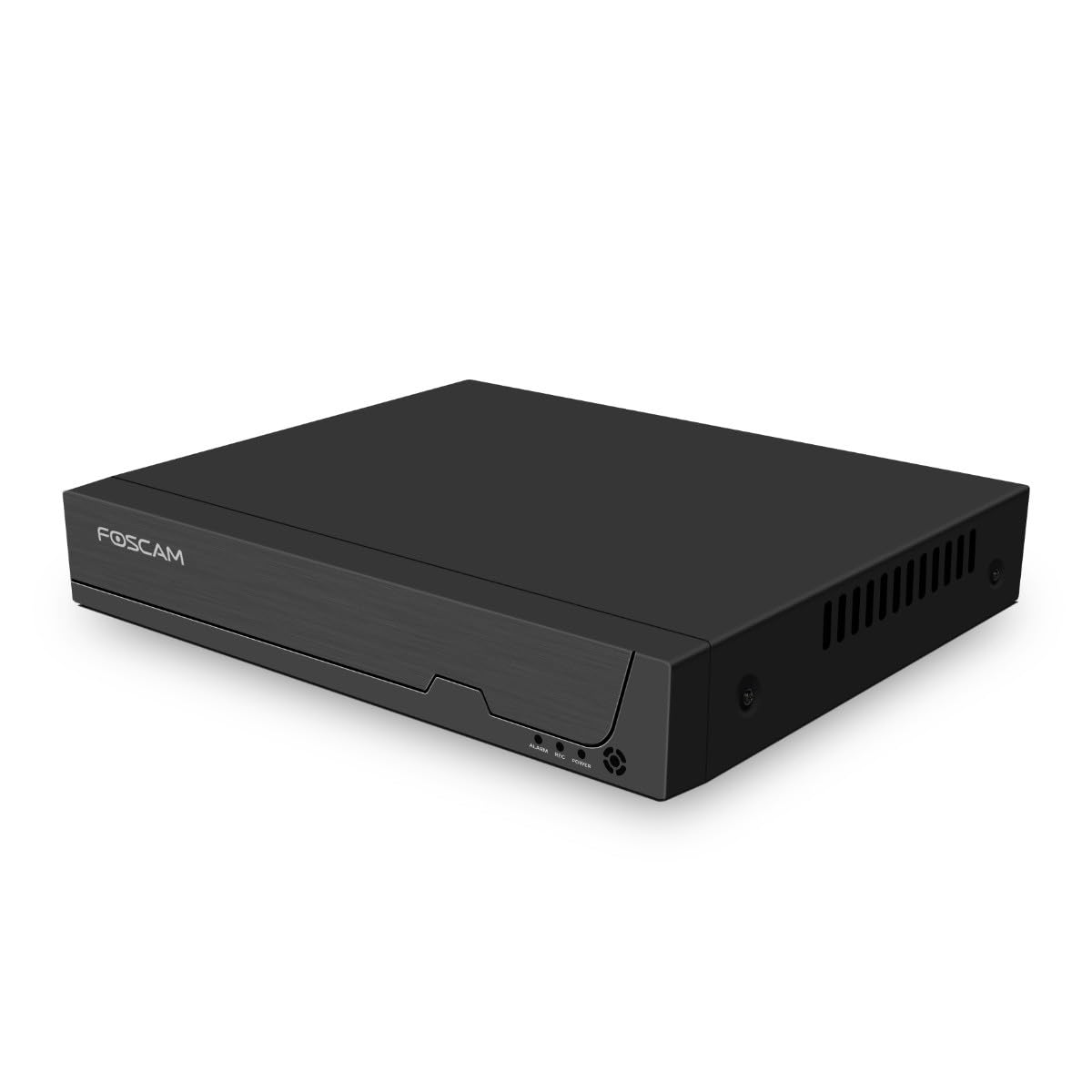
Gambar 3.1: Panel hareup
This image shows the front of the Foscam FNA108HE NVR, featuring the Foscam logo on the left and indicator lights (ALARM, REC, POWER) on the right, along with a navigation button.

Gambar 3.2: Angled View
An angled perspective of the Foscam FNA108HE NVR, highlighting its compact design and the Foscam branding.

Gambar 3.3: Panel Rear
This image displays the rear panel of the Foscam FNA108HE NVR, showing various ports including the power switch, DC 48V power input, 8 PoE ports, LAN port, A-OUT (audio output), VGA port, HD-OUT (HDMI port), and two USB ports.
3.1 Indikator Panel hareup
- kakuatan: Indicates the NVR is powered on.
- REK: Flashes when video is being recorded.
- alarem: Illuminates when an alarm event (e.g., motion detection) is triggered.
3.2 palabuhan Panel pungkur
- Hurungkeun ON / OFF: Powers the NVR on or off.
- DC 48V: Power input for the NVR.
- Palabuhan PoE (1-8): Connect PoE IP cameras. These ports provide both power and data.
- Port LAN: Connects the NVR to your local network/router for internet access and remote viewing.
- A-OUT (Audio Output): Connects to an external speaker for audio output.
- Port VGA: Connects to a VGA monitor for local display.
- HD-OUT (HDMI Port): Connects to an HDMI monitor or TV for local display.
- Port USB (x2): Connect a USB mouse for local control and for USB backup devices.
4. Setélan
4.1 Hard Drive Installation (Optional, HDD not included)
For video recording, a 3.5-inch SATA hard drive is required. Ensure the NVR is powered off before installation.
- Cabut sareng cabut panutup luhur NVR.
- Sambungkeun kabel data sareng daya SATA tina NVR ka hard drive.
- Pasangkeun hard drive kana rangka NVR nganggo sekrup anu disayogikeun.
- Ganti panutup luhur sareng amankeun ku sekrup.
4.2 Panyambung Hardware
- Connect your PoE IP cameras to the PoE ports (1-8) on the NVR's rear panel using Ethernet cables.
- Connect a monitor to the NVR's HD-OUT (HDMI) or VGA port.
- Sambungkeun beurit USB ka salah sahiji port USB NVR.
- Connect the NVR's LAN port to your router or network switch using an Ethernet cable.
- Connect the power adapter to the DC 48V input on the NVR and then plug it into a power outlet.
- Press the ON/OFF switch to power on the NVR.
5. Nyuping
5.1 Setelan sareng Aksés Awal
Upon first boot, the NVR will guide you through an initial setup wizard (password creation, network settings, etc.). You can access the NVR interface locally via the connected monitor and mouse, or remotely via a web browser dina komputer disambungkeun ka jaringan nu sami.
5.2 Hirup View
After logging in, the NVR will display the live video feeds from connected cameras. You can switch between single-camera view, grid multi-kaméra view, and customize the display layout.
5.3 Modeu ngarékam
The NVR supports the following recording modes:
- Rékam Kontinyu: Ngarékam 24/7 tanpa gangguan.
- Ngarekam Deteksi Gerak: Ngarékam ngan nalika aya gerakan anu dideteksi ku kaméra.
- Rekaman Dijadwalkeun: Records according to a predefined schedule (e.g., specific hours of the day).
Configure these settings in the NVR's menu under 'Record' or 'Schedule'.
5.4 Playback
Pikeun ulangview dirékam footage:
- Access the 'Playback' menu on the NVR interface.
- Pilih kaméra sareng rentang tanggal/waktos anu dipikahoyong.
- Use the timeline to navigate through recordings and play back events.
5.5 Aksés Jauh
To access the NVR remotely:
- Ensure the NVR is connected to the internet.
- Configure network settings (e.g., port forwarding) on your router if necessary, or use Foscam's cloud service/P2P feature if available.
- Use the Foscam web interface or mobile application to view live feeds and manage settings from anywhere.
6. Pangropéa
6.1 Manajemén hard drive
Regularly check the status of your hard drive in the NVR's storage settings. If the hard drive is new or has issues, it may need to be formatted through the NVR interface. Ensure sufficient free space for continuous recording.
6.2 Apdet firmware
Periodically check the Foscam official website for firmware updates. Keeping your NVR's firmware updated ensures optimal performance, security, and access to new features. Follow the instructions provided with the firmware update carefully.
7. Cara ngungkulan
- Teu Aya Tampilan Video: Check HDMI/VGA cable connections, ensure monitor is on and set to correct input. Verify NVR is powered on.
- Kaméra Teu Ditembongkeun: Ensure cameras are properly connected to PoE ports. Check camera power and network status. Verify camera IP addresses are within the NVR's range.
- Henteu aya rékaman: Confirm a hard drive is installed and formatted. Check recording schedules and motion detection settings. Ensure HDD has free space.
- Masalah aksés jauh: Verify NVR has internet access. Check network settings, port forwarding, or P2P status. Ensure correct login credentials.
- NVR Teu Nyala: Check power adapter connection and power outlet. Ensure the ON/OFF switch is in the 'ON' position.
8. Spésifikasi
| Fitur | Spésifikasi |
|---|---|
| Nomer modél | FNA108HE |
| merek | Foscam |
| Jumlah Saluran | 8 |
| Kapasitas Panyimpenan Maks. | 16 TB (Hard Drive not included) |
| Komprési Video | H.264 + |
| Jenis Input Video | PoE IP Kaméra |
| Kaluaran Video | HDMI, VGA |
| Kaluaran Audio | A-OUT |
| palabuhan USB | 2 |
| Téhnologi konektipitas | HDMI, USB, VGA, Ethernet (LAN, PoE) |
| Alat nu cocog | Camera, Smartphone, Television |
| Item Beurat | 880 gram |
| Kasadiaan suku cadang | 1 Taun |
9. Garansi jeung Rojongan
This Foscam NVR (Model FNA108HE) typically comes with a manufacturer's warranty. Spare parts are available for 1 year. For detailed warranty information, technical support, or service inquiries, please refer to the official Foscam websitus atanapi ngahubungi dukungan palangganna sacara langsung. Simpen resi pameseran anjeun kanggo klaim garansi.