1. Bubuka
Thank you for choosing the AROMA NB126 Beast Wireless Earbuds. These earbuds are designed to provide a superior audio experience with features like extended playtime, touch controls, and seamless connectivity. This manual will guide you through the setup, operation, and maintenance of your new device.
2. Naon dina Box
Mangga parios eusi pakét pikeun mastikeun yén sadaya barang aya:
- AROMA NB126 Beast Wireless Earbuds
- Kasus Ngecas Nirkabel
- Kabel Ngecas USB Tipe-C
- Bantalan Ceuli (rupa-rupa ukuran)
- Manual pangguna (dokumén ieu)
3. Setélan
3.1 Ngecas Earbuds sareng Case
Saméméh dipaké munggaran, eusian pinuh ku earbuds jeung wadah ngecas.
- Teundeun earbuds kana wadah ngecas. Pastikeun aranjeunna leres seated dina slot masing-masing.
- Sambungkeun kabel ngecas USB Tipe-C kana port ngecas dina casing sareng tungtung anu sanésna kana adaptor daya USB (henteu kalebet) atanapi port USB komputer.
- The indicator lights on the case will show the charging status. Once fully charged, the lights will indicate a full battery or turn off.
The AROMA NB126 Beast features Type-C Fast Charging for quick power replenishment.

Image: Charging case with Type-C port. The earbuds are shown inside the case, indicating the charging process.
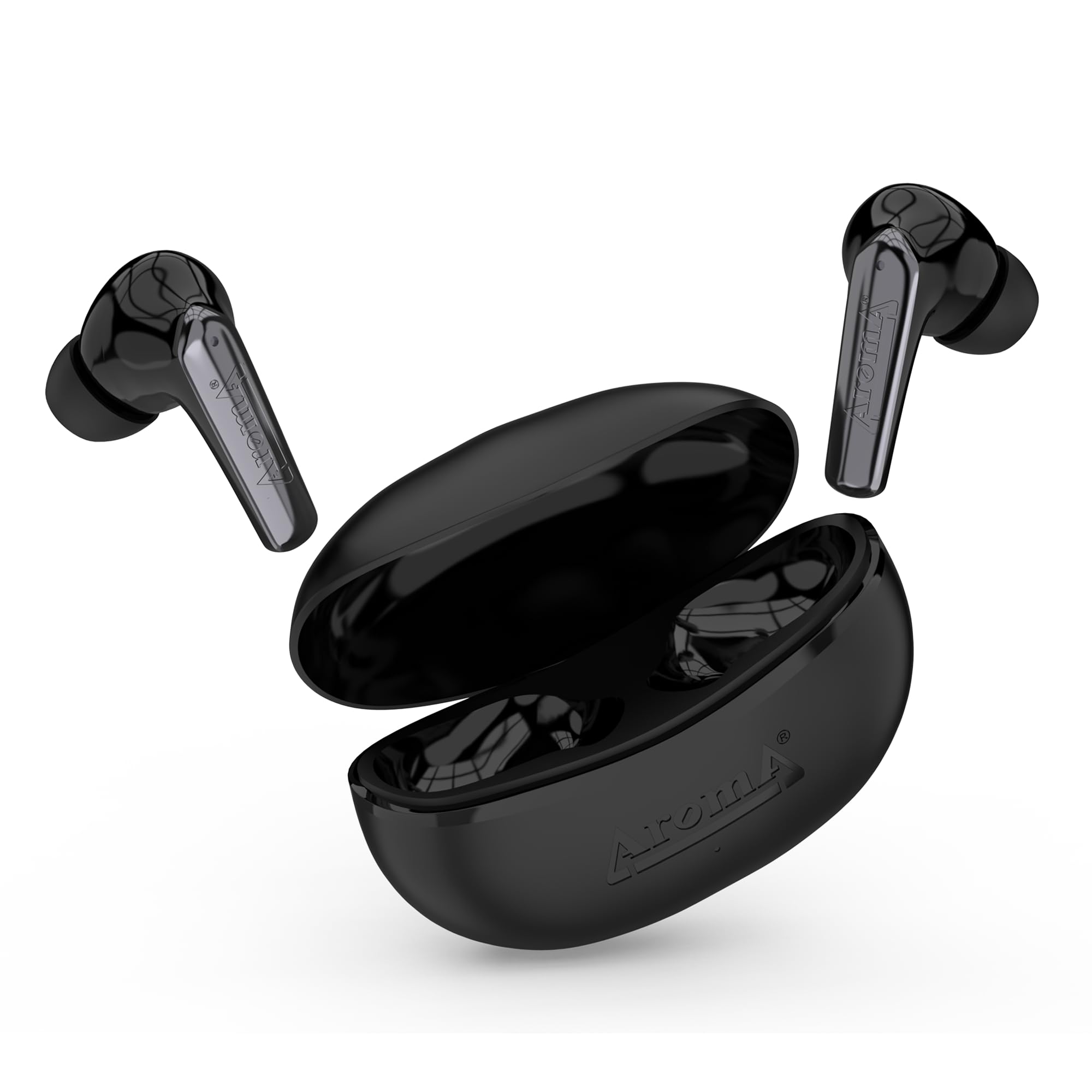
Image: Earbuds and charging case illustrating the 40 hours of total playtime, with 6 hours for earbuds playing time and 10 hours for talk time.
3.2 Papasangan awal
To connect your earbuds to a device for the first time:
- Buka wadah ngecas. Earbud bakal otomatis hurung sareng lebet kana modeu pairing (ditunjukkeun ku lampu LED anu kedip-kedip dina earbud).
- Dina smartphone Anjeun atawa alat Bluetooth-diaktipkeun, buka setélan Bluetooth.
- Milarian pikeun available devices and select "AROMA NB126 Beast" from the list.
- Saatos nyambung, lampu indikator earbud bakal eureun kedip-kedip, sareng anjeun bakal ngadangu nada konfirmasi.
The integrated Hall Switch allows the earbuds to automatically power on and connect to the last paired device when the case is opened.
4. Parentah Operasi
4.1 Kontrol Toél
The AROMA NB126 Beast earbuds feature intuitive touch controls for various functions:
- Puter / Reureuh: Ketok tunggal dina boh earbud.
- Lagu salajengna: Ketok dua kali dina earbud katuhu.
- Lagu Sateuacanna: Ketok dua kali dina earbud kénca.
- Ngajawab / mungkas Telepon: Ketok tunggal dina boh earbud nalika aya telepon asup.
- Nolak Telepon: Pencet jeung tahan boh earbud salila 2 detik dina mangsa telepon asup.
- Aktipkeun Asisten Sora: Ketok tilu kali dina boh earbud.
- Volume Up: Pencét terus tahan earbud katuhu.
- Volume Turun: Pencét terus tahan earbud kénca.
4.2 Asistén Sora
Activate your device's voice assistant (Siri, Google Assistant, etc.) by triple-tapping either earbud. You can then issue commands through the earbud's built-in microphone.
4.3 Dual Pairing Mode
The earbuds support dual pairing, allowing them to be connected to two devices simultaneously. To use this feature:
- Pair the earbuds with the first device as described in Section 3.2.
- Disconnect the earbuds from the first device's Bluetooth settings. The earbuds will re-enter pairing mode.
- Pasangkeun earbud sareng alat kadua.
- Reconnect the earbuds to the first device from its Bluetooth settings. The earbuds should now be connected to both devices, allowing seamless switching between them.

Image: The AROMA NB126 Beast earbuds and open charging case, representing the dual pairing capability for connecting to multiple devices.
5. Pangropéa
5.1 beberesih
Pikeun ngajaga kinerja sareng kabersihan anu optimal:
- Lembut usap earbuds sareng wadah ngecas ku lawon anu lemes, garing, teu aya serat.
- Ulah make bahan kimia kasar, pangleyur beberesih, atawa detergents kuat.
- Clean the ear tips regularly to remove earwax buildup. You can remove the silicone tips and wash them with mild soap and water, ensuring they are completely dry before reattaching.
5.2 Panyimpenan
Upami teu dianggo, sok simpen earbud dina wadah ngecasna pikeun ngajagi tina lebu, karusakan, sareng supados tetep ngecas.
6. Cara ngungkulan
If you encounter any issues with your AROMA NB126 Beast earbuds, please refer to the following common solutions:
| Masalah | Solusi anu mungkin |
|---|---|
| Earbuds teu dipasangkeun |
|
| Teu aya sora ti hiji earbud |
|
| Kasus ngecas teu ngecas |
|
| Kadali toél teu ngaréspon |
|
7. Spésifikasi
Detailed technical specifications for the AROMA NB126 Beast Wireless Earbuds:
| Fitur | Rincian |
|---|---|
| Ngaran modél | NB126 Beast |
| Téknologi Komunikasi Nirkabel | Bluetooth |
| Faktor Bentuk | Dina Ceuli |
| Métode kontrol | Toél |
| Kahirupan Batré (Total) | Nepi ka 40 Jam (kalayan wadah ngecas) |
| Earbuds Maén Time | 6 Jam |
| Earbuds Talk Time | 10 Jam |
| Port ngecas | USB Tipe-C |
| Fitur husus | Splashproof, Sweatproof, Hall Switch, Voice Assistant, Dual Pairing |
| Format mikropon | Diwangun-Di |
| Bahan | palastik |
| Item Beurat | 100 g |
| Dimensi produk | 5 x 2.6 x 5 cm |

Gambar: Ngabeledug view of an earbud highlighting the 10mm drive for immersive sound.
8. Émbaran jaminan
AROMA products are manufactured to the highest quality standards. This product is covered by a limited warranty against manufacturing defects. Please refer to the warranty card included in your package or visit the official AROMA websitus pikeun istilah jeung kaayaan jaminan lengkep.
9. Rojongan
For further assistance, technical support, or customer service, please contact AROMA customer support:
- Surélék: care@aroma-accessories.com
- Email for Repairs: repair@aroma-accessories.com
- Online: Visit the official AROMA websitus pikeun FAQs jeung sumber rojongan.


