1. Bubuka
The Frigga V5C is a single-use, real-time temperature and humidity data logger designed for monitoring environmental conditions during transit and storage. It utilizes 4G/5G connectivity to provide real-time data, location tracking, and alerts, making it suitable for applications such as pharmacy cold chain logistics, ocean tracking, and other sensitive shipments. This manual provides instructions for the proper use and operation of your Frigga V5C data logger.
2. Produk Langkungview
2.1 Fitur konci
- Pangimeutan Real-Time: Monitors temperature, humidity, weak light, location, and shock information throughout the transit process.
- Dual PDF Report System: Ensures data integrity with cloud storage for traceability and a USB port for backup PDF data download.
- Built-in 4G+2G SIM Card: Global LTE 4G/5G with 2G fallback, operating up to 120 days on a full charge with a 1-hour uploading interval. Provides instant notifications for deviations.
- Accurate Temperature & Humidity Data: Measuring range of -22°F ~ +158°F (-30°C ~ +70°C) and humidity 5%~95%RH.
- Ocean Freight Tracking: Advanced positioning technology for container location and route optimization.
- Multi-Aplikasi: Suitable for food cold chain logistics, pharmaceutical, dry ice & liquid nitrogen storage, and laboratory use.
- Layar LCD: Large LCD screen displays current temperature, MAX/MIN values, and environmental conditions.
2.2 Eusi pakét
- 1 x Frigga V5C Real-Time Temperature Humidity Data Logger (Single Use)
- 1 x Kartu Garansi
2.3 Tata Tata Alat
The Frigga V5C data logger features a clear LCD display, two control buttons (STOP and START/STATUS), and indicators for alarm and OK status. A USB port is integrated for data download.

Gambar 1: Hareupeun view of the Frigga V5C Data Logger, showing the LCD screen, STOP and START/STATUS buttons, and status indicators.
3. Setélan
The Frigga V5C data logger is designed for single-use and comes pre-configured and pre-charged for immediate deployment. No initial setup or charging is typically required before starting a trip, as it includes a built-in Lithium Ion battery.
- Pra-Cék: Before deployment, visually inspect the device for any physical damage.
- Aktipkeun: The device is activated by pressing the START/STATUS button to begin logging. Ensure the device is placed in the environment to be monitored before activation.
4. Parentah Operasi
4.1 Starting a Trip
- To begin data logging, press and hold the START/STATUS button for approximately 3 seconds until the 'REC' icon appears on the LCD screen, indicating that recording has started.
- The device will automatically connect to the 4G/5G network and begin transmitting real-time data to the Frigga Cloud Platform at the pre-set interval (e.g., 1 hour).
4.2 Stopping a Trip
- To stop data logging, press and hold the EUREUN button for approximately 3 seconds. The 'REC' icon will disappear.
- Once stopped, the device will finalize the data log.
4.3 Émbaran Témbongkeun LCD
The LCD screen provides real-time information about the device status and environmental conditions.

Figure 2: Explanation of icons and information displayed on the Frigga V5C LCD screen, including signal strength, battery level, temperature, and alarm status.
- Ikon Sinyal: Indicates network connectivity strength.
- Ikon batré: Nembongkeun umur batre sésana.
- Ikon REC: Indicates active recording.
- Nilai Suhu: bacaan suhu ayeuna.
- MAX / Mnt: Maximum and minimum recorded temperatures.
- Status alarem: Indicates if an alarm threshold has been triggered.

Figure 3: Visual representation of the Frigga V5C monitoring various parameters including temperature, humidity, light, location, and shock.
5. Manajemén Data
5.1 Real-Time Monitoring via Cloud Platform
The Frigga V5C transmits data in real-time to the Frigga Cloud Platform, providing continuous visibility of your shipment's conditions.

Figure 4: Illustration of real-time temperature logger tracking with complete trip visibility across a map.

Figure 5: Depiction of 24-hour real-time monitoring and instant alerts via app, email, and SMS.
- Ngaksés Data: Log in to the Frigga Cloud Platform (cloud.friggatech.com) or use the Frigga mobile application to view real-time temperature, humidity, location, and other data.
- Panggeuing: Receive instant notifications via email, SMS, or app for any deviations from pre-set thresholds.
- Remote Parameter Setting: Adjust temperature units, alarm ranges, and data logging intervals remotely via the cloud platform.
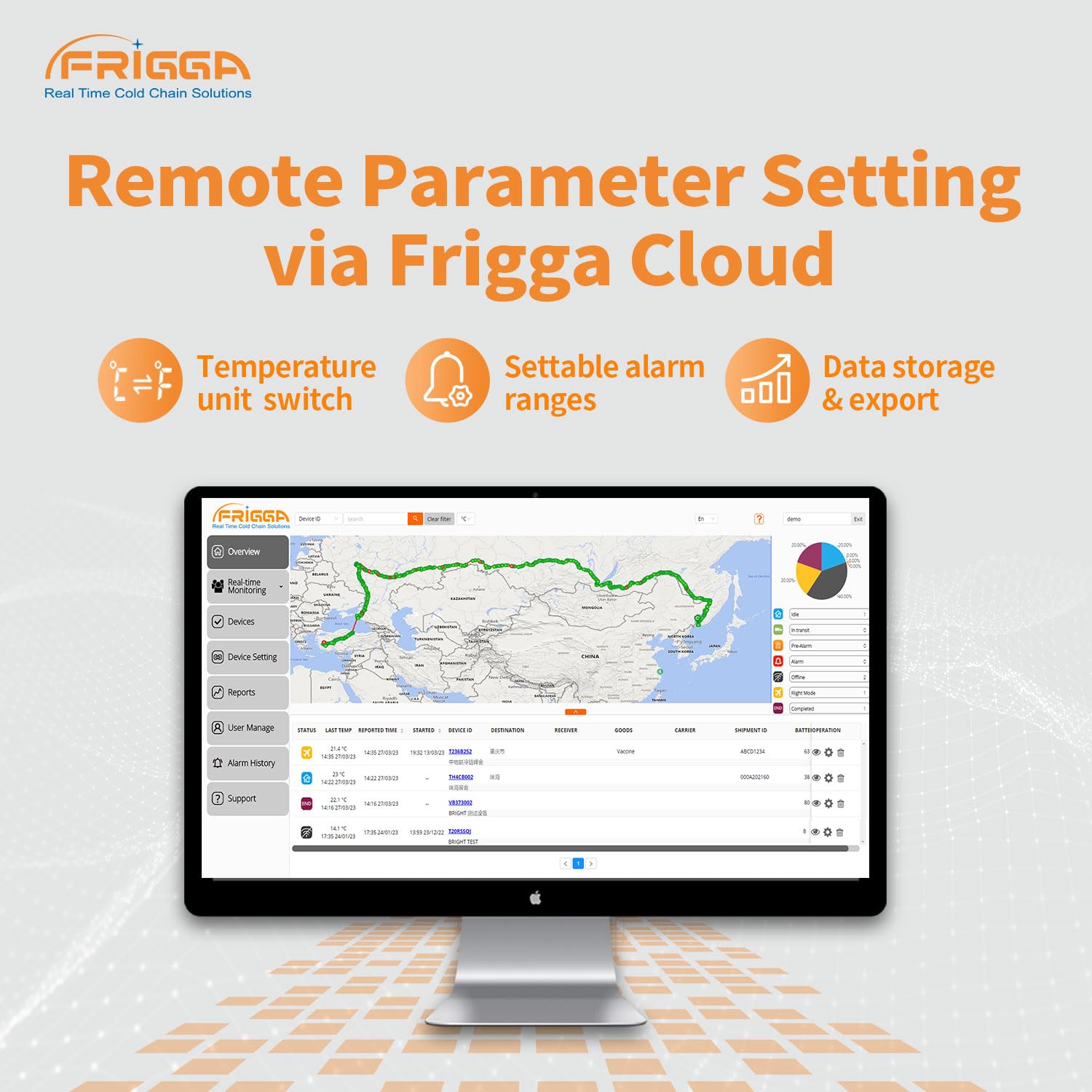
Figure 6: Screenshot of the Frigga Cloud interface demonstrating remote parameter setting capabilities.
5.2 Offline Data Backup and Report Export
The device stores up to 28,800 points of offline data, ensuring no data loss even if network connectivity is interrupted. Data is retransmitted once the signal is restored.
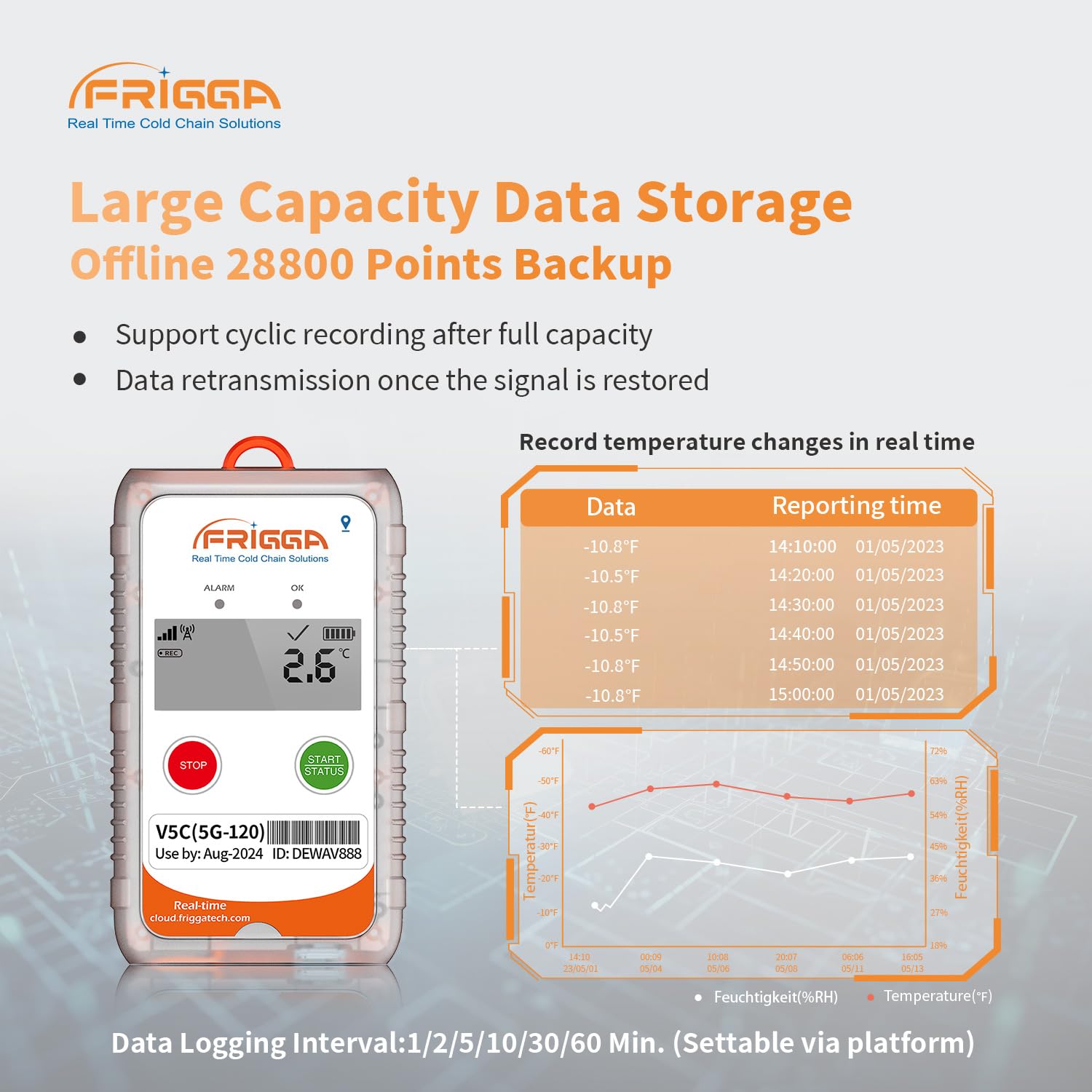
Figure 7: Display showing the data logger's large capacity data storage and offline backup capabilities, including a data table and graph.
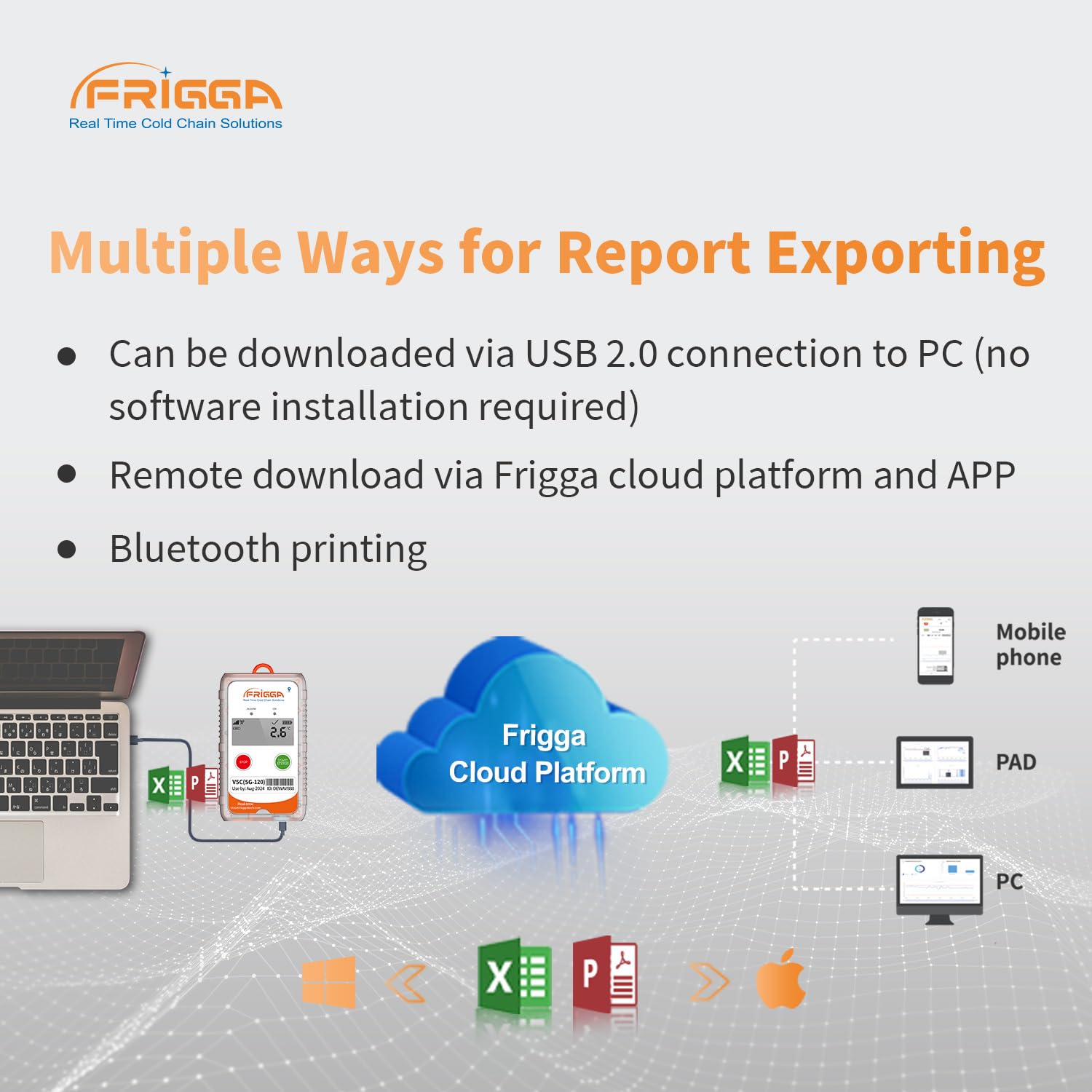
Figure 8: Diagram illustrating various methods for report exporting, including USB connection to PC, Frigga Cloud Platform, and mobile app.
- Unduh USB: Connect the data logger to a PC via its USB 2.0 port. The device will generate a PDF report automatically, which can be downloaded without requiring special software.
- Remote Download: Download reports remotely via the Frigga Cloud Platform or the mobile application.
- Dual PDF Report System: Data is stored both in the cloud for traceability and locally for USB download, providing redundancy and ensuring data availability.

Gambar 9: A pamaké viewing a data report on a computer, demonstrating remote data export capabilities through the Frigga Cloud Platform.
6. Spésifikasi
| Fitur | Spésifikasi |
|---|---|
| Modél | V5C (Li-120day) |
| Konektipitas | 4G/5G LTE, 2G fallback |
| Rentang Suhu | -22°F ~ +158°F (-30°C ~ +70°C) |
| Akurasi Suhu | ±0.5°C (-20°C~ +40°C), ±1°C for other ranges |
| Range Kelembapan | 5% ~ 95% RH |
| Akurasi asor | ±3% (20%~80%RH), ±5% for other ranges |
| Kapasitas Panyimpenan Data | 28,800 points (offline backup) |
| Kahirupan batré | Up to 120 days (at 1-hour uploading interval) |
| Jenis Batré | 1 batré Litium Ion (kaasup) |
| Diménsi | 6.1 x 4.3 x 3.15 inci |
| Beurat | 7.84 ons |
| Format Laporan | PDF (USB download), Cloud Platform reports |
7. Cara ngungkulan
- No Signal/Data Transmission: Ensure the device is in an area with 4G/5G network coverage. If in an enclosed container, data will be transmitted once coverage is re-established.
- Alat Teu Bisa Dimimitian: Press and hold the START/STATUS button firmly for 3 seconds. If it still doesn't start, check the battery indicator on the LCD. Although designed for 120 days, extreme conditions or prolonged storage might affect battery.
- Cannot Download PDF via USB: Ensure the device is properly connected to a PC's USB port. Try a different USB port or cable. No special drivers are typically needed.
- Bacaan teu akurat: Ensure the sensor is not obstructed and the device is placed in a location representative of the environment being monitored. Avoid direct sunlight or extreme localized heat/cold sources.
- Alarm disada teu disangka-sangka: Review the alarm thresholds set on the Frigga Cloud Platform to ensure they match your requirements.
8. Garansi jeung Rojongan
Your Frigga V5C data logger comes with a warranty. Please refer to the included warranty card for specific terms and conditions. For technical assistance, certification reports, or any other inquiries, Frigga offers 24/7 technician support via email.
- Kontak Rojongan: Refer to the contact information provided on your warranty card or visit the official Frigga websitus pikeun detil rojongan.
- Aksés Manual Pamaké: You can scan the QR code on the warranty card to access the user manual online.


