Bubuka
Thank you for choosing the JLab JBuds Lux ANC Wireless Headphones. This manual provides essential information for setting up, operating, maintaining, and troubleshooting your new headphones. Please read it carefully to ensure optimal performance and longevity of your device.

Figure 1: JLab JBuds Lux ANC Wireless Headphones, Sage color.
Disetél
1. Komponén Kaasup
- JLab JBuds Lux ANC Wireless Headphones
- Kabel Ngecas USB-C
- Manual pangguna (dokumén ieu)
2. Ngecas Headphone Anjeun
- Locate the USB-C charging port on your headphones.
- Connect the provided USB-C cable to the headphones and a compatible USB power source.
- Allow approximately 2.5 hours for a full charge. A full charge provides up to 70 hours of playtime (40+ hours with Active Noise Cancelling on).
3. Papasangan Bluetooth
- Ensure your headphones are powered off.
- Pencét jeung tahan kenop daya nepi ka indikator LED hurung bulao jeung beureum, nunjukkeun mode papasangan.
- On your device (smartphone, tablet, laptop), go to Bluetooth settings and select "JBuds Lux ANC" from the list of available devices.
- Sakali disambungkeun, indikator LED bakal ngahurungkeun biru padet.
- For Android devices, Google Fast Pair allows for effortless pairing.
4. Kustomisasi Aplikasi JLab
Download the JLab App from your device's app store to customize your sound experience. The app allows you to adjust ANC/Be Aware settings, touch controls, sound preferences (JLab Signature, Balance, Bass Boost), and set safe hearing volume limits. You can also receive software updates through the app.

Figure 2: Customizing settings via the JLab App.
Ngoperasikeun Headphone Anjeun
1. Kadali
The headphones feature intuitive button and app controls. Refer to the included quick start guide for a detailed diagram of button functions for playback, volume, calls, and mode switching.
2. Smart Active Noise Cancelling (ANC) & Be Aware Mode
Activate Smart Active Noise Cancelling to eliminate external distractions up to 35 dB, providing an immersive audio experience. Switch to Be Aware mode to allow ambient sounds to pass through, keeping you connected to your surroundings for safety or convenience.

Figure 3: Utilizing Smart ANC and Be Aware Mode.
3. Spatial Audio Compatibility
Experience immersive sound with Spatial Audio, compatible with applications such as Dolby Atmos, Tempest 3D AudioTech, and Windows Sonic. This feature enhances audio depth and clarity, making you feel part of the action.
4. Bluetooth Multipoint & Wireless Share Mode
- Multipoint Bluetooth: Seamlessly connect to and toggle between two devices simultaneously, such as your phone and laptop, for added convenience.
- Wireless Share Mode: Share audio wirelessly between two JBuds Lux headphones, allowing two users to listen to the same content.
5. Telepon Anu Jelas
Equipped with cutting-edge noise-canceling microphones, these headphones ensure clear and uninterrupted communication during calls. External disturbances are minimized for an impeccable conversation experience.

Figure 4: Clear communication with noise-canceling microphones.
Comfort & Design
1. Cloud Foam Comfort
The Form-Fit Earcups are ergonomically shaped to the natural outline of the ear. The 1-inch Cloud Foam cushions and adjustable hinges provide customized comfort for extended wear during travel, workouts, or commutes.

Gambar 5: Detil view of Cloud Foam earcups for ultimate comfort.
2. Desain Foldable
The headphones feature a foldable design with rotating earcups, making them easy to store and carry, enhancing portability for on-the-go use.
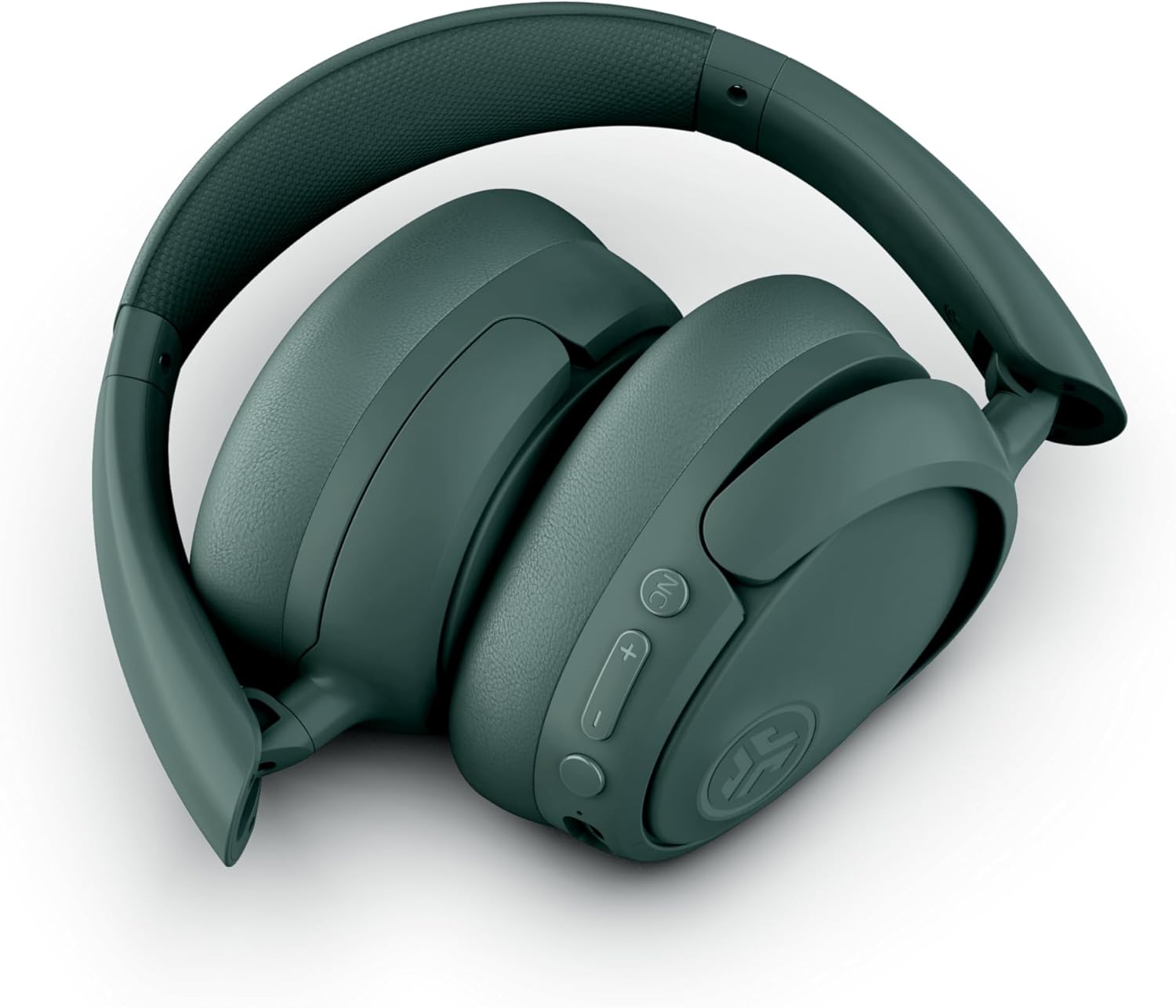
Figure 6: Foldable design for easy storage and portability.
Pangropéa
- beberesih: Anggo lawon anu lemes sareng garing pikeun ngabersihkeun headphone. Hindarkeun nganggo bahan kimia anu keras atanapi bahan anu kasar.
- Panyimpenan: Nalika henteu dianggo, simpen headphone dina tempat anu tiis sareng garing, langkung saé dina posisi narilep pikeun ngajagi headphone tina karusakan.
- Tahan cai: The headphones are water resistant. Avoid submerging them in water or exposing them to excessive moisture.
Pamérésan masalah
- Henteu aya kakuatan: Pastikeun headphone dicas pinuh.
- Teu Bisa Dipasangkeun: Pastikeun Bluetooth diaktipkeun dina alat anjeun sareng headphone aya dina modeu papasangan. Coba hurungkeun deui kadua alat éta.
- Henteu aya sora: Pariksa tingkat volume dina headphone sareng alat anu nyambung. Pastikeun headphone dipasangkeun kalayan leres.
- ANC Teu Gawé: Verify that Active Noise Cancelling is enabled via the button on the headphones or through the JLab App.
- Kualitas Telepon goréng: Ensure the microphones are not obstructed and you are in an area with good signal strength.
spésifikasi
| Fitur | Rincian |
|---|---|
| Ngaran modél | JBuds Lux ANC |
| Téhnologi konektipitas | Nirkabel (Bluetooth 5.4) |
| Wangun Earpiece | Leuwih-Ceuli |
| Kontrol bising | Active Noise Cancellation, Be Aware mode |
| Kahirupan batré | Up to 70 Hours (40+ Hours with ANC) |
| Waktu Ngecas | 2.5 Jam |
| Rentang Bluetooth | 10 méter |
| Tipe Kontrol | Button and App Control |
| Item Beurat | 235 Gram (8.3 ons) |
| Dimensi produk | 6.13 x 3.23 x 7.47 inci |
| Tingkat Résistansi Cai | Tahan cai |
| Bahan | Kulit Faux, Plastik |
Garansi sareng Rojongan
Kanggo inpormasi garansi, pendaptaran produk, sareng dukungan téknis, mangga buka JLab resmi website or contact JLab customer service. Details can typically be found on the manufacturer's websitus atanapi dina bungkusan produk.


