1. Bubuka
This manual provides instructions for the GHUST ERF2B36H replacement remote control, designed for use with various Hisense Smart TV models. This remote offers a direct replacement solution without requiring complex programming or setup.
2. Kasaluyuan
The GHUST ERF2B36H remote control is compatible with the following Hisense Smart TV models:
- EN2D36H
- 32A45GV, 32A35HUV
- 40A45GV, 40A35HUV
- 43A6GV, 43A45GV, 43A35HUV
- 50A6GV
- 55A6GV
- 65A6GV
- EN2B36H, ERF2D36H, ERF2M36H, ERF2I36H, ERF2J36H, ERF2R36H
Please verify your TV model number against this list to ensure compatibility.
3. Setélan
The GHUST ERF2B36H remote control requires no programming or complex setup. Simply install batteries to begin operation.
3.1 Pamasangan batré
- Panggihan kompartemen batré dina tonggong kadali jauh.
- Geser panutup kompartemen batré ka handap pikeun mukakeunana.
- Selapkeun dua (2) batré AAA, mastikeun terminal positip (+) jeung négatif (-) align bener jeung markings jero kompartemen nu.
- Geser panutup kompartemen batré deui kana tempatna nepi ka klik aman.

Figure 3.1: Battery compartment with AAA batteries. Batteries are not included with the remote control.
The remote is now ready for use with your compatible Hisense Smart TV.
4. Parentah Operasi
This remote control provides intuitive access to all standard functions of your Hisense Smart TV. Its design emphasizes precise control and ease of use.
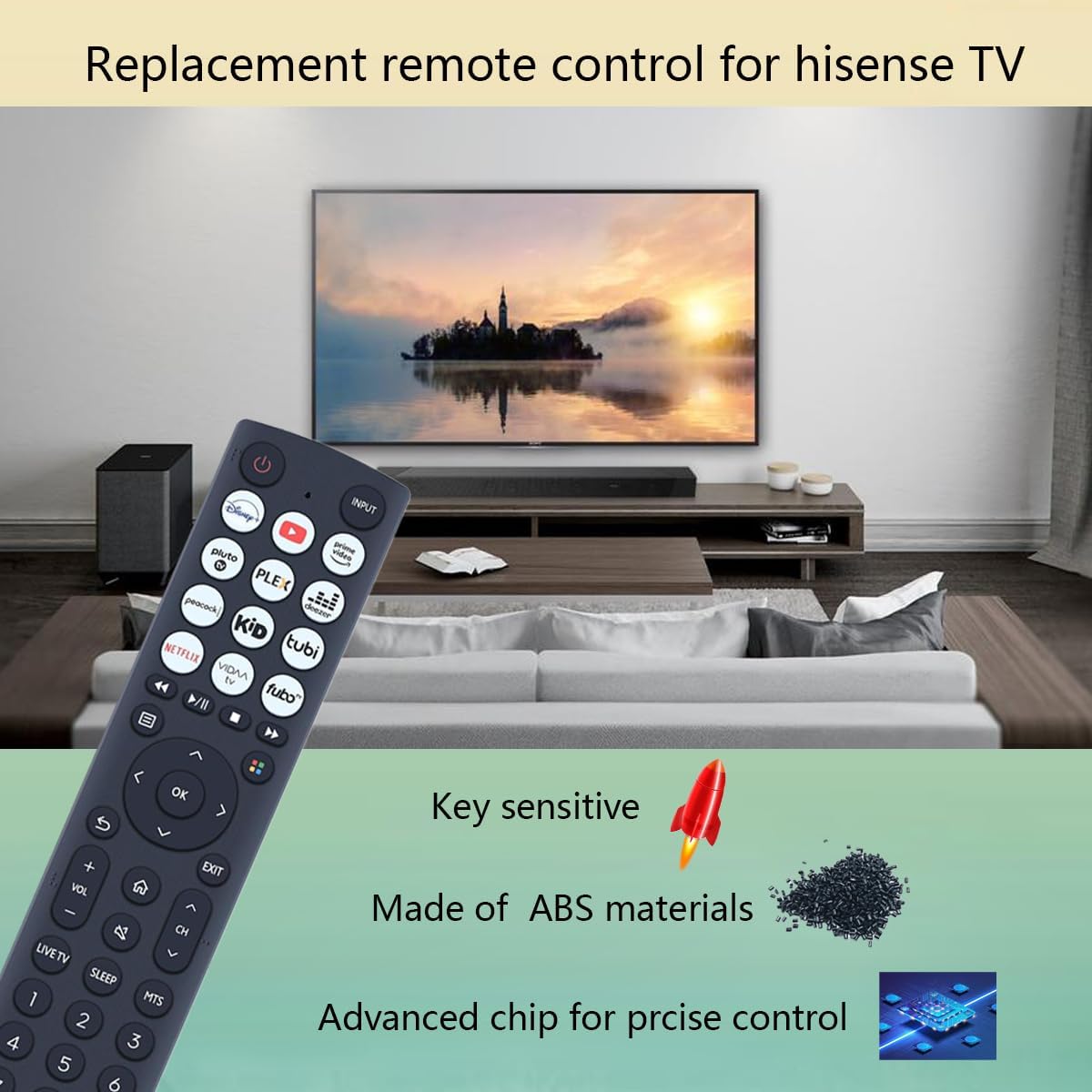
Figure 4.1: The GHUST ERF2B36H remote control in use with a Hisense Smart TV.
4.1 Fungsi Dasar
- Tombol Daya: Ngahurungkeun atawa mareuman TV.
- Tombol Input: Siklus ngaliwatan sumber input sadia (HDMI, AV, jsb).
- Volume Kaluhur/Turun: Nyaluyukeun tingkat volume TV.
- Saluran luhur/handap: Robah saluran TV.
- Pad Navigasi (Kaluhur/Turun/Kénca/Katuhu/OK): Dipaké pikeun nganapigasi ménu jeung milih pilihan.
- Back/Exit Buttons: Mulih ka layar saméméhna atawa kaluar hiji ménu.
- Tombol potong kompas aplikasi: Direct access to popular streaming applications (e.g., Netflix, YouTube, Disney+).
- Pad Nomer: For direct channel entry.

Figure 4.2: Features of the GHUST ERF2B36H remote control.
5. Pangropéa
Pikeun mastikeun umur panjang sareng kinerja optimal tina kadali jauh anjeun, turutan tungtunan pangropéa ieu:
- Ngagantian batré: Replace batteries when the remote's response becomes sluggish or stops working. Always replace both batteries simultaneously with new AAA batteries.
- beberesih: Ngusap kadali jauh ku lawon lemes, garing. Keur kokotor bandel, enteng dampen lawon jeung cai. Hindarkeun ngagunakeun bahan kimia anu kasar atanapi pembersih abrasive.
- Panyimpenan: Nyimpen remote di tempat anu tiis sareng garing jauh tina sinar panonpoé langsung sareng suhu anu ekstrim.
- Daya tahan: The remote is constructed from high-quality ABS material for enhanced durability. However, avoid dropping the remote or exposing it to excessive force.
6. Cara ngungkulan
If you encounter issues with your remote control, refer to the following troubleshooting steps:
- Jauh Teu Ngabales:
- Pariksa naha batréna dipasang kalayan leres sareng polaritas anu leres (+/-).
- Ganti batré anu lami ku batré AAA anu énggal.
- Pastikeun teu aya halangan antara remot kontrol sareng panarima infrabeureum TV.
- Acungkeun remote langsung ka TV.
- Fungsi intermittent:
- Ieu tiasa nunjukkeun daya batré anu lemah. Ganti batréna.
- Pastikeun euweuh sumber cahaya anu kuat (sapertos sinar panonpoé langsung atanapi lampu fluoresensi anu caang) anu ngaganggu sinyal IR.
Upami masalah masih aya saatos nyobian léngkah-léngkah ieu, mangga ngahubungi dukungan palanggan.
7. Spésifikasi
| Fitur | Spésifikasi |
|---|---|
| Nomer modél | ERF2B36H, EN2D36H |
| Ukuran (L x W x H) | 8.4 x 1.8 x 0.8 inci (kira-kira 21.3 x 4.6 x 2.0 cm) |
| Item Beurat | 3.2 ons (kira-kira 90.7 gram) |
| Batré Diperlukeun | 2 x AAA (teu kaasup) |
| Bahan | ABS kualitas luhur |
| Warna | Hideung |
| Alat nu cocog | Televisi |
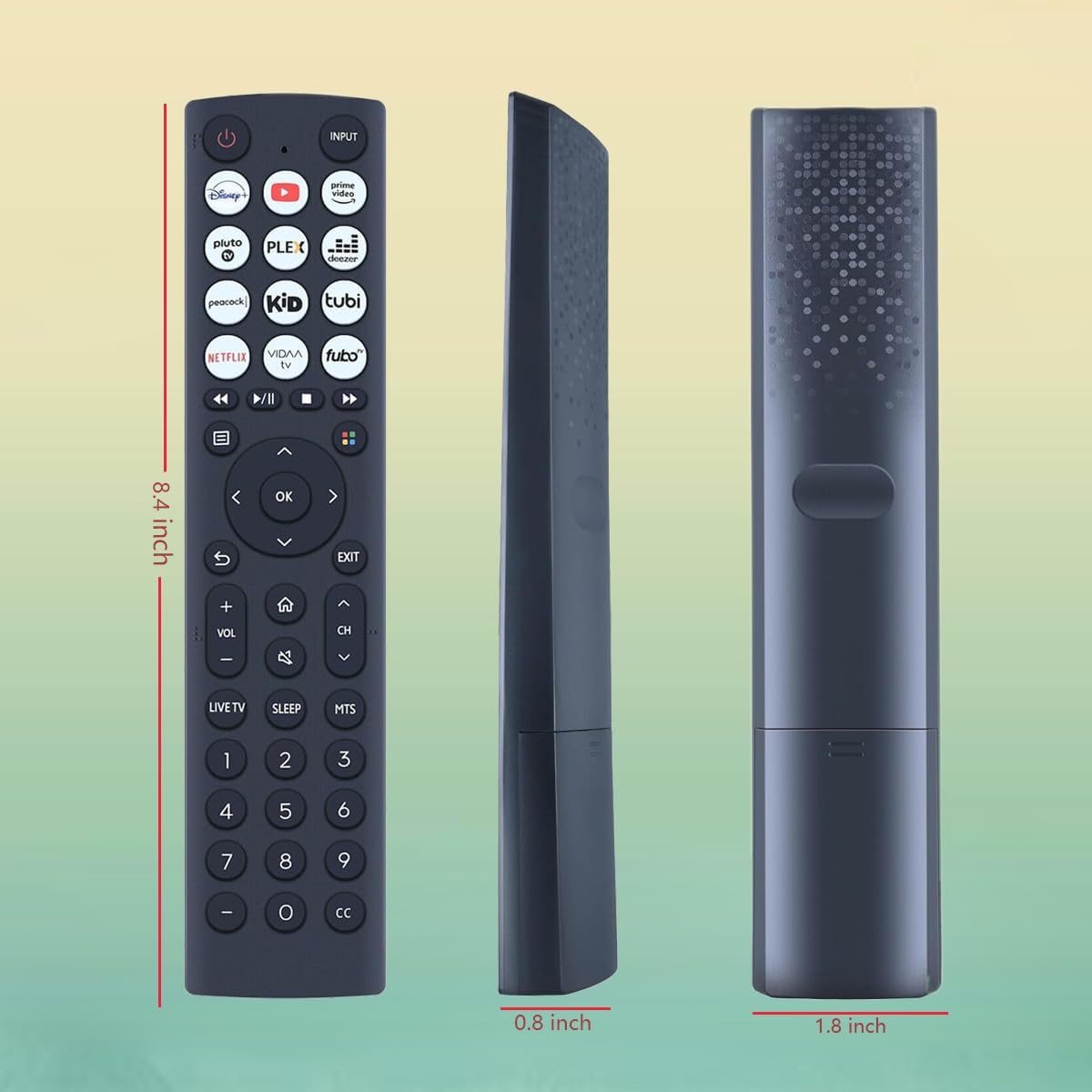
Figure 7.1: Physical dimensions of the remote control.
8. Rojongan
For any questions regarding the quality or functionality of your GHUST ERF2B36H remote control, please contact our customer support team. We are committed to promptly addressing any concerns you may have.
Contact information can typically be found on the product packaging or the retailer's websitus dimana produk ieu dibeuli.