1. Bubuka
The LAUNCH X431 Elite V2.0 is a professional automotive diagnostic tool designed specifically for VW, Skoda, and Seat vehicles. It offers comprehensive system diagnostics, advanced bi-directional control, ECU coding capabilities, and a wide range of maintenance services. This manual provides detailed instructions for setting up, operating, maintaining, and troubleshooting your device to ensure optimal performance and longevity.
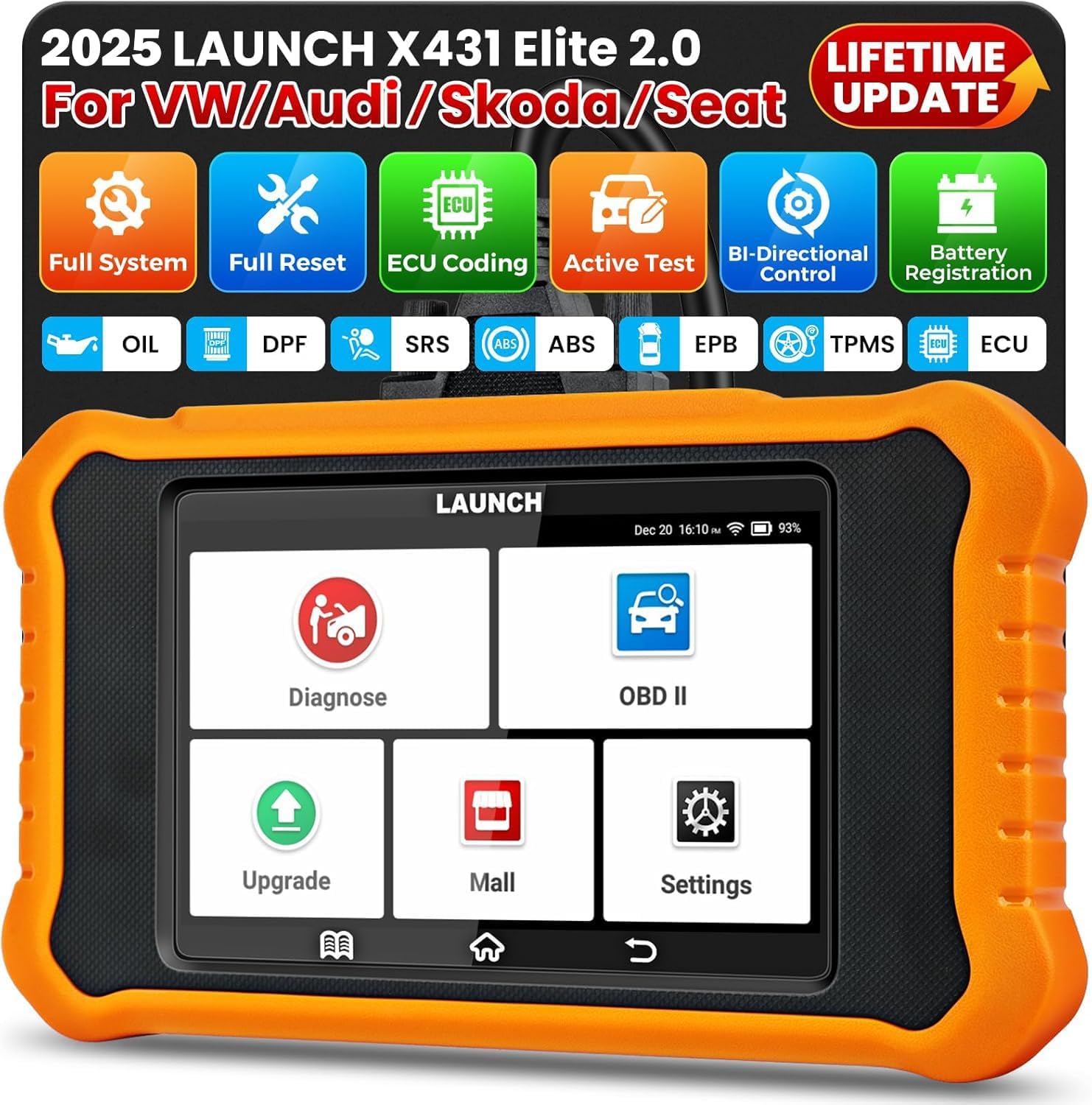
Image: The LAUNCH X431 Elite V2.0 diagnostic tool, showing its main interface with Diagnose, OBD II, Upgrade, Mall, and Settings options.
2. Setélan
Follow these steps to set up your LAUNCH X431 Elite V2.0 device for first-time use.
- Unboxing: Carefully remove all components from the packaging. Verify that all items listed in the packing list are present.
- Ngecas Alat: Connect the device to a power source using the provided USB cable. Ensure the device is fully charged before initial use. The battery indicator on the screen will show charging status.
- Daya Hurung: Pencét terus tahan tombol daya nepi ka logo LAUNCH nembongan dina layar.
- Pilihan Basa: Upon first boot, you will be prompted to select your preferred language. The device supports 11 languages including English, French, Spanish, German, and Italian.
- Sambungan Wi-Fi: Navigate to the 'Settings' menu and connect to a stable Wi-Fi network. This is crucial for software updates and online features.
- Pembaruan parangkat lunak: After connecting to Wi-Fi, go to the 'Upgrade' section to download and install the latest software updates. This ensures you have the most current vehicle coverage and functions. The device offers lifetime free Wi-Fi updates.
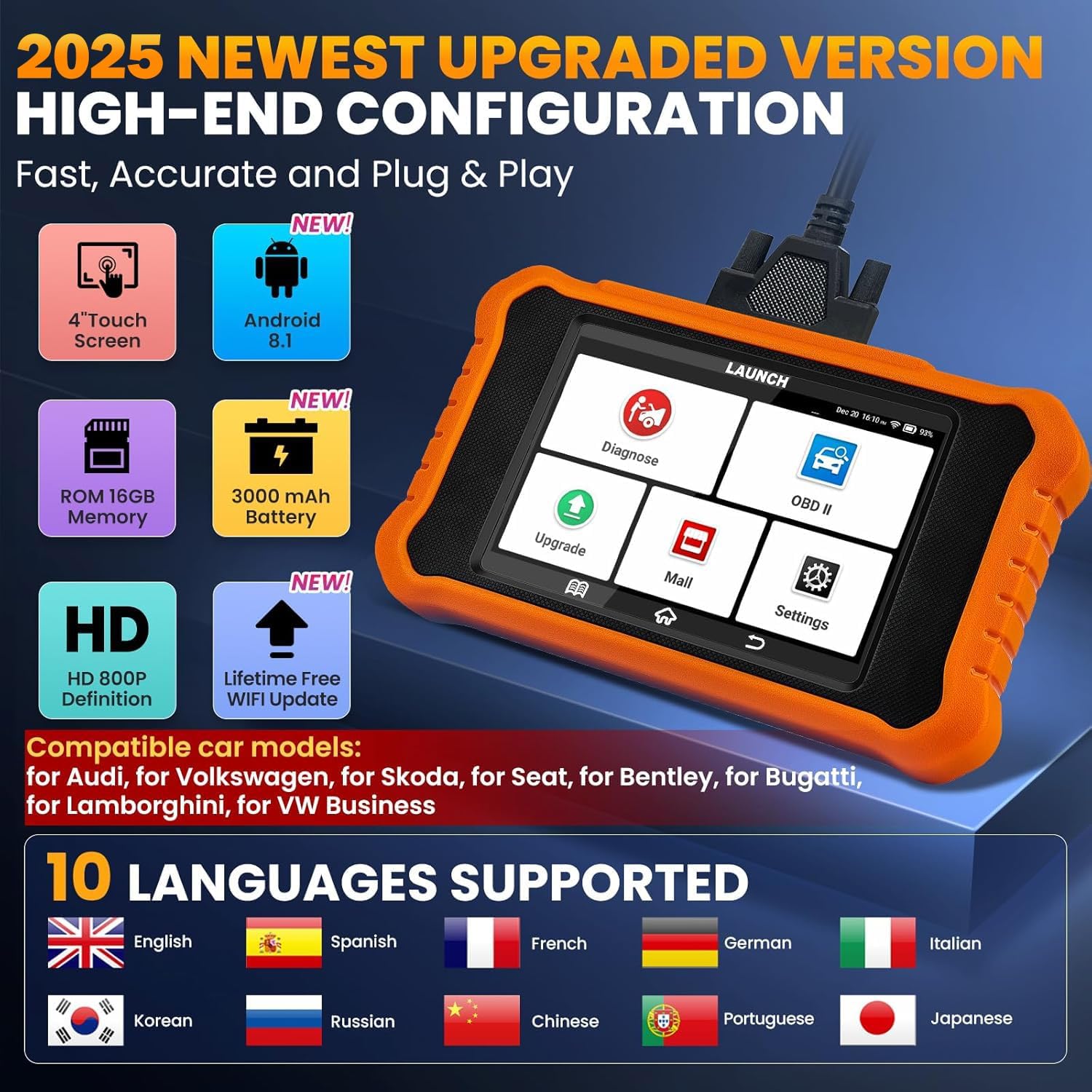
Image: The LAUNCH X431 Elite V2.0 device highlighting its high-end configuration including a 4-inch touch screen, Android 8.1, 16GB ROM, 3000mAh battery, HD 800P display, lifetime free Wi-Fi updates, and support for 10 languages.
3. Parentah Operasi
The LAUNCH X431 Elite V2.0 offers a range of powerful diagnostic and service functions. Below are instructions for key operations.
3.1. Diagnosis Sistem Lengkep
This function allows you to scan all available electronic control modules (ECUs) in the vehicle, including Engine, Transmission, ABS, SRS, TPMS, EPB, Battery, ESP, and Fuel Systems, to read and clear diagnostic trouble codes (DTCs).
- Nyambung ka Kendaraan: Locate the vehicle's OBD-II port (usually under the dashboard) and connect the diagnostic tool using the OBD-II cable.
- Hurungkeun Ignition: Hurungkeun ignition kendaraan ka posisi ON (mesin pareum).
- Select 'Diagnose': On the tool's main menu, select the 'Diagnose' icon.
- Scan VIN Otomatis: The device supports Auto VIN, which automatically identifies the vehicle's make, model, and year. Confirm the detected vehicle information.
- Sistem Scan: Select 'Full System Scan' or choose specific systems to diagnose. The tool will communicate with the vehicle's ECUs and display any detected DTCs.
- View/Clear DTCs: Review the displayed DTCs. You can select 'Clear DTCs' to erase them after addressing the underlying issue.
- Jieun Laporan: The tool can generate a diagnostic report, which can be shared or printed via email.
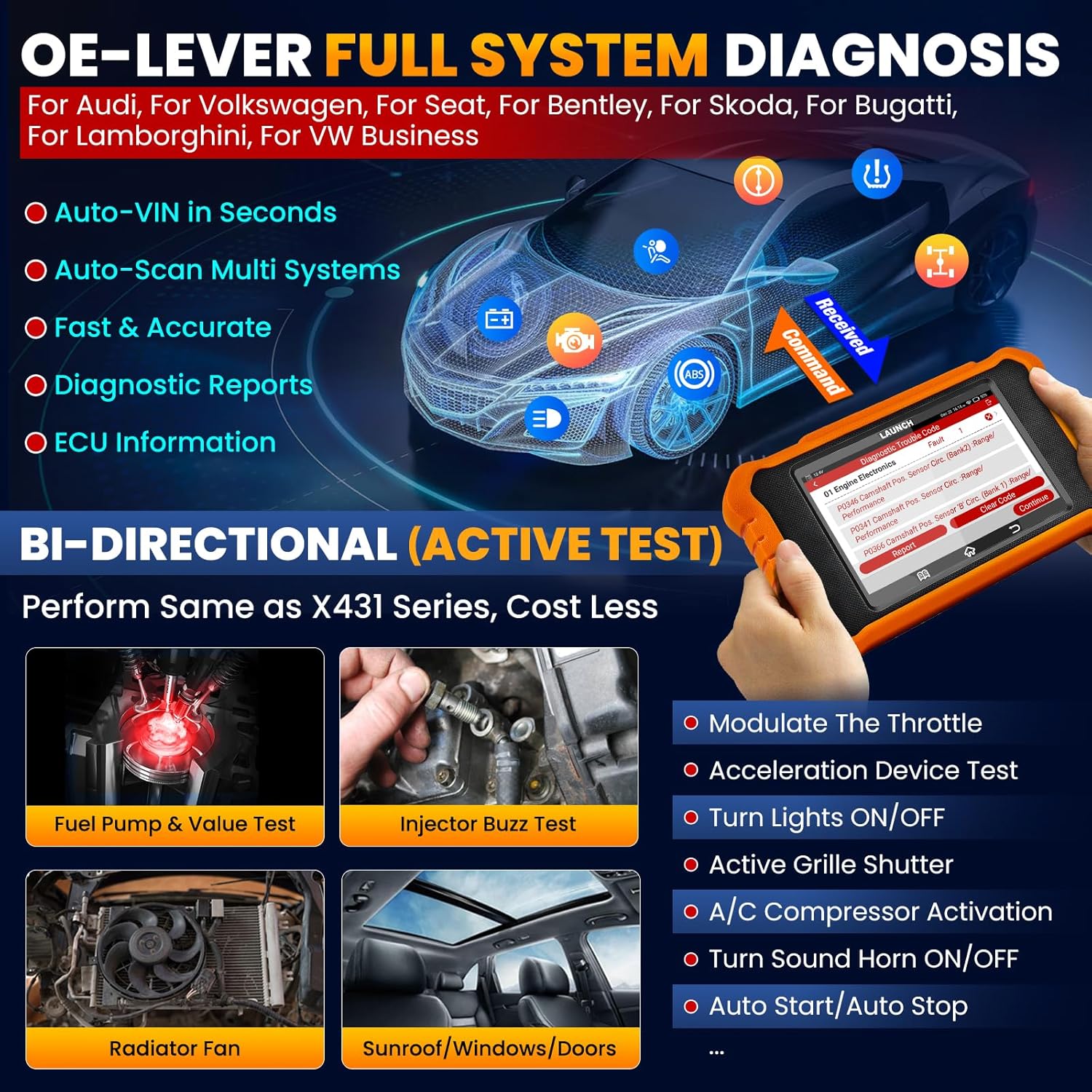
Image: Illustration of OE-Level Full System Diagnosis, showing the diagnostic tool connected to a car's system, performing auto-VIN scan, multi-system scan, and generating diagnostic reports.
3.2. Kontrol Dua Arah (Tés Aktif)
This feature allows you to send commands to vehicle components to test their functionality, such as turning on/off wipers, horn, windows, or mirrors, and activating the A/C compressor. This helps in quickly pinpointing faulty components.
- Access Active Test: From the diagnostic menu for a specific system, look for the 'Active Test' or 'Bi-Directional Control' option.
- Select Component: Choose the specific component you wish to test (e.g., Fuel Pump, Injector, Radiator Fan, Wipers, Windows, Doors, A/C Compressor).
- Ngalakukeun Tés: Follow the on-screen prompts to activate or deactivate the component. Observe the component's response to verify its operational status.

Image: Visual representation of Bi-Directional Control, showing the diagnostic tool sending commands to the car and checking component status, with examples like modulate throttle, wiper test, door lock test, and A/C compressor activation.
3.3. Kodeu ECU Lanjutan
ECU Coding allows for customization of vehicle settings, flashing hidden functions, component matching, and retrofitting. This function is for experienced users.
- Cocog komponén: Pasangkeun komponén anyar kana ECU kandaraan.
- Panggantian ECU: Program new ECUs after replacement.
- Retrofit/Modification: Adapt the vehicle's software for retrofitted parts.
- Fungsi Flash anu Disumputkeun: Activate or deactivate specific vehicle features (e.g., seat belt warning, auto door lock/unlock, rear mirror folding, interior lights, A/C settings memory).
Awas: Incorrect ECU coding can lead to vehicle malfunctions. Always back up original settings before making changes. Consult professional guidance if unsure.
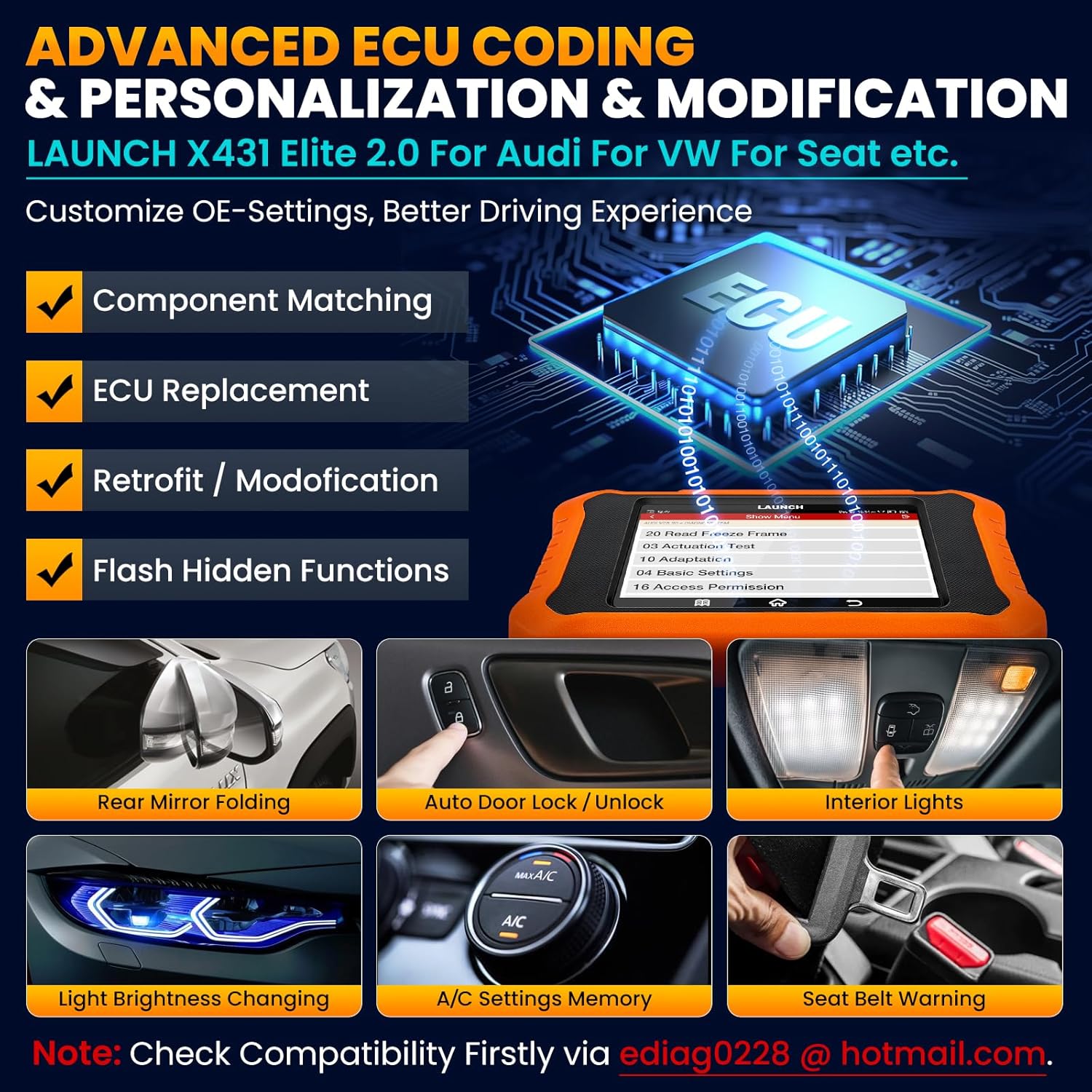
Image: Display showing advanced ECU coding capabilities, including component matching, ECU replacement, retrofit/modification, and flashing hidden functions, with examples like rear mirror folding and auto door lock/unlock.
3.4. Layanan Pangropéa (50+ Fungsi)
The tool supports over 50 common maintenance and reset functions. Some key services include:
- Reset minyak: Reset panginget umur oli saatos ngaganti oli.
- Reset EPB: Setel ulang rem parkir éléktronik saatos ngaganti kampas rem.
- Kalibrasi SAS: Kalibrasi sensor sudut setir.
- Perdarahan ABS: Perform ABS brake bleeding.
- Reset TPMS: Reset the Tire Pressure Monitoring System.
- Regenerasi DPF: Initiate Diesel Particulate Filter regeneration.
- Pendaptaran batré: Ngadaptarkeun batré anyar.
- Injector Coding: Kodekeun nilai injektor anyar.
- Throttle Diajar deui: Diajar deui posisi awak gas.
- Gearbox Adaptation: Adaptasi setélan transmisi.

Gambar: Leuwihview of various service functions available, including Brake Reset, DPF Reset, Oil Reset, Battery Matching, Stop/Start Reset, SAS Calibration, Suspension Reset, and Seat Calibration.
3.5. OBD-II Functions
The device also functions as a universal OBD-II code reader, compatible with all OBD-II compliant vehicles (1996 and newer).
- Baca/Hapus Kodeu: Read generic and manufacturer-specific Diagnostic Trouble Codes (DTCs) and clear them.
- Aliran Data Langsung: View real-time data parameters from the vehicle's sensors in text, graph, or gauge format. Supports 4-in-1 live data graphing.
- Freeze Data Frame: View a snapshot of vehicle operating conditions at the time a fault code is triggered.
- Kesiapan I / M: Check the readiness status of emission-related monitors.
- Tés Sénsor O2: Candak hasil tés monitor sénsor O2.
- Tes Monitor On-Board: Candak hasil pikeun komponén sareng sistem powertrain anu aya hubunganana sareng émisi.
- Tés komponén: Initiate a leak test for the EVAP system.
- Émbaran Kandaraan: Retrieve VIN, Cal ID, and CVN.
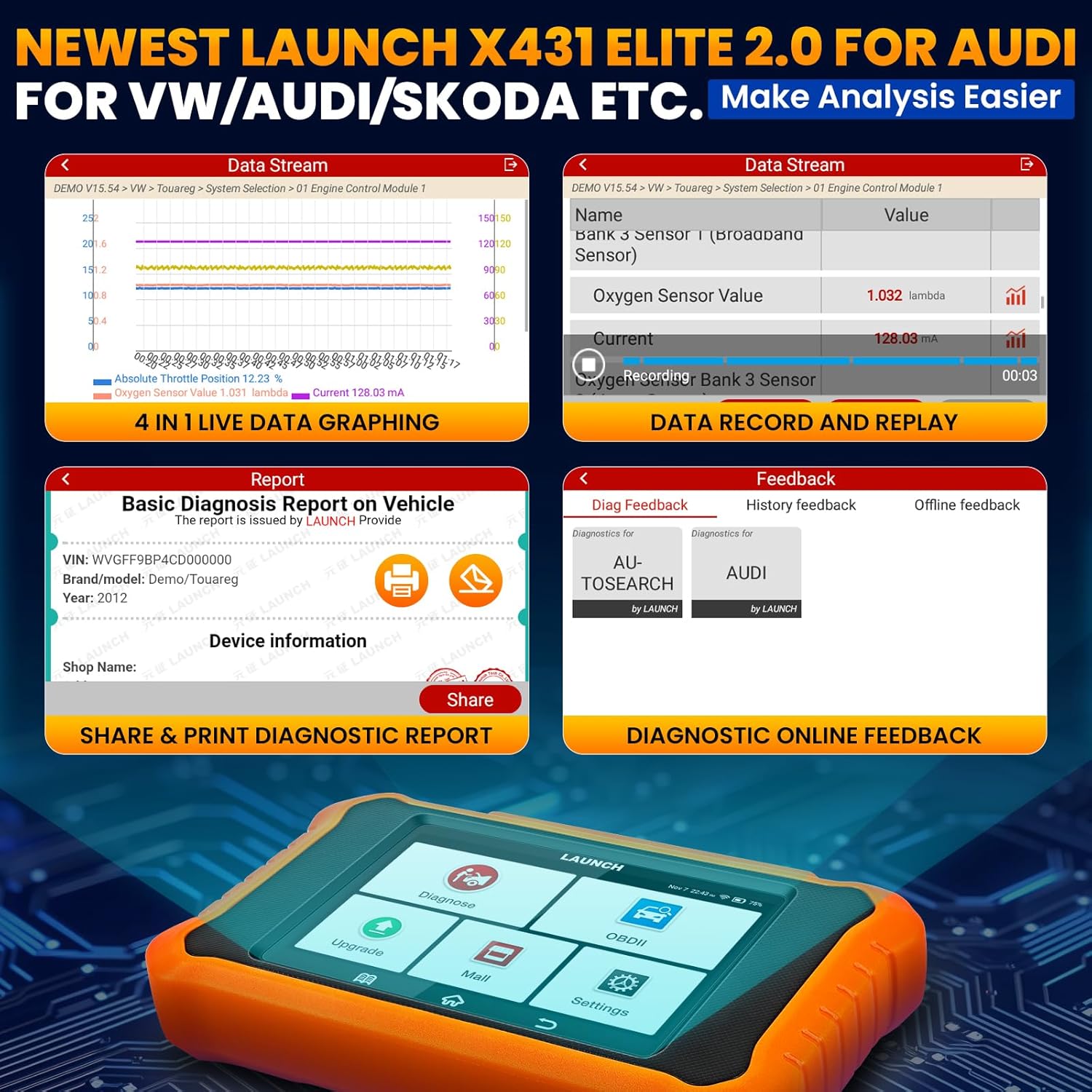
Image: Screenshots demonstrating 4-in-1 live data graphing, data record and replay, and the option to share/print a basic diagnostic report on the vehicle.
4. Pangropéa
Proper maintenance ensures the longevity and optimal performance of your LAUNCH X431 Elite V2.0.
- beberesih: Ngagunakeun lemes, damp lawon pikeun ngabersihan layar sareng awak alat. Hindarkeun pembersih abrasive atanapi pangleyur.
- Panyimpenan: Store the device in a cool, dry place, away from direct sunlight and extreme temperatures. Keep it in its protective case when not in use.
- Apdet parangkat lunak: Regularly check for and install software updates via Wi-Fi to ensure compatibility with new vehicle models and access to the latest features.
- Perawatan batré: For long-term storage, ensure the battery is charged to about 50%. Recharge it every few months to prevent deep discharge.
- Pamariksaan kabel: Periodically inspect the OBD-II cable for any signs of wear, damage, or frayed wires. Replace if necessary.
5. Cara ngungkulan
Here are solutions to common issues you might encounter with your LAUNCH X431 Elite V2.0.
| Masalah | Mungkin Cukang lantaranana | Solusi |
|---|---|---|
| Alat teu hurung. | Batré lemah; Tombol daya teu dipencet cukup lila; Alat teu jalan. | Charge the device for at least 30 minutes. Press and hold the power button for 3-5 seconds. If issue persists, contact support. |
| Teu tiasa nyambung ka kendaraan. | Loose OBD-II connection; Vehicle ignition off; Faulty OBD-II port; Incorrect vehicle protocol. | Ensure cable is securely connected. Turn ignition to ON. Check vehicle's OBD-II port for damage. Verify vehicle compatibility. |
| No communication with ECU. | Vehicle not OBD-II compliant; Damaged ECU; Software issue. | Confirm vehicle is OBD-II compliant (1996+). Try another vehicle. Update software. |
| Layar macet atanapi teu ngaréspon. | glitch software; Sistem overload. | Perform a soft reset by holding the power button until the device restarts. If persistent, perform a factory reset (data will be lost). |
| Masalah sambungan Wi-Fi. | Incorrect password; Weak signal; Router issue. | Double-check Wi-Fi password. Move closer to the router. Restart router. |
6. Spésifikasi
Key technical specifications for the LAUNCH X431 Elite V2.0.
- model: LAUNCH CRE 2.0 for VW
- Pabrikan: ngaluncurkeun
- Beurat barang: 690 g
- Ukuran produk (L x W x H): 20 x 4.5 x 19.5 cm
- Ukuran layar: 4 inci
- Sistem operasi: Android 8.1
- Panyimpenan internal (ROM): 16GB
- Batré: 3000 mAh
- Resolusi tampilan: HD 800P
- Konektipitas: Wifi
- Basa anu Dirojong: 11 (including English, French, Spanish, German, Italian)
- Pembaruan: Lifetime Free Wi-Fi Update
- Model Mobil anu cocog: For Audi, Volkswagen, Skoda, Seat, Bentley, Bugatti, Lamborghini, VW Business
7. Garansi jeung Rojongan
LAUNCH provides comprehensive support for its products.
7.1. Émbaran jaminan
Please refer to the warranty card included with your product for specific warranty terms and conditions. Generally, LAUNCH products come with a manufacturer's warranty covering defects in materials and workmanship.
7.2. Rojongan Téknis
For technical assistance, troubleshooting beyond this manual, or warranty claims, please contact LAUNCH customer support. You can often find contact information on the official LAUNCH website or through the seller.
For specific compatibility questions or technical inquiries, you may also contact the seller directly via email: ediag0228@hotmail.com.
Online diagnostic feedback and lifetime tech support are available to assist you with any issues.

Image: Features related to support and updates, including Auto VIN & DTC Lookup, Lifetime Free WiFi Update, Key IMMO, FCA Autoauth, Online Diagnostic Feedback, 4-in-1 Live Data Stream, Battery Registration, and Lifetime Tech Support.


