1. Bubuka
This manual provides detailed instructions for the safe and effective use of your Awei Y887 Portable Speaker. Please read this manual thoroughly before operating the device and retain it for future reference. The Awei Y887 is a versatile portable speaker featuring Bluetooth 5.3 connectivity, TWS (True Wireless Stereo) functionality, balanced bass, AUX and MP3 player support, waterproof design, and multiple LED lighting modes, suitable for outdoor use.
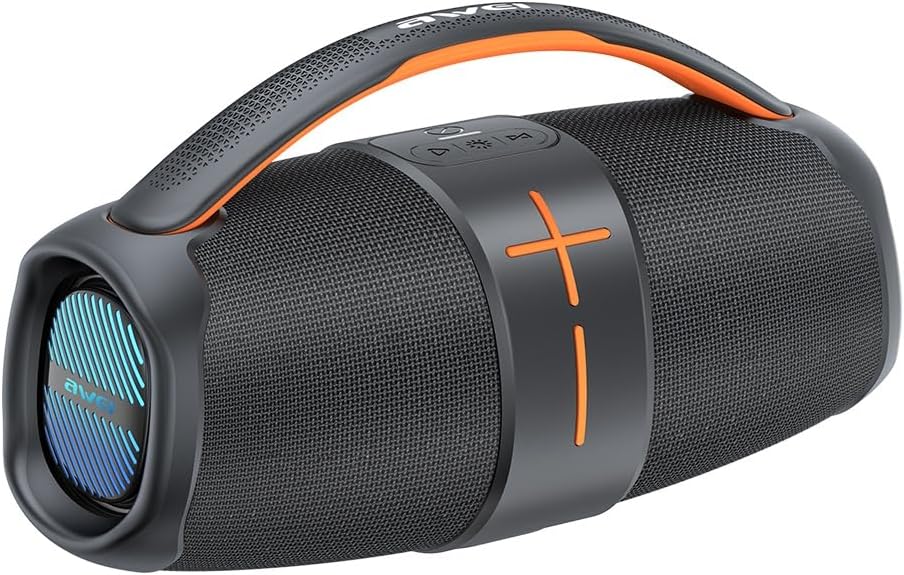
Figure 1.1: Awei Y887 Portable Speaker. This image displays the speaker's overall design, featuring a black body with orange accents, a carrying handle, and speaker grilles on both ends.
2. Produk Langkungview
2.1 Fitur konci
- Bluetooth 5.3: Pikeun streaming audio nirkabel anu stabil sareng efisien.
- Stereo Nirkabel Sejati (TWS): Allows pairing two Y887 speakers for a stereo sound experience.
- Bass saimbang: Enhanced audio output with clear bass response.
- Sababaraha Modeu Playback: Supports Bluetooth, AUX input, and MP3 playback via USB or Micro-SD card.
- Desain waterproof: Cocog jeung lingkungan outdoor.
- Multiple LED Modes: Integrated lighting effects for visual ambiance.
2.2 Komponén jeung kadali
Familiarize yourself with the speaker's ports and controls as illustrated below:
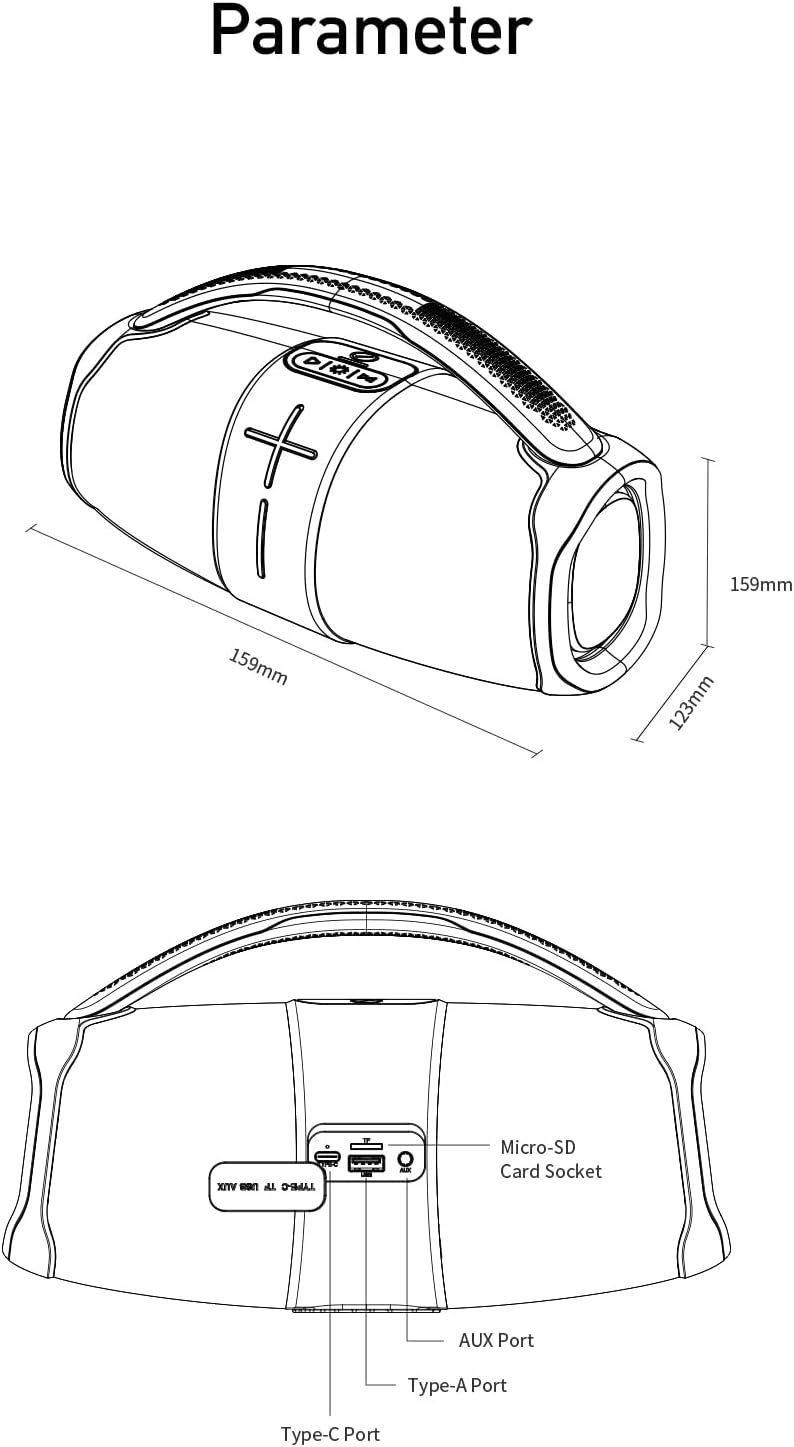
Gambar 2.1: Tukangeun view diagram of the Awei Y887 speaker, showing the port panel. From left to right, the ports are: Type-A Port (USB), Micro-SD Card Socket, AUX Port, and Type-C Port (Charging). The diagram also indicates the speaker's dimensions: 159mm length, 159mm height, and 123mm width.
- Tombol Daya: Pencét terus tahan pikeun hurung/pareum. Pencét sakeudeung pikeun puter/pareum.
- Volume Kaluhur/Tombol Lagu Salajengna: Pencét pondok pikeun polumeu ka luhur, pencét panjang kanggo lagu salajengna.
- Volume Turun/Tombol Lagu Saméméhna: Pencét pondok pikeun volume handap, pencét lila pikeun lagu saméméhna.
- Tombol Mode: Short press to switch between Bluetooth, AUX, and MP3 modes.
- Tombol Lampu LED: Short press to cycle through LED lighting modes.
- Tipe-C Port: Pikeun ngecas speaker.
- Pelabuhan AUX: For wired audio input from external devices.
- Micro-SD Card Socket: For MP3 playback from a Micro-SD card.
- Type-A Port (USB): For MP3 playback from a USB drive.
3. Setélan
3.1 Ngecas Speaker
- Connect the provided Type-C charging cable to the Type-C port on the speaker.
- Sambungkeun tungtung kabel anu sanés ka adaptor kakuatan USB (teu kalebet) atanapi port USB komputer.
- The charging indicator light will illuminate. It typically takes approximately 4 hours for a full charge.
- Lampu indikator bakal robah atawa pareum saatos ngecas réngsé.
3.2 Powering on / Pareum
- Pikeun Ngahurungkeun: Press and hold the Power button for approximately 3 seconds until you hear an audible prompt and the LED lights activate.
- Pikeun mareuman: Press and hold the Power button for approximately 3 seconds until you hear an audible prompt and the LED lights turn off.
3.3 Nyapasangkeun Bluetooth
- Ensure the speaker is powered on and in Bluetooth mode (indicated by a flashing blue LED or audible prompt). If not, short press the Mode button to switch to Bluetooth mode.
- Aktipkeun Bluetooth dina alat sélulér anjeun (smartphone, tablet, komputer).
- Milarian pikeun alat Bluetooth sadia.
- Pilih "Awei Y887" tina daptar alat.
- Saatos dipasangkeun, anjeun bakal ngadangu sora konfirmasi, sareng lampu indikator Bluetooth bakal hurung.
3.4 TWS (Leres Wireless Stereo) papasangan
To achieve stereo sound, you can pair two Awei Y887 speakers together:
- Pastikeun duanana speaker Awei Y887 hurung sareng henteu nyambung ka alat Bluetooth naon waé.
- On one of the speakers (this will be the primary speaker), double-press the Power button. You will hear a prompt indicating TWS pairing mode.
- Dua spiker bakal otomatis milarian tur nyambung ka unggal lianna. Sakali disambungkeun, anjeun bakal ngadéngé sora konfirmasi.
- Now, connect your mobile device to the primary speaker via Bluetooth as described in Section 3.3. Both speakers will play audio in stereo.
4. Parentah Operasi
4.1 Kontrol Putar Dasar
- Puter / Reureuh: Pencét pondok tombol Daya.
- Volume Up: Pencét pondok tombol Volume Up.
- Volume Turun: Pencét pondok tombol Volume Turun.
- Lagu salajengna: Pencét lila tombol Volume Up.
- Lagu Sateuacanna: Pencét lila tombol Jilid Turun.
4.2 Ngaganti Modeu Putar Balik
Short press the Mode button to cycle through available playback modes: Bluetooth > AUX > MP3 (USB/Micro-SD).
4.3 Ngagunakeun Input AUX
- Sambungkeun hiji tungtung kabel audio 3.5mm (teu kaasup) kana port AUX on spéker.
- Sambungkeun tungtung anu hiji deui kana jack kaluaran audio alat éksternal anjeun.
- Short press the Mode button until you hear the "AUX mode" prompt.
- Kontrol playback sareng volume tina alat éksternal anjeun.
4.4 Using MP3 Player (USB/Micro-SD)
- Insert a USB drive into the Type-A Port or a Micro-SD card into the Micro-SD Card Socket, pre-loaded with MP3 audio files.
- Short press the Mode button until you hear the "MP3 mode" prompt.
- The speaker will automatically begin playing the MP3 files. Use the playback controls (Section 4.1) to manage music.
4.5 Modeu Lampu LED
Short press the LED Light button to cycle through various lighting effects. Press again to change the mode or turn off the lights.
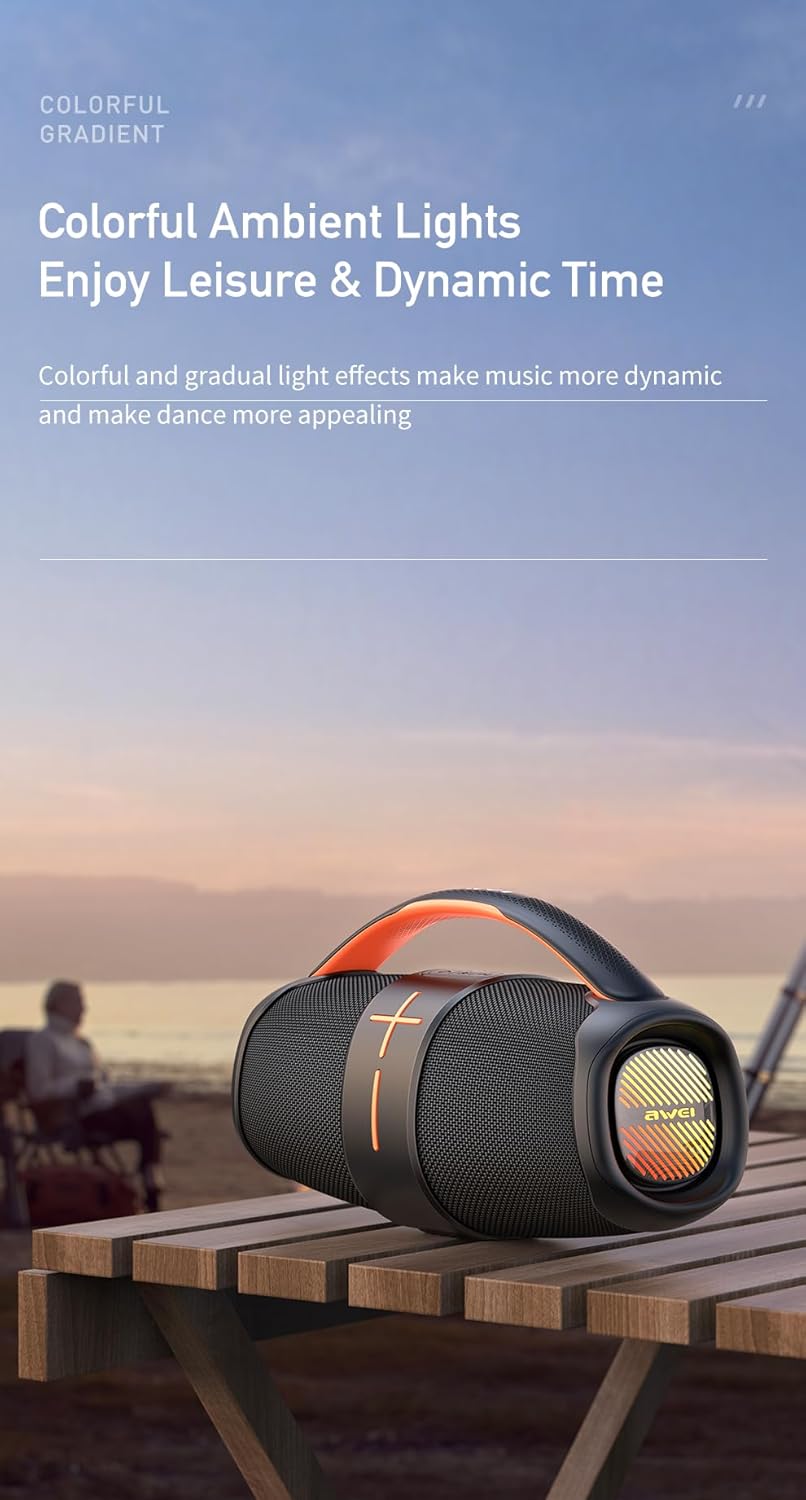
Figure 4.1: The Awei Y887 speaker displaying its colorful ambient lighting effects, enhancing the visual experience during use.
5. Pangropéa
5.1 beberesih
- Ensure the speaker is powered off before cleaning.
- Paké lawon lemes, garing, lint bébas ngusap surfaces exterior.
- Keur kokotor bandel, rada dampBilas lawon ku cai. Ulah nganggo bahan kimia anu kasar, pembersih anu abrasif, atanapi pangleyur.
- Avoid getting moisture into any ports.
5.2 Waterproof Considerations
- The Awei Y887 is designed to be waterproof. However, ensure all port covers are securely closed before exposure to water.
- Do not submerge the speaker in water for extended periods or at depths beyond its rated capacity.
- After exposure to water, wipe the speaker dry before charging to prevent damage to the charging port.
5.3 Panyimpenan
- Simpen spéker dina tempat anu tiis sareng garing jauh tina sinar panonpoé langsung sareng suhu anu ekstrim.
- Upami nyimpen kanggo waktos anu panjang, ngeusi batre sakitar 50% unggal sababaraha bulan pikeun ngajaga kasehatan batre.
6. Cara ngungkulan
If you encounter issues with your Awei Y887 speaker, refer to the following common problems and solutions:
| Masalah | Mungkin Cukang lantaranana | Solusi |
|---|---|---|
| Speaker teu hurung. | batré lemah. | Ngecas spéker sahenteuna 30 menit. |
| Taya sora. | Volume low teuing; modeu salah; alat teu disambungkeun. | Increase speaker and device volume. Ensure correct mode (Bluetooth, AUX, MP3). Re-pair Bluetooth device. |
| Teu bisa masangkeun via Bluetooth. | Spiker teu dina modeu pairing; alat Bluetooth pareum; gangguan. | Ensure speaker is in Bluetooth pairing mode. Turn device Bluetooth off/on. Move closer to speaker. Forget device and re-pair. |
| Papasangan TWS gagal. | Spiker parantos nyambung ka alat sanés; prosedur masangkeun anu salah. | Pastikeun kadua spiker dipegatkeun tina alat anu sanés. Turutan léngkah-léngkah masangkeun TWS kalayan tepat (Bagian 3.4). |
| MP3 playback not working. | Modeu salah; teu dirojong file format; faulty USB/Micro-SD. | Ensure speaker is in MP3 mode. Check if files are in MP3 format. Try a different USB drive or Micro-SD card. |
7. Spésifikasi
The following are the technical specifications for the Awei Y887 Portable Speaker:
| Fitur | Spésifikasi |
|---|---|
| Ngaran modél | Awei Y887 |
| Produsén | Awei |
| Dimensi produk | 11 x 27 x 18 cm |
| Item Beurat | 1.2 kg |
| Téhnologi konektipitas | Bluetooth 5.3 |
| Speaker Maksimum Kaluaran Power | 10 Watt |
| Mode Kaluaran Audio | Sakuriling |
| Tipe Pamasangan | Tabletop |
| Bahan | ABS, Acrylonitrile Butadiene Styrene |
| Tipe Speaker | Luar |
| Fitur husus | Waterproof, Multiple LED Modes, TWS, AUX, MP3 Player |
| Alat nu cocog | MP3 Player, Bluetooth-enabled devices |
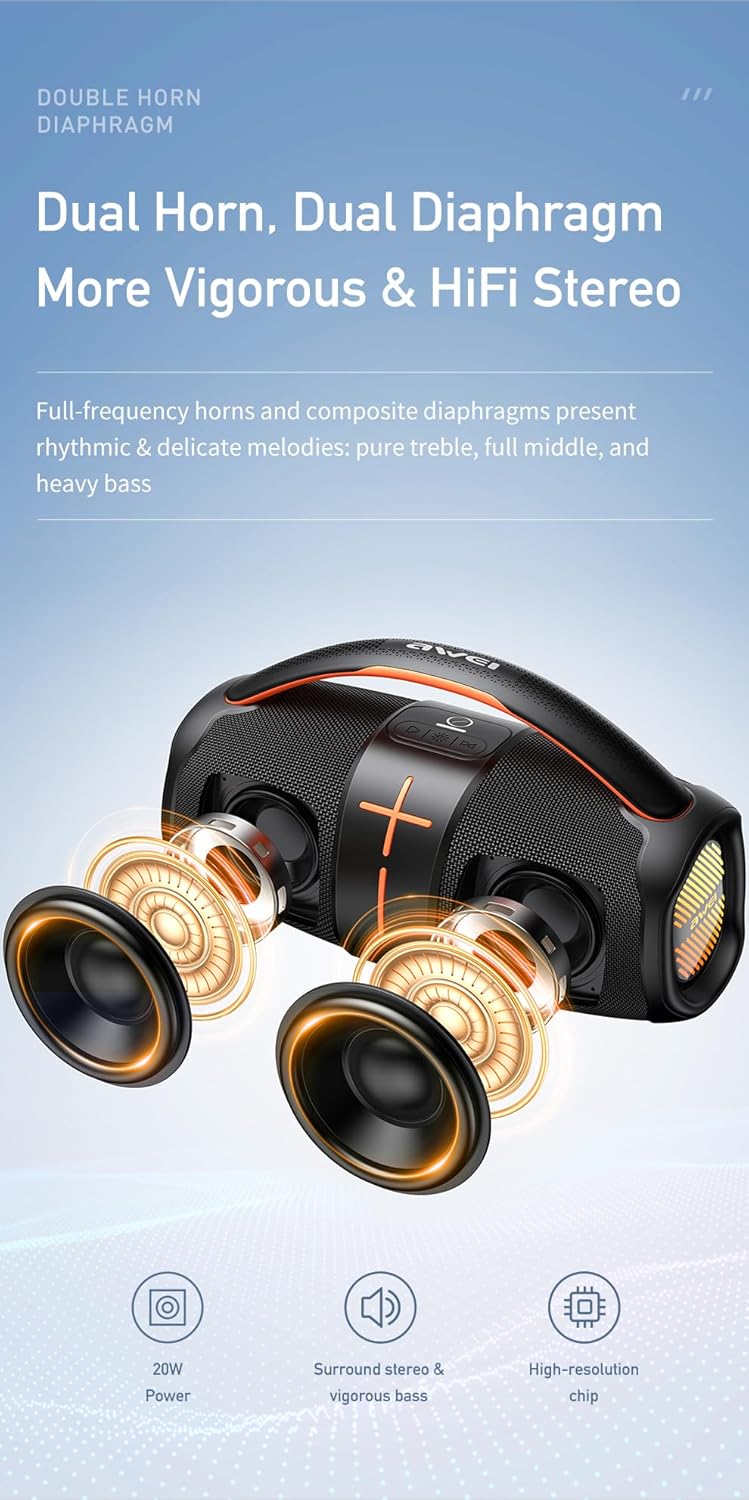
Figure 7.1: Diagram illustrating the internal dual horn and dual diaphragm design of the Awei Y887 speaker, contributing to its stereo sound and vigorous bass output.

Figure 7.2: Image detailing the battery specifications of the Awei Y887 speaker, showing a 3600mAh Li-polymer battery, approximately 4 hours charging time, and 4-6 hours of play time.
8. Garansi jeung Rojongan
Kanggo inpormasi garansi sareng dukungan palanggan, mangga tingali dokuméntasi anu disayogikeun sareng pameseran anjeun atanapi hubungi langsung ka pangecér/pabrikan. Simpen bukti pameseran anjeun kanggo klaim garansi.
Pabrikan: Awei