1. Bubuka
The WHATOOK 2-in-1 Computer Vacuum Cleaner and Compressed Air Duster Blower is a versatile and powerful tool designed for efficient cleaning of electronic devices, car interiors, and various household items. Featuring a high-speed motor, adjustable airflow modes, and a rechargeable battery, this device offers both blowing and suction capabilities to effectively remove dust, debris, and dirt from hard-to-reach areas. Its portable and cordless design, coupled with multiple nozzles and brushes, makes it an ideal solution for comprehensive cleaning tasks.

Figure 1.1: The WHATOOK 2-in-1 Computer Vacuum Cleaner and Air Duster, showcasing the main unit, various nozzles, cleaning brushes, and USB-C charging cable.
2. Émbaran Kasalametan
Mangga baca sakabeh parentah kaamanan taliti saméméh ngagunakeun alat. Gagalna nuturkeun parentah ieu bisa ngakibatkeun shock listrik, seuneu, atawa tatu serius.
- Jauhkeun alat ieu tina cai sareng cairan sanésna. Ulah dianggo nalika leungeun baseuh.
- Do not block the air intake or outlet during operation to prevent overheating.
- Use only the provided Type-C charging cable and a compatible power adapter (not included) for charging.
- Do not disassemble, repair, or modify the device yourself. Contact customer support for assistance.
- Keep out of reach of children and pets. This device is not a toy.
- Avoid pointing the air duster directly at eyes, ears, or other sensitive body parts.
- Do not use the device in environments with flammable gases or liquids.
- Simpen alat dina tempat anu tiis sareng garing upami henteu dianggo.
3. Eusi Paket
Pastikeun yén sadaya item aya dina bungkusan:
- WHATOOK 2-in-1 Computer Vacuum Cleaner / Air Duster Unit
- Kabel Ngecas USB Tipe-C
- 8 x Interchangeable Nozzles (various shapes and sizes for blowing and vacuuming)
- 3 x Cleaning Brushes (for different cleaning needs)
- Kantong Panyimpen
- Manual pangguna (dokumén ieu)

Figure 3.1: Visual representation of the items included in the product package, including the main unit, various attachments, charging cable, and storage bag.
4. Setélan
4.1 Ngecas Alat
Before first use, fully charge the device. Connect the provided USB Type-C charging cable to the charging port on the device and plug the other end into a compatible USB power source (e.g., wall adapter, computer USB port, power bank). The LED indicator will show charging status and turn off when fully charged.
- Waktu ngecas: Kira-kira 3 jam kanggo ngecas pinuh.
- Runtime: Up to 50 minutes depending on the speed setting.

Figure 4.1: The device connected to a power source via its USB Type-C charging cable, illustrating convenient and fast charging capabilities.
4.2 Ngagantelkeun Nozzles
Select the appropriate nozzle for your cleaning task. The device supports both blowing and vacuuming functions, each requiring specific nozzle attachments.
- For Blowing Mode: Firmly push the desired blowing nozzle onto the front air outlet of the device until it clicks into place.
- For Vacuum Mode: Attach the vacuum collection cup to the rear of the device, then firmly push the desired vacuum nozzle onto the opening of the collection cup.

Figure 4.2: Step-by-step guide on how to properly install nozzles for both the blowing and vacuuming functions of the device.
5. Parentah Operasi
5.1 Powering On/Off and Adjusting Speed
The device features three adjustable airflow modes for versatile cleaning.
- Pikeun Ngahurungkeun/Pareuman: Pencét lila tombol daya salila 3 detik.
- Pikeun Nyaluyukeun Kagancangan: Once powered on, short press the power button to cycle through the three speed settings:
- Gear 1 (Laju Lemah): 60,000 RPM / 6,000 PA (approx. 55 minutes runtime)
- Gear 2 (Medium Speed): 80,000 RPM / 8,000 PA (approx. 35 minutes runtime)
- Gear 3 (Laju Luhur): 100,000 RPM / 10,000 PA (approx. 20 minutes runtime)

Figure 5.1: Illustration of the three-speed control system, detailing the motor speed, pressure, and approximate runtime for each gear.
5.2 Using Blowing Mode (Air Duster)
Attach a blowing nozzle. Point the nozzle towards the area to be cleaned and activate the device. Use the appropriate speed setting for the task. The integrated LED light illuminates the cleaning area for better visibility.
- Ideal for keyboards, computer components, camera lenses, and other delicate electronics.
- Effective for removing dust from air conditioner filters and hard-to-reach crevices.
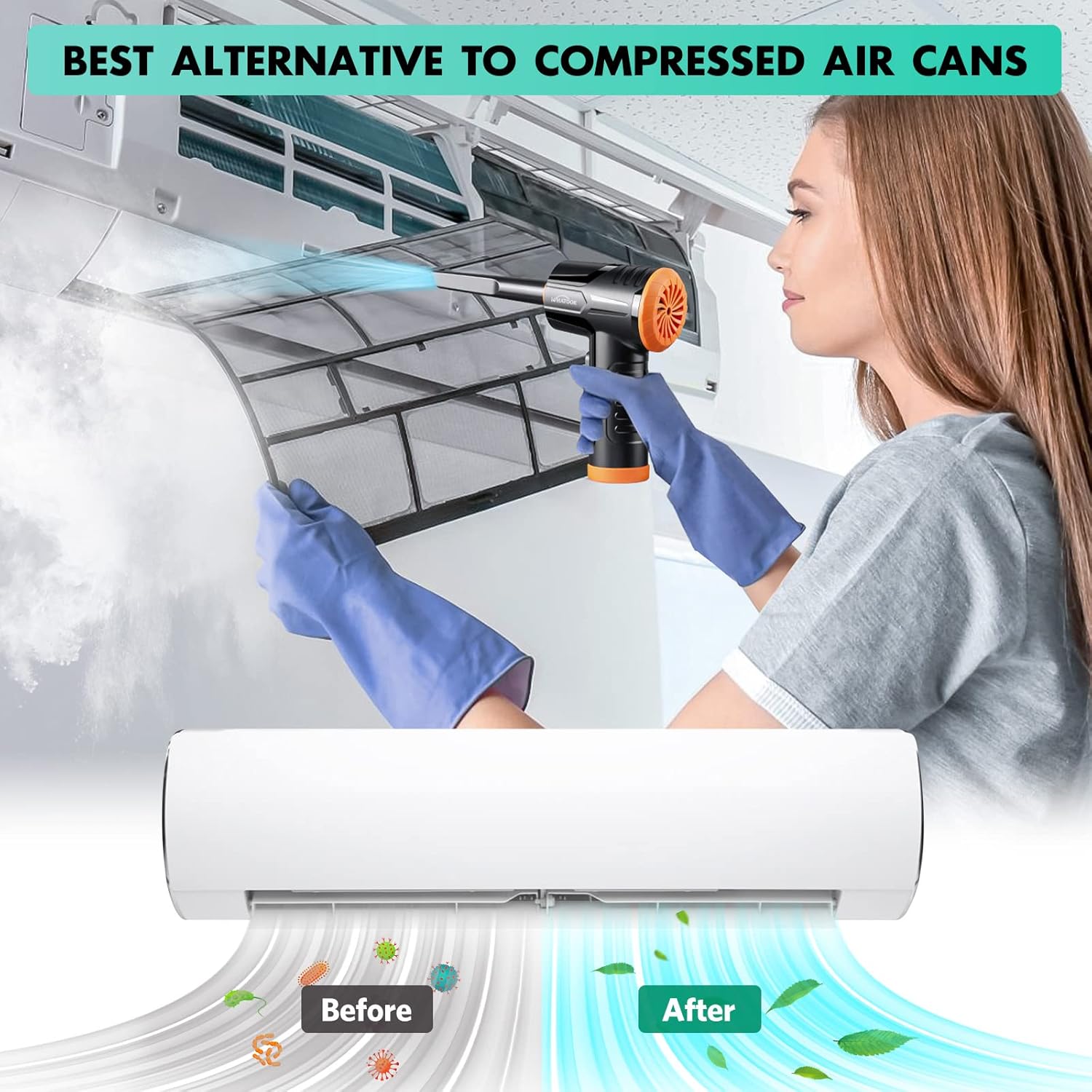
Figure 5.2: The air duster being used to clean a dusty air conditioner filter, demonstrating its effectiveness as an alternative to canned air.
5.3 Using Vacuum Mode (Mini Hoover)
Attach the vacuum collection cup and a vacuum nozzle. Activate the device and move the nozzle over the surface to suction up dust and small debris.
- Suitable for cleaning car interiors, desk surfaces, sofa crevices, and pet hair.
- The vacuum mode is designed for light debris and dust, not heavy-duty vacuuming.

Figure 5.3: The device shown in both its dust blowing mode (top) and vacuuming mode (bottom), illustrating its dual functionality for comprehensive cleaning.

Gambar 5.4: Kelamples of the device's versatility, showing its application for cleaning various surfaces and objects around the home and in a car.
6. Pangropéa
6.1 Ngabersihan Filter
Regularly clean the filter in the vacuum collection cup to maintain optimal suction performance. A clogged filter can reduce efficiency.
- Remove the vacuum collection cup from the device.
- Twist and pull out the filter assembly from the collection cup.
- Clean the filter by rinsing it under running water. Ensure all dust and debris are removed.
- Allow the filter to air dry completely before reassembling. Do not use the device with a wet filter.
- Reinsert the dry filter assembly into the collection cup and attach it back to the device.
Figure 6.1: Detailed steps for maintaining the device's vacuum filter, ensuring prolonged performance and hygiene.
6.2 beberesih umum
Ngusap bagian luar alat ku kaén anu lemes sareng garing. Ulah make bahan kimia kasar atawa cleaners abrasive.
7. Cara ngungkulan
| Masalah | Mungkin Cukang lantaranana | Solusi |
|---|---|---|
| Alat henteu hurung. | Batré béak. | Ngecas alat sapinuhna nganggo kabel USB-C nu disadiakeun. |
| Weak airflow or suction. | Filter is clogged with dust/debris. Batré lemah. Nozzle is not properly attached. | Clean the filter as described in Section 6.1. Ngecas deui alat. Pastikeun nozzle napel aman. |
| Alatna ngaluarkeun sora anu teu biasa. | Normal operating noise (70 dB). Obstruction in air path. | This is within normal operating parameters. Check for any foreign objects in the air intake or outlet and remove them. |
| Batré gancang boros. | Using high-speed mode frequently. Degradasi batré kana waktu. | High-speed mode consumes more power. Use lower speeds when sufficient. Contact customer support if runtime significantly decreases. |
8. Spésifikasi
| merek | KUMAHA |
| Ngaran modél | LH220251-M1 |
| Laju Motor | Nepi ka 100,000 RPM |
| Daya nyeuseup | Nepi ka 10,000 Kpa |
| Kapasitas batré | 7600mAh (approximate) |
| Runtime | Up to 50 minutes (varies by speed setting) |
| Tipe Ngecas | USB Tipe-C |
| Tingkat Noise | 70 dB |
| Jumlah Speeds | 3 |
| Item Beurat | 1.5 pon |
| Ukuran Paket | 8.39 x 5.59 x 2.72 inci |
9. Garansi jeung Rojongan
WHATOOK is committed to providing quality products and excellent customer service.
- Garansi: Produk ieu nganggo garansi 24 bulan ti tanggal pameseran.
- Rojongan Palanggan: For any inquiries, technical assistance, or warranty claims, please contact WHATOOK customer support. We offer 12-hour response times, 7*24 hour stand-by support, and lifetime after-sales support.
- Mangga tingal dokuméntasi pameseran anjeun kanggo detil kontak anu khusus.


