
1. Produk Langkungview
The Cuifati ITX Computer Motherboard H6 ME is designed for compact computing systems, offering essential features for a reliable and efficient build. This motherboard supports LGA 1155 CPUs and DDR3 memory, providing a stable foundation for various applications.
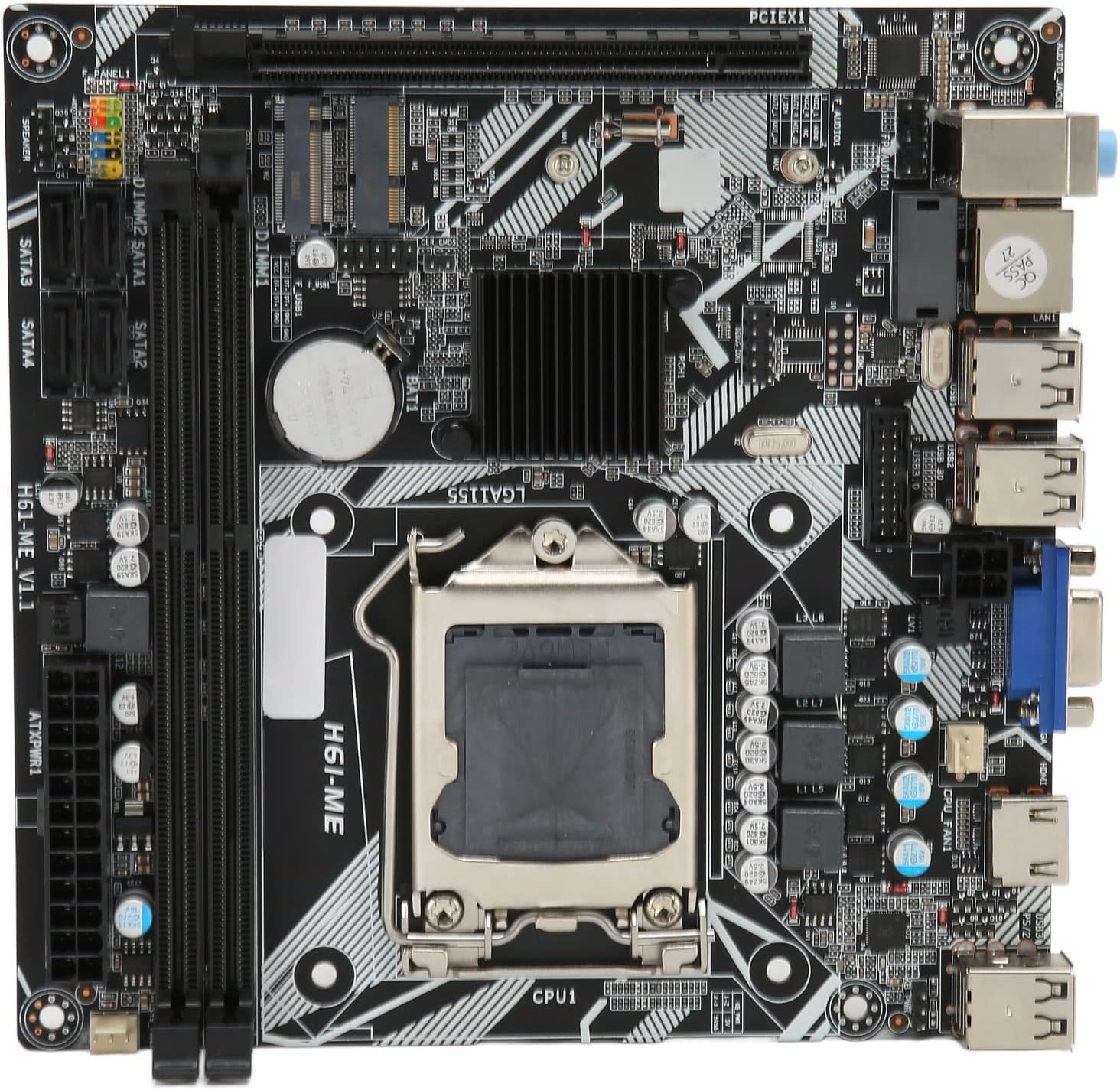
Figure 1: Cuifati ITX Computer Motherboard H6 ME (Top View)
2. Fitur konci
- Slot CPU LGA 1155: Supports LGA 1155 processors for stable performance.
- Multiphase Power Design: Features stable and accurate multiphase power delivery for improved CPU performance.
- Kaluaran Pidéo HD: Equipped with VGA and HD Multimedia Interface (HDMI) for digital high-definition video output.
- Dual Channel DDR3 Memory: Incorporates two DDR3 memory slots, supporting up to 16GB, enhancing overall system performance.
- Multiple USB2.0 Interfaces: Provides 10 USB2.0 interfaces (4 front, 6 rear) for extensive peripheral connectivity.
- Pilihan Panyimpenan: Includes 4 SATA2.0 ports and M.2 NVME support for various storage solutions.
- PCIe 16X Slot: Features a PCIe 16X slot for dedicated graphics cards or other expansion cards.
3. Eusi Paket
Pastikeun yén sadaya item aya dina bungkusan sateuacan neraskeun pamasangan.
- 1 x Cuifati LGA 1155 Motherboard (H6 ME)
- 1 x Metal I/O Plate
- 1 x SATA Connecting Cable

Figure 2: Motherboard and Included Accessories
4. Setup jeung Instalasi
This section provides instructions for installing the Cuifati H6 ME motherboard into your computer system. Ensure your system is powered off and unplugged before beginning any installation.
4.1. Idéntifikasi komponén
Familiarize yourself with the layout of the motherboard and its various connectors.

Gambar 3: Diagram komponén motherboard
- CPU Slot (LGA 1155): For installing your Intel LGA 1155 processor.
- Slot DDR3: Two slots for DDR3 memory modules.
- PCIe 16X Slot: For graphics cards or other expansion cards.
- Port SATA2.0: Four ports for connecting SATA storage devices (HDDs/SSDs).
- NVME M.2 Slot: For high-speed NVME M.2 SSDs.
- Panyambung Panel hareup: Pins for power switch, reset switch, HDD LED, and power LED.
- USB2.0 Headers: For front panel USB ports.
- Konektor Daya ATX 24-Pin: Input kakuatan utama tina catu daya.
- Konektor Daya CPU 4-Pin: Kakuatan tambahan pikeun CPU.
- Port I/O pungkur: USB, VGA, HDMI, LAN, Audio ports.
4.2. Léngkah Instalasi
- Nyiapkeun Kasus: Ensure your computer case is ready for motherboard installation. Install standoffs if necessary.
- Pasang I/O Shield: Snap the metal I/O plate into the corresponding opening in your computer case.
- Pasang CPU:
- Buka uas stop kontak CPU jeung cabut panutup pelindung.
- Carefully align your LGA 1155 CPU with the socket, ensuring the notches on the CPU match the keys on the socket.
- Gently nempatkeun CPU kana stop kontak nu. Ulah maksakeun.
- Tutup uas stop kontak pikeun ngamankeun CPU.
- Pasang CPU Cooler: Apply thermal paste (if not pre-applied) and install your CPU cooler according to its manufacturer's instructions. Connect the CPU fan cable to the "CPU FAN" header on the motherboard.
- Pasang Mémori (RAM):
- Buka klip dina kadua tungtung slot mémori DDR3.
- Sejajarkeun takik dina modul memori DDR3 sareng konci dina slotna.
- Pencét pageuh dina kadua tungtung modul mémori dugi ka jepitan dipasang dina tempatna.
- Pasang Motherboard: Ati-ati nempatkeun motherboard kana wadahna, saluyukeun liang sekrup sareng tempatna. Amankeun motherboard nganggo sekrup.
- Sambungkeun Kabel Catu Daya:
- Connect the 24-pin ATX power cable from your power supply to the main power connector on the motherboard.
- Connect the 4-pin CPU power cable to the CPU power connector.
- Pasang Alat Panyimpenan: Connect your SATA HDDs/SSDs to the SATA2.0 ports using the provided SATA cable. If using an NVME M.2 SSD, install it into the M.2 slot and secure it with the screw.
- Pasang Kartu Grafik (Opsional): If using a dedicated graphics card, insert it into the PCIe 16X slot and secure it. Connect any necessary PCIe power cables from your power supply.
- Sambungkeun kabel Panel hareup: Connect the power switch, reset switch, HDD LED, and power LED cables from your case to the corresponding pins on the motherboard's front panel header. Refer to the motherboard diagram (Figure 3) for pin assignments.
- Connect USB and Audio Cables: Connect front panel USB and audio cables to their respective headers on the motherboard.

Figure 4: PCIe 16X Slot for Expansion Cards
5. Parentah Operasi
Sakali sadaya komponén dipasang sareng disambungkeun, anjeun tiasa ngaktipkeun sistem anjeun.
5.1. Daya Awal Hurung
- Sambungkeun monitor, kibor, sareng beurit anjeun kana port anu saluyu dina panel I/O tukang.
- Plug in the power cable to your power supply and turn on the power supply switch.
- Pencét tombol daya dina wadah komputer anjeun.
- Sistemna kedahna tiasa di-boot, sareng anjeun kedah ningali kaluaran dina monitor anjeun.
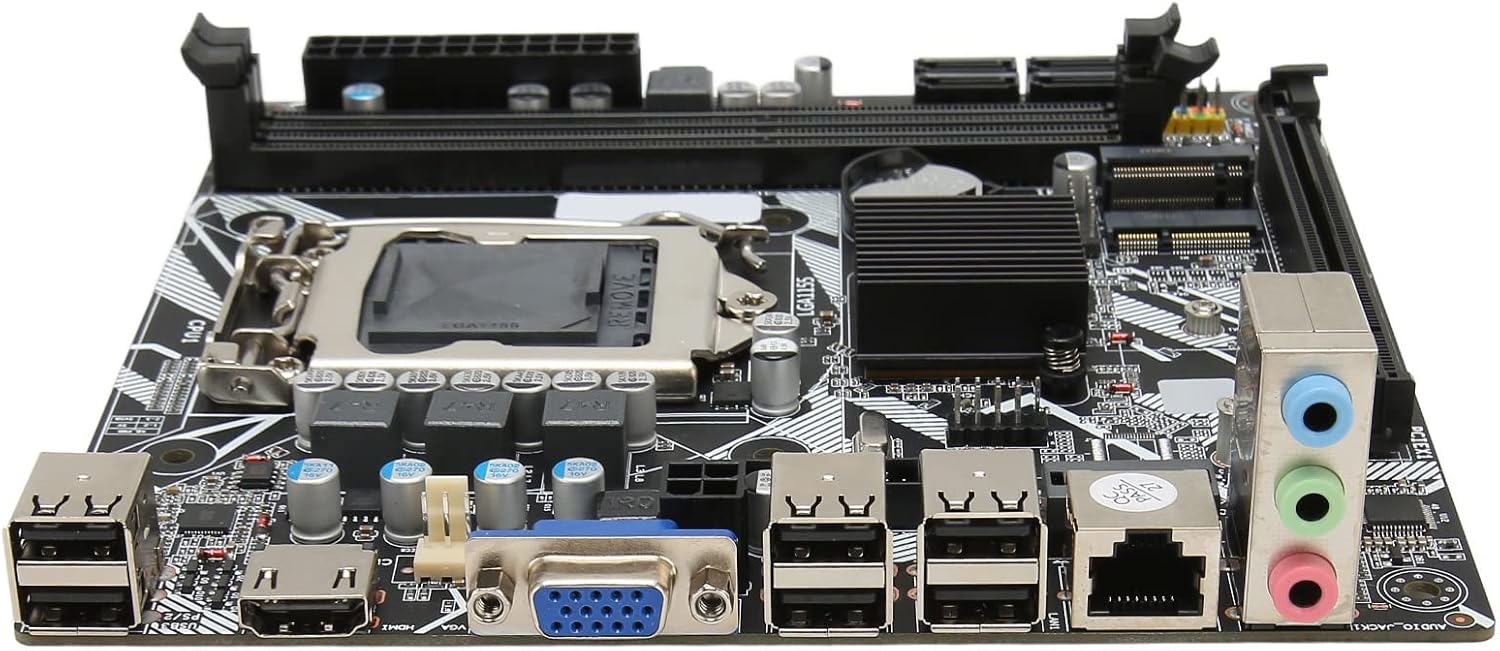
angka 5: pungkur I / O palabuhan
5.2. BIOS / UEFI Setup
To access the BIOS/UEFI setup utility, press the designated key (usually DEL or F2) repeatedly during the initial boot sequence. From the BIOS, you can configure system settings, boot order, and monitor hardware status.
5.3. Pamasangan Sistem Operasi
Once the system is stable, you can proceed with installing your preferred operating system (e.g., Windows, Linux) from a bootable USB drive or DVD.
6. Pangropéa
Proper maintenance can extend the lifespan of your motherboard and ensure optimal performance.
- Ngaleungitkeun lebu: Regularly clean dust from inside your computer case, especially from fans and heatsinks, using compressed air. Ensure the system is powered off and unplugged before cleaning.
- Manajemén Kabel: Pastikeun kabel dialirkeun rapih pikeun ningkatkeun aliran hawa sareng nyegah gangguan.
- Pembaruan BIOS: périodik pariksa produsén urang website for BIOS updates. Update the BIOS only if necessary and follow the instructions carefully to avoid system instability.
- Kaayaan Lingkungan: Operasikan motherboard di tempat anu ventilasina saé, jauh tina sinar panonpoé langsung, panas anu kaleuleuwihi, sareng kalembaban.
7. Cara ngungkulan
Bagian ieu ngabahas masalah umum anu anjeun tingali.
- Henteu aya kakuatan:
- Check if the power supply is plugged in and switched on.
- Verify that the 24-pin and 4-pin power cables are securely connected to the motherboard.
- Pastikeun kabel switch kakuatan panel hareup bener disambungkeun ka header motherboard.
- Henteu aya tampilan:
- Confirm that the monitor is connected to the correct video output (VGA or HDMI) on the motherboard or graphics card.
- Pasang deui modul RAM. Coba boot ngan ukur nganggo hiji modul RAM anu dipasang.
- Reseat kartu grafik (lamun lumaku).
- Ensure the CPU is properly seated and the CPU cooler is installed correctly.
- Instabilitas Sistem / Kacilakaan:
- Pariksa keur overheating. Mastikeun cooler CPU sareng kipas kasus fungsina.
- Test memory modules for errors using diagnostic tools.
- Pastikeun sadaya driver (chipset, grafis, jsb.) parantos mutahir.
- Periferal Teu Dideteksi:
- Coba sambungkeun periferal ka port USB anu béda.
- Ensure necessary drivers are installed for the peripheral.
- Check BIOS settings to ensure USB ports are enabled.
8. Spésifikasi
| Fitur | Katerangan |
|---|---|
| Modél motherboard | H6 ME |
| Jenis motherboard | ITX |
| Jenis Slot CPU | LGA 1155 |
| Slot mémori | DDR3 x 2 |
| Max Kamampuh Mémori | Nepi ka 16GB |
| palabuhan SATA | SATA2.0 x 4 |
| Slot Kartu grafik | PCIe 16X |
| Antarbeungeut USB | USB2.0 x 10 (4 Front, 6 Rear) |
| Interfaces ékspansi | VGA x 1, HD Multimedia Interface (HDMI) x 1, M.2, NVME M.2, DEBUG Pin x 1 |
| Sound Audio Card | Realtek ALC662 Sound Chip |
| Kartu Jaringan | Kartu Jaringan 100M |
| Batré Inbuilt | 240mAh CR2032 x 1 |
| Item Beurat | 1.13 pon |
| Ukuran Paket | 8.27 x 7.87 x 1.97 inci |
| Nomer modél | CUIFATI6wgctin4bz |
9. Garansi jeung Rojongan
For warranty information or technical support, please refer to the retailer where the product was purchased or visit the official Cuifati websitus. Simpen bukti pameseran anjeun pikeun klaim garansi.
Pabrikan: CUIFATI
Titimangsa munggaran sadia: 19 Désémber 2023
For additional assistance, you may contact Cuifati customer service through their official channels.