Parentah Kasalametan penting
Please read and save these important safety instructions before using this fan. Failure to follow these instructions may result in electric shock, fire, or serious personal injury.
- Always unplug the fan before cleaning, assembling, or disassembling parts.
- Entong nganggo kipas nganggo kabel atanapi colokan anu rusak. Piceun kipas atawa balik deui ka fasilitas layanan otorisasi pikeun ujian jeung / atawa perbaikan.
- Ulah ngajalankeun ari handapeun karpét. Ulah nutupan ari ku karpet lémparan, runners, atawa panutup sarupa. Atur tali jauh ti wewengkon lalulintas sarta dimana eta moal tripped leuwih.
- Ulah nyelapkeun atawa ngidinan ramo atawa objék asing asup kana sagala ventilasi atawa bukaan knalpot sabab bisa ngabalukarkeun shock listrik atawa seuneu, atawa ngaruksak kipas.
- Do not use outdoors. This fan is intended for indoor use only.
- Teundeun kipas dina tempat anu datar sareng stabil pikeun nyegahna tibalik.
- Jauhkeun barudak sareng piaraan tina kipas nalika operasi.
Produk Leuwihview
The PELONIS 16'' Oscillating Pedestal Standing Fan is designed to provide powerful and quiet air circulation for various indoor spaces. It features a durable AC motor, three-speed settings, 90° oscillation, adjustable height, and a convenient remote control with a timer function.
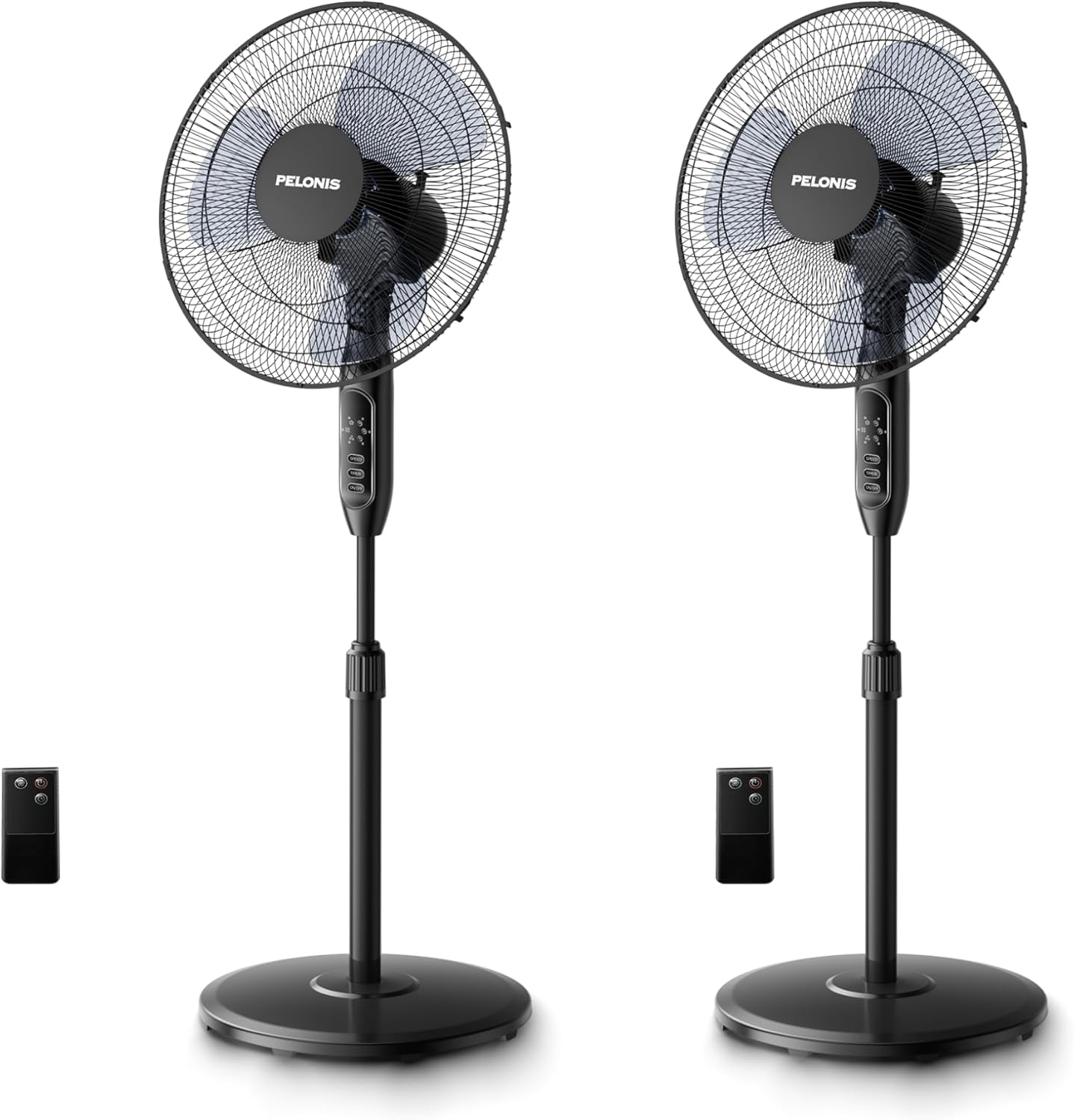
Image: Two PELONIS 16-inch oscillating pedestal fans, black in color, shown with their respective remote controls. The fans feature a round base, an adjustable pole, and a circular fan head with a protective grille.
Majelis sareng Setup
Follow these steps to assemble your PELONIS Pedestal Fan:
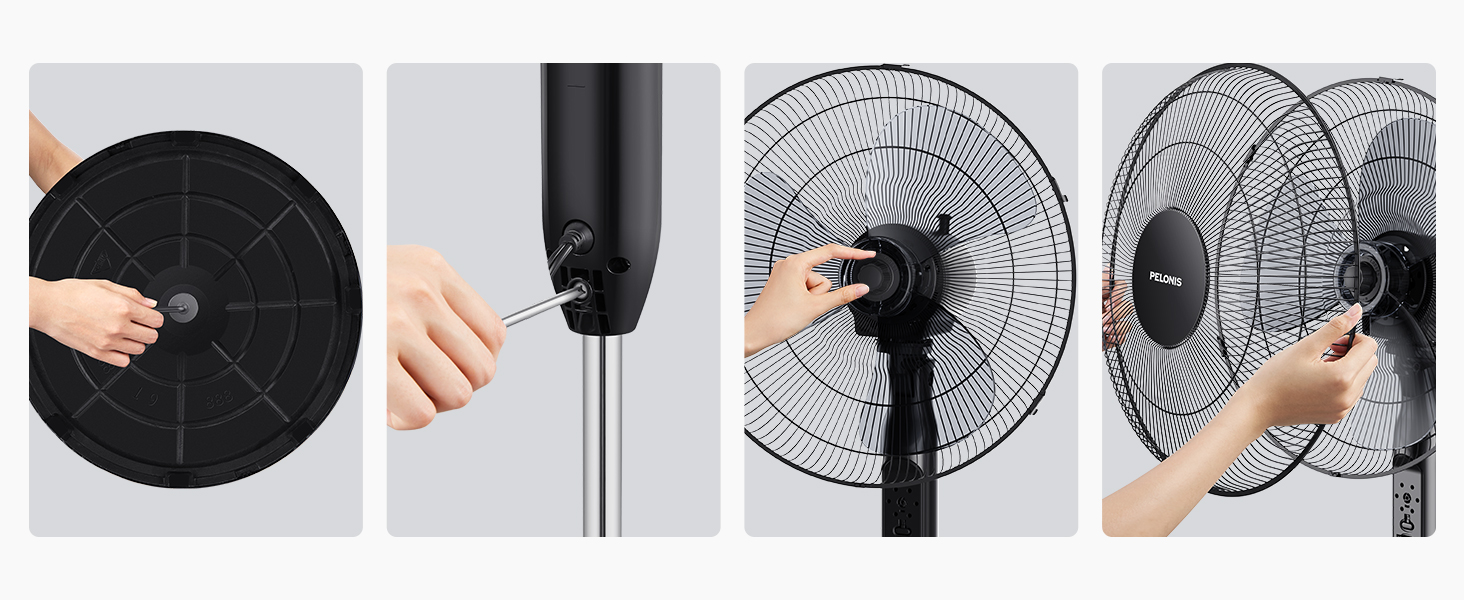
- Step 1: Attach the Base. Secure the fan pole to the round base using the provided screw and washer. Ensure it is firmly tightened for stability.

Image: A hand securing the fan pole into the circular base from underneath.
- Step 2: Connect the Pole to the Motor Housing. Insert the top part of the pole into the motor housing unit. Tighten the securing screw on the motor housing to fix it in place.
Image: A hand inserting the pole into the fan's main body and tightening a screw.
- Step 3: Install the Rear Grille. Place the rear grille onto the motor housing, aligning the notches. Secure it with the provided locking nut.
Image: A hand attaching the rear protective grille to the fan motor housing.
- Step 4: Attach the Fan Blades. Slide the fan blades onto the motor shaft, ensuring they are properly seated. Secure them with the blade cap.
Image: A hand securing the fan blades onto the motor shaft.
- Step 5: Install the Front Grille. Place the front grille over the rear grille, aligning the clips. Secure the two grilles together using the clips or screws provided.
Image: A hand attaching the front protective grille to the fan assembly.
- Step 6: Power Connection. Colokkeun kipas kana stop kontak listrik standar.
Parentah Operasi
Your PELONIS Pedestal Fan can be operated using the control panel on the fan unit or the included remote control.
Panel Kontrol sareng Fungsi Jauh:
Gambar: A lengkep view of the fan's control panel with buttons for Speed, Timer, and On/Off, alongside the remote control.
- Tombol ON/OFF: Pencét pikeun ngaktipkeun atanapi mareuman kipas.
- Tombol SPEED: Press repeatedly to cycle through the three speed settings: Low, Medium, and High.
- Tombol TIMER: Press repeatedly to set the automatic shut-off timer for 1 hour, 2 hours, 4 hours, or a combined 7 hours.
- Osilasi: The fan features a 90° wide-range oscillation. To activate or deactivate oscillation, press the dedicated oscillation button on the control panel (if available) or use the remote control.
- Jangkungna adjustable: Loosen the height-adjustable knob on the pole, adjust the fan to your desired height, and then tighten the knob securely.
- Dengdekkeun adjustable: Manually adjust the fan head up or down to direct airflow.
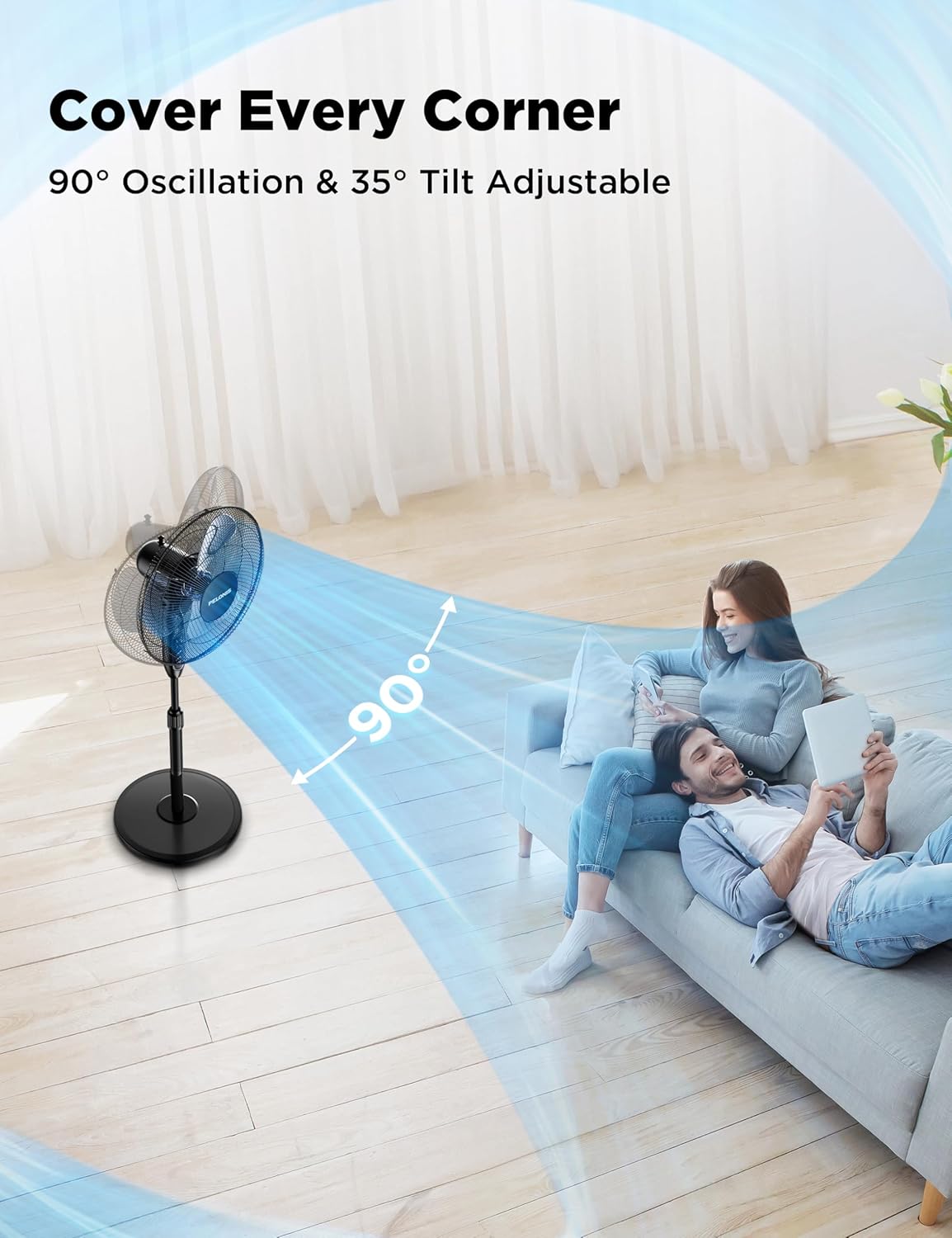
Image: A PELONIS fan illustrating its 90-degree horizontal oscillation and 35-degree vertical tilt capabilities, showing airflow covering a wide area.

Image: A PELONIS fan demonstrating its three adjustable speed settings, visually representing the airflow for Low, Medium, and High.
Pangropéa
Pangropéa anu rutin ngabantosan mastikeun umur panjang sareng kinerja kipas anjeun anu optimal.
- beberesih: Sok cabut kipas tina stop kontak sateuacan beberesih. Ngagunakeun lemes, damp cloth to wipe the exterior surfaces. Do not use abrasive cleaners or harsh chemicals, as they may damage the fan's finish.
- Ngabersihan grille: The front and rear grilles can accumulate dust. Periodically remove the front grille (refer to assembly instructions in reverse) and gently wipe the blades and grilles with a soft cloth or use a vacuum cleaner with a brush attachment.
- Panyimpenan: Lamun teu dipaké pikeun période nambahan, nyimpen kipas dina tiis, tempat garing, preferably dina bungkusan aslina pikeun ngajaga tina lebu jeung karuksakan.
Pamérésan masalah
If your fan is not operating correctly, please check the following common issues and solutions:
| Masalah | Mungkin Cukang lantaranana | Solusi |
|---|---|---|
| Kipas angin teu hurung. | No power supply; Fan not plugged in; Power outlet not working. | Pastikeun kipas dicolokkeun aman kana stop kontak listrik. Pariksa circuit breaker. |
| Lemah atanapi henteu aya aliran hawa. | Fan speed set too low; Obstruction in front/rear grille; Dirty blades. | Increase the fan speed setting. Remove any obstructions. Clean the fan blades and grilles. |
| Fan is noisy during operation. | Loose parts; Fan not on a stable surface; Obstruction. | Check that all assembly screws are tightened. Place the fan on a flat, stable surface. Ensure no objects are interfering with the blades. |
| Kadali jauh teu jalan. | Batteries are dead or incorrectly inserted; Remote not pointed at receiver. | Replace the batteries (2x AAA, not included). Ensure the remote is pointed directly at the fan's control panel. |
spésifikasi
| Fitur | Rincian |
|---|---|
| merek | PELONIS |
| Ngaran modél | PFS16R0APK2 |
| Dimensi produk | 17.9 "D x 15" W x 48.4" H |
| Item Beurat | 28.1 pon |
| Warna | Hideung |
| Sumber Daya | AC |
| Jumlah Tingkat Daya | 3 (Henteu, Sedeng, Luhur) |
| Tingkat Noise | 45 dB |
| Fitur husus | Adjustable Height, Adjustable Tilt, Remote Controlled, Timer (7H) |
| Métode kontrol | Remote, Manual Buttons |
| Bahan Sabeulah | palastik |
| Pamakéan jero rohangan / outdoor | jero rohangan |
| Komponén Kaasup | Kabel, Jauh |


