
1. Bubuka
This manual provides detailed instructions for the installation, operation, and maintenance of the Longer 20W Laser Engraver Module. This module is designed to enhance the capabilities of compatible laser engravers, specifically the Longer RAY5 Series and B1 Series, by offering increased cutting power and engraving precision. Please read this manual thoroughly before use to ensure safe and optimal performance.
2. Émbaran Kasalametan
WARNING: Laser radiation can cause eye damage and skin burns. Always follow safety precautions.
- The laser head is equipped with a panoramic filter glass protective cover designed to filter 97% of ultraviolet rays. This provides a degree of eye protection during operation.
- Despite the integrated eye protection, it is highly recommended to wear additional laser-isolating goggles for maximum safety.
- Never look directly into the laser beam or at its reflection.
- Ensure the work area is well-ventilated to dissipate fumes produced during engraving or cutting.
- Jauhkeun bahan anu gampang kaduruk tina jalur laser.
- Do not leave the laser engraver unattended during operation.
- Familiarize yourself with emergency shutdown procedures for your specific engraver model.

Image: The laser module features an eye protection design with a protective shield and includes laser-isolating glasses for user safety.
3. Eusi Paket
Pastikeun yén sadaya item anu didaptarkeun di handap aya dina pakét anjeun:
- Longer 20W Laser Engraver Module
- Adaptor kakuatan
- Kabel Sambungan
- Mounting Hardware (screws, nuts, brackets)
- Hex Wrenches (various sizes)
- Buka-tungtung konci
- Manual pangguna (dokumén ieu)

Image: The complete set of components included with the Longer 20W Laser Engraver Module.
4. Setup jeung Instalasi
This 20W laser module is compatible with Longer RAY5 Series and B1 Series laser engravers. Installation typically involves replacing the existing laser module with the new 20W module.
- Pareum listrik: Ensure your laser engraver is powered off and unplugged from the power source before beginning installation.
- Hapus Modul Old: Carefully detach and remove the previously installed laser module from your engraver according to your engraver's specific instructions.
- Mount New Module: Using the provided mounting hardware, securely attach the Longer 20W Laser Engraver Module to the engraver's gantry. Ensure it is firmly seated and aligned.
- Sambungkeun kabel: Connect the provided cables from the new laser module to the appropriate ports on your engraver. Refer to your engraver's manual for specific connection points.
- Sasayogian tanaga: Connect the power adapter to the laser module and then to a power outlet.
- Adjust Roller Tension (if applicable): Due to the potentially heavier weight of the 20W module compared to lower-wattage modules, you may need to adjust the roller tension on your engraver's gantry to ensure proper leveling and smooth movement. Consult your engraver's manual for instructions on adjusting roller tension.
- Konfigurasi Parangkat Lunak: After physical installation, you may need to update or configure your laser engraving software (e.g., LightBurn, LaserGRBL) to recognize the new 20W module and its power settings.
For detailed visual guidance, refer to the installation section of your specific Longer RAY5 or B1 Series engraver manual.
5. Parentah Operasi
5.1 Operasi Umum
- Salawasna ngagem panyalindungan panon luyu salila operasi.
- Ensure the material to be processed is securely placed on the work surface.
- Use an air assist system to maintain lens cleanliness and improve cut quality, especially at higher power levels.
- Start with lower power and speed settings when working with new materials and gradually increase as needed.
5.2 Cutting Capabilities
The 20W laser module offers significant cutting power:
- Cuts 0.59" (15mm) pine wood in a single pass.
- Cuts 0.31" (8mm) acrylic in a single pass.
- Capable of cutting up to 25mm wood and 35mm acrylic with multiple passes.
- Precisely cuts 0.002" (0.05mm) stainless steel.

Image: The 20W laser module demonstrates its ability to cut various materials with high accuracy.
5.3 Engraving Capabilities
The module provides high precision for detailed engraving:
- Achieves an engraving accuracy of 0.01mm.
- Supports rare color engraving performance with a self-developed 256-bit color scale for detailed color representation.

Image: The laser module's precise engraving capabilities are demonstrated by a detailed cat image.

Gambar: Examples of rare color engraving performance on different materials.
5.4 Bahan Larapkeun
The Longer 20W Laser Engraver Module supports a wide range of materials:
Bahan Ukiran:
- All types of wood (e.g., basswood, bamboo)
- Paper (e.g., kraft paper)
- palastik
- Kulit
- papan PCB
- Aluminium oksida
- Non-reflective plating and lacquered metal
- karét
- Kaca
- Keramik
- Beusi sténless
Bahan motong:
- Kardus
- lawon non-anyaman
- kai énténg
- Bahan akrilik
- Thin plastic board
Note: The module is unable to engrave blue, purple, white, or transparent materials, or aluminum without an oxide layer.

Gambar: Examples of diverse materials compatible with the laser engraver module.
6. Pangropéa
- Ngabersihan lensa: Regularly inspect and clean the laser lens to ensure optimal performance and prevent debris buildup. Use a soft, lint-free cloth and appropriate lens cleaning solution.
- Sistim Dissipation Panas: The module features a built-in heat dissipation system to cool the engraving machine quickly and extend its service life. Ensure the cooling vents are not obstructed.
- Kahirupan laser: The estimated service life of the laser is approximately 20,000 hours.
- Pamariksaan kabel: Periodically check all connection cables for wear or damage. Replace any damaged cables immediately.
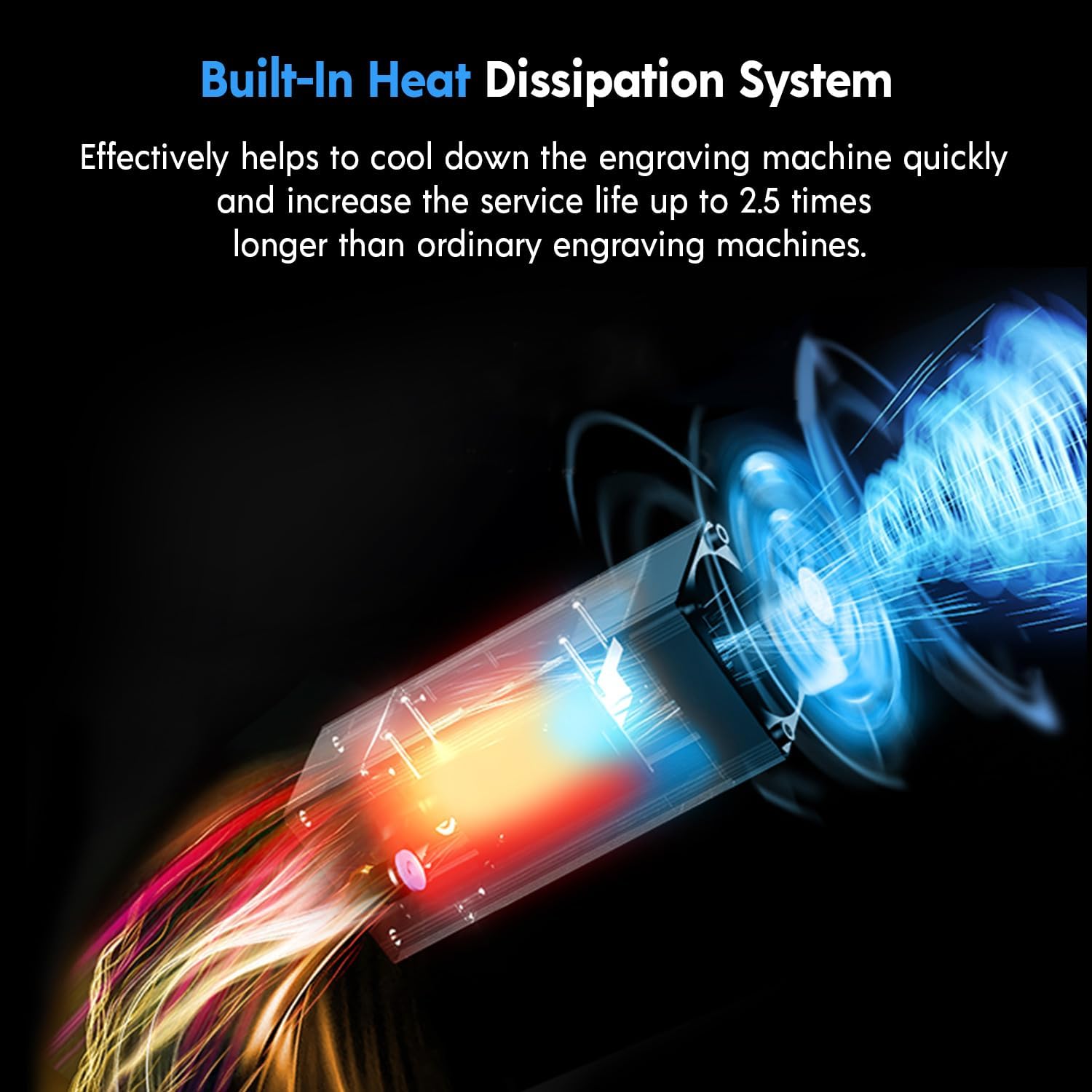
Image: The module's internal heat dissipation system for extended lifespan.
7. Cara ngungkulan
- Module Leaning/Unstable: If the module appears to lean forward or is unstable after installation, it may be heavier than your previous module. Adjust the roller tension on your engraver's gantry to level it out. Refer to your engraver's manual for specific adjustment procedures.
- Poor Focus/Engraving Quality:
- Ensure the laser focus is correctly set for the material thickness.
- Clean the laser lens for any dust or debris.
- Verify that the material is flat and securely positioned.
- Laser Henteu Tembak atanapi Kaluaran Lemah:
- Pariksa sadaya sambungan kabel pikeun mastikeun éta aman sareng dipasang kalayan leres.
- Pariksa yén catu daya parantos nyambung sareng tiasa dianggo.
- Confirm software settings are correct for the 20W module.
- If the issue persists, contact Longer customer support.
- Incorrect Cable Provided: In rare cases, an incorrect cable might be included. If you suspect this, contact Longer customer support for a replacement.
8. Spésifikasi
| Fitur | Spésifikasi |
|---|---|
| merek | Leuwih lila |
| Nomer modél | 20W Laser Engraver Module |
| Daya Kaluaran optik | 20W |
| Ukuran Spot Laser | 0.08 x 0.1 mm |
| Akurasi Ukiran | 0.01 mm |
| Panjagaan panon | Panoramic filter glass protective cover (filters 97% UV) |
| Laser Service Life | Kira-kira. 20,000 jam |
| Ukuran Paket | 10.63 x 10.24 x 5.59 inci |
| Item Beurat | 3.76 pon |
| Produsén | Leuwih lila |

Gambar: Leuwihview of the module's advanced engraving capabilities.
9. Garansi jeung Rojongan
Longer is committed to providing quality products and customer service. For any inquiries, technical assistance, or warranty claims, please contact Longer customer support.
- Palayanan palanggan: Longer offers multi-channel support including email, live chat, and phone.
- Tim Layanan Téknis: A dedicated technical service team is available to assist with product-related issues.
- Garansi: Products are subject to warranty terms. Refer to your purchase documentation or contact customer service for specific warranty details.

Image: Longer's multi-channel customer support options.
For more information, visit the official Longer websitus: www.longer3d.com