Bubuka
The SUNLU S4 Filament Dryer is designed to maintain optimal humidity levels for 3D printer filaments, ensuring high-quality prints. This manual provides essential information for the safe and efficient operation of your S4 Filament Dryer. Please read these instructions thoroughly before use and retain them for future reference.
Émbaran Kasalametan
The S4 Filament Dryer incorporates a triple-layer safety system to protect against overheating and ensure safe operation:
- Level 1: Smart PTC: Automatically stops heating if an abnormal temperature is detected.
- Level 2: Temperature Switch: Provides real-time monitoring of temperature and automatic control of the heating system.
- Level 3: Software Protection: Issues real-time alerts if any anomalies occur during operation.

Image: The SUNLU S4 Filament Dryer's triple security system, including Smart PTC, temperature switch, and software protection, ensures safe operation.
Produk Leuwihview
The SUNLU S4 Filament Dryer is an advanced solution for drying 3D printer filaments. Key features include:
- Kapasitas ageung: Accommodates up to four 1kg filament spools simultaneously, supporting multi-color and multi-machine printing setups.
- Pemanasan gancang: Equipped with a 350W PTC heater, it can raise the internal temperature from 25℃ to 50℃ in approximately 30 minutes, offering faster and more efficient drying.
- Uniform Drying: Three built-in fans (two circulation fans on the sides and one at the bottom) ensure a balanced temperature within ±3℃ throughout the drying chamber, providing 360° uniform drying.
- Smart Automatic Humidity Control: Features a Mode 2 setting that allows users to define a humidity range (30%-50%). The dryer automatically starts drying when humidity exceeds this range and stops when it falls below 25%, preventing over-drying.
- Kasaluyuan universal: Designed to connect with up to four 3D printers simultaneously and is compatible with most 3D printer filaments, including PLA, PLA+, Silk, PETG, TPU, Wood, PA, ABS, and ASA, in 1.75mm, 2.85mm, and 3.0mm diameters.

Image: The SUNLU S4 Filament Dryer, highlighting its key features and design.

Gambar: internal view of the S4 Filament Dryer demonstrating its capacity for four 1kg spools.

Image: Visual comparison of 3D print quality with wet versus dried filament.
Disetél
- Ngabongkar bungkusan: Carefully remove the SUNLU S4 Filament Dryer from its packaging. Inspect for any damage.
- panempatan: Place the dryer on a stable, level surface near your 3D printer(s). Ensure adequate ventilation around the unit.
- Loading Filaments:
- Open the lid of the dryer.
- Place up to four 1kg filament spools onto the internal rollers. Ensure the spools rotate freely.
- Thread the filament through the designated output holes on the dryer. The S4 has multiple output ports to connect to up to four printers.
- Tutup tutupna aman.
- Sambungan Daya: Connect the power adapter to the dryer and then plug it into a suitable power outlet.
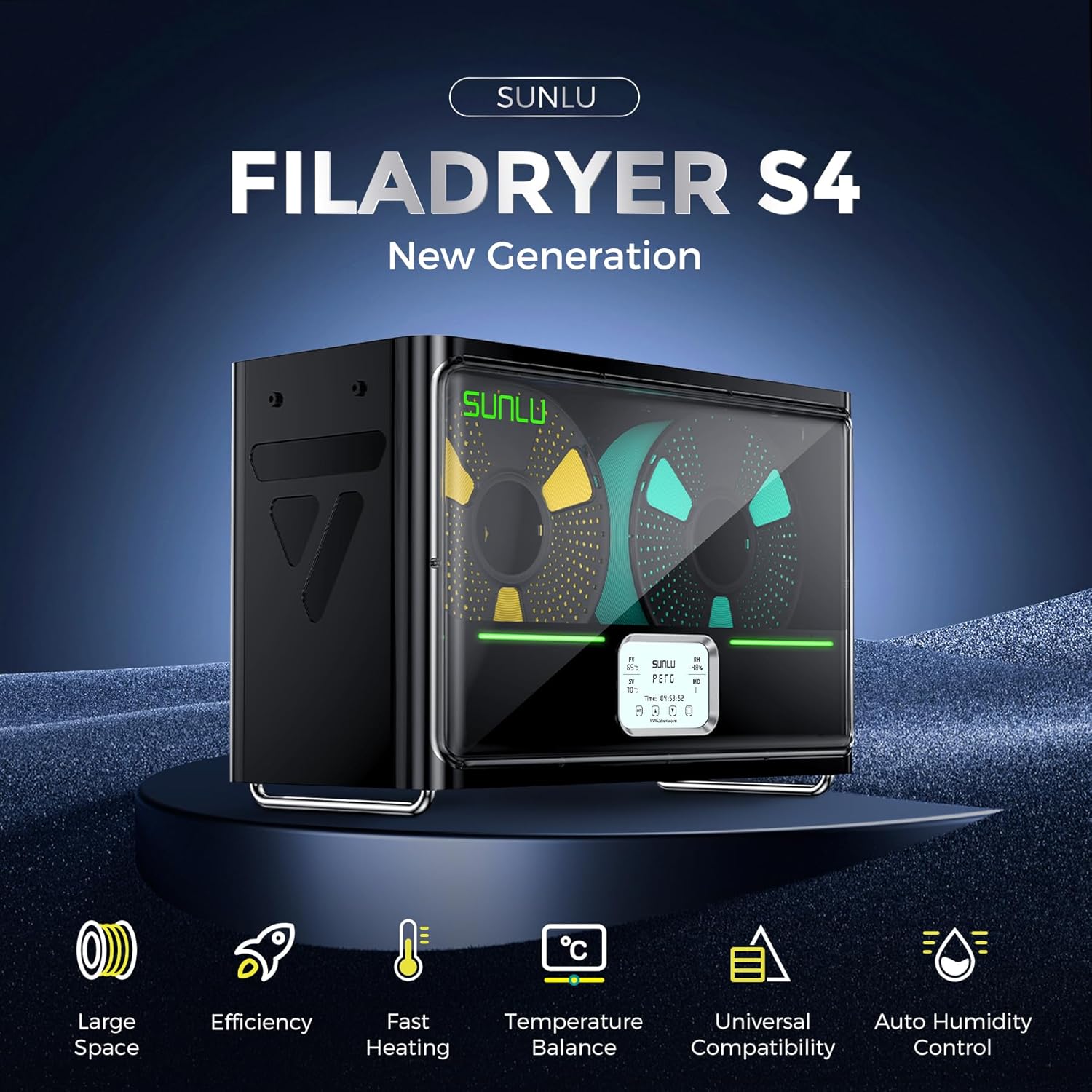
Image: Loading filament spools into the SUNLU S4 Filament Dryer.
Parentah Operasi
The SUNLU S4 Filament Dryer features an intuitive control panel for setting drying parameters.
- Daya Hurung/Pareuman: Press the power button to turn the unit on or off.
- Paparan Liwatview: The display shows various parameters:
- PV (Present Value): Current temperature inside the dryer.
- SV (Set Value): Desired target temperature.
- RH (Kalembaban Relatif): Current humidity level inside the dryer.
- MO (Mode): Current operating mode (Mode 1 or Mode 2).
- Waktos: Remaining drying time.
- Setting Temperature (SV):
- Press the "SET" button to enter temperature adjustment mode.
- Use the up/down arrows to adjust the target temperature (range: 35-70°C).
- Press "SET" again to confirm.
- Setting Drying Time:
- Press the time button (often indicated by a clock icon) to enter time adjustment mode.
- Use the up/down arrows to set the desired drying duration (range: 1-99 hours).
- Konfirmasi setelan.
- Modeu Operasi:
- Mode 1 (Manual Drying): The dryer maintains the set temperature for the set duration.
- Mode 2 (Automatic Humidity Control): This mode is ideal for maintaining optimal filament dryness.
- In Mode 2, you can set a target humidity range (e.g., 30%-50%).
- The dryer will automatically start heating and drying when the internal humidity rises above your set range (e.g., >50%).
- It will automatically stop drying when the humidity drops below 25%, preventing excessive drying.
- To activate Mode 2, select it via the mode button (often indicated by "MO").
- Ngawaskeun: Regularly check the display for current temperature, humidity, and remaining time.

Image: The S4's smart auto humidity control interface and functionality.
Pangropéa
- beberesih: Periodically wipe the exterior of the dryer with a soft, dry cloth. Ensure the unit is unplugged before cleaning.
- beberesih internal: If dust or filament debris accumulates inside, carefully remove spools and gently clean the interior with a soft brush or compressed air. Avoid using liquids inside the unit.
- Silica Gel (Optional): While the S4 has active drying, some users may choose to add silica gel packets to the bottom of the dryer for enhanced moisture absorption, especially during storage. Ensure any added desiccant does not obstruct airflow or heating elements.
Pamérésan masalah
- Dryer Not Heating:
- Check if the power cord is securely plugged into both the dryer and the wall outlet.
- Pastikeun unit diaktipkeun.
- Verify that the temperature (SV) is set above the current temperature (PV).
- If the triple safety system detects an anomaly, it may temporarily halt heating. Check for any error messages on the display.
- Filament Still Wet After Drying:
- Pastikeun tutupna leres ditutup sareng disegel.
- Increase the drying time or temperature settings.
- For very wet filaments, a longer drying cycle may be necessary.
- Verify that Mode 2 (automatic humidity control) is set to an appropriate range for your environment.
- Paparan Henteu Gawe:
- Power cycle the unit (turn off, unplug, wait 30 seconds, plug back in, turn on).
- Upami masalahna tetep, hubungi dukungan palanggan.
spésifikasi
| Fitur | Spésifikasi |
|---|---|
| Produsén | SUNLU |
| Nomer modél | SUNLU Filament Dryer S4 |
| Ukuran produk (L x W x H) | 21.1 x 21 x 21.1 cm |
| Item Beurat | 4 kg |
| Jenis Bahan | Plastic Filament (for drying) |
| Konsumsi Daya | 350 Watt |
| Alat nu cocog | Personal computer (for potential monitoring/control, if applicable) |
| Printing Technology Supported | FDM (Filament Dryer supports FDM printer filaments) |
| Rentang Suhu | Adjustable 35-70°C |
| Drying Time Range | 1-99 jam |
| Humidity Control Range (Mode 2) | Auto start 30%-50% RH, Auto stop <25% RH |
Garansi sareng Rojongan
For warranty information or technical assistance, please contact SUNLU customer support. Refer to the official SUNLU websitus atanapi dokuméntasi pameseran anjeun pikeun detil kontak.


