1. Bubuka
Thank you for choosing the pTron Bassbuds Eon True Wireless Stereo (TWS) Earbuds. This manual provides essential information for setting up, operating, maintaining, and troubleshooting your new earbuds. Please read it carefully before use to ensure optimal performance and longevity of your device.
2. Eusi Paket
- pTron Bassbuds Eon TWS Earbuds (Left & Right)
- Ngecas Case
- Kabel Ngecas USB Tipe-C
- Eartips (rupa-rupa ukuran)
- Manual pamaké

Image: The pTron Bassbuds Eon earbuds resting in their open charging case, illustrating the complete package contents.
3. Produk Langkungview
Komponen Earbud
- Area Kontrol Toél: Pikeun ngatur pamuteran musik, telepon, sareng asistén sora.
- Mikropon: Built-in HD mic for calls, enhanced by AI-ENC technology.
- Speaker: 13mm dynamic drivers for audio output.
- Ngecas Kontak: Perenahna di handapeun unggal earbud.
Komponen Casing Pangisi Daya
- Port ngecas: Port USB Tipe-C pikeun ngecas casing.
- Indikator LED: Némbongkeun status ngecas sareng tingkat batré.
- Slot Earbud: Nyepeng sareng ngecas earbuds kalayan aman.

Image: The pTron Bassbuds Eon earbuds are shown outside their charging case, highlighting their design and individual components.
4. Setélan
4.1 Ngecas Earbuds sareng Case
- Muatan Awal: Saméméh dipaké munggaran, eusian pinuh ku earbuds jeung wadah ngecas.
- Ngecas Kasus: Connect the provided USB Type-C cable to the charging port on the case and a power source (e.g., wall adapter, computer USB port). The LED indicator will show charging progress.
- Ngecas Earbuds: Place the earbuds into their respective slots in the charging case. Ensure the charging contacts align. The earbuds will automatically begin charging.
A full charge for the earbuds takes approximately 1 hour, and the case also takes about 1 hour. The case provides up to 30 hours of total playback time.

Image: The pTron Bassbuds Eon earbuds and charging case are depicted with icons indicating Type-C fast charging, 1-hour charge time, and DC5V-1A charge input.
4.2 Nyapasangkeun sareng Alat
- Daya Hurung: Buka wadah ngecas. Earbuds bakal otomatis hurung tur asup kana mode papasangan.
- Aktipkeun Bluetooth: Dina smartphone Anjeun atawa alat Bluetooth-diaktipkeun sejen, buka setelan Bluetooth tur aktipkeun Bluetooth.
- Pilih Alat: Look for "pTron Bassbuds Eon" in the list of available devices and select it to connect.
- Konfirmasi: Once connected, you will hear an audio prompt, and the earbuds' LED indicators will change (e.g., turn off or flash slowly).
The earbuds support Bluetooth v5.3 for a stable and fast connection with a wireless range of up to 10 meters. They also feature 1-step pairing for convenience.
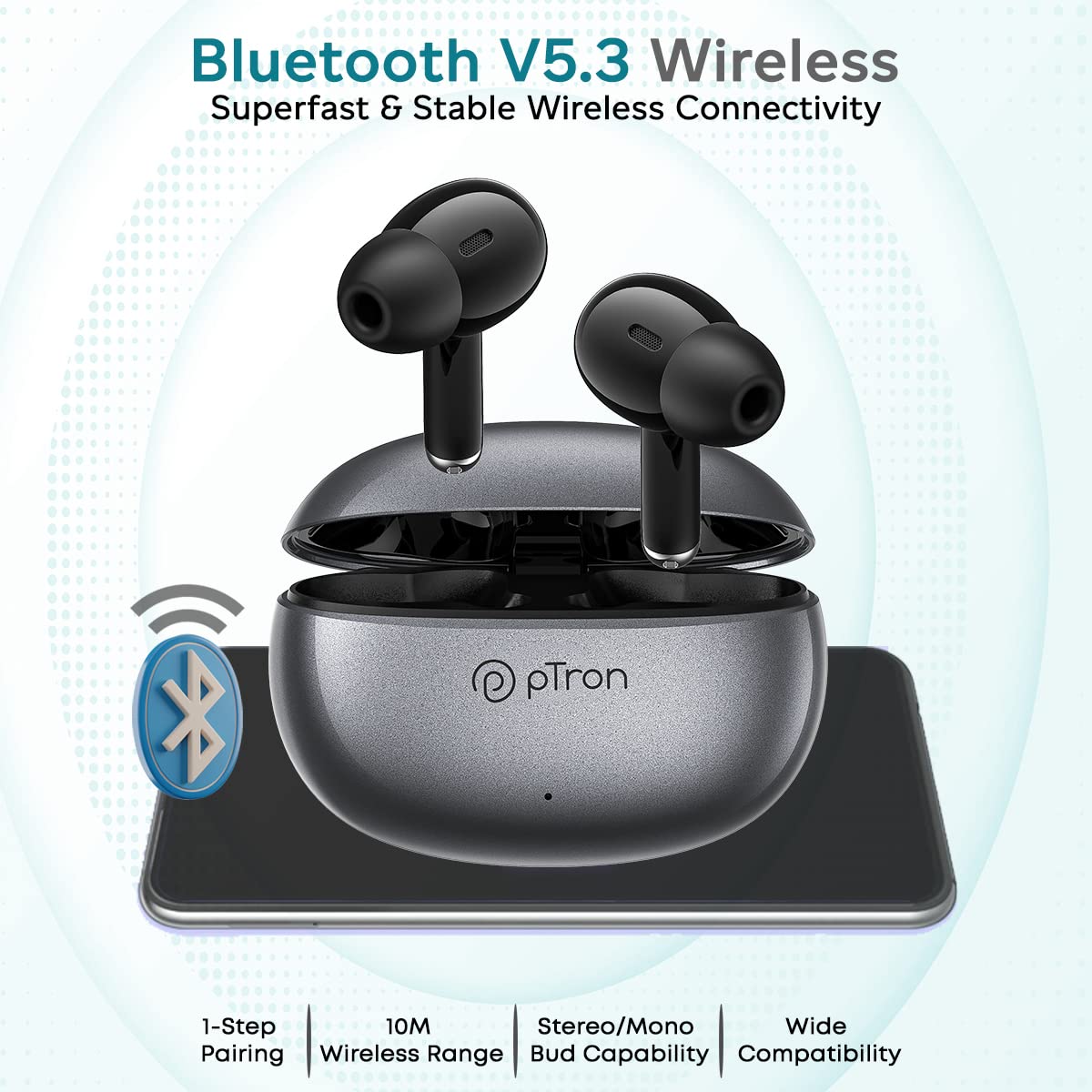
Image: The pTron Bassbuds Eon earbuds and charging case are shown with a Bluetooth icon, emphasizing Bluetooth V5.3 wireless connectivity, 1-step pairing, 10m wireless range, stereo/mono bud capability, and wide compatibility.
5. Parentah Operasi
5.1 Kontrol Toél
The pTron Bassbuds Eon feature intuitive touch controls on each earbud. The functions are as follows:
| Aksi | Fungsi |
|---|---|
| Ketok Tunggal (Kénca/Katuhu) | Puter / Reureuh Musik, Jawab / Tungtung Telepon |
| Ketok dua kali (Katuhu) | Lagu salajengna |
| Ketok dua kali (Kénca) | Lagu saméméhna |
| Ketok Triple (Katuhu) | Volume Up |
| Ketok Triple (Kénca) | Volume Turun |
| Pencét Panjang (2 detik) | Nolak Telepon, Aktipkeun Asisten Sora |

Image: The pTron Bassbuds Eon earbuds are shown with various feature callouts, including 'Touch Control Buds', 'Voice Assist', 'Passive Noise Cancellation', 'IPX4 Water Resistant', 'Round Edges Case', and 'Stereo Calls'.
5.2 Nelepon
The earbuds feature built-in HD microphones and AI-ENC (Environmental Noise Cancellation) technology for clear call quality.
- Ngawalon / Ngeureunkeun Telepon: Ketok tunggal boh earbud.
- Nolak Telepon: Pencét lila boh earbud salila 2 detik.

Image: The pTron Bassbuds Eon earbuds are displayed with a graphic illustrating 'ENC Technology Enhances Your Voice on the Call' and 'TruTalk Technology', showing noise reduction and voice clarity.
5.3 Asistén Sora
Long press either earbud for 2 seconds to activate your device's voice assistant (e.g., Google Assistant, Siri).
6. Pangropéa
6.1 beberesih
- Rutin ngabersihkeun earbuds sareng wadah ngecas ku lawon anu lemes, garing, teu aya lint.
- Cabut eartips sareng bersihkeun ku sabun sareng cai anu hampang, teras garing sacara saksama sateuacan dipasang deui.
- Pastikeun kontak ngecas dina earbud sareng wadahna bersih sareng bébas tina kokotor supados ngecasna tetep leres.
6.2 Panyimpenan
Nalika henteu dianggo, simpen earbuds dina wadah ngecasna pikeun ngajagi sareng tetep dicas.
6.3 Tahan cai
The earbuds are IPX4 water-resistant, meaning they can withstand splashes of water and sweat. They are not designed for submersion in water. Avoid exposing them to heavy rain or showering.
7. Cara ngungkulan
- Earbuds teu dipasangkeun: Pastikeun duanana earbud tos dicas. Lebetkeun deui kana wadahna, tutup, teras buka deui pikeun lebet deui kana modeu pairing. Pariksa setélan Bluetooth alat anjeun teras cobian sambungkeun deui.
- Ngan hiji earbud jalan: Place both earbuds back in the charging case, close the lid, wait a few seconds, then open it again. This often re-syncs them. If the issue persists, try resetting the earbuds (refer to manufacturer's websitus pikeun parentah reset husus lamun teu di manual).
- Teu aya sora: Pariksa tingkat volume dina alat sareng earbud anjeun. Pastikeun earbud disambungkeun kalayan leres kana alat anjeun.
- Masalah ngecas: Pastikeun kabel ngecas disambungkeun pageuh sareng sumber daya aktip. Bersihkeun kontak ngecas dina earbud sareng wadahna.
- Kualitas telepon goréng: Ensure the microphone is not obstructed. Move closer to your connected device to avoid signal interference.
8. Spésifikasi
| Fitur | Spésifikasi |
|---|---|
| Ngaran modél | Bassbuds Eon |
| Téhnologi konektipitas | Nirkabel (Bluetooth v5.3) |
| Rentang Bluetooth | 10 méter |
| Ukuran Supir Audio | 13 Milimeter |
| Rentang Frékuénsi | 20Hz-20kHz |
| Impedansi | 32 ohm |
| Batré Earbud | 30 mah |
| Batré Kasus | 300 mah |
| Kahirupan Batré (Total) | Up to 30 Hours with case |
| Charge Time (Earbuds/Case) | Kira-kira. 1 jam |
| Tingkat Résistansi Cai | IPX4 |
| Tipe Kontrol | Toél |
| Item Beurat | 32 gram |
| Dimensi produk | 6 x 4.3 x 2.5 cm |
9. Garansi jeung Rojongan
The pTron Bassbuds Eon comes with a 1-Taun jaminan produsén ti tanggal beuli.
For warranty claims, technical support, or any other inquiries, please contact our customer care team:
- Telepon: 040-67138888
- Surélék: Support@ptron.in
Punten nahan bukti pameseran anjeun pikeun validasi garansi.


