Bubuka
This manual provides comprehensive instructions for the setup, operation, and maintenance of your TECKNET Wireless Mouse. Designed for versatility and comfort, this mouse offers multiple connectivity options and adjustable sensitivity to enhance your computing experience.

Image: The TECKNET Wireless Mouse in black, shown alongside its charging cable, highlighting its sleek design and rechargeable feature.
Eusi pakét
- Beurit Nirkabel TECKNET
- Kabel Ngecas
- Manual Pitunjuk (dokumén ieu)
Disetél
1. Powering On and Connection Modes
The TECKNET Wireless Mouse supports three modes: 2.4G wireless via USB-A receiver, Bluetooth 5.0/3.0, and Off. A switch located on the underside of the mouse allows you to select your preferred mode.

Image: The mouse demonstrating dual device connection, showing a laptop connected via 2.4G USB-A and a tablet via Bluetooth, illustrating the versatility of connection modes.
Sambungan Nirkabel 2.4G:
- Locate the USB-A receiver stored in the compartment on the underside of the mouse.
- Selapkeun panarima USB-A kana port USB nu sadia dina komputer Anjeun.
- Geser saklar di handapeun beurit ka posisi "2.4G".
- Beurit kedah otomatis nyambung ka komputer anjeun.
Bluetooth Connection (BT5.0/3.0):
- Geser saklar di handapeun beurit ka posisi "BT".
- Press and hold the Bluetooth pairing button (located near the mode switch on the underside) until the LED indicator flashes blue, indicating pairing mode.
- On your computer or device, go to Bluetooth settings and search for "TECKNET Mouse" (or similar).
- Select the mouse to pair. The LED indicator will turn solid blue once connected.

Image: A detailed diagram illustrating the various components of the TECKNET Wireless Mouse, including the scroll wheel, left/right buttons, forward/backward buttons, DPI switch, Bluetooth pairing button, USB receiver storage, Type-C charging port, and the 2.4G/Off/BT mode switch.
Parentah Operasi
Penyesuaian DPI:
The mouse features 6 adjustable DPI levels (800/1200/1600/2400/3200/4800) to customize cursor sensitivity. Press the DPI switch button located just below the scroll wheel to cycle through the settings. The LED indicator will flash to indicate the current DPI level (e.g., 1 flash for 800 DPI, 2 flashes for 1200 DPI, etc.).

Image: The TECKNET Wireless Mouse with a visual representation of its 4800 DPI capability, emphasizing precise control for various tasks.
Silent Click Operation:
The mouse is designed for quiet operation, making it ideal for environments where noise reduction is important, such as libraries or offices. The main click buttons produce an inaudible click sound.
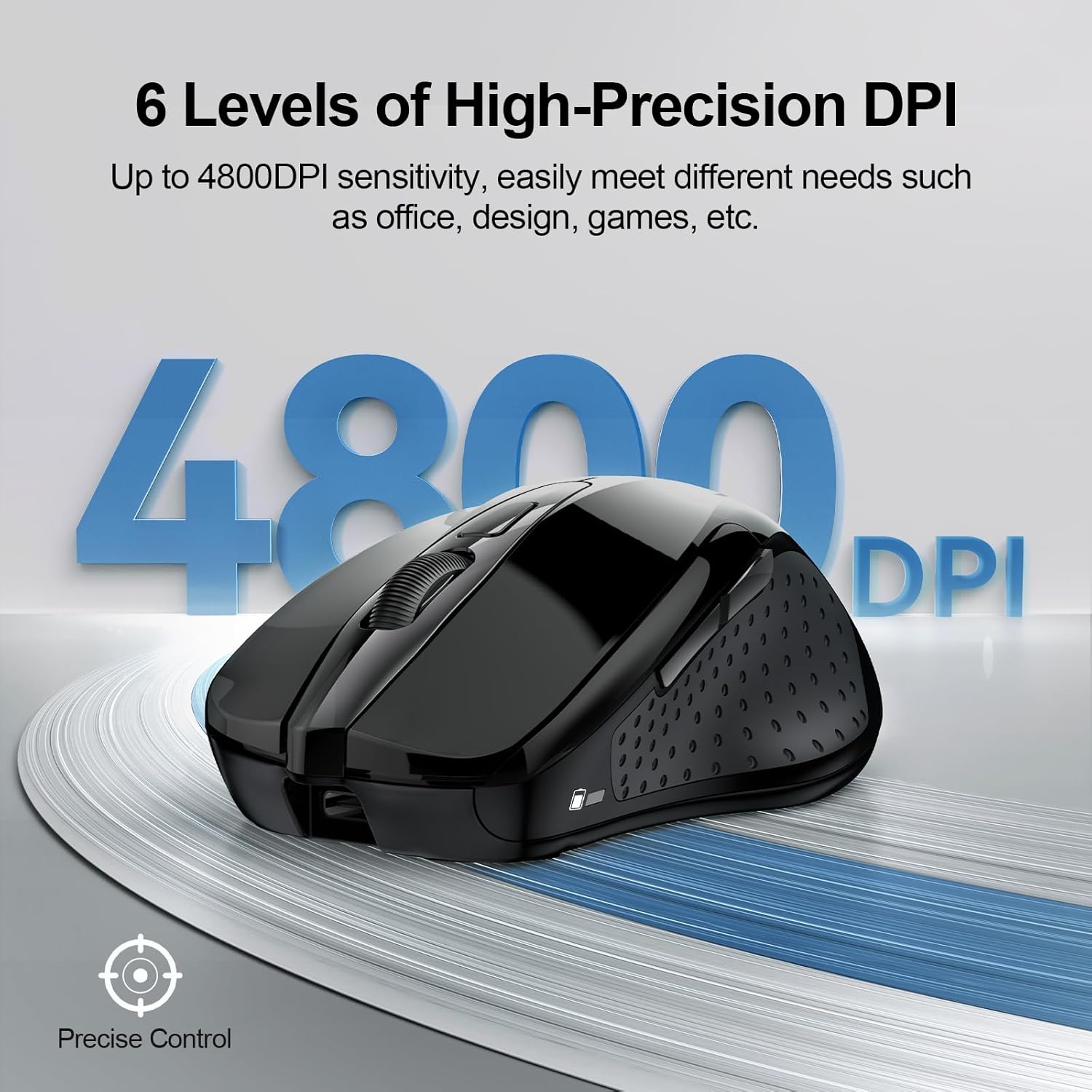
Image: A user operating the TECKNET Wireless Mouse in a quiet setting, with an icon indicating its silent click feature, ensuring minimal disturbance.
Desain ergonomis:
The mouse features an ergonomic design that fits the natural curvature of the human palm, providing comfortable use during extended periods and reducing fatigue.

Image: A visual representation highlighting the ergonomic design of the TECKNET Wireless Mouse, showing how it conforms to the hand for comfortable use.
Kancing samping:
The mouse includes forward and backward buttons on the side for convenient navigation. Please note that these side buttons are not compatible with macOS.
Indikator LED:
The LED indicator on the mouse provides status information:
- Lampu Beureum: Indicates DPI adjustment, low battery, or charging status.
- Cahaya Biru: Nunjukkeun status sambungan Bluetooth.
- Lampu héjo: Indicates 2.4G wireless connection status.

Image: A diagram explaining the different LED indicator colors and their meanings on the TECKNET Wireless Mouse, including red for DPI/low battery/charging, blue for Bluetooth, and green for 2.4G connection.
Ngeusi batre jeung Batré
The TECKNET Wireless Mouse is rechargeable, eliminating the need for disposable batteries. A charging cable is included in the package.
- Waktu Ngecas: Approximately 1.5 to 2 hours for a full charge.
- Kahirupan batré: Up to 3 months of usage on a single full charge (based on 2 hours of daily use).
- Indikator ngecas: The LED indicator will show a red light during charging.

Image: The TECKNET Wireless Mouse connected via its charging cable, illustrating its long-lasting 700mAh battery and quick charging capability.
Video: This video demonstrates the features of the TECKNET Wireless Mouse, including its multi-mode connectivity, silent click, ergonomic design, and rechargeable battery. It highlights the ease of use and versatility for various computing needs.
Kasaluyuan
The TECKNET Wireless Mouse is widely compatible with various operating systems and devices:
- Windows
- macOS (Note: Side buttons are not compatible with macOS)
- Chrome OS
- Linux
- Laptops, computers, and other compatible devices.
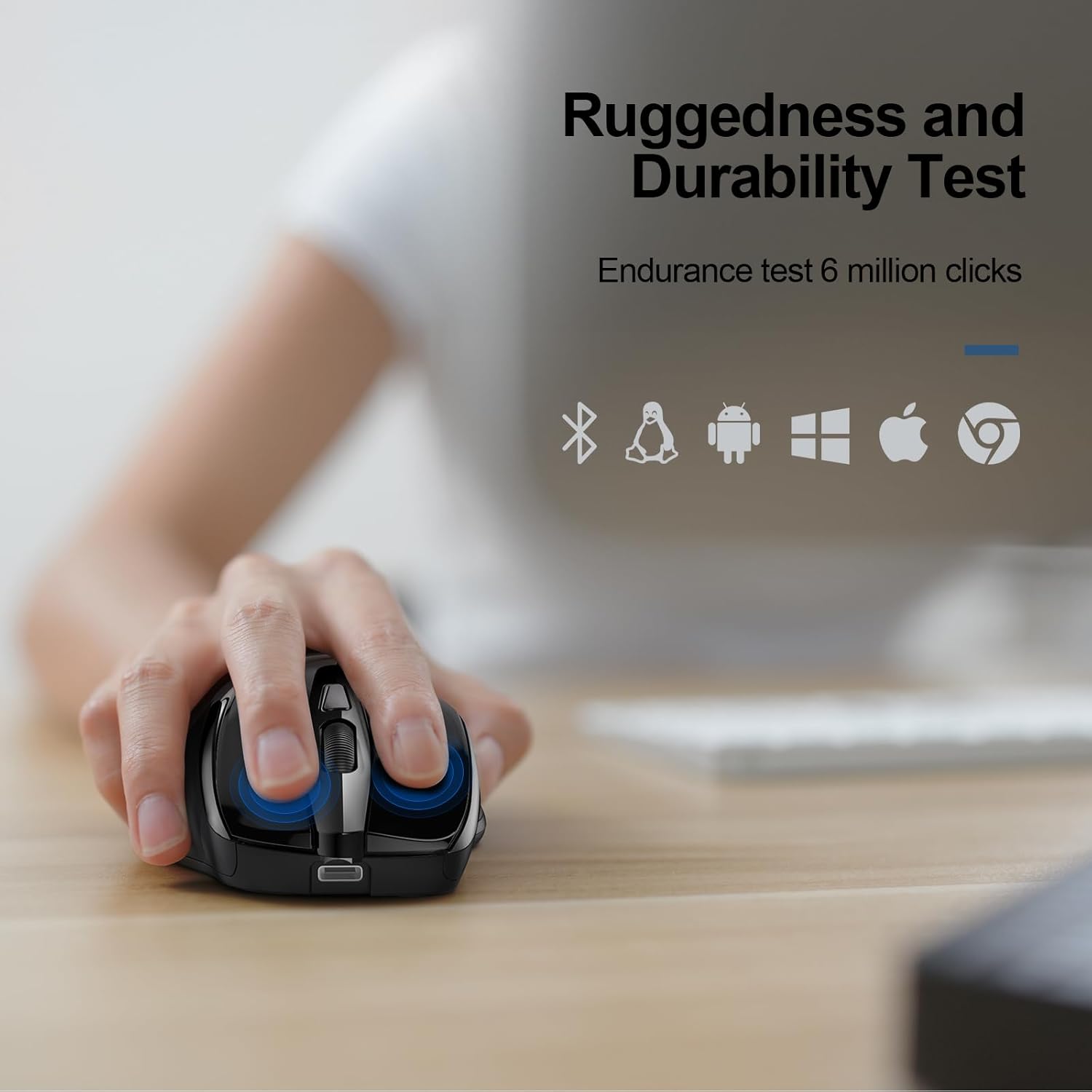
Image: Icons representing Bluetooth, Linux, Android, Windows, Apple, and Chrome OS, indicating the broad compatibility of the TECKNET Wireless Mouse across different platforms.
Pangropéa
To ensure the longevity and optimal performance of your TECKNET Wireless Mouse, follow these maintenance guidelines:
- Keep the mouse clean by wiping it regularly with a soft, dry cloth.
- Hindarkeun ngalaan beurit ka suhu ekstrim, kalembaban, atanapi sinar panonpoé langsung.
- Do not disassemble the mouse, as this may void the warranty.
- Store the USB receiver in its designated compartment when not in use to prevent loss.
Pamérésan masalah
If you encounter issues with your TECKNET Wireless Mouse, please try the following steps:
- Mouse teu ngabales:
- Ensure the mouse is powered on and the correct connection mode (2.4G or BT) is selected.
- For 2.4G, verify the USB receiver is securely plugged into a working USB port.
- For Bluetooth, ensure Bluetooth is enabled on your device and the mouse is properly paired. Try re-pairing if necessary.
- Check the battery level. If low, connect the charging cable.
- Sambungan intermiten:
- Move the mouse closer to the receiver/device to reduce interference.
- Ulah ngagunakeun beurit dina permukaan anu mantul pisan atanapi transparan.
- Pastikeun teu aya alat nirkabel sanés anu nyababkeun gangguan.
- Gerakan kursor teu teratur:
- Ngabersihan sénsor optik dina handapeun beurit.
- Coba atur setélan DPI ka tingkat anu béda.
- Use the mouse on a suitable surface (e.g., mouse pad, opaque desk).
spésifikasi
| Fitur | Rincian |
|---|---|
| Nomer modél | TK-MS317 |
| Téhnologi konektipitas | Wireless (2.4G, Bluetooth 5.0/3.0), USB A |
| Tingkat DPI | 800/1200/1600/2400/3200/4800 |
| Fitur husus | Rechargeable, Silent Click, Ergonomic Design |
| Detéksi Gerakan | Optik |
| Item Beurat | 5 ons |
| Ukuran Paket | 4.92 x 3.98 x 1.77 inci |
| Negara asal | Cina |
Garansi sareng Rojongan
TECKNET offers a 36-month warranty for this product (registration may be required). If you encounter any problems during use, please feel free to contact our professional customer service team for assistance.
For further support, visit the official TECKNET websitus atanapi tingal inpo kontak disadiakeun kalawan pameseran Anjeun.


