Thank you for choosing the Hawkeye 3-18x50 FFP Rifle Scope. This high-performance tactical rifle scope is designed for precision shooting at mid to long distances, offering exceptional clarity, durability, and advanced features. This manual provides detailed instructions for proper setup, operation, and maintenance to ensure optimal performance and longevity of your scope.
Image: The Hawkeye 3-18x50 FFP Rifle Scope, a high-performance tactical optic.
2. Produk Langkungview
2.1 Fitur konci
High performance tactical rifle scope with 3-18x magnification for mid to long distance shooting out to 1000+ yards.
Equipped with a parallax adjustment dial that allows for sharper focus of the target image, elimination of parallax, and range estimation.
Parallax corrected & unlimited eye-relief, helping you acquire targets quickly.
Fully adjustable height, brightness, windage, and elevation.
Single-piece tube constructed from aircraft-grade aluminum ensures strength and shockproof performance.
Comes with a split bracket for a better design experience.
IPX7 Waterproof construction – Sealed optics stay dry inside, even when immersed in three feet of water for up to 30 minutes.
Illuminated MIL Reticle with 6 levels of brightness adjustment.
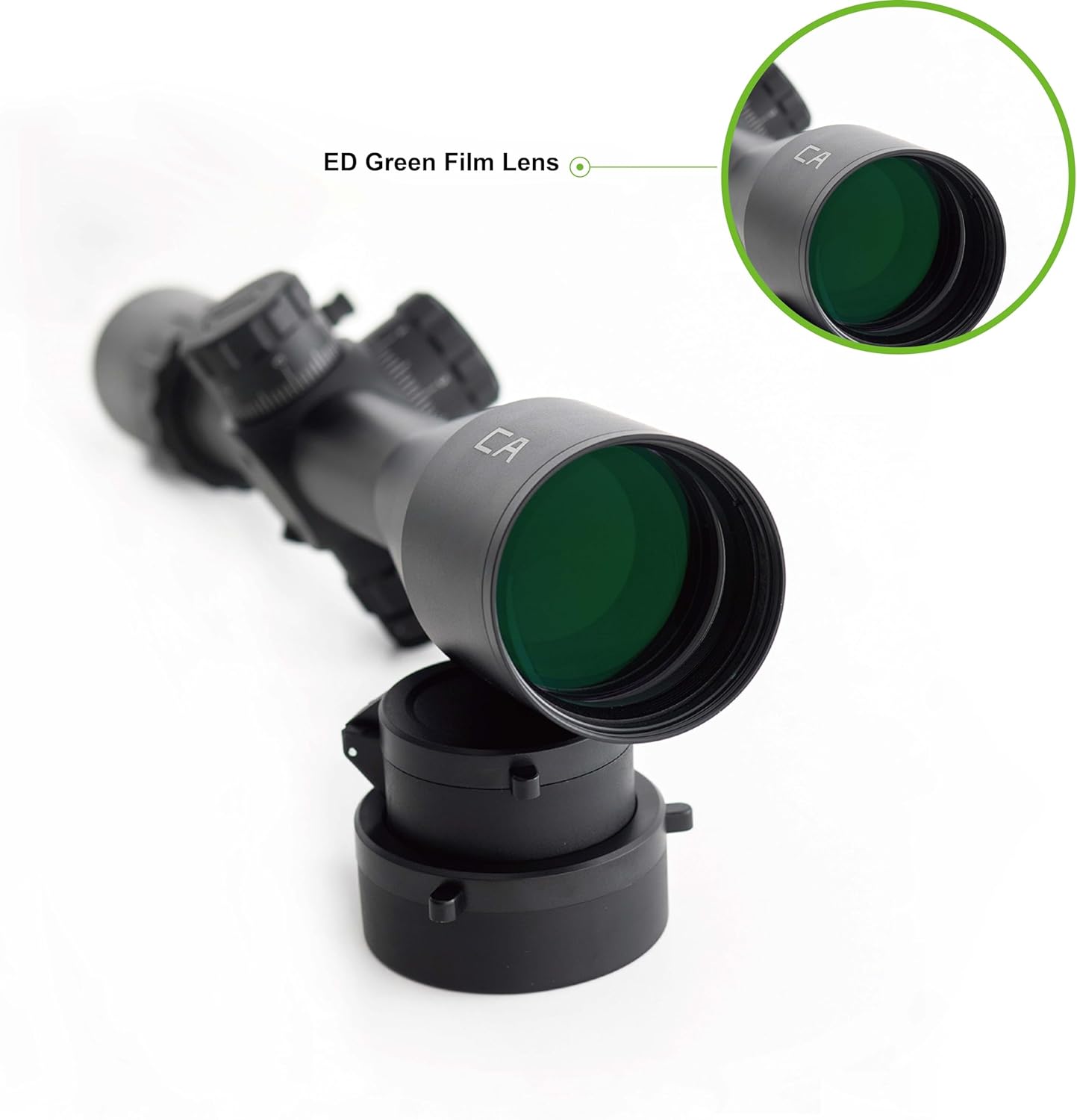
ED Green Film Lens for enhanced light transmission and clarity.
2.2 Komponén
Your Hawkeye 3-18x50 FFP Rifle Scope package includes the following components:
Hawkeye 3-18x50 FFP Rifle Scope
Panutup lensa tujuanana
Ocular lens cover
Ngusap lawon
Split bracket (mounting rings)
Image: All components included with the Hawkeye 3-18x50 FFP Rifle Scope, including the scope, lens covers, and cleaning cloth.
Image: Diagram showing key features and adjustment points of the Hawkeye 3-18x50 FFP Rifle Scope, including turrets and lenses.
3. Setélan
3.1 Pasangkeun Lingkup
Ensure your rifle is unloaded and safe before beginning the mounting process. Use the provided split bracket (mounting rings) to securely attach the scope to your rifle's rail system. Proper mounting is crucial for accuracy and consistent performance.
Attach the bottom halves of the mounting rings to your rifle's rail, ensuring they are spaced appropriately for the scope's length.
Place the scope into the bottom halves of the rings. Adjust the scope's position forward or backward to achieve optimal eye relief.
Rotate the scope to ensure the reticle is level. A reticle leveling tool is recommended for precision.
Place the top halves of the mounting rings over the scope and tighten the screws evenly, alternating between screws to apply even pressure. Do not overtighten.
Verify that the scope is securely mounted and the reticle is level.
3.2 Pangaluyuan Awal
Before zeroing, familiarize yourself with the adjustment turrets and parallax dial.
Cingcin Pembesaran: Located near the ocular lens, rotate to adjust magnification from 3x to 18x.
Penyesuaian Diopter: Adjust the ring near the ocular lens to achieve a sharp focus of the reticle for your eye.
Pangaluyuan Paralaks: The side turret adjusts parallax. Turn it until the target image is clear and the reticle appears to be on the same plane as the target, eliminating parallax error.
Windage and Elevation Turrets: These turrets are used for adjusting the point of impact. Each click typically represents 1/10 MIL.
Illumination Dial: Located on the parallax turret, this dial controls the brightness of the illuminated reticle.
Gambar: Deukeut view of the objective lens, ocular lens, and adjustment turrets (windage, elevation, and illumination dial) on the Hawkeye Rifle Scope.
Image: Technical drawing illustrating the key dimensions of the Hawkeye 3-18x50 FFP Rifle Scope in both inches and millimeters.
4. Ngoperasikeun Ruang Lingkup
4.1 Pangaluyuan Pembesaran
Rotate the magnification ring to select your desired power setting between 3x and 18x. The First Focal Plane (FFP) reticle ensures that the reticle size scales with the magnification, allowing for accurate MIL measurements at any power setting.
4.2 Pangaluyuan Paralaks
The parallax adjustment dial, located on the left side turret, should be set to match the distance to your target. This eliminates parallax error, ensuring the reticle and target remain in focus regardless of minor head movements. Turn the dial until the target appears sharp and clear.
4.3 Pangaluyuan Windage sareng Elevasi
The windage (horizontal) and elevation (vertical) turrets are located on the top and right side of the scope, respectively. These turrets allow you to adjust the point of impact of your shots. Each click of the turret moves the point of impact by 1/10 MIL at 100 yards. To adjust, lift the turret, make your adjustments, and then push it back down to lock it in place. The turrets feature a zero reset feature for convenience after zeroing.
Image: The Hawkeye 3-18x50 FFP Rifle Scope with an overlay of its detailed MIL reticle, demonstrating the First Focal Plane design.
Gambar: Deukeut view of the elevation and windage turrets, showing the 1/10 MIL click adjustments.
4.4 Illuminated Reticle
The illuminated MIL reticle enhances visibility in low-light conditions or against dark backgrounds. Rotate the illumination dial on the parallax turret to select one of the 6 brightness levels. Turn the dial to the "off" position when not in use to conserve battery life.
Gambar: Detil view of the illumination dial on the Hawkeye Rifle Scope, showing the 6 different brightness settings.
5. Pangropéa
5.1 Ngabersihan Lensa
To maintain optical clarity, keep the lenses clean. Use the provided wiping cloth or a soft, lint-free optical cloth. Gently brush away any loose dust or debris before wiping. For stubborn smudges, a small amount of lens cleaning fluid designed for optics can be applied to the cloth, not directly to the lens.
Image: Close-up of the ED Green Film Lens on the Hawkeye Rifle Scope, highlighting its coating for improved light transmission.
5.2 Perawatan sareng Panyimpenan Umum
Always replace the objective and ocular lens covers when the scope is not in use to protect the lenses from dust and scratches.
Simpen teropong di tempat anu tiis sareng garing, jauh tina sinar panonpoé langsung sareng suhu anu ekstrim.
While the scope is IPX7 waterproof, it is good practice to wipe it dry after exposure to moisture.
Avoid dropping or subjecting the scope to severe impacts, as this can affect its internal components and zero.
6. Cara ngungkulan
Masalah
Mungkin Cukang lantaranana
Solusi
Blurry Image / Cannot Focus
Incorrect parallax setting; Diopter not adjusted; Dirty lenses.
Adjust the parallax dial to match target distance. Adjust the diopter ring for a sharp reticle. Clean lenses with the provided cloth.
Reticle Not Illuminating
Battery drained; Incorrect illumination setting.
Replace the battery (check manual for battery type, typically CR2032). Ensure the illumination dial is turned to a numbered setting, not "off".
Check and tighten mounting rings evenly. If problem persists, contact customer support. Ensure consistent shooting form.
Turrets Not Clicking / Stiff
Debris in mechanism; Extreme temperature.
Operate turrets gently. If stiff, try moving them through their full range of motion. Avoid extreme temperatures. If problem persists, contact support.
7. Spésifikasi
Fitur
Rincian
merek
Hawkeye
Ngaran modél
Celestial Archeer
Magnification
3-18x
Diaméter lénsa obyektif
50 mm
Tipe Reticle
MIL-Dot (FFP)
Paneangan
6 Levels Illuminated Adjustment
Bahan
Aircraft-grade Aluminum (6061-T6 Alu Monotube)
Warna
Hideung
Ukuran produk (L x W x H)
15.2" L x 3.5" W x 2.5" H (386mm x 89mm x 63.5mm)
Item Beurat
1.7 Pon (kira-kira 0.77 kg)
Peunteun waterproof
IPX7 (immersed in 3 feet of water for up to 30 minutes)
The Hawkeye 3-18x50 FFP Rifle Scope comes with a 2-taun jaminan produsén urang. Garansi ieu nyertakeun cacad dina bahan sareng pagawean dina panggunaan normal. Punten tahan bukti pameseran anjeun pikeun klaim garansi.
The warranty does not cover damage caused by misuse, unauthorized modification, accident, or neglect.
8.2 Rojongan Palanggan
For technical assistance, warranty claims, or any questions regarding your Hawkeye Rifle Scope, please contact our customer support team. While specific contact details are not provided in this manual, you can typically find support information on the manufacturer's official websitus atawa ngaliwatan pangecér mana produk ieu dibeuli.
We are committed to providing excellent service and ensuring your satisfaction with our products.
HawkEye FishPod 5X Troubleshooting and Tips Guide Find solutions to common issues with the HawkEye FishPod 5X, including battery charging, sonar readings, pool usage, boat movement, and battery life. Access support articles for further assistance.
Hawkeye 4K Thumb Cam 2 Manual Pamaké Gyroflow Smooth Manual pamaké pikeun Hawkeye 4K Thumb Cam 2 kalawan Gyroflow Smooth, detailing fitur, setelan, ngarékam, software Gyroflow, sarta setelan sistem pikeun FPV jeung aksi fotografi.
Hawkeye 1.2G 3.3G 4.9-5.8GHZ -99DB 10.2 inch FPV Monitor with DVR and HDMI User Manual Comprehensive user manual for the Hawkeye 1.2G 3.3G 4.9-5.8GHZ -99DB 10.2 inch FPV Monitor. This guide details specifications, features, button functions, interface operations (FPV, DVR, HDMI), display settings, frequency tables, recording configurations, advanced settings, and troubleshooting FAQs. It covers setup, operation, and maintenance for aerial photography and FPV systems.