1. Parentah Kasalametan penting
Mangga baca sareng simpen pitunjuk kaamanan penting ieu sateuacan nganggo kipas ieu. Pancegahan kaamanan dasar kedah teras diturutan pikeun ngirangan résiko kahuruan, sengatan listrik, sareng tatu ka jalma.
- Always unplug the fan before moving it, cleaning it, or when not in use.
- Ulah ngoperasikeun kipas nganggo kabel atanapi colokan anu ruksak. Upami kabel atanapi colokanna ruksak, hubungi petugas servis anu mumpuni pikeun perbaikan.
- Jauhkeun kipas tina jangkauan barudak sareng piaraan.
- Ulah nyelapkeun ramo atawa objék séjén ngaliwatan grille lamun kipas keur beroperasi.
- Teundeun kipas dina permukaan anu stabil sareng rata pikeun nyegahna tina tipping.
- Ulah make kipas dina baseuh atawa damp lokasi, kayaning kamar mandi atawa wewengkon laundry.
- Pastikeun voltage dituduhkeun dina kipas cocog catu daya lokal Anjeun sateuacan nyambungkeun.
- Do not block air openings or operate near curtains or other materials that may block airflow.
2. Produk Langkungview
The PELONIS Pedestal Fan (Model FS40) is designed to provide efficient and quiet cooling for your home or office. It features three speed settings, a 7-hour timer, 90-degree oscillation, and an adjustable height for optimal air distribution.
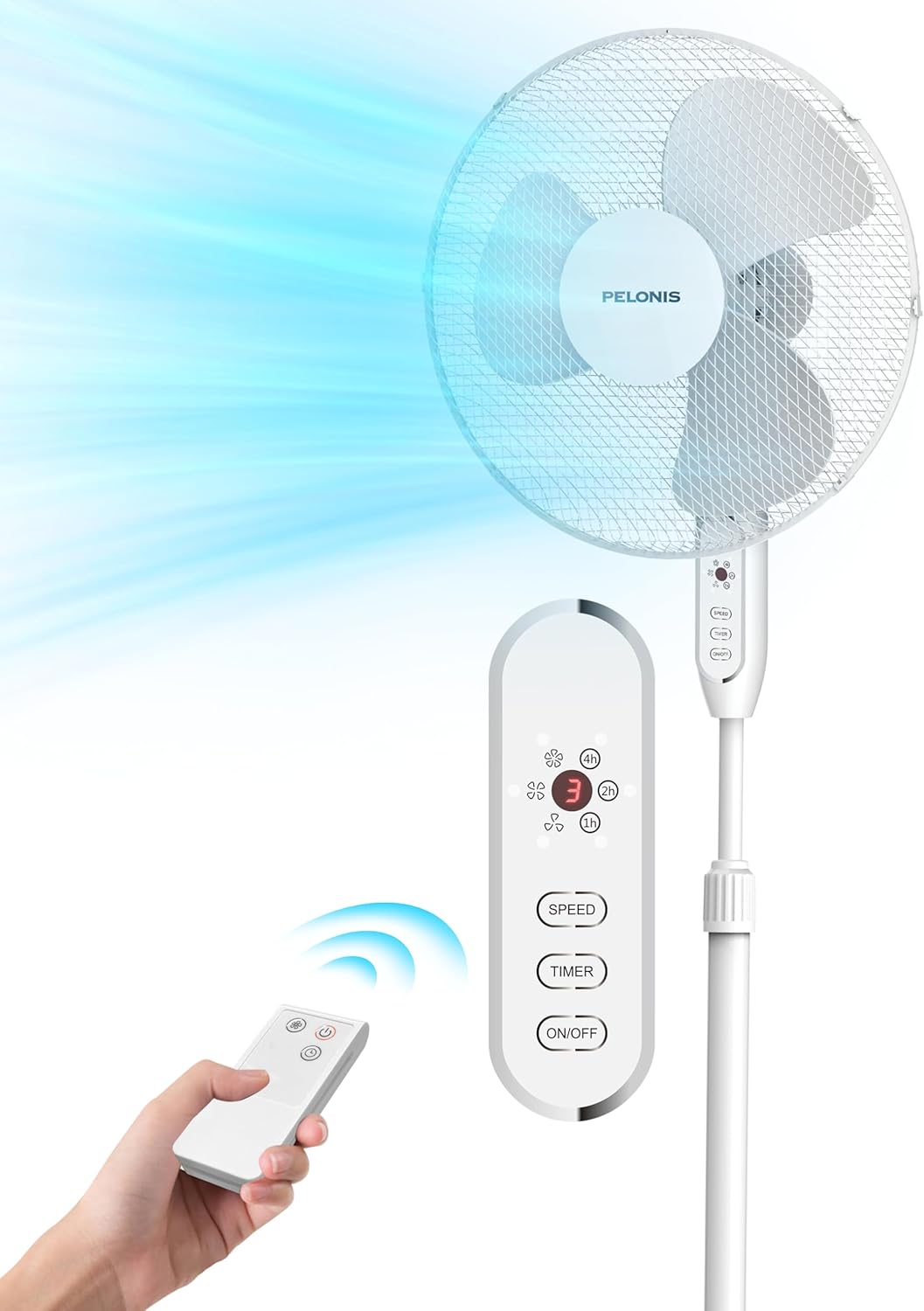
Figure 2.1: PELONIS Pedestal Fan with Remote Control. This image displays the fan's overall design, including its base, adjustable pole, fan head, and the accompanying remote control, with an illustration of airflow.

Figure 2.2: Fan Motor and Airflow. This diagram highlights the internal AC motor, emphasizing its power and efficiency in generating strong airflow, with indicators for maximum wind speed (2m/s) and air reach (6m).

Figure 2.3: Oscillation and Tilt Capabilities. This image shows the fan's ability to oscillate horizontally up to 90 degrees and tilt vertically up to 24 degrees, ensuring wide area coverage.

Figure 2.4: Remote Control Functions. A detailed view of the remote control, displaying buttons for speed adjustment, timer settings, and power on/off, along with an LED display on the fan unit.

Figure 2.5: Quiet Operation. This image depicts the PELONIS fan in a bedroom setting, illustrating its quiet operation which makes it ideal for use during sleep.
3. Setup jeung Majelis
Follow these steps to assemble your PELONIS Pedestal Fan. No special tools are required beyond a Phillips head screwdriver for securing the fan guards.
- Install Base: Attach the fan pole to the cross-shaped base. Ensure it is securely fastened.
Figure 3.1: Installing the fan base.
- Install Column: Insert the main column of the fan into the base assembly.
Figure 3.2: Installing the fan column onto the base.
- Install Rear Guard: Place the rear fan guard onto the motor housing, aligning the notches. Secure it with the provided retaining nut.

Figure 3.3: Attaching the rear guard to the motor housing.
- Pasang Blade: Slide the fan blade onto the motor shaft. Secure it with the blade cap, turning it counter-clockwise (left-hand thread).
Figure 3.4: Mounting the fan blade onto the motor shaft.
- Pasang Front Guard: Align the front fan guard with the rear guard and snap them together.

Figure 3.5: Attaching the front guard to complete the fan head assembly.
- Press Buckle: Secure the fan guards by pressing the buckle or tightening the screw at the bottom of the guard ring.

Figure 3.6: Securing the fan guards using the buckle mechanism.
4. Parentah Operasi
Your PELONIS Pedestal Fan can be operated using the control panel on the fan unit or the included remote control.
4.1 Control Panel jeung Remote Control
The control panel on the fan unit and the remote control share similar functions:
- Tombol ON/OFF: Ngahurungkeun atanapi mareuman kipas.
- Tombol SPEED: Cycles through the 3 available fan speeds (Low, Medium, High).
- Tombol TIMER: Sets the operating timer for up to 7 hours. Each press adds an hour to the timer.
- OSC Button (on fan unit): Ngaktipkeun atanapi nganonaktipkeun pungsi osilasi 90°.
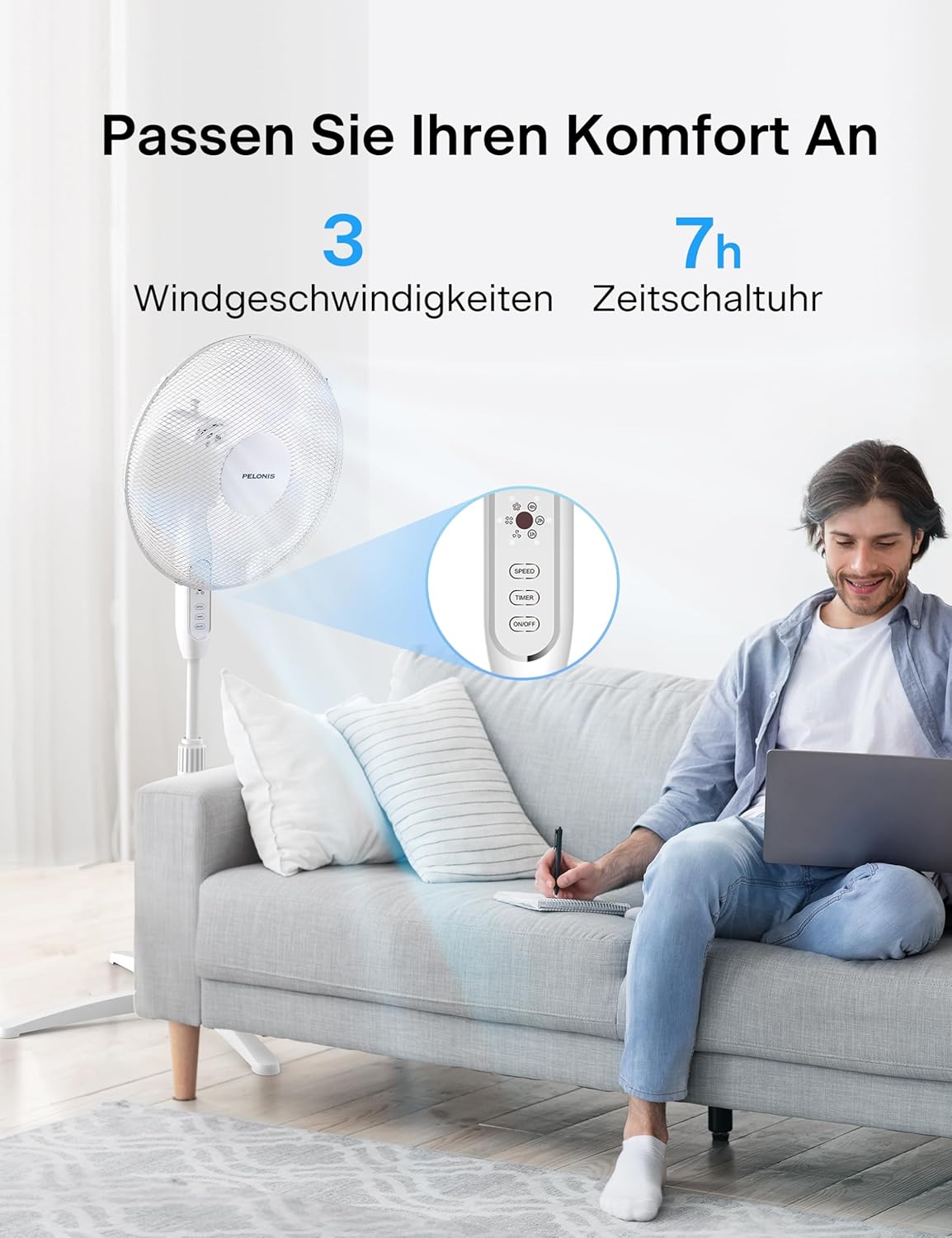
Figure 4.1: Convenient Remote Control Operation. This image shows a user comfortably operating the fan from a distance using the remote control, highlighting its ease of use in a living space.
4.2 Jangkungna Anu Bisa Disaluyukeun
The fan's height can be adjusted from 110 cm to 130 cm to suit your cooling needs. Loosen the height adjustment knob on the pole, extend or retract the pole to the desired height, and then tighten the knob securely.

Figure 4.2: Adjustable Height Feature. This diagram illustrates the fan's flexible height adjustment, allowing it to be set anywhere between 110 cm and 130 cm for customized airflow.
4.3 Fungsi Mémori
The fan is equipped with a power-off memory function. When you turn the fan back on, it will resume operation at the last preferred speed setting you selected before it was turned off.
5. Pangropéa jeung beberesih
Pembersihan rutin bakal ngabantosan ngajaga kinerja kipas sareng manjangkeun umurna.
- Sateuacan beberesih: Sok cabut kipas tina stop kontak sateuacan beberesih.
- Bersihan Luar: Ngagunakeun lemes, damp lawon pikeun ngusap surfaces exterior kipas. Ulah make cleaners abrasive atawa pangleyur sabab bisa ngaruksak finish.
- Grille jeung bilah: To clean the fan blades and inside the grilles, you may need to disassemble the front guard (refer to Section 3: Setup and Assembly for reassembly). Use a soft brush or vacuum cleaner to remove dust and debris from the blades and grilles.
- Panyimpenan: If storing the fan for an extended period, cover it with a plastic bag to protect it from dust and store it in a cool, dry place.
6. Cara ngungkulan
If you experience issues with your fan, please refer to the following common problems and solutions:
| Masalah | Mungkin Cukang lantaranana | Solusi |
|---|---|---|
| Kipas angin teu hurung. | Teu aya catu daya; Kipas teu dipasang; Stop kontak rusak. | Ensure the fan is securely plugged into a working power outlet. Check your circuit breaker. |
| Aliran hawa lemah. | Fan speed set too low; Air intake/output blocked; Dust accumulation on blades/grille. | Increase fan speed. Ensure nothing is obstructing the fan. Clean the fan blades and grilles. |
| Kipas angin ribut. | Loose parts; Fan not on a stable surface; Dust/debris in motor. | Check for any loose components and tighten them. Place the fan on a flat, stable surface. Clean the fan thoroughly. |
| Osilasi teu jalan. | Pungsi osilasi teu diaktipkeun. | Press the OSC button on the fan unit to activate oscillation. |
| Kadali jauh teu jalan. | Batré paéh atanapi teu leres diselapkeun; Halangan antara remote jeung kipas. | Replace batteries in the remote control. Ensure there is a clear line of sight between the remote and the fan's receiver. |
7. Spésifikasi
| Fitur | Rincian |
|---|---|
| merek | Pelonis |
| Nomer modél | FS40 |
| Warna | Bodas |
| Kakuatan | 40 Watt |
| Ukuran produk (L x W x H) | 40.64 x 40.64 x 129.54 cm (adjustable height) |
| Item Beurat | 3.96 kg |
| Bahan | palastik |
| Fitur husus | Timer, Oscillating, Remote Control, Memory Function |
| Desain kipas | Kipas lanté / Kipas Pedestal |
| Sumber Daya | Kabel Listrik |
| Rentang Jangkungna adjustable | 110 cm - 130 cm |
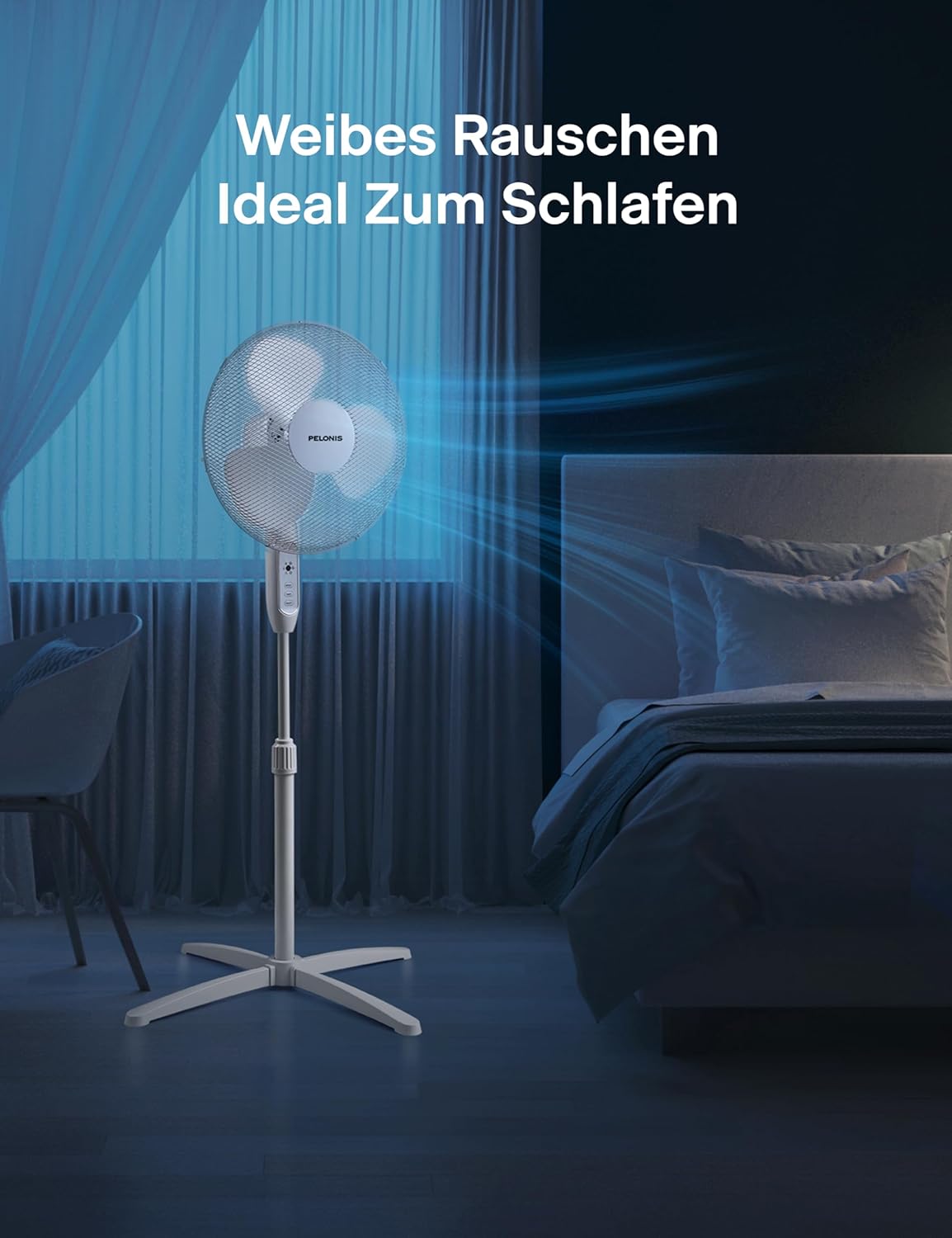
Figure 7.1: Product Dimensions. This image provides a visual representation of the fan's dimensions, including its adjustable height range and base width.
8. Garansi jeung Rojongan
PELONIS products are manufactured to the highest quality standards. For warranty information, technical support, or customer service inquiries, please refer to the contact details provided with your product packaging or visit the official PELONIS websitus.
Punten tahan bukti pameseran anjeun pikeun klaim garansi.


