Bubuka
Boompods Boomtag is a smart Bluetooth tracker designed to help you locate your valuable items. Compatible with the Apple Find My app, this device provides peace of mind by allowing you to track belongings such as keys, luggage, wallets, and even pets or children. Crafted from ocean-bound plastic, the Boomtag also contributes to environmental sustainability.

Image: A red Boompods Boomtag, a circular tracking device with a small hole for attachment, floating above a shadow.
Disetél
Setting up your Boompods Boomtag is a straightforward process, integrating seamlessly with your Apple devices.
- Daya Hurung: The Boomtag comes with a replaceable CR2032 battery, offering a 10-12 month battery life. Ensure the battery is correctly inserted.
- Buka Milarian Aplikasi Kuring: On your iPhone, iPad, or Mac, open the 'Find My' application.
- Tambahkeun Item: Navigate to the 'Items' tab and select 'Add New Item'. Follow the on-screen prompts to pair your Boomtag. The device will emit a secure Bluetooth signal that nearby Apple devices can detect.
- Name Your Boomtag: Assign a name to your Boomtag (e.g., "Keys," "Backpack," "Dog Collar") for easy identification within the app.
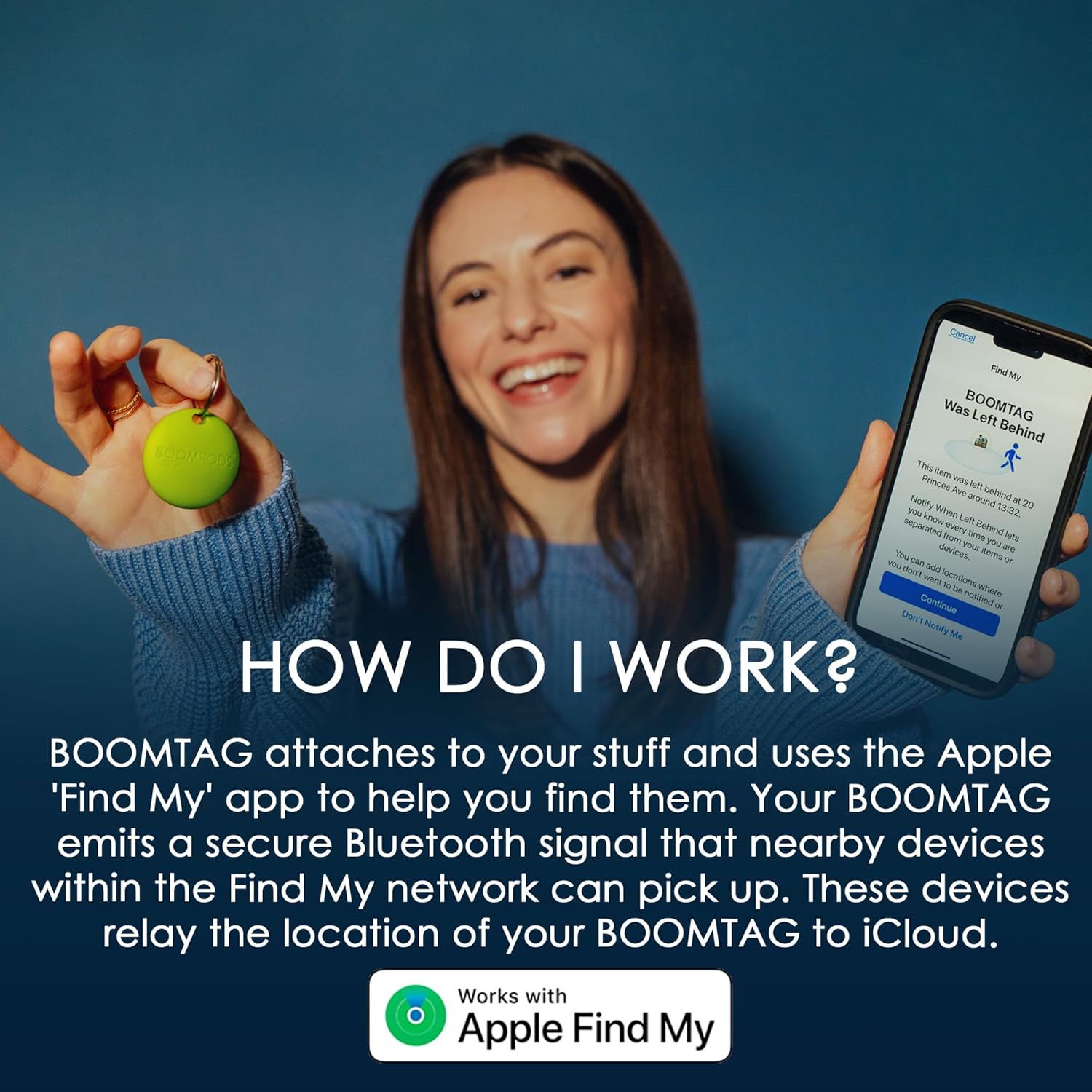
Image: A woman smiling, holding a green Boompods Boomtag in one hand and an iPhone displaying the 'Find My' app interface in the other. The text overlay reads "HOW DO I WORK?" and explains the Boomtag's function with the Apple Find My app.
The Boomtag's integration with the Find My network ensures that its location can be relayed to iCloud by any nearby Apple device, even if your item is far away. This process is designed to protect your privacy through encryption.
Ngoperasikeun
Once your Boomtag is set up, you can utilize the Apple Find My app to track your items and receive alerts.
- Locating Items: Open the Find My app and select your Boomtag from the 'Items' list. The app will display its last known location on a map.
- Puter Sora: If your item is nearby, you can tap the 'Play Sound' option in the app. Your Boomtag will emit a 94dB alert sound, helping you pinpoint its exact location.
- Left Behind Alerts: Enable 'Notify When Left Behind' in the Find My app settings for your Boomtag. This feature will send an alert to your Apple device if you leave your item behind at an unfamiliar location.
- Precision Finding: For closer proximity, the Find My app can guide you directly to your Boomtag using visual and haptic feedback on supported iPhone models.

Image: An iPhone screen showing a map within the Find My app, with a red Boompods Boomtag icon indicating its location. The text overlay reads "UNDER YOUR NOSE" and describes how the tracker syncs with the Apple Find My app for real-time location updates.
Pangropéa
Proper maintenance ensures the longevity and optimal performance of your Boompods Boomtag.
- Ngagantian batré: The Boomtag uses a standard CR2032 coin cell battery. When the battery level is low, you will receive a notification in the Find My app. To replace, gently open the device casing, cabut batré anu lami, teras pasang batré CR2032 énggal kalayan sisi positipna (+) ngadep ka luhur.
- beberesih: Wipe the Boomtag kalawan lemes, damp cloth to remove dust or dirt. Avoid using harsh chemicals or abrasive materials, as these can damage the device's surface.
- Tahan cai: The Boomtag has an IPX5 water resistance rating, meaning it can withstand splashes of water from any direction. However, it is not designed for submersion. Avoid exposing it to prolonged periods of heavy rain or direct water jets.

Gambar: Boompods Boom birutag resting on a pile of discarded plastic bottles, emphasizing its construction from ocean-bound plastic. The text overlay highlights the partnership with #tide ocean SA for collecting plastic waste.
Pamérésan masalah
If you encounter issues with your Boompods Boomtag, pertimbangkeun léngkah-léngkah ngungkulan masalah ieu:
- No Connection/Location Not Updating:
- Ensure your Boomtag has a fresh battery. A low battery can affect connectivity and location updates.
- Verify that Bluetooth is enabled on your Apple device.
- Check if the Find My app has location services permissions enabled.
- Move closer to the Boomtag to establish a direct Bluetooth connection.
- Sound Alert Not Loud Enough: The Boomtag's sound alert is designed to be audible in quiet environments. In noisy surroundings, it may be less effective. Try to narrow down the item's location using the map before activating the sound.
- Alat Teu Nyapasangkeun: If the Boomtag does not pair, try resetting it (refer to the manufacturer's website for specific reset instructions if needed) and attempt the pairing process again. Ensure no other devices are currently paired with the Boomtag.
For persistent issues, consult the official Boompods support resources or the Apple Find My app's help section.
spésifikasi
| Fitur | Rincian |
|---|---|
| Nomer modél | TAGBEureum |
| Diménsi | 11.3 x 8.2 x 2.4 cm |
| Beurat | 30 g |
| Jenis Batré | CR2032 Lithium Metal (1 required) |
| Kahirupan batré | Kira-kira. 10-12 bulan |
| Tahan cai | IPX5 |
| Bahan | Plastic (Ocean-bound) |
| Kasaluyuan | Apple Find My app (iOS devices) |
Garansi sareng Rojongan
For information regarding product warranty, returns, or technical support, please refer to the official Boompods website or contact their customer service directly. Details on specific warranty periods and terms of service are typically available on the manufacturer's official channels.
Boompods is committed to providing reliable products and support to its customers.


