Bubuka
This instruction manual provides comprehensive guidance for the safe and efficient use of your De'Longhi Dinamica Plus ECAM380.95.TB automatic coffee machine. Please read all instructions carefully before operating the appliance and retain this manual for future reference.

Image: The De'Longhi Dinamica Plus ECAM380.95.TB coffee machine, showcasing its sleek design and integrated milk carafe.
Émbaran Kasalametan
Salawasna merhatikeun pancegahan kaamanan dasar nalika nganggo alat listrik pikeun ngirangan résiko kahuruan, kejutan listrik, sareng/atawa tatu pikeun jalma.
- Entong neuleumkeun alat, kabel listrik, atanapi nyolok kana cai atanapi cairan sanés.
- Pastikeun voltage dituduhkeun dina alat pakait jeung vol utama Anjeuntage.
- Jauhkeun alat tina jangkauan barudak.
- Cabut alat tina outlet nalika henteu dianggo sareng sateuacan diberesihan.
- Entong ngoperasikeun alat naon waé nganggo kabel atanapi colokan anu ruksak, atanapi saatos alatna teu tiasa dianggo atanapi parantos ruksak dina cara naon waé.
- Paké ngan asesoris dianjurkeun ku produsén.
Produk Leuwihview
Familiarize yourself with the main components of your De'Longhi Dinamica Plus coffee machine.
- Bean Hopper: Pikeun biji kopi sadayana.
- Tangki cai: tank removable pikeun cai tawar.
- Milk Carafe (LatteCrema System): Pikeun nyiapkeun inuman dumasar kana susu.
- Seblak Kopi: Bisa disaluyukeun pikeun ukuran cangkir anu béda-béda.
- Baki netes: Ngumpulkeun kaleuwihan cai jeung kopi netes.
- 3.5 inci TFT Warna Témbongkeun: Intuitive touch screen for selecting and customizing drinks.
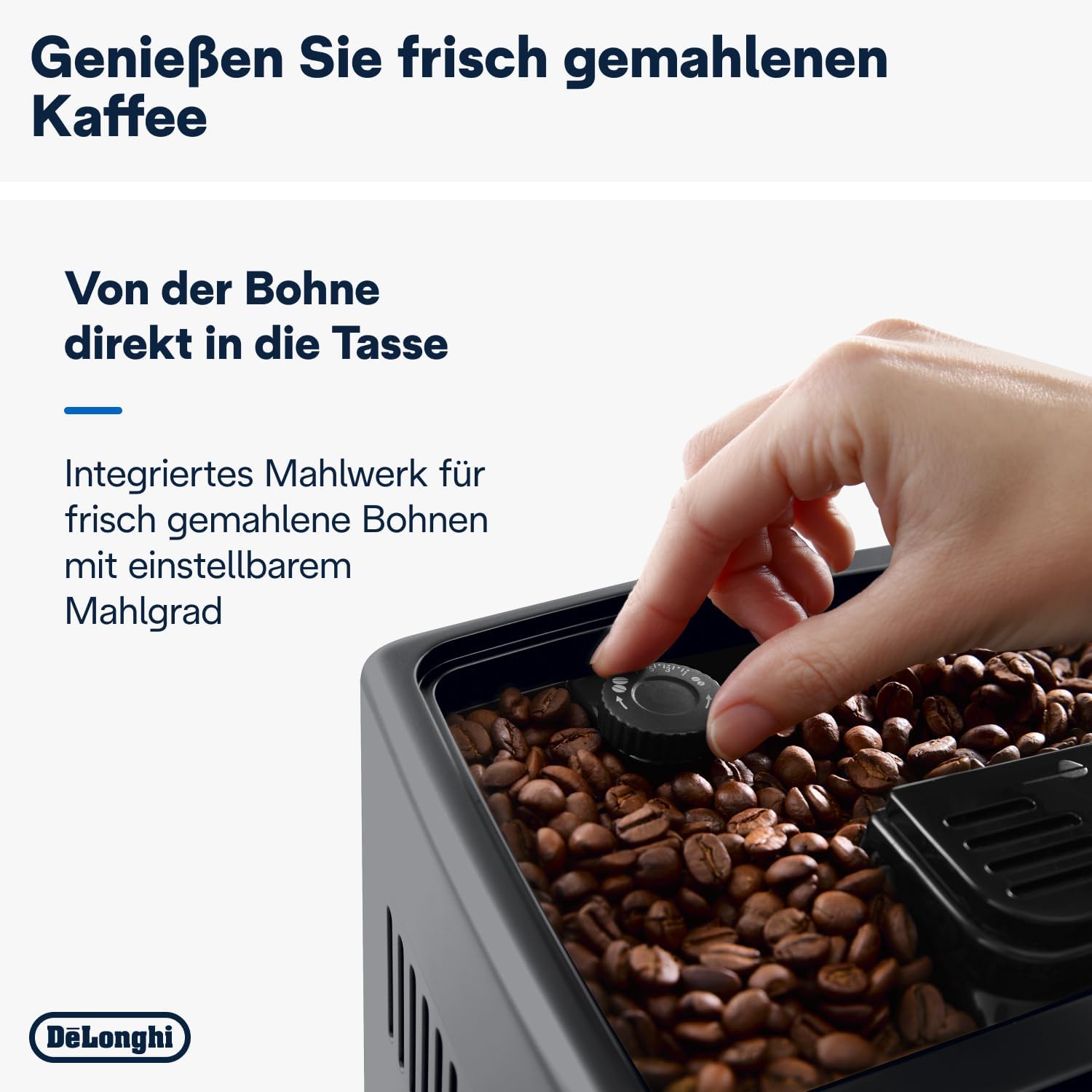
- Dial Penyesuaian Grinder: Located inside the bean hopper, for adjusting coffee grind fineness.
Gambar: Hareupeun view of the De'Longhi Dinamica Plus, highlighting the display and LatteCrema milk system.
Disetél
Paké munggaran
- Ngabongkar bungkusan: Cabut sadaya bahan bungkusan sareng pastikeun sadaya komponén aya.
- Bilas: Rinse the water tank, milk carafe, and drip tray with fresh water.
- Tangki cai ngeusian: Fill the water tank with fresh tap water up to the MAX level.
- Filling Bean Hopper: Open the bean hopper lid and pour coffee beans into the hopper.
- Daya Hurung: Plug the appliance into a power outlet and press the ON/OFF button. The machine will perform an automatic rinse cycle.

Image: A hand adjusting the grinder fineness dial within the coffee bean hopper.
Parentah Operasi
Nyiptakeun Kopi
- Pastikeun tangki cai dieusi sareng hopper kacang ngandung biji kopi.
- Teundeun hiji atawa dua cangkir handapeun spouts kopi.
- On the 3.5-inch TFT color display, select your desired coffee beverage (e.g., Espresso, Coffee, Long).
- Mesin bakal otomatis grind kacang jeung brew kopi Anjeun.
- You can customize strength and volume via the display before brewing.
Making Milk-Based Beverages (LatteCrema System)
- Eusian wadah susu ku susu tiis seger.
- Gantelkeun wadah susu kana spout susu mesin.
- Teundeun cangkir handapeun spouts kopi jeung susu.
- On the display, select your desired milk-based beverage (e.g., Cappuccino, Latte Macchiato, Flat White).
- The machine will automatically froth the milk and dispense it, followed by the coffee.
- The LatteCrema Hot technology ensures fine, velvety milk foam. You can choose between 3 foam textures: dense, creamy, or light.
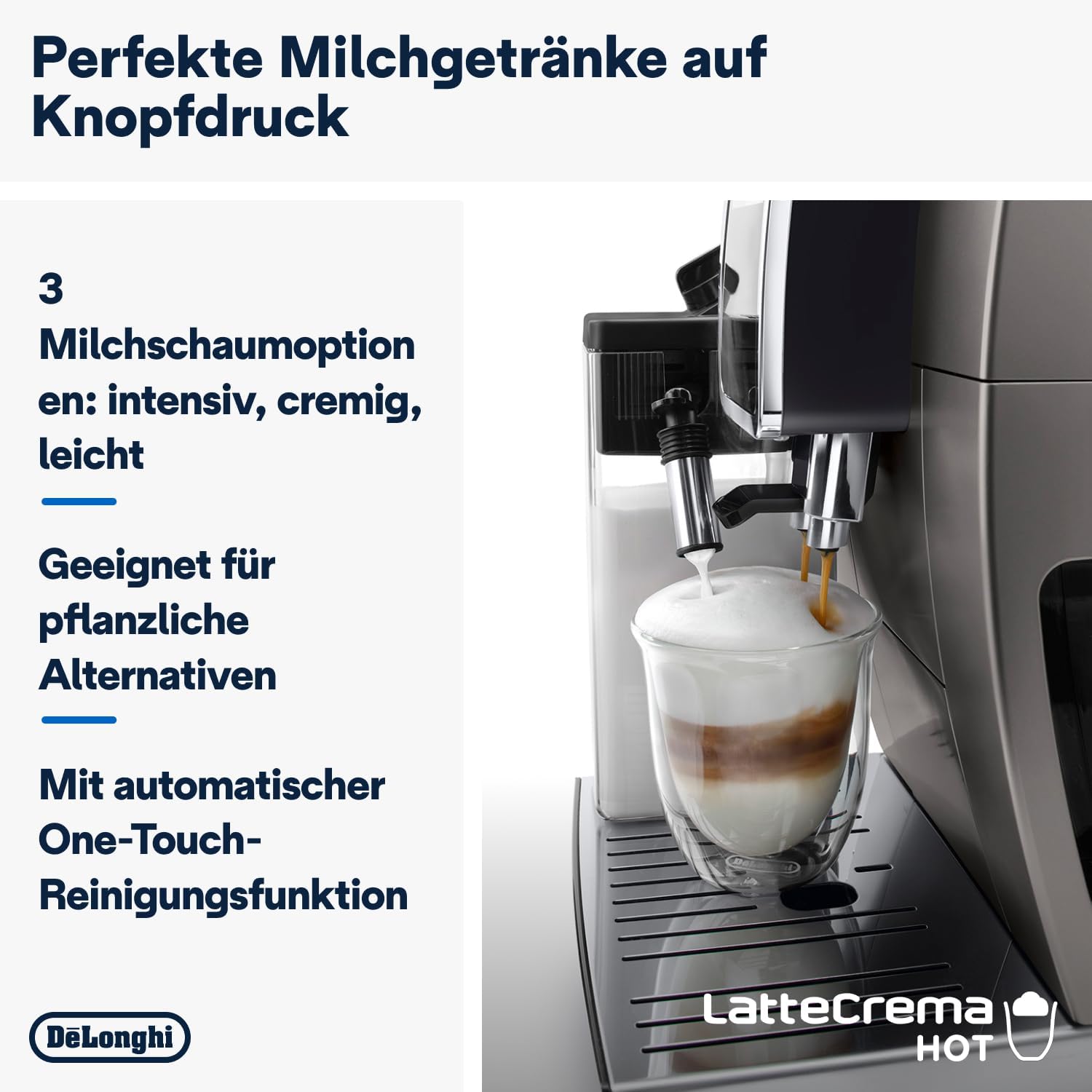
Image: The De'Longhi Dinamica Plus actively frothing milk into a glass, demonstrating the LatteCrema system.
Smart One-Touch Technology
The machine's Smart One-Touch technology automatically sorts your most frequently consumed beverages to the homepage of the display, providing quick access to your favorites.

Image: A finger selecting an option on the intuitive TFT full-touch color display of the coffee machine.
Pangropéa
beberesih poean
- Baki netes: Kosongkeun sareng bersihkeun baki netes unggal dinten.
- Teko susu: After each use, perform the automatic cleaning cycle for the LatteCrema system by pressing the clean button on the carafe. Store the carafe in the refrigerator when not in use.
- Seblak Kopi: Ngusap spouts kopi kalayan iklanamp lawon.
Beberesih mingguan
- Unit Brewing: Cabut unit brewing (tingali manual pikeun parentah husus) jeung bilas dina cai ngocor. Ngidinan nepi ka hawa garing saméméh reinserting.
- Bean Hopper: Clean any coffee residue from the bean hopper.
Nuju
The machine will indicate when descaling is required. Follow the on-screen instructions and use a De'Longhi descaling solution. Regular descaling is crucial for maintaining machine performance and longevity.
Pamérésan masalah
| Masalah | Mungkin Cukang lantaranana | Solusi |
|---|---|---|
| Kopi teu cukup panas. | Cangkir anu tiis; mesin teu preheated; setting suhu teuing low. | Preheat cups; run a rinse cycle; adjust coffee temperature in settings. |
| Milk does not froth correctly. | Botol susu kotor; jenis susu teu cocog; susu haneut teuing. | Clean the milk carafe thoroughly; use cold, fresh milk (dairy or plant-based alternatives suitable for frothing). |
| "Add Water" message appears. | Water tank empty or not inserted correctly. | Eusian tank cai sareng pastikeun éta leres seated. |
| "Add Beans" message appears. | Bean hopper empty. | Eusian hopper kacang ku biji kopi. |
spésifikasi
- Jumlah modél: ECAM380.95.TB
- merek: De'Longhi
- kakuatan: 1450 Watt
- Voltage: 240 volt
- Kapasitas Tangki Cai: 1.8 liter
- Ukuran (L x W x H): 42.9 x 23.6 x 34.8 cm
- beurat: 9.5 kg
- Bahan: titanium
- Fitur husus: Adjustable height coffee spout, coffee pot function (up to 6 cups), LatteCrema Hot milk system, Smart One Touch technology, 3.5-inch TFT Full Touch color display.

Image: Diagram showing the dimensions of the De'Longhi Dinamica Plus coffee machine.
Garansi sareng Rojongan
Kanggo inpormasi garansi sareng dukungan pelanggan, mangga tingal kartu garansi anu kalebet dina produk anjeun atanapi kunjungan ka De'Longhi resmi. websitus. Simpen bukti pameseran anjeun pikeun klaim garansi.


