Bubuka
This manual provides essential information for the setup, operation, and maintenance of your Sharp Roku TV 55" Class (54.5" Diag.) OLED 4K Ultra HD with HDR10. Please read this manual thoroughly before using your television to ensure proper and safe operation.
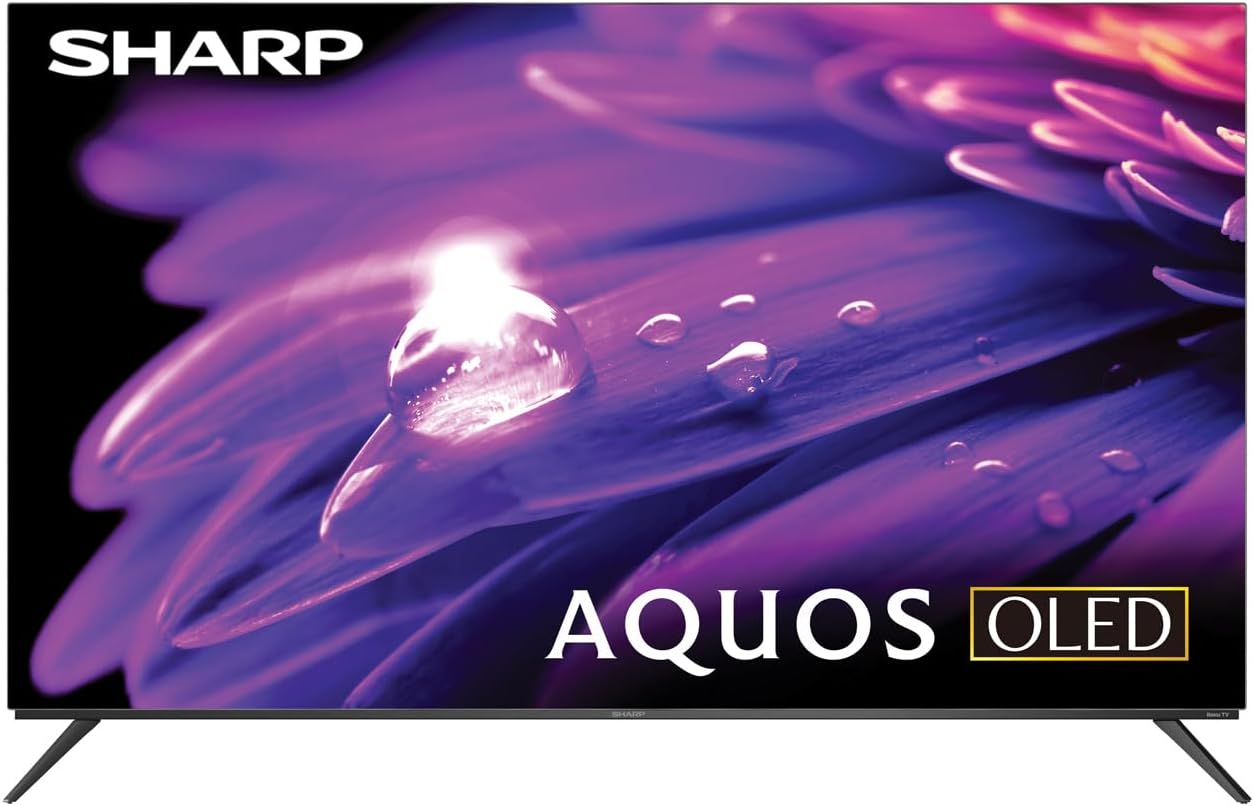
Gambar 1: Hareupeun view of the Sharp AQUOS OLED TV, showcasing desain sleek sarta tampilan vibrant.
Disetél
1. Unboxing jeung Inspection
Cabut televisi sareng sadaya asesoris tina bungkusna kalayan ati-ati. Pariksa heula bisi aya tanda-tanda karusakan. Simpen bungkusna kanggo kabutuhan transportasi atanapi jasa ka hareup.
2. Pamasangan Stand atanapi Pemasangan Dinding
Pamasangan Stand: Place the TV screen-down on a soft, flat surface. Attach the included stands to the designated slots on the bottom of the TV using the provided screws. Ensure they are securely fastened.
Pamasangan témbok: This television supports VESA 200x300 mounting. Use a compatible wall mount kit (sold separately) and follow the instructions provided with the wall mount. Ensure the wall can support the weight of the television (approximately 38.5 pounds / 17.5 kg) and the mount.

Gambar 2: Sisi profile of the television, demonstrating its slim design suitable for wall mounting.
3. Alat Sambungkeun
Connect your external devices to the appropriate ports on the back of the television. The Sharp Roku TV features multiple connectivity options:
- Port HDMI (4): For connecting Blu-ray players, game consoles, cable/satellite boxes, etc. One HDMI port supports eARC for enhanced audio return channel functionality.
- Port USB (2): Pikeun nyambungkeun alat panyimpenan USB.
- Antena/Kabel In: Pikeun nyambungkeun anteneu pikeun siaran over-the-air atawa sambungan TV kabel.
- AV Dina: Pikeun nyambungkeun alat nu leuwih heubeul maké video komposit jeung kabel audio stereo.
- Ethernet (LAN): Pikeun sambungan internét kabel.
- Audio Digital kaluar: Pikeun nyambungkeun ka sistem audio éksternal.

Figure 3: Rear panel of the television, illustrating the arrangement of HDMI, USB, Antenna, AV, and Ethernet ports.
4. Nyalakeun Mimiti sareng Setelan Roku
Plug the power cord into an electrical outlet. The TV will power on and guide you through the initial Roku setup process. This includes connecting to your Wi-Fi network (or using Ethernet), signing in to or creating a Roku account, and scanning for channels if an antenna is connected. Follow the on-screen prompts for a quick guided setup.
Parentah Operasi
1. Navigasi Antarbeungeut Roku TV
The Sharp Roku TV features a simple home screen that centralizes your streaming favorites, inputs, and free live TV. Use the Roku remote to navigate through menus and select options. The directional pad and 'OK' button are used for selection, while the 'Home' button returns you to the main screen.

Figure 4: The Roku TV home screen, showing easy access to streaming channels and input selections.
2. Streaming and Content Access
Access a wide selection of streaming services and free live TV channels through The Roku Channel. You can add or remove channels from the Roku Channel Store. Organize and sort your home screen for a personalized experience.
3. Picture and Audio Enhancements
- Dolby Vision IQ & HDR10/HLG: The TV supports Dolby Vision IQ, HDR10, and HLG for enhanced picture performance with compatible content. Dolby Vision IQ intelligently adjusts picture settings based on ambient light conditions.
- Dolby Atmos: The integrated 30W (15W+15W) speaker system with Dolby Atmos delivers immersive sound with clarity and depth.
- Laju Anyarkeun Variabel (VRR): For optimized gaming, the TV features Variable Refresh Rate (VRR) with low latency, providing smoother gameplay.
4. Sora Asisten kasaluyuan
The Sharp Roku TV works with popular voice assistants, allowing you to control your TV using voice commands through compatible devices (sold separately).
Pangropéa
1. Ngabersihkeun Televisi
Pikeun ngabersihkeun layar, usap lembut nganggo kaen anu lemes sareng teu aya serat. Pikeun tanda nekad, rada dampen the cloth with water or a screen-specific cleaning solution. Do not spray liquid directly onto the screen. For the TV casing, use a soft, dry cloth. Avoid abrasive cleaners or solvents.
2. Apdet parangkat lunak
The Roku TV automatically receives software updates, ensuring you always have the newest channels and latest features. Ensure your TV is connected to the internet for these updates to download and install.
Pamérésan masalah
If you encounter issues with your Sharp Roku TV, refer to the following common troubleshooting steps:
- Henteu aya kakuatan: Pastikeun kabel listrik dicolokkeun sacara aman kana TV sareng stop kontak listrik. Coba outlet béda.
- Taya Gambar/Sora: Verify that the correct input source is selected. Check all cable connections to external devices. For no sound, check TV volume and external audio system volume.
- Masalah Sambungan Jaringan: Restart your router and modem. On the TV, go to Setelan > Jaringan > Pariksa sambungan to diagnose. Try connecting via Ethernet if using Wi-Fi.
- Jauh Teu Ngabales: Ganti batré dina kadali jauh. Pastikeun teu aya halangan antara jauh sareng sénsor IR TV.
- Masalah Kualitas Gambar: Saluyukeun setelan gambar (kacaangan, kontras, warna) dina menu TV. Pastikeun anjeun vieweusi 4K pikeun resolusi optimal.
For more detailed troubleshooting or persistent issues, visit the official Sharp support website or the Roku support page.
spésifikasi
| Fitur | Katerangan |
|---|---|
| Nomer modél | 4TC55FS1UR |
| Ukuran Layar (Diagonal) | 55" Class (54.5" Diag.) |
| Téknologi tampilan | OLED |
| Resolusi | 4K Ultra HD (3840 x 2160p) |
| Refresh Laju | 120Hz (Native), 60Hz (Roku TV interface) |
| Rojongan HDR | Dolby Vision IQ, HDR10, HLG |
| Kaluaran Audio | 30W (15W+15W) Speaker System, Dolby Atmos, Dolby Digital Audio |
| Konektipitas | 4 HDMI (1 eARC), 2 USB, Wi-Fi, Ethernet, AV In, Antenna In |
| Fitur husus | Roku Streaming Built-In, Variable Refresh Rate (VRR), Low Latency, Voice Assistant Compatible |
| Diménsi Produk (W x D x H) | 48.27" x 11.57" x 30.43" (kalayan nangtung) |
| Item Beurat | 38.5 pon (17.5 kg) |
| VESA Gunung Standar | 200x300 |

Figure 5: Dimensional diagram of the television, including width and height measurements.
Garansi sareng Rojongan
For warranty information and detailed support, please refer to the documentation included with your purchase or visit the official Sharp website. You can also find additional resources and FAQs on the Roku support websitus.


