1. Bubuka
Thank you for choosing the DIERYA K68se Gaming Mechanical Keyboard. This ultra-compact 60% keyboard is designed for gamers and typists seeking a high-performance, space-saving solution with customizable RGB lighting and responsive red linear switches. This manual will guide you through the setup, operation, and maintenance of your new keyboard.
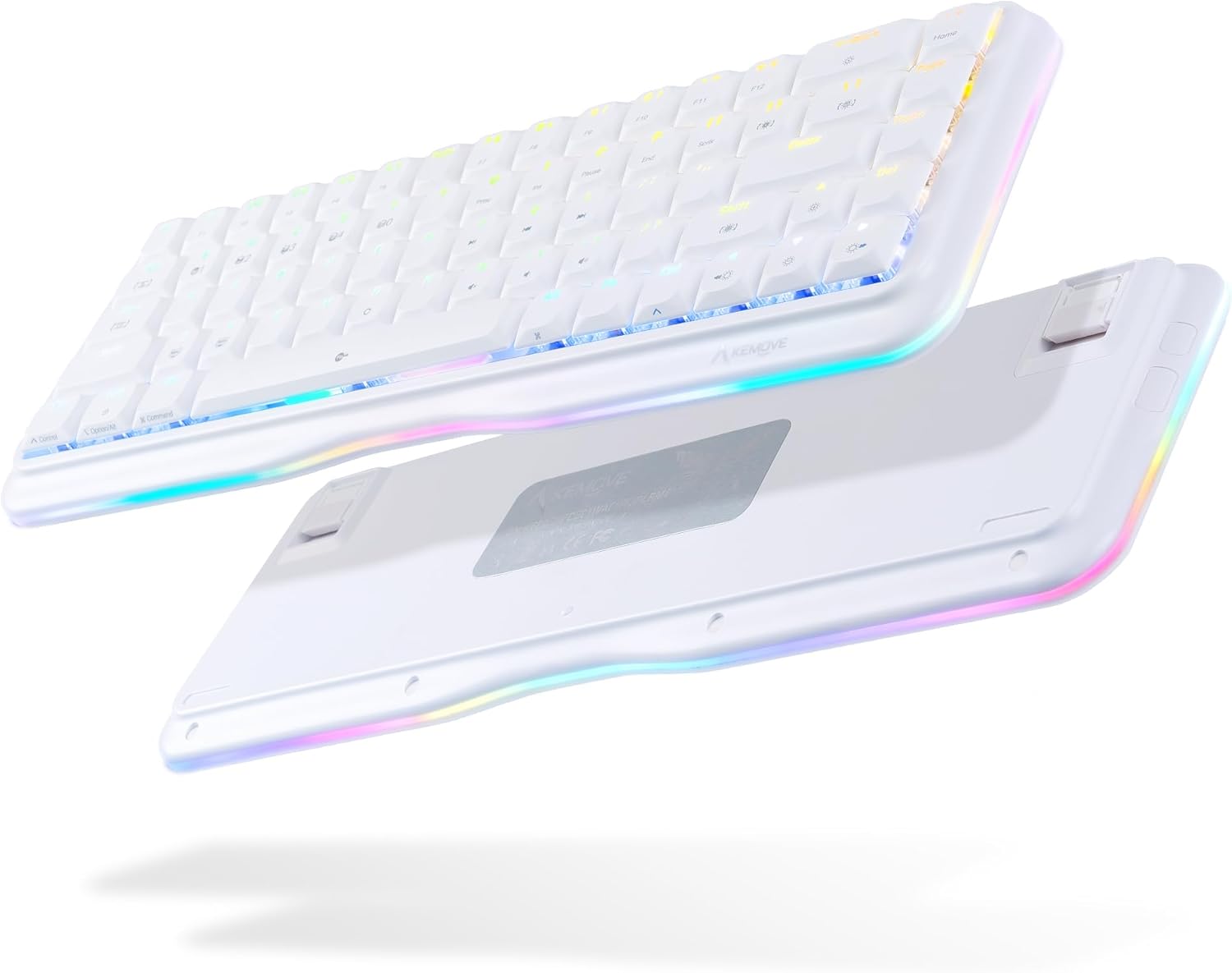
This image displays the DIERYA K68se mechanical keyboard from both a top-down and an angled bottom-up perspective, highlighting its compact 60% layout and the vibrant RGB lighting visible along the sides and through the keycaps. The bottom view shows the adjustable feet.
2. Naon dina Box
Mangga parios eusi pakét pikeun mastikeun yén sadaya barang aya:
- DIERYA K68se Mechanical Keyboard
- Kabel USB Type-C anu tiasa dicabut
- Manual pangguna (dokumén ieu)

This image displays the contents of the DIERYA K68se keyboard package, including the keyboard itself, the detachable USB cable, and the instruction manual, all neatly arranged next to the product box.
3. Setélan
Setting up your DIERYA K68se keyboard is straightforward:
- Sambungkeun kabel: Insert the USB Type-C end of the provided cable into the port on the back of the keyboard.
- Nyambung ka Komputer: Plug the USB-A end of the cable into an available USB port on your computer (PC or Laptop).
- Pamasangan supir: The keyboard is plug-and-play and should be automatically recognized by your operating system (Windows). No additional drivers are typically required.
- Pamasangan parangkat lunak (Opsional): For advanced customization, including macro programming and detailed RGB lighting effects, download the official DIERYA software from the manufacturer's websitus.
4. Parentah Operasi
4.1 Fungsi Dasar
The DIERYA K68se is a 68-key keyboard, offering a compact layout while retaining essential functionality through FN key combinations. All keys feature anti-ghosting for accurate and simultaneous key presses.
4.2 Kontrol cahaya RGB
Your K68se keyboard features a rich RGB dynamic lighting system with multiple modes and customization options. You can control these directly from the keyboard using FN key combinations or via the dedicated software.
- Modeu lampu tukang: The keyboard supports 19 different backlight modes.
- Modeu Lampu Sisi: There are 5 distinct side light modes in basic operation.
- Warna Khusus: The software allows for 16.8 million custom color options.

This image illustrates the DIERYA K68se keyboard on a desk setup, with a monitor in the background showcasing various RGB lighting customization options, including 16.8 million custom colors, 19 basic backlight modes, 5 side light strip modes, and customized lighting record capabilities.

This composite image highlights three key features of the DIERYA K68se keyboard: its "Light and Color" system with 19 backlight modes and 5 side light modes, its "Classic layout" showing the compact 68-key design compared to a full-size keyboard, and its "Ergonomic" design with adjustable 8-degree feet for comfortable long-term use.
4.3 Kombinasi Tombol FN
The FN key allows access to secondary functions printed on the keycaps. Press and hold the FN key, then press the desired function key.

This detailed diagram outlines the various FN (Function) key combinations for the DIERYA K68se keyboard, including controls for Mac/Win layout switching, RGB lighting effects (speed, brightness, modes), multimedia functions (play/pause, volume), F-keys (F1-F12), navigation keys (Home, End, Print Screen), and other special functions like Scroll Lock and factory reset.
- FN + Z/X: Switch Mac/Win key layout.
- FN + ←: Decrease the speed of the light effect.
- FN + →: Increase the speed of the light effect.
- FN + ↑: Increase the brightness of the light.
- FN + ↓: Turunkeun kacaangan cahaya.
- FN + J: The brightness of the light is weakened.
- FN + Win: Lock/Unlock the Windows key.
- FN + ]: Software lighting switching.
- FN + [: Scroll Lock.
- FN + T: Switch back to Standard layer (cannot set macro command).
- FN + R: Keyboard switch to profile 4.
- FN + E: Keyboard switch to profile 3.
- FN + W: Keyboard switch to profile 2.
- FN + Q: Keyboard switch to profile 1.
- FN + Capslock: Switch keyboard light with light effect.
- FN + Backspace: Turn off the light effect.
- FN + Tab: Switch the keyboard light strip color.
- FN + \: Hardware lighting switch.
- FN + Spasi: FN key function lock.
- FN + B: Press and hold for five seconds to restore the keyboard to factory default settings.
- FN + Imah: konci imah.
- FN + U: Print Screen.
- FN + Pause: Pause key.
- FN + kuring: Lebetkeun konci.
- FN + P: konci tungtung.
- FN + F1 to F12: Access F1-F12 functions (e.g., FN + 1 = F1, FN + 2 = F2, etc.).
- FN + M, <, >, ?: Multimedia controls (Play/Pause, Previous Track, Next Track, Mute).
4.4 Kustomisasi Parangkat Lunak
The DIERYA K68se supports programmable software that allows you to:
- Define custom macro keys.
- Set up 16.8 million backlit colors.
- Create and save personalized lighting profiles.
Refer to the software's user interface for detailed instructions on customization.
5. Pangropéa
To ensure the longevity and optimal performance of your DIERYA K68se keyboard, follow these maintenance guidelines:
- Ngabersihan Keycaps: Ngagunakeun lemes, damp cloth with mild soap and water to clean the keycaps. Ensure they are completely dry before reattaching them. For deeper cleaning, you may carefully remove keycaps using a keycap puller (not included) and clean underneath.
- Ngabersihan awak keyboard: Lap awak kibor ku kaén nu garing atawa rada garingamp lawon. Ulah make bahan kimia kasar atawa bahan abrasive.
- Ngaleungitkeun lebu: Use compressed air to remove dust and debris from between the keycaps and switches regularly.
- Hindarkeun Cairan: Ulah ngabahekeun cairan dina kibor. Upami aya tumpahan, geura pegatkeun sambungan keyboard tina komputer anjeun sareng ngantepkeunana dugi ka garing sateuacan nyambungkeun deui.
- Panyimpenan: Simpen kibor di tempat anu tiis sareng garing jauh tina sinar panonpoé langsung sareng suhu anu ekstrim.
6. Cara ngungkulan
If you encounter issues with your DIERYA K68se keyboard, please refer to the following common solutions:
- Keyboard Teu Ngabales:
- Pastikeun kabel USB disambungkeun pageuh kana kibor sareng komputer anjeun.
- Coba sambungkeun kibor ka port USB anu béda dina komputer anjeun.
- Nguji keyboard dina komputer sejen pikeun ngaluarkeun masalah husus komputer.
- Lampu RGB Teu Jalan/Salah:
- Check FN key combinations for lighting control (e.g., FN + \ for hardware lighting switch, FN + Backspace to turn off/on).
- Ensure the brightness is not set to minimum (FN + ↓).
- If using software, ensure it is running correctly and not conflicting with other applications.
- Perform a factory reset: Press and hold FN + B salila lima detik.
- Konci Teu Kadaptar:
- Bersihkeun di sakuriling konci anu kapangaruhan pikeun miceun kokotor anu ngahalangan saklar.
- If a specific key is consistently failing, it might indicate a hardware issue.
- Paripolah anu teu disangka-sangka:
- Coba balikan deui komputer anjeun.
- Perform a factory reset (FN + B for 5 seconds).
7. Spésifikasi
| Fitur | Katerangan |
|---|---|
| Nomer modél | K68SE |
| Dimensi produk | 12.99 x 4.53 x 1.18 inci |
| Item Beurat | 14.2 ons |
| Produsén | Kemove |
| Téhnologi konektipitas | USB-C (Kabel Anyaman anu Tiasa Dicopot) |
| Katerangan kibor | Mékanis |
| Pindah Tipe | Red Linear Switch (50M+ keystrokes life) |
| Jumlah konci | 68 |
| Tipe Keycap | Low-profile Keycaps PBT Double-shot |
| Lampu tukang | RGB (19 backlight modes, 5 side light modes, 16.8M custom colors) |
| Fitur husus | Ergonomic, Lightweight, Backlit, Low-Profile Key, Customizable Display Keys, Full Anti-Ghosting |
| Alat nu cocog | Laptop, PC (Windows) |
| Warna | Bodas |

diagram ieu nyadiakeun exploded view of the DIERYA K68se keyboard, detailing its internal structure and solid hardware materials. Components shown include Low-Profile PBT Keycaps, Upper Housing, True Mechanical Switches, Fine-tune Satellite Switches, Fixed Plate, Silicone Pad, PCB, Lamp Strip Shell, EVA Foam, Bottom Shell, Anti Slip Foot Mats, and Adjustable Foot Stand.

A lengkep view of the DIERYA K68se's low-profile PBT keycaps, emphasizing their lightweight and short U-shape design. The image also shows a disassembled red mechanical switch, highlighting its internal components and indicating a lifespan of over 60 million keystrokes.

This image provides close-up views of the DIERYA K68se's key components: Double-Shot PBT Keycaps, known for durability; DSA Profile Keycaps, designed for reduced fatigue; and the mechanical switches, noting that the K68se offers red, blue, and brown switch options (this model features red switches).
8. Garansi jeung Rojongan
DIERYA offers a one-year warranty for the K68se mechanical keyboard from the date of purchase. This warranty covers manufacturing defects and ensures your product functions as intended under normal use.
For any questions, technical support, or warranty claims, please contact the DIERYA customer support team. You can typically find contact information on the official DIERYA websitus atawa ngaliwatan pangecér dimana anjeun dibeuli produk.


