1. Bubuka
Thank you for choosing the Allimity Universal Replacement IR Remote Control. This remote is designed to provide seamless control for a wide range of Toshiba, Insignia, Hisense, and Pioneer 4K TV Editions. This manual will guide you through the setup, operation, and maintenance of your new remote control.
2. Fitur Produk
- Universal Replacement IR Remote Control compatible with various TV brands including Toshiba, Insignia, Hisense, and Pioneer TV Editions.
- Connective Technology: Infrared (IR).
- Features 6 popular shortcut channel apps: Prime Video, Netflix, HBO, Vue, IMDb TV, Hulu.

Image: Allimity Universal Remote Control highlighting the 6 shortcut app buttons: Prime Video, Netflix, HBO, Vue, IMDb TV, Hulu. These buttons provide instant access to your favorite streaming services.
3. Kasaluyuan
This universal IR remote control is compatible with a wide range of Smart TV Editions from various brands. Below are some of the known compatible models:
- For Insignia TV Editions: NS-RCFNA-19, NS-RCFNA-21
- For Toshiba TV Editions: CT-RC1US-19, CT-RC1US-21, CT-95018
- For Pioneer TV Editions: CP-RC1NA-22
- Also compatible with many Toshiba 4K Smart TV Editions, Insignia 4K Smart TV Editions, Pioneer 4K Smart TV Editions, and Hisense 4K Smart TV models.
If your specific model is not listed, please refer to the product packaging or contact customer support for further assistance.
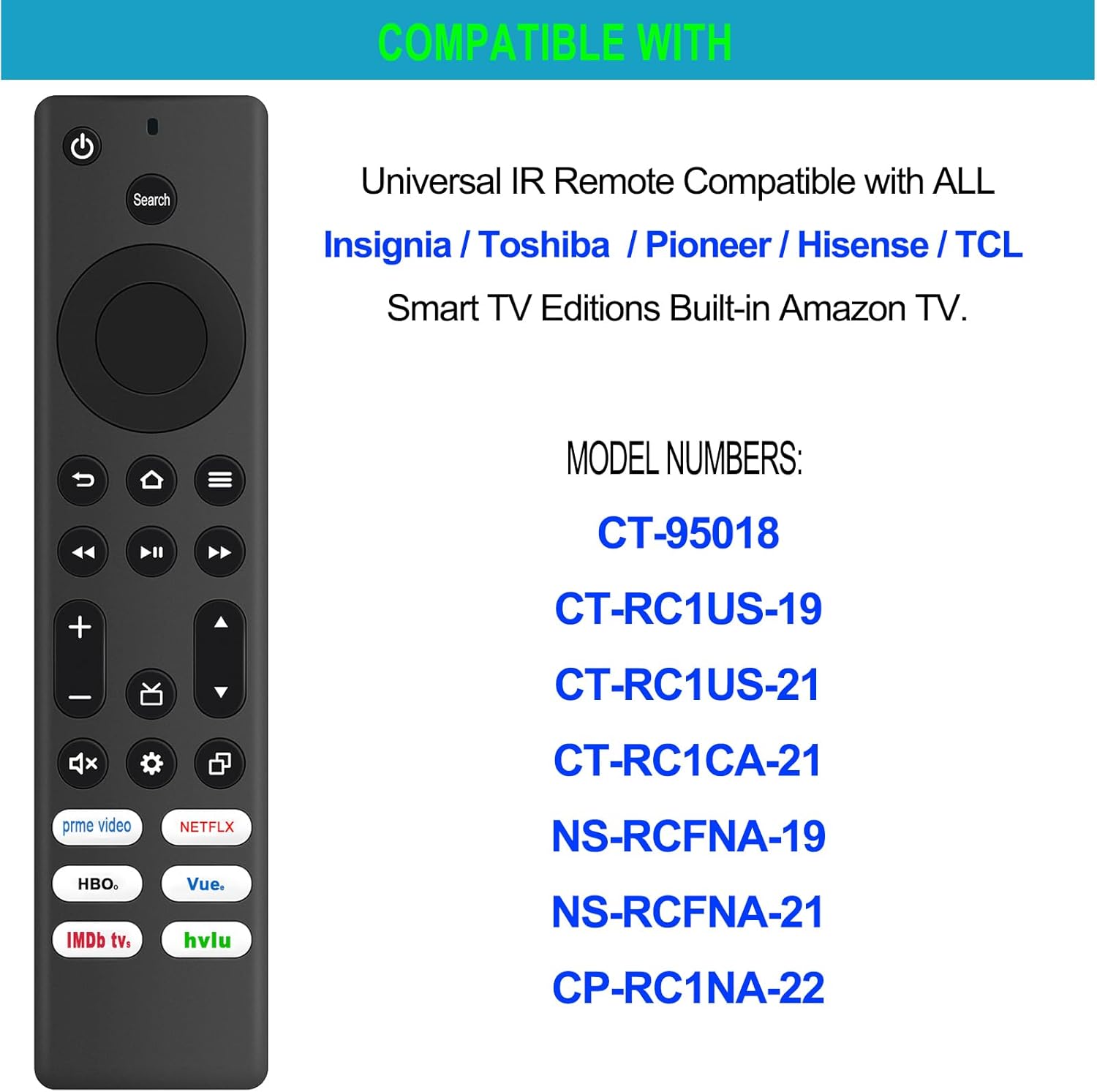
Image: Allimity Universal Remote Control with a list of compatible model numbers for Insignia, Toshiba, and Pioneer TVs. This image visually confirms the broad compatibility of the remote.
4. Power Supply and Battery Installation
Kadali jarak jauh peryogi 2 batré AAA for operation. Batteries are not included with the product.
- Panggihan kompartemen batré dina tonggong kadali jauh.
- Geser muka kompartemen batréna.
- Selapkeun dua batré AAA, mastikeun polaritasna bener (+ jeung -) sakumaha dituduhkeun di jero kompartemen.
- Tutup panutup kompartemen batré aman.

Image: Allimity Universal Remote Control showing the battery compartment for 2 AAA batteries. This illustrates where to insert the batteries for proper function.
5. Setup and Pairing Instructions
This is an Infrared (IR) remote control and generally requires no pairing or programming for most compatible TVs. Simply insert the batteries, and it should function immediately.
Catetan penting: If your TV has been reset to factory settings or is a new TV, you may need an original voice remote to complete the initial pairing steps for your TV before this IR remote can fully function. This IR remote does not have a voice function.
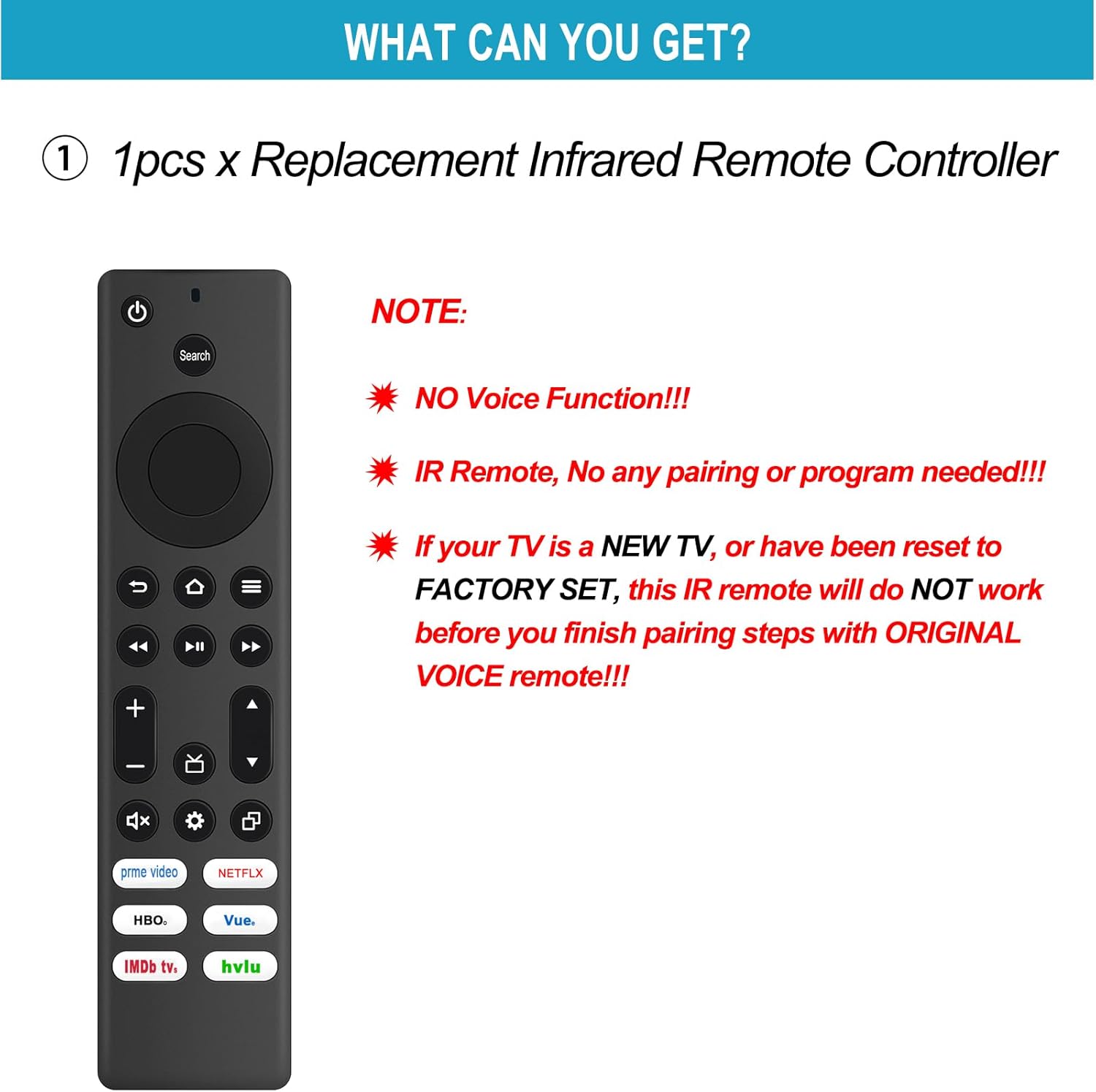
Image: Allimity Universal Remote Control with a note about no voice function and the requirement of an original voice remote for initial TV pairing after factory reset. This clarifies the setup process and limitations.
6. Operating Instructions (Button Functions)
Familiarize yourself with the buttons on your Allimity Universal Remote Control:
- Hurungkeun/Pareuman: Ngahurungkeun atawa mareuman TV.
- Lampu Indikator: Provides feedback on remote activity.
- Tombol Pilarian: Initiates search function on your TV.
- Navigation (Up, Down, Left, Right): Moves cursor or selection on screen.
- Select (OK): Konfirmasi pilihan.
- Balik: Mulih ka layar atawa ménu saméméhna.
- imah: Navigates to the TV's home screen.
- Menu: Opens the TV's menu options.
- Puter / Reureuh: Ngadalikeun putereun média.
- Maju gancang: Skips forward in media.
- Mundurkeun: Skips backward in media.
- Saluran +/-: Robah saluran TV.
- Volume +/-: Nyaluyukeun volume TV.
- Jempé: Ngabisukeun atanapi ngabatalkeun audio TV.
- Pituduh: Ngaksés pituduh program TV.
- Setélan: Muka setélan TV.
- panganyarna: Displays recently used apps or content.
- Preset App Buttons (Prime Video, Netflix, HBO, Vue, IMDb TV, Hulu): Aksés langsung ka aplikasi streaming ieu.
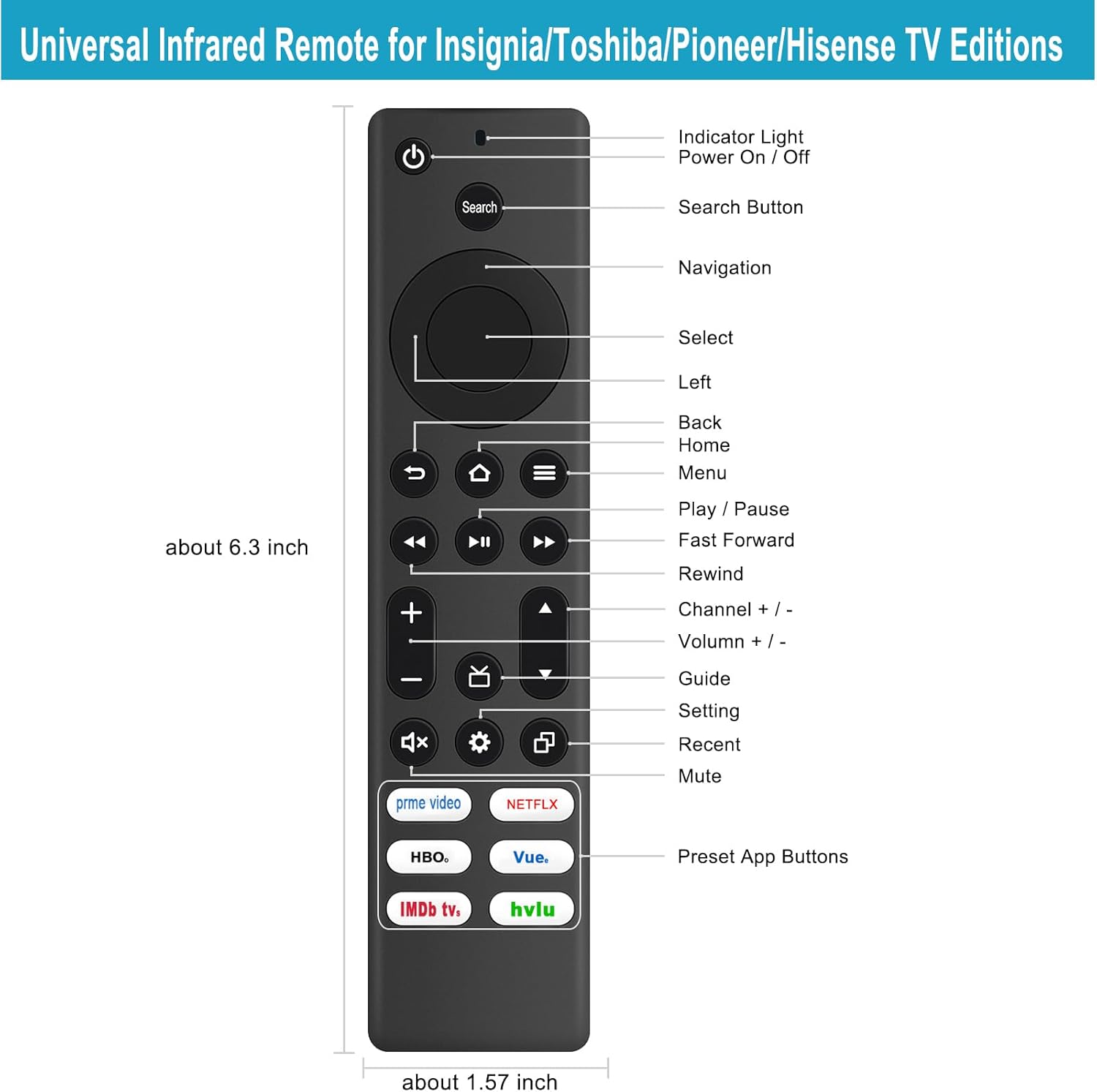
Image: Allimity Universal Remote Control with labels for each button function. This diagram provides a clear overview of all available controls.
7. Cara ngungkulan
- Jauh teu ngabales: Ensure batteries are correctly inserted and have sufficient charge. Replace batteries if necessary.
- Lagging or delayed response: This remote operates via Infrared (IR). Ensure there are no obstructions between the remote and your TV's IR receiver.
- Remote not working after TV factory reset: As noted in the setup section, if your TV has been reset to factory settings, you might need to use an original voice remote to complete the initial TV pairing process before this IR remote can function.
- No voice control: This remote is an IR remote and does not support voice commands.
8. Spésifikasi
| Fitur | Rincian |
|---|---|
| Dimensi produk | 5 x 1 x 0.6 inci |
| Item Beurat | 1.76 ons |
| ASIN | B0CJ9K711B |
| Nomer Modél Item | AMT-AMZFIRE-TV-WN-IR |
| merek | KAKATAAN |
| Fitur husus | Érgonomis |
| Warna | Hideung |
| Jumlah Max Alat Dirojong | 1 |
| Alat nu cocog | Televisi |
9. Garansi jeung Rojongan
For any questions regarding product compatibility, troubleshooting, or general inquiries, please contact ALLIMITY customer support. Refer to your product packaging or the retailer's websitus kanggo inpormasi kontak khusus.
Kami komitmen pikeun mastikeun kapuasan anjeun sareng produk urang.


