1. Bubuka
The LILYGO T-Watch-S3 is a versatile and programmable wearable device designed for development and experimentation. It integrates an ESP32-S3 microcontroller, LoRa communication capabilities, a BMA423 3-axis acceleration sensor, and a MAX98357A audio amplifier with a microphone and speaker. This manual provides essential information for setting up, operating, maintaining, and troubleshooting your T-Watch-S3.
2. Setélan
2.1 Daya Awal Hurung
Before first use, it is necessary to activate the battery by flipping its switch to the ON position. This switch is located inside the device. For prolonged storage, it is recommended to turn off this battery switch.

2.2 Ngecas
The T-Watch-S3 is equipped with a Micro USB port for charging. Connect the device to a standard USB power source using a compatible Micro USB cable. The charging indicator will provide feedback on the charging status.
2.3 Programming Environment Setup
The T-Watch-S3 supports various development platforms, including Arduino-IDE, ESP-IDF, VS Code, and Micropython. For detailed programming instructions and libraries, refer to the official GitHub repository:
3. Operating the T-Watch-S3
3.1 Fungsi Dasar
The device includes several onboard functions:
- RTC (Jam Waktu Nyata): For accurate timekeeping.
- Mikropon: Pikeun input audio.
- MAX98357A Power Detection: audio terpadu amppangagung.
- BMA423 3-axis acceleration sensor: For motion detection and activity tracking.
3.2 Konéktipitas
The T-Watch-S3 offers multiple wireless communication options:
- Wifi: 802.11 b/g/n for network connectivity.
- Bluetooth: BLE V5.0 for short-range wireless communication.
- LoRa: Integrated SX1262 transceiver supporting 433Mhz, 868Mhz, and 915Mhz frequencies for long-range, low-power communication.
3.3 Tampilan sareng Interaksi
The device features a 1.54-inch wide-angle IPS LCD with a resolution of 240x240 pixels and 16-bit full color. It supports capacitive touch input for user interaction.
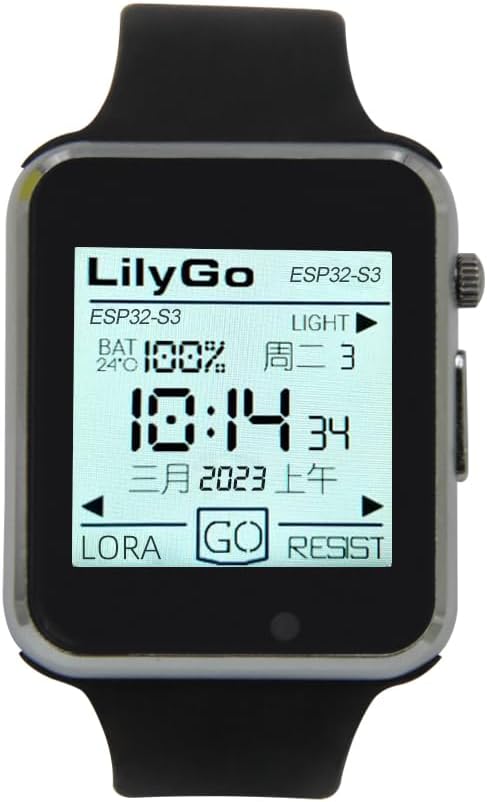
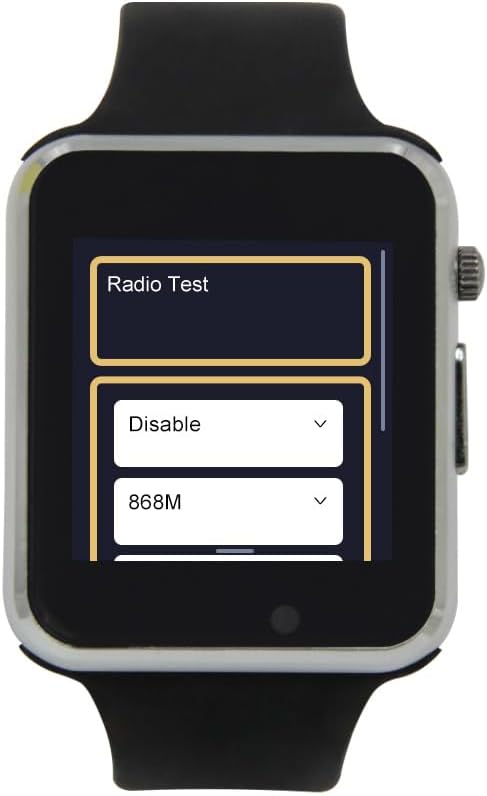
3.4 Fisik Leuwihview jeung Komponén


4. Spésifikasi
The following table outlines the key technical specifications of the LILYGO T-Watch-S3:
| Fitur | Spésifikasi |
|---|---|
| Nomer modél | T-Watch S3 |
| MCU | ESP32-S3 |
| Mémori Flash | 16 MB |
| RAM PS | 8 MB |
| Ukuran tampilan | 1.54 inci |
| Resolusi tampilan | 240x240 pixels, 16-bit full color |
| Layar cabak | Kapasitif |
| Wi-Fi Standar | 802.11 b/g/n |
| Standar Bluetooth | BLE V5.0 |
| Transceiver LoRa | SX1262 (433Mhz, 868Mhz, 915Mhz) |
| Sénsor Onboard | BMA423 3-axis acceleration sensor |
| Audio | Microphone, MAX98357A Power Detection |
| Kapasitas batré | 400 Miliamp Jam-jaman |
| Port ngecas | Micro USB |
| Operating System (Default) | Micropython |
| Ukuran (approx.) | 47.45mm x 42.36mm x 13mm (watch body) |


5. Pangropéa
To ensure the longevity and optimal performance of your T-Watch-S3, follow these maintenance guidelines:
- beberesih: Anggo kaén anu lemes sareng garing pikeun ngabersihan alat. Ulah make bahan kimia kasar atawa bahan abrasive.
- Tahan cai: Alat ieu henteu tahan cai. Hindarkeun kakeunaan cai atanapi kalembaban anu luhur.
- Panyimpenan: When not in use for extended periods, store the device in a cool, dry place. It is recommended to turn off the internal battery switch for long-term storage to prevent battery drain.
- Perawatan batré: Ulah sering-sering ngecas batréna nepi ka pinuh. Cas alat sacara rutin pikeun ngajaga kaséhatan batréna.
6. Cara ngungkulan
This section addresses common issues you might encounter with your T-Watch-S3.
- Alat teu hurung: Ensure the internal battery switch is in the ON position. Connect the device to a charger to confirm it has sufficient battery charge.
- Difficulty programming: Verify that the correct drivers are installed for your operating system. Ensure the Micro USB cable is functioning correctly and securely connected. Refer to the GitHub repository for specific programming environment setup instructions and troubleshooting tips.
- Kahirupan batré goréng: Battery life can vary significantly based on usage, active sensors, and wireless communication (Wi-Fi, Bluetooth, LoRa) activity. Optimize your code to utilize low-power modes when possible.
- Masalah tampilan: If the display is unresponsive or shows artifacts, try restarting the device. Ensure your firmware is correctly configured for the ST7789V display driver.
- Wireless connectivity problems: Check that Wi-Fi, Bluetooth, or LoRa modules are enabled in your firmware. Ensure you are within range of the network or other devices.
7. Rojongan
For further technical support, detailed documentation, and community resources, please visit the official LILYGO GitHub repository:
github.com/Xinyuan-LilyGO/TTGO_TWatch_Library
This repository contains source code, examples, and discussions that can assist with development and advanced usage.
8. Émbaran jaminan
Specific warranty details for the LILYGO T-Watch-S3 are not provided in this manual. Please refer to the product's purchase documentation or contact your retailer for information regarding warranty coverage and terms.


