1. Bubuka
This manual provides essential information for the safe and effective use of your CERAGEM Ceramix S1 Ceratonic Mat. Please read these instructions thoroughly before operating the device and retain this manual for future reference.

Image 1.1: The CERAGEM Ceramix S1 Ceratonic Mat, showcasing its full design and ceratonic elements.
2. Fitur Produk
The Ceramix S1 Ceratonic Mat is designed to provide therapeutic benefits through advanced technology and natural materials.
- Advanced Ceratonic Technology: Features a combination of micro ceratonic balls and round ceratonics for enhanced thermal therapy.
- Radiant Far Infrared Heat: Delivers therapeutic far infrared heat.
- Bahan alami: Constructed with healthful loess and serpentine jade.
- Moisture Control and Pollution Minimization: Suede fabric and hardwood charcoal fabric design help prevent moisture buildup and minimize environmental impact.
- Kasalametan jeung kanyamanan: Includes safety features to block electromagnetic waves and prevent overheating. Its 74-inch size accommodates various users comfortably.

Gambar 2.1: Leuwihview of the Ceramix S1 Ceratonic Mat, highlighting its portable design and ceratonic composition.
2.1 Ceratonic Materials
Ceratonic is a proprietary ceramic material crafted from a blend of health-supporting minerals. The Ceramix S1 mat incorporates these materials for their heat-retaining and therapeutic properties.

Jade

Yellow Clay

Maekbanseok (Elvan stone)
Image 2.2: The natural materials, Jade, Yellow Clay, and Maekbanseok, that compose the Ceratonic elements.
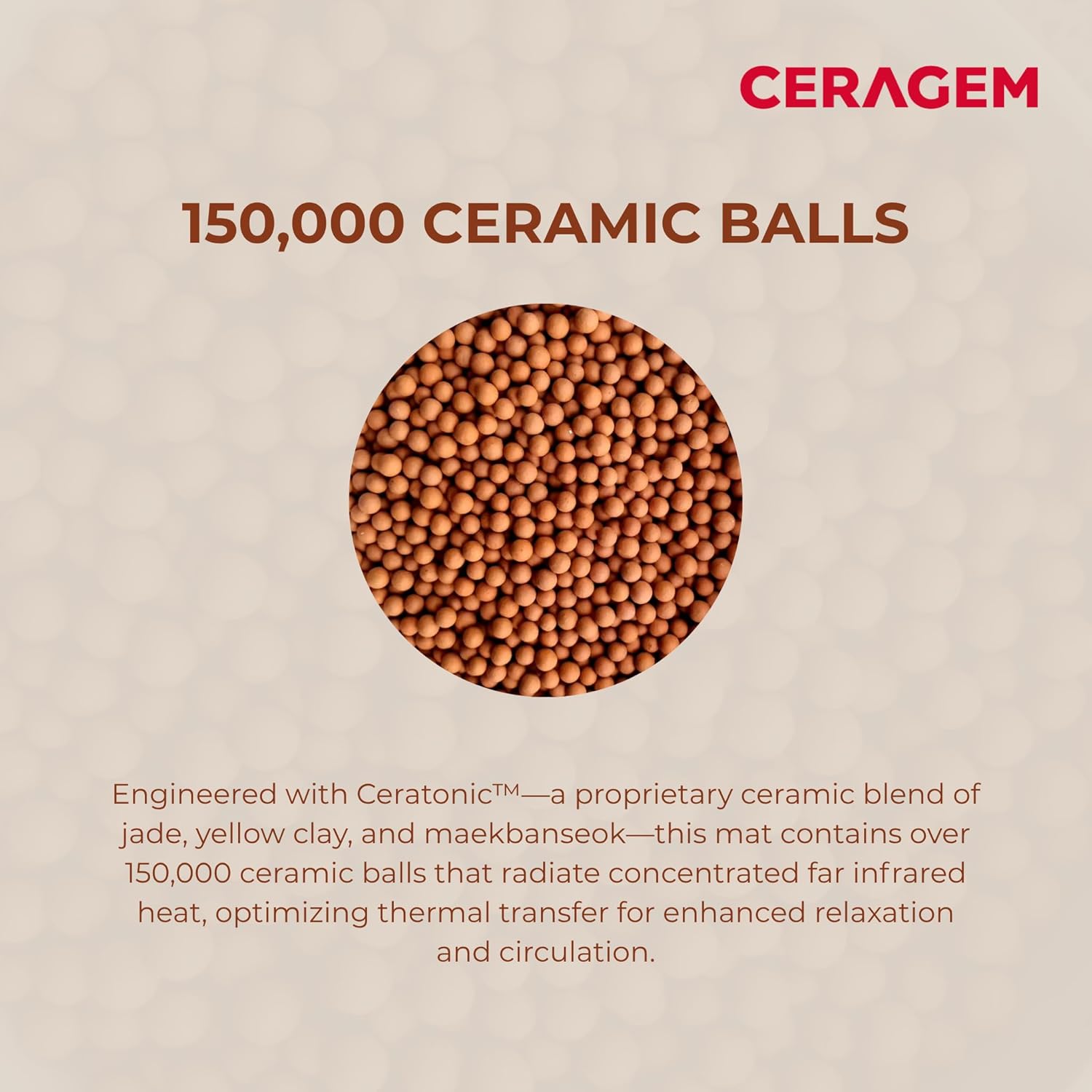
Image 2.3: A visual representation of the numerous ceramic balls embedded in the mat, designed for optimal thermal transfer.
3. Parentah Setup
- Ngabongkar: Carefully remove the Ceramix S1 mat and its controller from the packaging.
- panempatan: Lay the mat flat on a stable, heat-resistant surface such as a bed, floor, or massage table. Ensure there are no sharp objects underneath that could damage the mat.
- Sambungkeun Controller: Plug the controller cable securely into the designated port on the mat.
- Sambungan Daya: Plug the power cord from the controller into a standard electrical outlet (120V AC).
- Inspeksi Awal: Before first use, inspect the mat and controller for any visible damage. Do not use if damaged.
4. Parentah Operasi
The Ceramix S1 mat is operated using its intuitive remote control.
- Daya Hurung: Press the 'Power' button on the remote control to turn on the mat. The display will illuminate, showing the current temperature setting.
- Saluyukeun Suhu: Use the '+' and '-' buttons or the dial on the remote control to adjust the desired temperature. The temperature range is typically between 30°C (86°F) and 70°C (158°F). Start with a lower temperature and gradually increase to your comfort level.
- Durasi Sesi: The mat does not have a built-in timer. Monitor your session duration manually. It is recommended to start with shorter sessions (e.g., 30-60 minutes) and adjust as needed.
- Pareum listrik: Press the 'Power' button again to turn off the mat after use. Unplug the mat from the power outlet when not in use for extended periods.

Image 4.1: The remote control unit, showing the power button, temperature display, and adjustment controls.
4.1 Recommended Usage Positions
The mat can be used in various positions to target different areas of the body for thermal comfort.

Image 4.2: Illustrations demonstrating various ways to position oneself on the mat for optimal thermal effects.
5. Pangropéa
- beberesih: Disconnect the mat from power before cleaning. Wipe the surface with a soft, damp cloth. Do not use harsh chemicals or abrasive cleaners. Ensure the mat is completely dry before storage or next use.
- Panyimpenan: When not in use, store the mat in a cool, dry place, away from direct sunlight. Avoid folding the mat tightly or placing heavy objects on it to prevent damage to the internal components.
- Pamariksaan: Periodically check the power cord and controller for any signs of wear or damage. If any damage is found, discontinue use and contact customer support.
6. Cara ngungkulan
| Masalah | Mungkin Cukang lantaranana | Solusi |
|---|---|---|
| Mat does not heat up. | Not plugged in; Power switch off; Controller not connected properly. | Ensure power cord is securely plugged into outlet and mat. Turn on power switch. Check controller connection. |
| Temperature display is off. | Mat is not powered on. | Press the 'Power' button on the remote control. |
| Mat is too hot/cold. | Setélan suhu teu leres. | Adjust the temperature using the '+' or '-' buttons on the remote control. |
If you experience any issues not listed here or if the suggested solutions do not resolve the problem, please contact CERAGEM customer support.
7. Spésifikasi
| Fitur | Rincian |
|---|---|
| Nomer modél | Ceramix S1 |
| Ukuran (L x W x H) | 74.8 x 35.4 x 1.18 inci (kira-kira) |
| Item Beurat | 7.2 Kilogram (15.9 lbs) |
| Bahan | Jade, Suede Buildable |
| Fitur husus | Heat Therapy (Far Infrared) |
| Warna | coklat |

Image 7.1: Detailed dimensions of the Ceramix S1 Mat, including length, width, and thickness.
8. Garansi jeung Rojongan
For warranty information, product support, or to inquire about protection plans, please refer to the documentation included with your purchase or visit the official CERAGEM websitus. Rencana panyalindungan tiasa sayogi kanggo panangtayungan anu langkung lami.
Pabrikan: CERAGEM
ASIN: B0CHG94K2B


