Bubuka
The PRUNUS C20 Mini Karaoke Machine is a portable Bluetooth speaker system designed for an enjoyable singing experience. It features dual wireless microphones and various sound modes, making it ideal for gatherings, family fun, and travel. This manual provides comprehensive instructions for setup, operation, and maintenance to ensure optimal performance and longevity of your device.

Figure 1: PRUNUS C20 Mini Karaoke Machine with its two wireless microphones.
Naon dina Box
Mangga parios eusi pakét nalika unboxing:
- Mini Karaoke Machine (Speaker) x 1
- Mikropon nirkabel x 2
- USB Cable x 1 (for charging)
- Buku Panduan x 1

Figure 2: Illustration of the charging port, TF card slot, and included accessories.
Parentah Setup
- Muatan Awal: Before first use, fully charge the karaoke machine speaker and both wireless microphones using the provided USB-C cable. The charging port for the speaker is located on the side, and the microphones also have a charging port. A full charge provides up to 4 hours of playtime.
- Daya Hurung: Press and hold the power button on the karaoke machine speaker and each microphone until the indicator lights illuminate. The speaker and microphones will automatically pair with each other.
- Sambungan Bluetooth: To play music from your phone, activate Bluetooth on your device and search for "PRUNUS C20" (or similar model name). Select it to pair. Once connected, music played on your phone will stream through the karaoke machine speaker.
- Playback Kartu TF: Alternatively, insert a TF (microSD) card loaded with music into the designated slot on the speaker for direct music playback without needing a Bluetooth connection.
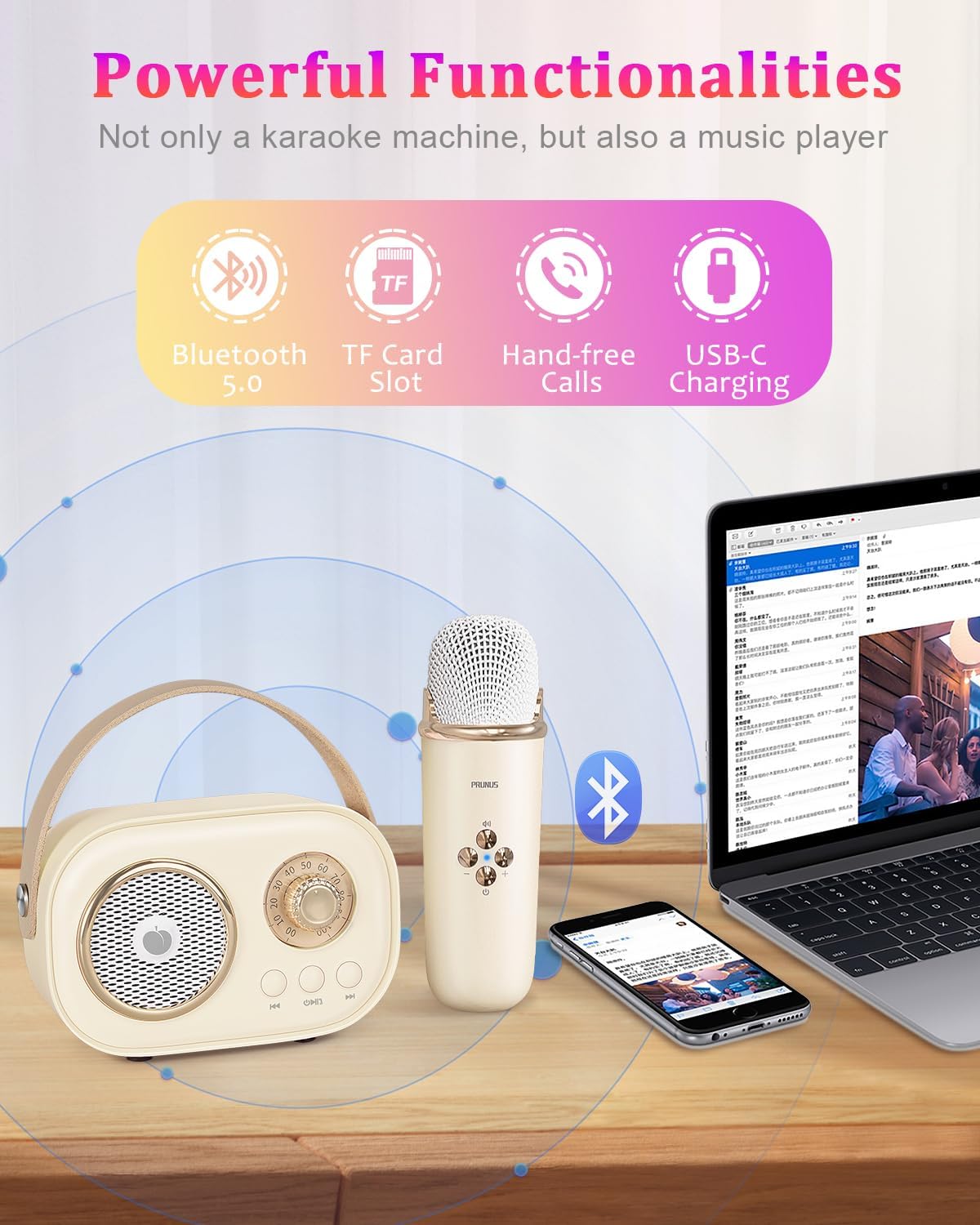
Figure 3: The karaoke machine supports Bluetooth 5.0, TF card playback, and USB-C charging.
Parentah Operasi
Kadali Speaker:
- Kakuatan / Puter / Reureuh: The central button on the speaker controls power on/off (long press) and play/pause (short press) for music playback.
- Lagu saméméhna/Salajengna: Use the left and right arrow buttons on the speaker to navigate between music tracks.
- Kontrol volume: Rotate the large dial on the speaker to adjust the overall volume.
Kontrol Mikropon:
- Daya / Volume: The central button on the microphone powers it on/off (long press). Short presses adjust the microphone volume.
- Sound Effect Switch: The microphone features unique sound settings including Original, KTV Mode, Female Voice, Male Voice, Children's Voice, and Magical Sound Effects. Press the dedicated button to cycle through these modes.
- Original Voice/Accompaniment Mode: Easily switch between singing with the original vocal track or just the instrumental accompaniment.
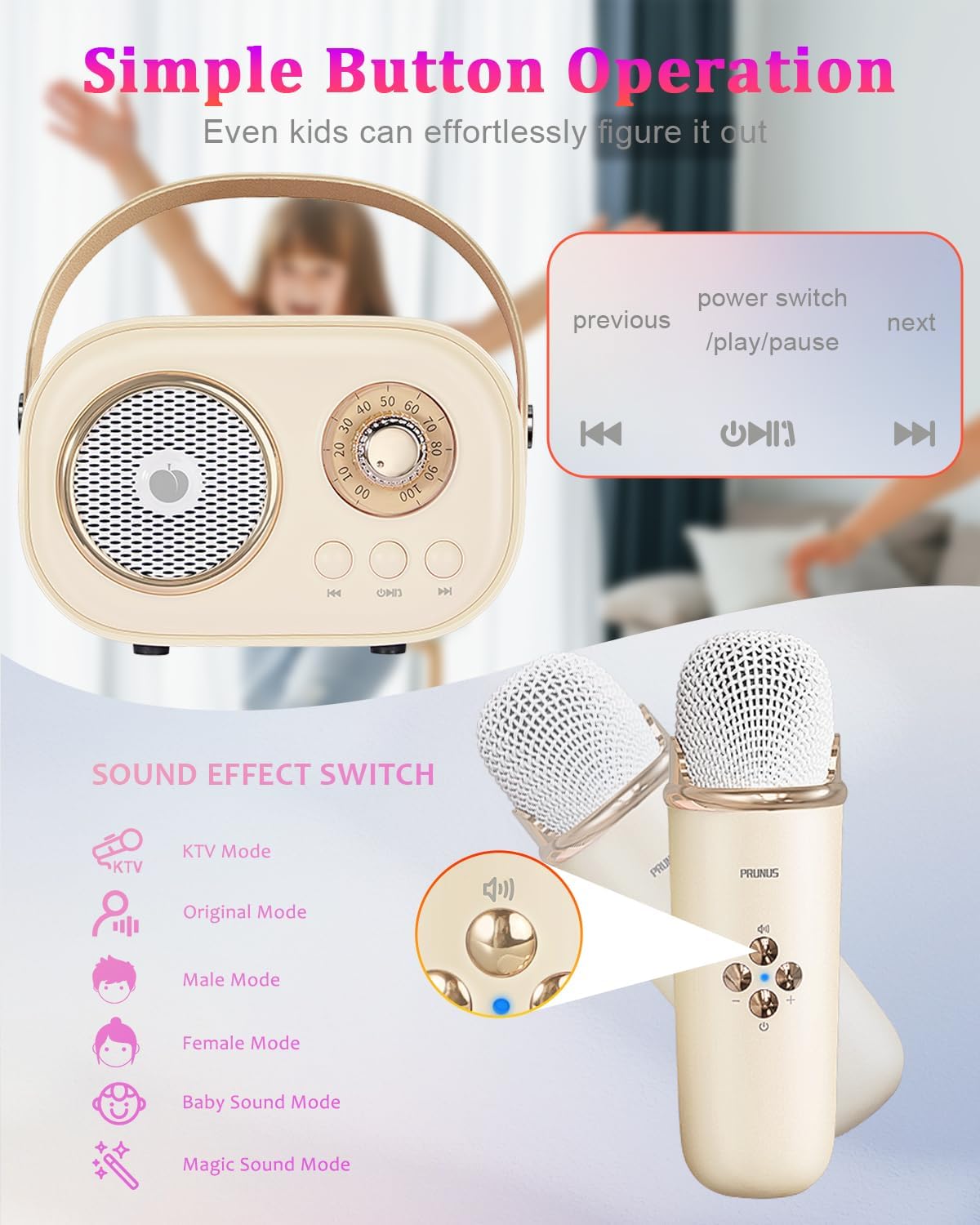
Gambar 4: Detil view of the speaker and microphone controls, highlighting sound effect options.

Figure 5: Explore various fun voice effects available on the microphone.
Kualitas Audio:
The PRUNUS C20 features a bass diaphragm and digital signal processor for rich, clear-crystal sound with deep bass. It minimizes noise and interference for a high-fidelity audio experience.
Note: To prevent howling sounds, avoid placing the microphone and speaker too close to each other when the speaker volume is loud.

Figure 6: Internal design of the speaker for robust sound quality.
Video produk
Video 1: Official product video from Prunus Store showcasing the Mini Karaoke Machine with 2 Wireless Mics.
Video 2: Official product video from Prunus Store demonstrating the PRUNUS C20 Karaoke Machine.
Pangropéa
- beberesih: Use a soft, dry cloth to clean the exterior of the speaker and microphones. Do not use liquid cleaners or abrasive materials.
- Panyimpenan: Simpen alat dina tempat anu tiis sareng garing jauh tina sinar panonpoé langsung sareng suhu anu ekstrim.
- Perawatan batré: Pikeun manjangkeun umur batré, ulah sering ngosongkeun batré alat sacara total. Cas alat sacara rutin, sanaos henteu dianggo kanggo waktos anu lami.
Pamérésan masalah
| Masalah | Mungkin Cukang lantaranana | Solusi |
|---|---|---|
| Taya kakuatan / Alat moal hurung | batré lemah | Charge the speaker and microphones fully. |
| Taya sora tina speaker | Volume too low; Not connected via Bluetooth/TF card; Microphones not paired | Increase volume. Ensure proper Bluetooth connection or TF card insertion. Power on and pair microphones. |
| Mikropon teu jalan | Microphone not powered on; Not paired with speaker; Too far from speaker | Ensure microphone is powered on. Re-pair with speaker. Keep microphone within operating range. |
| Howling/Feedback sound | Microphone too close to speaker; Volume too high | Increase distance between microphone and speaker. Lower speaker volume. |
| Sambungan Bluetooth teu stabil | Interference; Device too far from source | Move closer to the connected device. Avoid obstacles. Disconnect and reconnect Bluetooth. |
spésifikasi
| Fitur | Rincian |
|---|---|
| Nomer modél | C20 Tambih Deui |
| Dimensi produk | 4.09 x 1.97 x 2.8 inci |
| Item Beurat | 12.3 ons |
| Warna | Beureum |
| Batré | 1 A battery required (internal, rechargeable) |
| Waktu maén | Up to 4 hours (speaker) |
| Konektipitas | Bluetooth 5.0, TF Card Slot |
| Fitur husus | Lightweight, Portable, Mini, Voice Changer, Rechargeable |
| Dianjurkeun Paké | Jero rohangan / Luar |

Figure 7: Product dimensions for the speaker and microphone.
Garansi sareng Rojongan
PRUNUS products are manufactured with high-quality standards. For any product-related inquiries, technical support, or warranty claims, please refer to the contact information provided on the product packaging or visit the official PRUNUS websitus. Mangga simpen bukti pameseran anjeun kanggo tujuan garansi.


